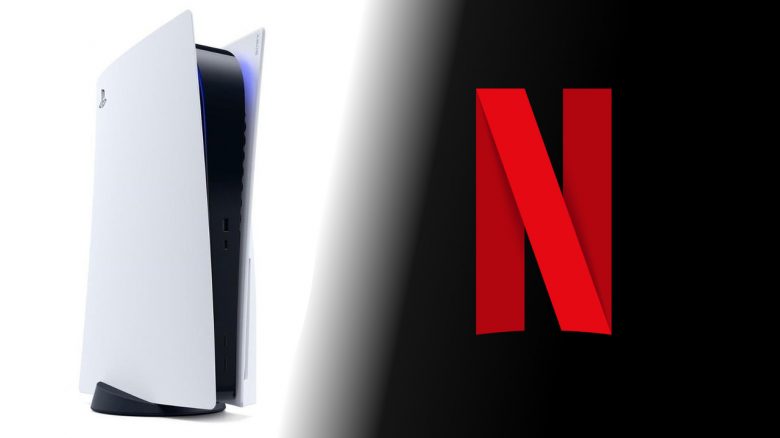
You use your PS5 to watch Netflix or for streaming services like Amazon Prime? MeinMMO explains why that’s not a good idea.
On the PS5, you can not only play current games like Horizon: Forbidden West or Elden Ring but also watch movies or series via streaming services. However, this is not the best idea if you want to get the most out of your series or save resources.
MeinMMO explains what’s behind it, and why you have to forgo the best picture and sound on the PS5.
You can only use normal HDR on the PS5
If you use Netflix, Disney+, or other services on the PS5, you have to forgo the currently best HDR format: Dolby Vision. The PS5 cannot output the dynamic HDR format. Instead, the console relies on the usual HDR10. However, this does not reach Dolby Vision in terms of color depth and contrast.
With some tricks, it is possible to activate Dolby Vision on Sony’s own Bravia TVs (via mp1st.com). This way, you can use Dolby Vision in certain games, but it is not officially supported.
What is HDR anyway? HDR stands for High Dynamic Range Image and primarily improves colors and contrasts when playing movies and series.
The current state of technology is Dolby Vision. It offers you a color depth of 12bit, resulting in the most intense colors. This gives you particularly high picture quality.
The alternative is the royalty-free HDR10 technology. Here, a uniform tone is laid over the image, which makes the playback very static. However, with a color depth of 10bit, the image still looks significantly better than if you use SDR quality.
Under Windows 10 and 11, you can now activate Auto-HDR. What exactly this brings you will be explained in a separate article:

You won’t get Dolby Atmos with Netflix on the PS5
The PS5 cannot output Dolby Atmos when you use Netflix on the console. Dolby Atmos is an audio format that offers particularly high quality. Many streaming services now use this format.
Dolby Atmos works with audio objects that are distributed across different channels by a decoder in real time. You can hear the rustling of leaves in the forest or perceive an airplane flying directly above you.
If you watch current 4K BluRays on your PS5, you can use Dolby Atmos. However, to use Dolby Atmos, you must enable Bitstream transmission. The sound is then transmitted from the PS5 via Bitstream either to a compatible AVR / AVC or a soundbar, where the signal can be decoded.
Games and apps from streaming services like Netflix, Amazon Prime, and others are not supported. It is still questionable whether Dolby Atmos will ever be extensively supported on the PS5. Some even suspect that Sony would rather support its own 3D audio format “Tempest Audio-Tech”. “Tempest 3D Audio” does not work perfectly, as explained in a preview report by GamePro.
Your PS5 consumes a lot of power when streaming
For many, it’s a nice bonus that you can use streaming services like Netflix on the PS5. Instead of switching to another device, you just need to switch from your game to Netflix and others.
However, this little convenience costs money. One reason why you should not use your PS5 for Netflix and others is the high power consumption of the console. If you use your PS5 for streaming, you consume an average of 70 – 80 watts just when watching Netflix.
Where does this information come from? The “Natural Resources Defense Council” measured the power consumption of the PS5 and Xbox Series X|S and found that your PS5 console consumes about 10 to 25 times more power than a streaming device like an Apple TV or FireTV Stick (via nrdc.org). An Apple TV 4K consumes about 6 watts and a Chromecast Ultra only 3.4 watts.
This applies to both the disc version and the digital edition of the PS5. Plus, there’s also the consumption of your TV and connected speakers.
In comparison: When you play a game on the PS5, you consume about 200 watts just with the console. This also applies to both versions of the console. Because in contrast to the Xbox Series X|S, both consoles from Sony have the same hardware:

What is the reason for this? Both the Xbox Series X and the PS5 are primarily gaming consoles. Streaming services are often seen more as a nice bonus. The consoles are optimized for games and are significantly less efficient in streaming than, for example, a streaming dongle. In a FireTV Stick or comparable devices, ARM processors are used, as known from mobile devices. They are significantly more efficient than the PS5 or an Xbox.
Prefer to watch your movies and series on your TV
If you watch a lot of series and movies through Netflix or other streaming providers, switching to the TV can often be worthwhile. Because the popular consoles are not really optimized for streaming.
If you rather use the TV or a streaming stick, you benefit from many advantages and also save on electricity at a time when it’s getting more expensive. By the way, our colleagues from GameStar took a look at how PC gaming could become more expensive with rising electricity costs.
It is more advisable to use the pre-installed apps on your TV. If you do not have a TV with smart functions, you can buy a streaming stick like the FireTV Stick for a small amount of money starting at 30 Euros.
We would recommend purchasing a Fire TV Stick 4K. Here you get Dolby Vision and Dolby Atmos for 60 Euros. With the regular Fire TV Stick for 40 Euros, you have to forgo Dolby Vision. The Amazon devices are also regularly available at significant discounts.

*Affiliate-Links. Wir erhalten bei einem Kauf eine kleine Provision von Amazon. Vielen Dank für Eure Unterstützung!
Do you want to buy a PS5? If you haven’t gotten a PS5, be sure to check our ticker. Here we keep you updated daily and explain how to best get a PS5 and show you drops around the coveted console.