

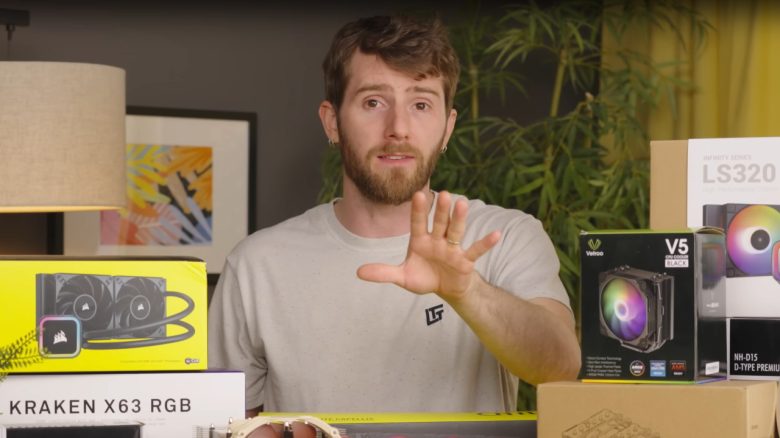
Many gamers upgrade their PCs with various enhancements to gain more performance. Many also invest money in cooling systems. The well-known tech YouTuber Linus Tech Tips now explains why most gamers spend far too much money on coolers.
Good cooling of the system is important because well-cooled hardware performs better and has less wear. For this reason, many gamers invest a lot of money in expensive models for CPUs and cases.
The well-known YouTube channel Linus Tech Tips has tested several coolers. Linus explains why many gamers spend far too much money on such coolers. He substantiates this with the data he gathered from his tests.
We are embedding his video here for you:
For most gamers, expensive coolers are not worth it
What did he test? Linus tested a total of 8 different coolers for processors from AMD and Intel for his video. He examined both air and liquid cooling. All models are mounted directly on the processor. He did not test case fans.
In his video, he says: In many cases, you only get a tiny advantage with the cooler that costs twice as much compared to a simple cooler for your CPU. And spending an additional 100 euros for 1% more performance is hardly ever worth it.
In most cases, the temperature difference between the various coolers would be just a few degrees. He also demonstrates this in his tables. The Corsair H150i for around 250 euros cools the Ryzen 9 7950X just as well as the Peerless Assassin for 40 euros.
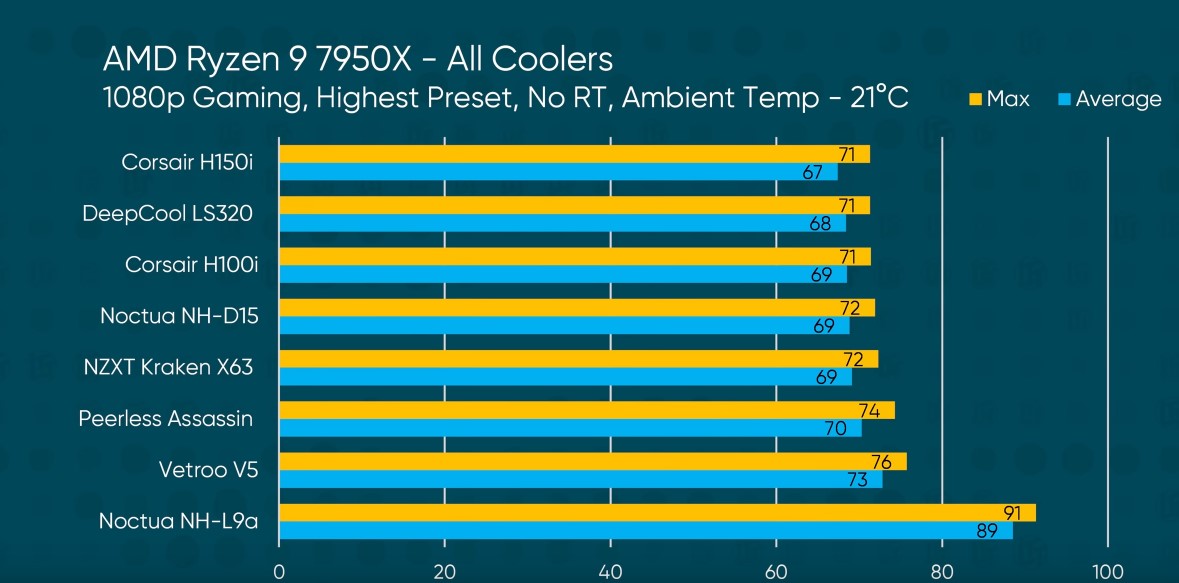
Is there a current recommendation? In many cases, according to Linus, even the coolers included are completely sufficient, as they are always improving. Therefore, his recommendation for most users is the Thermalright Peerless Assassin, which you can currently get on Amazon for around 40 euros.
Only those who install processors known for high temperatures, such as the Intel Core i9-13900K, should then opt for a larger and more powerful cooler that can handle the heat.


Many viewers, by the way, recommend coolers from the manufacturer Noctua. This manufacturer offers kits for its products that allow you to mount old coolers on new processors without having to buy a new cooler right away.
You can watch a particularly nice case for your next build in the following video:
Simple tips for better cooling
Do I always have to buy hardware for better cooling? No, in many cases, simple tweaks are sufficient for better temperatures in the computer. The location of your PC alone can make a big difference. If your PC is in a closet, the air circulation is worse.
Regularly cleaning your computer can also make a big difference. Dust and dirt clog coolers and filters, preventing your system from dissipating heat effectively.
For more tips on how to keep your gaming PC cool this summer, you can find the following article on MeinMMO:
8 tips to keep your gaming PC cool and faster this summer

Your opinion is important to us!
Do you like the article? Then let us know!