

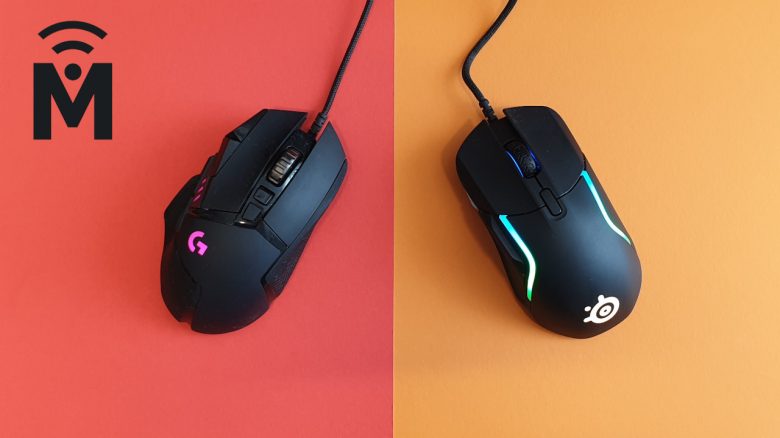
MeinMMO has compared the SteelSeries Rival 5 and the Logitech G502 Hero for you, revealing which mouse is best suited for which player.
The key points at a glance:
- The SteelSeries Rival 5 and the Logitech G502 Hero are both all-rounders for right-handers. This means that these mice are suitable for any genre.
- Both mice are closely priced: The G502 Hero is currently available for 55 euros, while the Rival 5 is available for 65 euros.
- While the G502 Hero feels overall better in hand during use, the lightweight design of the Rival 5 is a significant plus.
Here’s the deal: With the Rival 5, SteelSeries has introduced a gaming mouse that aims to play all genres: Battle Royale, FPS, MOBA, and MMOs – you should be able to play all games effortlessly with it.
Currently, Logitech’s successful G502 (Hero) holds the position of a strong all-rounder in the mouse market. SteelSeries deliberately showcased its new Rival 5 against the G502 during its introduction, emphasizing the low weight. The market for all-rounder mice seems particularly lucrative: According to Logitech, the G502 is the best-selling mouse in the world. A glance at Amazon appears to confirm this. Will SteelSeries manage to get a piece of the pie?
MeinMMO has now thoroughly compared both the G502 Hero and the Rival 5 in tests and has been able to use them extensively in practice. In our article, we present both mice to you and compare them with each other.
In the concluding verdict, we will explain which gaming mouse performed better in our tests.
Design
In this section, we will look at the design of the Rival 5 and the Logitech G502 Hero. How do the mice look? We will examine the RGB lighting and explain whether the mice, for example, provide indicators (lights) for DPI settings.
SteelSeries Rival 5
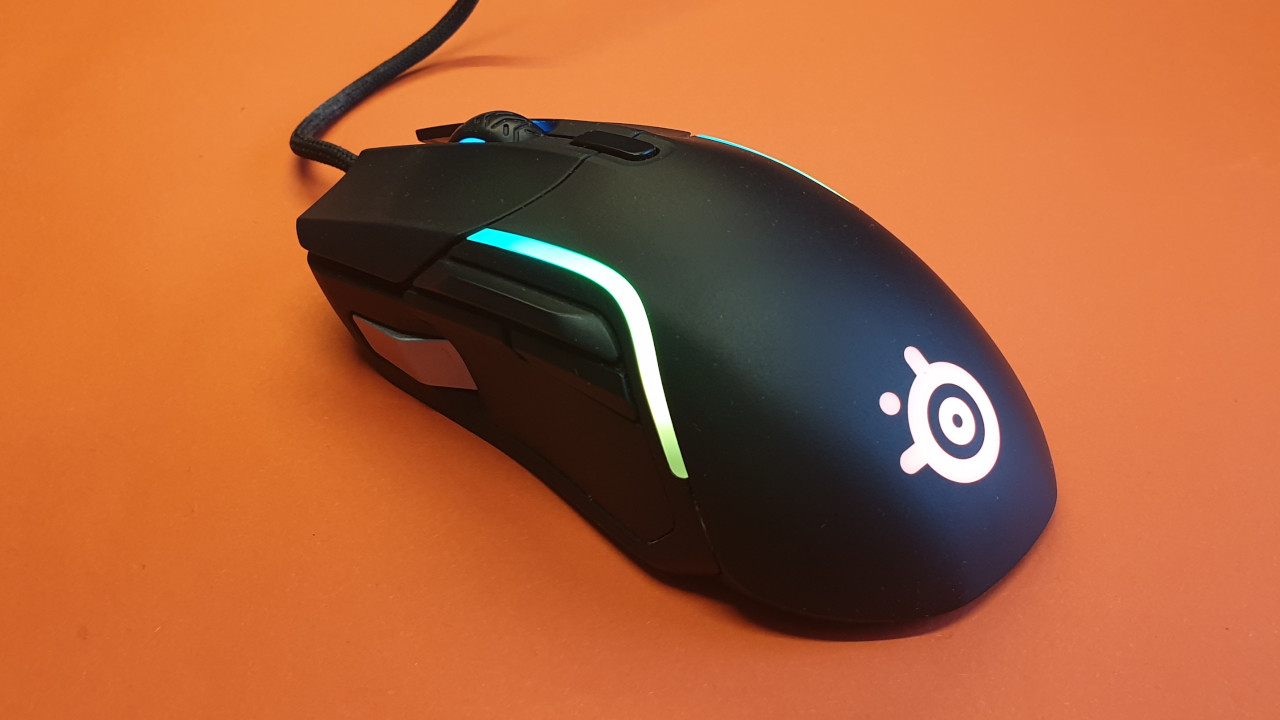
This is what the Rival 5 looks like: The mouse from SteelSeries features a simple black design. Only the sniper button at thumb height stands out distinctly in light gray from the otherwise black mouse.
The SteelSeries Rival 5 offers extensive lighting. The mouse has a large and prominent logo on the lower half and also features two large light strips on the left and right edges. Additionally, the mouse wheel is illuminated. The entire lighting can be adjusted through the software.
When you change the DPI level using the DPI button, the lighting briefly switches to a clear color (yellow, red, purple, blue) to indicate the change. On the next mouse click, the color switches back to the set RGB lighting.

Logitech G502 Hero
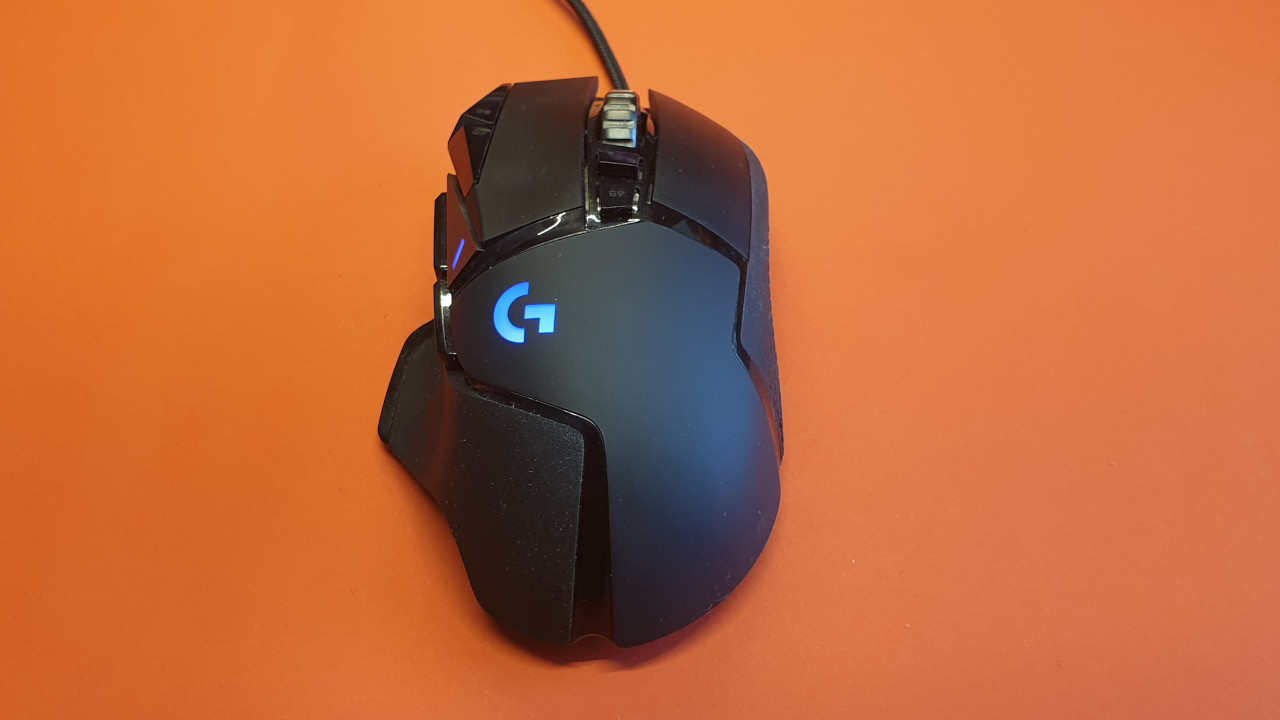
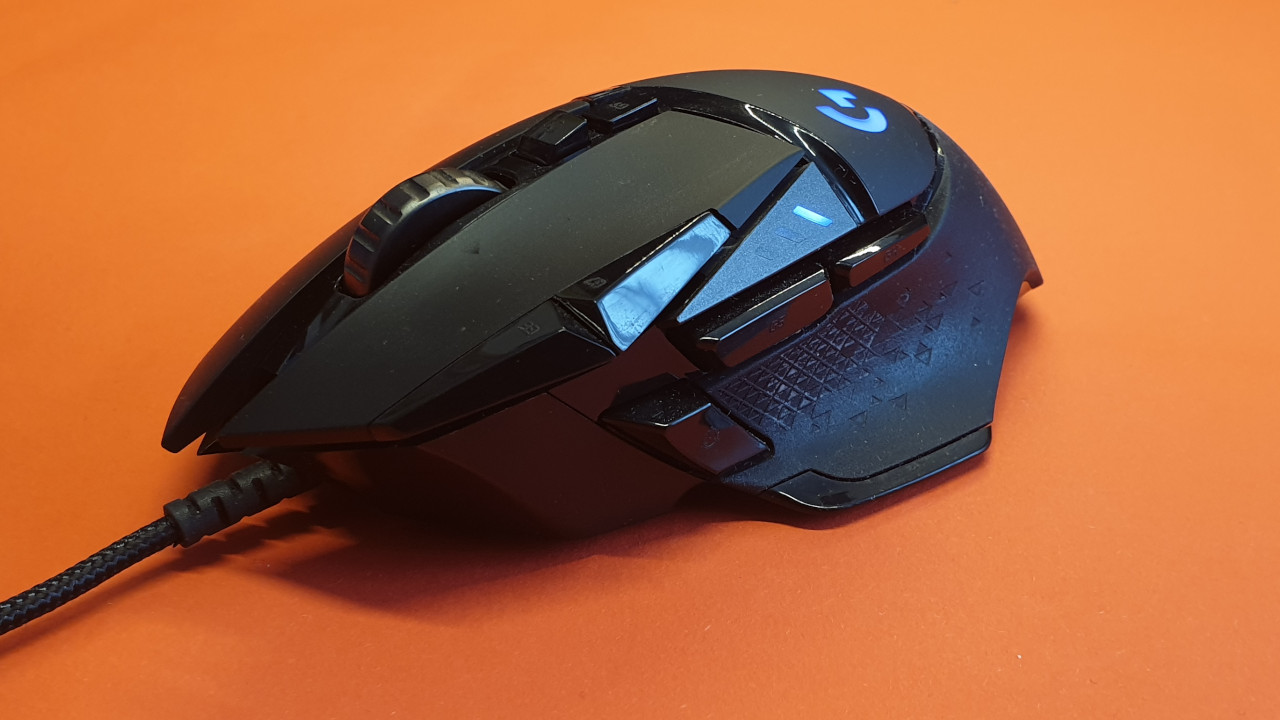
This is what the G502 Hero looks like: Logitech’s gaming mouse is also kept in a simple black design. With the G502 Special Edition and the G502 K/DA-Edition, there are now two other design variants, both of which are significantly more expensive than the black version.
In terms of RGB lighting, the G502 Hero is relatively understated. Only the small logo on the left side and an indicator are illuminated. This indicates with three lights which DPI level is currently set.
Conclusion on Design
This is our impression: Overall, the lighting on the Rival 5 is significantly more dominant than on the G502 Hero. The RGB lighting is elegantly designed and we find it appealing. The lighting never appears intrusive or disturbing, especially when playing in a dark room.
The design of the Rival 5 overall appears more modern and aggressive than that of the rather understated G502 Hero.
Winner: SteelSeries Rival 5
Haptics, Buttons, and Technology
In this section, we will discuss the construction and technology of the two gaming mice. We will address the sensor, the buttons, and the processing, and finally compare the two devices with each other.
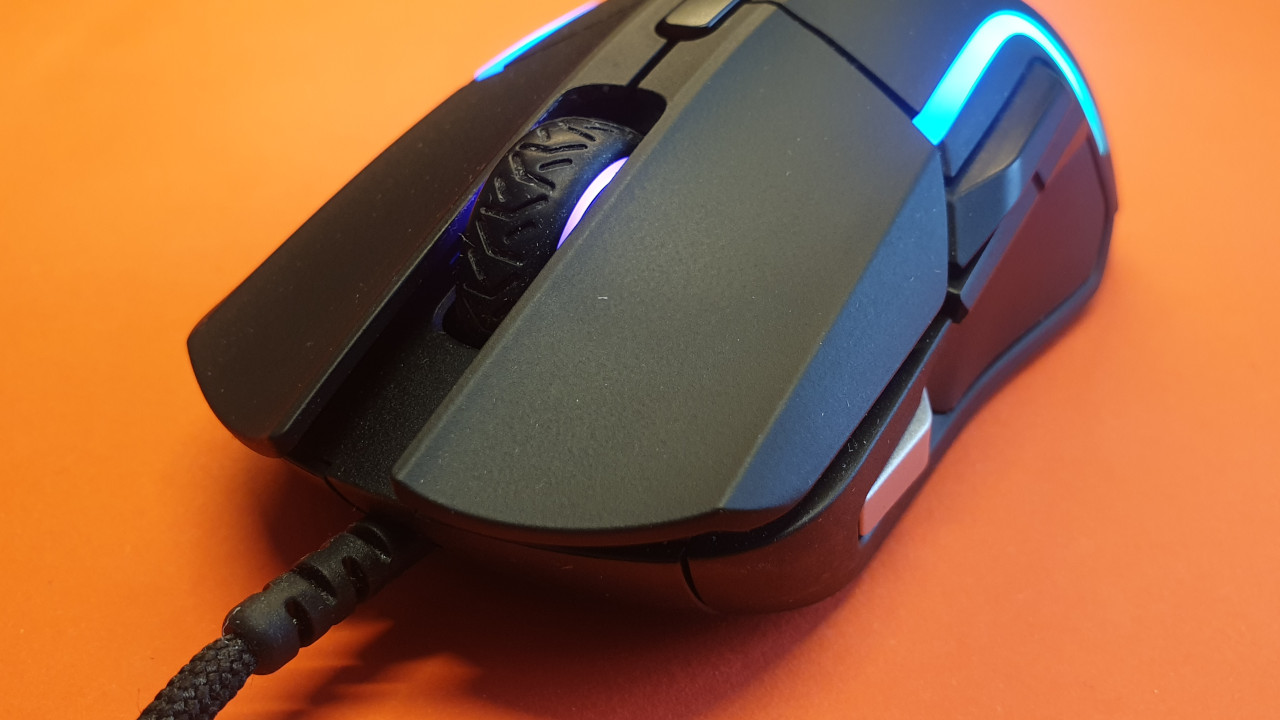
SteelSeries Rival 5
This is what the Rival 5 offers: On the top, there are two mouse buttons, a scroll wheel, and a DPI switch button. On the left side (thumb side), there is a large switch that protrudes directly above the “Back” and “Forward” buttons.
The toggle switch is useful when you need to quickly switch between weapons in a game. It is also well suited for general purposes, like adjusting volume or other additional functions. At the very front left, there is a sniper button, known as the sharpshooter button.
This is the technology behind the Rival 5: The Rival 5 uses the in-house “TrueMove Air” sensor. With a resolution of 18,000 DPI, an acceleration of 40G, and a polling rate of 1000 Hz per millisecond, the sensor easily keeps up with other mice. The switches under the buttons are rated for 80 million clicks.
Logitech G502 Hero
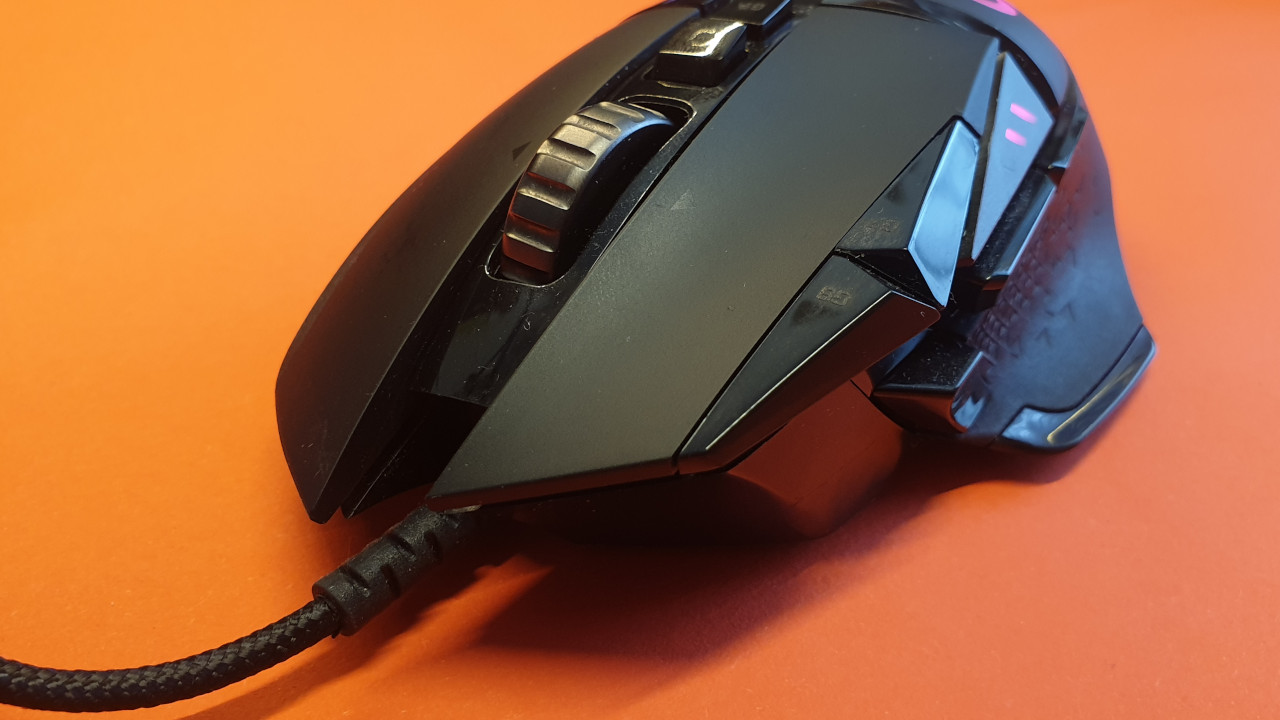
This is what the G502 Hero offers: On the top, there are two mouse buttons and a clickable scroll wheel with two buttons beneath it; one is the macro button, while the other is mechanical, allowing you to choose between a solid and “infinite” scrolling feel.
On the left side, there are two pairs of macro buttons – two single buttons that sit next to your index finger, and two lower side buttons that you can reach with your thumb. There is also a sniper button at the front left.
Logitech has numbered and labeled each button, which in practice doesn’t matter, as the numbers are neither illuminated nor tactile.
This is the technology behind the G502 Hero: Logitech installs its HERO sensor in the G502 Hero. With a resolution of 16,000 DPI, which has been increased to 25,600 with a software update, an acceleration of 40G, and a polling rate of 1000 Hz per millisecond, Logitech offers the currently best sensor from its own house.
Conclusion on Haptics and Technology
This is our impression: The surface of the Rival 5 is rougher and not as smooth as that of the G502 Hero. This provides a pleasant grip during gaming and while clicking the mouse buttons.
Logitech has opted for rubberized side surfaces to provide additional grip. In practice, these are non-slip, but we never missed such rubberization on the Rival 5. We find the rough surface of the Rival 5 to be better in practice than the smooth finish of the G502 Hero.
Both the Rival 5 and the G502 Hero can show fingerprints after an intense gaming session. The surfaces appear slightly greasy after the session, and fingerprints are noticeable on the black surface.
Winner: Tie
Weight
The Logitech G502 weighs 121 grams (wired version), while the SteelSeries Rival 5 comes in at 85 grams. In terms of size, the mice differ little, but the G502 Hero feels heavier and bulkier ergonomically.
In general, the Logitech G502 Hero also allows you to increase the weight with extra weights by up to 16 grams. However, I personally rarely take advantage of this option.
How significant is the difference? The weight difference is noticeable. As someone who admittedly enjoys playing with heavy and bulky mice like the Roccat Kone Aimo Remastered or the G502 Hero, I do notice the difference in practice.
Especially when gaming for several hours straight, the lower weight of the Rival 5 provides a pleasant relief for the wrist. This has the advantage that I can move the mouse over long distances without my hand hurting when I play for long periods in the claw grip or fingertip grip.
Those who manage with high DPI numbers and few small movements on the mousepad will likely feel the weight difference less than someone who pushes the mouse over long distances on the mousepad.
Winner: SteelSeries Rival 5
Here’s what you can find on the next page: On the next page, we will delve into more details of the Rival 5 and the G502 Hero. We will cover software, sliding properties, ergonomics, grip type, and the prices of the mice.
Furthermore, we will explain which mouse ultimately wins the duel. Finally, we will clarify which mouse is most suitable for which user.

Your opinion is important to us!
Do you like the article? Then let us know!