


A new feature on Steam now tells you interesting statistics about the most popular games. MeinMMO shows you what information Steam provides with the new tool and where to find it.
What is this feature? With the new tool, Steam now shows you in detail which games are the most popular, which is particularly interesting if you want to know which games are currently being played a lot or are the most purchased.
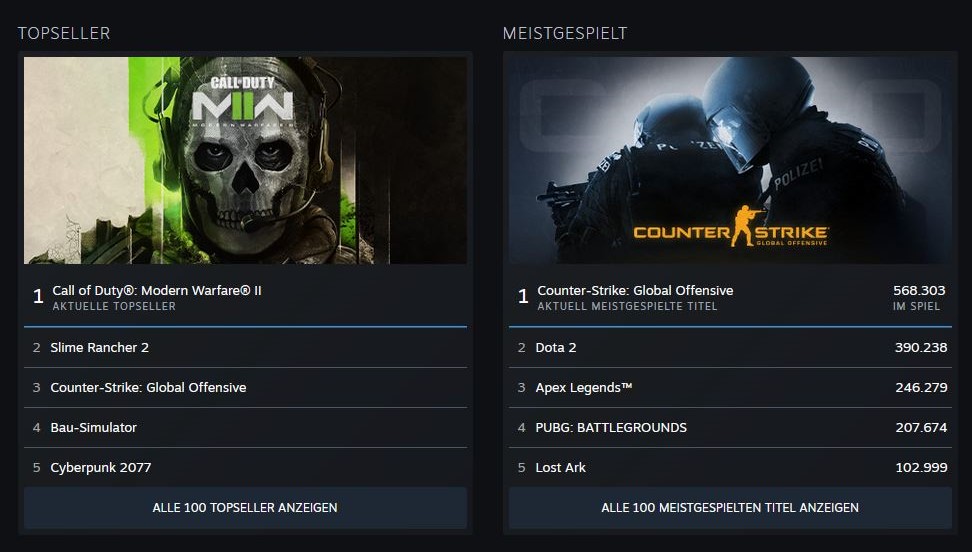
What information do you get? Steam provides insights into player numbers with the new feature. You can see the 100 games that are played the most. In the first step, you can sort by current or daily players.
If you sort by current players, you see how many people are playing a game at that moment. For Lost Ark, the value is, for example, 99,983 at 10:40 AM on September 23, 2022. Additionally, you find out the peak number of concurrent players in the past 24 hours. For Lost Ark, this is 203,625.
If you sort the list by daily players, the statistics share the peak concurrent player count of the last 24 hours and additionally indicate how many places a game has gained or lost compared to the previous week.

In the other list, you again see the best-selling games in a top 100. Steam also gives you information about how many ranks a game has risen or fallen and tells you how many weeks the mentioned title has been in the top 100.
You can also sort the statistics precisely by numerous countries or view the global values. CoD: MW2 has, for example, risen by 37 places in Germany since last week and has been in the top 100 for 6 weeks already. Worldwide, however, the shooter has only climbed 19 places, but has already been in the charts for 10 weeks (via Steam).
Additionally, in all the lists, you always find out the price of a game and can click on the name to go directly to its Steam page.
Where can you find this feature? If you want to take a look at the new Steam statistics, we from MeinMMO show you where to find them:
- Open Steam via the application on PC or in a browser.
- Select “Store” from the upper screen line with Shop, Library, Community, and your username.
- You don’t have to click on it, just hover over the term.
- Now you see several terms lined up vertically. Click on “Statistics” here.
- You are now in the overview with different lists and can choose between “Bestsellers” and “Most Played”.
In the image, we have highlighted the areas you need to select. Keep in mind that the screenshot was taken in a browser and the layout varies slightly in the Steam application. However, you will find the term “Store” including the subcategory “Statistics” in both cases at the top.

What do you think about the new feature on Steam? Are you taking a look to see which games are currently popular and frequently purchased, or are you not a fan of statistics? Feel free to leave us a comment and let us know here on MeinMMO!
Just a few months ago, Steam released a change that received some positive reactions and made acquiring free games and DLCs easier.
A tiny button in Steam brings great joy among players – “This is great”

Your opinion is important to us!
Do you like the article? Then let us know!