


You spend money diligently on Steam and shop one game after another? It can quickly happen that you lose track of your finances. Here you will find a guide on how and where you can check how much money you have already spent on Steam.
Where can I see how much money I have spent on Steam? With these 6 steps, you can access your personal financial overview on the gaming platform:
- Step 1: Open Steam in the desktop version
- Step 2: Log into your Steam account
- Step 3: Click on “Help” in the top left of the bar
- Step 4: Click on “Steam Support”
- Step 5: Click on
My Account
- Step 6: Go to “Used External Balance” under the “Account” section
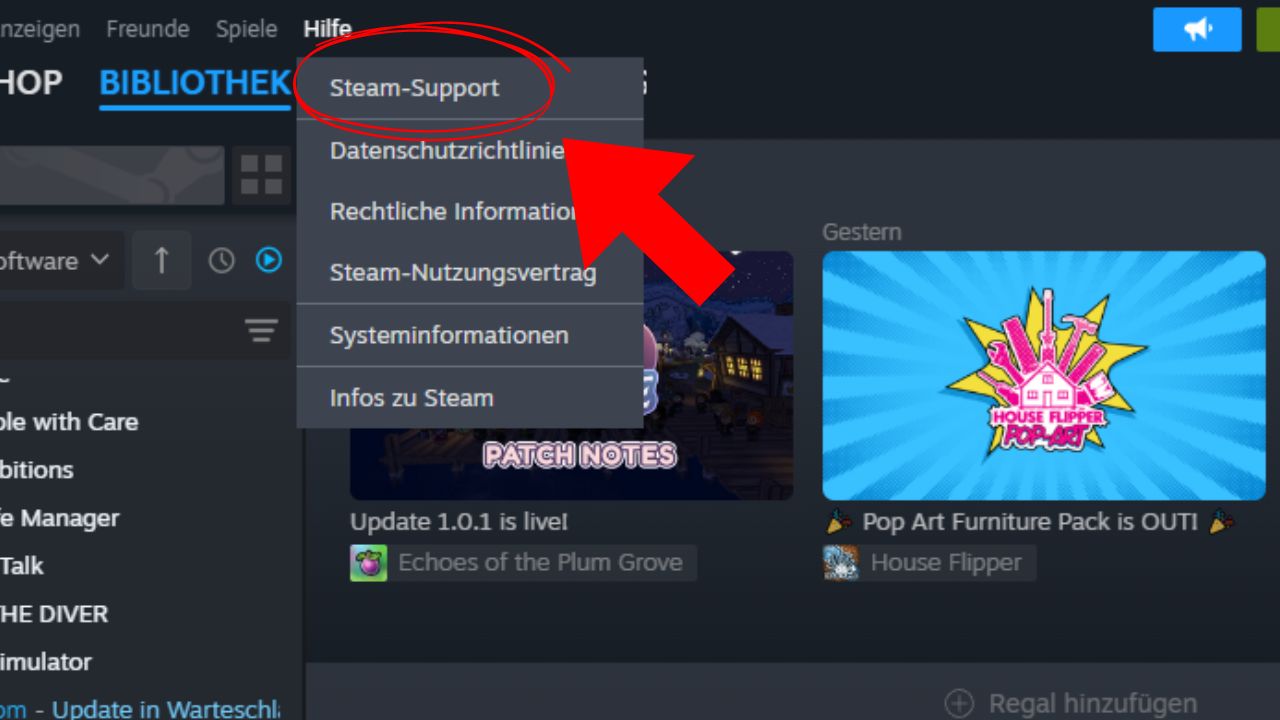
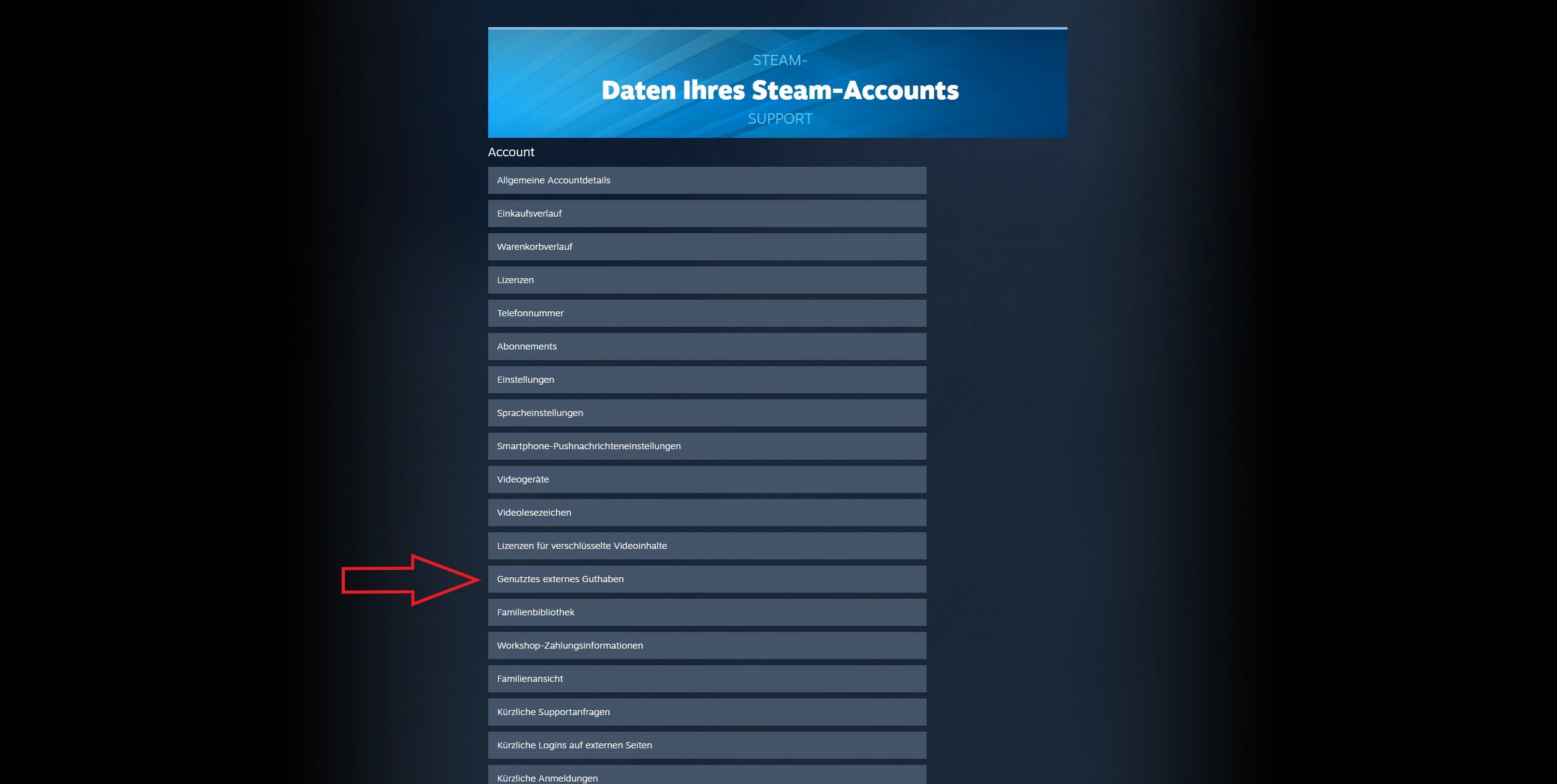
You will see an overview with the total amount of money that you have spent either through game purchases in the shop or by topping up your Steam balance. Accordingly, this overview does not include purchases made through the purchase of a key from external sites.
Through this link you can go directly to the view of your “used external balance”.
Steam states: “This amount is only calculated if needed and is therefore not always up to date. If the amount is not specified below, it is currently not stored in our database.” (As of: November 22, 2023, via Steam).
If no amount of money is displayed here, or if you want to find out how much money you have spent on keys, you can find your purchases with prices listed under this link:
https://store.steampowered.com/account/history.
Are you often on Steam and always looking for new game recommendations? Then you can find 3 of the best new MMORPGs that have been released on the gaming platform since 2020:
What are these values in the view? In the overview of the used external balance, you will see four different values:
- Total Spend: The total amount of money you have put into your Steam account
- Old Spend: Amount of money spent before April 17, 2015, 19:00:00 CEST
- PWSpend: The amount spent in Perfect World. This applies to accounts with the two games CS:GO or DOTA 2, which are linked with Perfect World; for all other accounts, this is shown as 0.00
- ChinaSpend Total amount spent through Steam China
If you notice that you have spent too much money on Steam, you can find a guide here on how to return your purchased games.

Your opinion is important to us!
Do you like the article? Then let us know!