

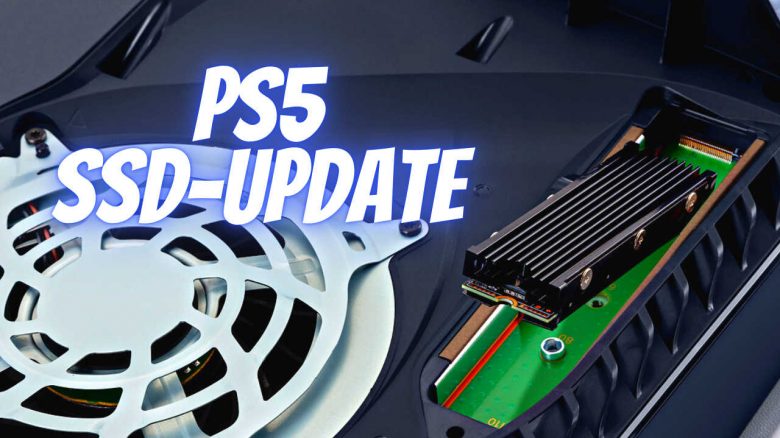
Manufacturer Sony has announced an update for the PlayStation 5 and finally allows you to install SSD storage for your PS5 games. We will show you the key information about the installation and what else the update brings on MeinMMO.
What kind of update is this? Sony is rolling out a major update for some services of the PlayStation ecosystem on September 15. The “September System Software Updates” bring improvements for the PS4, the PlayStation app, and Remote Play. But PS5 players can also look forward to new features:
- The update enables the installation of internal “M.2 SSD” drives
- Improvements to the overall user experience (UX)
- 3D audio support for TV speakers
Especially the unlocking of the internal SSD slot is likely to please many players and is the highlight for PS5 owners. MeinMMO shows you details about the new hard drive feature and more information about the update. Sony has also released an English trailer for the September update, which we embed here:
September Update brings more storage to the PS5
When is the update coming? First PS5 owners have already received the update. If the download does not start when you turn on your console, try again a little later.
The update is just over 900 MB in size.
What’s new now? The internal slot for an M.2 SSD has been present in the PS5 but was not functional. After the update, you can install compatible M.2 SSDs and thus expand your PS5 storage. Only participants in a beta program could previously use the internal hard drive slot.
What SSDs can I use? The supported specifications for your new internal drive are as follows:
| Interface | M.2 NVMe SSD supported by PCI-Express Gen4x4 (Key M) |
| Storage | 250 GB–4 TB |
| Supported formats | 2230, 2242, 2260, 2280, 22110 |
| Size with cooling | Width: up to 25 mm Length: 30/40/60/80/110 mm Thickness: up to 11.25 mm (up to 8.0 mm above the plate, up to 2.45 mm below the plate) |
| Sequential read speed | 5500 MB/s or faster is recommended |
| Connection type | Connector 3 (Key M) |
Moreover, Sony recommends corresponding heat sinks for the drives, which you must also attach to the SSD yourself if your drive does not have a pre-installed heat sink. You can find a selection of compatible drives here.
You can install up to 4 TB of PS5 storage through the internal slot. Be sure to check the Sony website for the requirements for M.2 SSDs in a PS5 if you decide to make a purchase (via sony.de).
Find out here what happens if you install the wrong SSD in the PS5.
How do I install the SSD? Sony states that you only need a supported M.2 SSD, a suitable screwdriver, and good light in the room to install the new hard drive. PlayStation has also uploaded a “step-by-step” guide on YouTube. However, it is currently only available in English:
Why is a larger SSD important? To launch the enhanced PS5 versions of games, they need to be stored on the internal SSD. This leaves just over 650 GB available for the library. Large games like Call of Duty, FIFA, or Destiny 2 take up a good portion of that space. With the new update, this storage for the PS5 versions can finally be expanded.
If you are still looking for a PlayStation 5, regularly check our offer ticker:

Improvements to the user experience are included
What else does the September update bring for PS5? Other highlights mentioned by the blog include adjustments for better operation and settings options, as well as support for 3D audio via TV speakers.
You can now customize your Control Center. This is the menu bar when you press the PS button once. The order of the displayed functions can be adjusted after the update, and you can also hide icons. In addition, the Game Base improves, as does the party and messaging system. MeinMMO author Philipp Hansen will be pleased, as he had issues with the PS5’s social features.
Additionally, you will see the PS4 and PS5 versions of a game separately in your library and on your current games. Previously, the option with the different versions was hidden behind a small options icon; now the games are effectively separated.
There are also smaller adjustments to social features and trophies, as well as the new option to use your TV’s 3D audio capabilities. However, you will need a TV that has built-in speakers that support this.
If you want to explore the details of the new features yourself, you can find all information about the September update on the PlayStation blog (via playstation.com).
Sony unlocks the long-awaited SSD slot of the PS5, allowing you to enjoy many more games with the speed of fast drives. You can even install the drive yourself with a little skill but should be very careful when choosing the right model and the appropriate heat sink.
But don’t be too eager when installing the drive and risk damaging the console. The PS5 is still hard to get.

Your opinion is important to us!
Do you like the article? Then let us know!