

You still have iOS devices with an old operating system? Then you should update it for Pokémon GO now.

In a few days, the mobile game “Pokémon GO” will separate from devices with older operating systems. This primarily affects Apple users. They will be forced to use a newer operating system to continue catching monsters in Pokémon GO and spinning PokéStops.
Pokémon GO iOS 8 support ended
On the official Pokémon GO website, the team announces that support for the outdated iOS 8 will soon be terminated. Devices running this operating system will no longer be able to start or access Pokémon GO after 20.11.2017.
If you are using this operating system, you should at least update to iOS version 9 to continue playing Pokémon GO.
Which iPhones and iPads support iOS 9?
iPhones from the “4S” version support the iOS 9 operating system. iPads from the model “iPad 2” can install iOS 9. You can find all devices in this list of Supported Devices on Wikipedia.
Why is Niantic doing this?
The developers explain that this action allows them to optimize their development process. Additionally, the freed resources will be used to develop new technologies.
The vast majority of Apple users have already transitioned to iOS 9 and higher. As players of older operating systems move to newer ones, we regularly update our requirements for supported devices so that we can focus on the devices our players are using.
Android support and iOS 9+ continues
Trainers using Android devices or Apple devices with iOS version 9 or higher are not affected by these changes. You can continue playing as usual. For Android, the minimum version is 4.4.
Are you unsure which iOS version you are currently using? On your Apple device, select “Settings”, then “General”, and then “About”. Next to “Version”, you will find the installed operating system.
How do I update my iOS device?
To update your device, go back to Settings and select “General”. In the list, choose “Software Update”. Your device will then check if updates are available or if the software is already up to date.
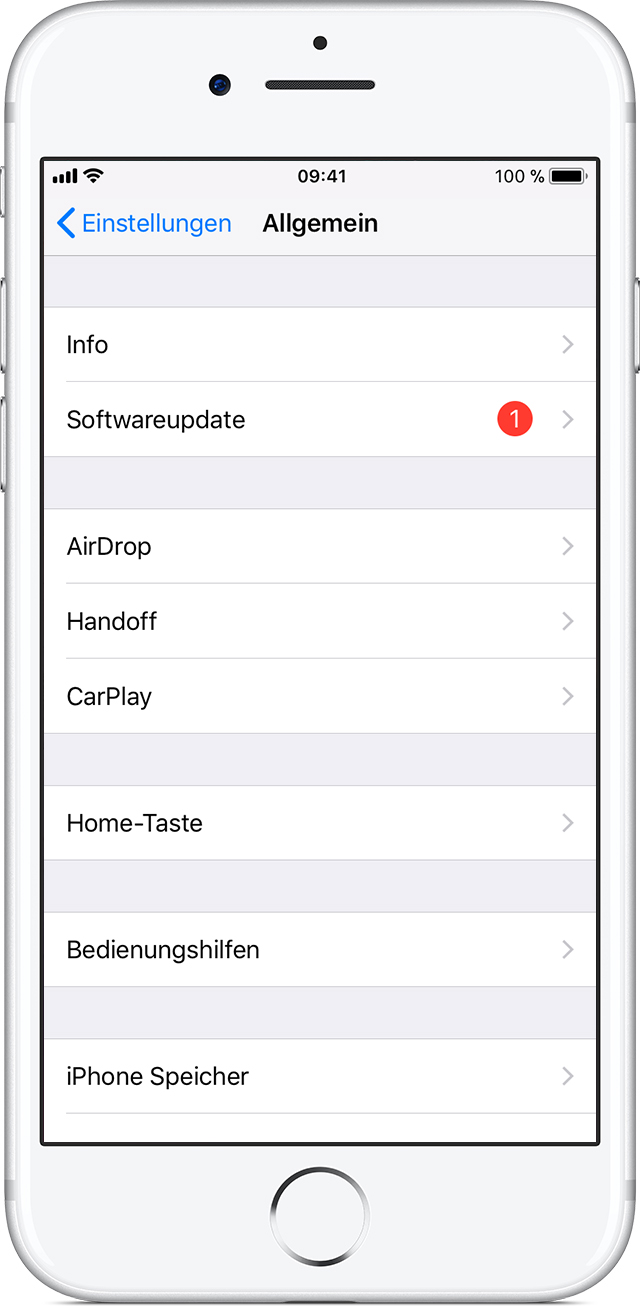
If an update is available, you can start the download and installation there. For further help on updating Apple devices, visit the Apple support website. iOS update instructions on support.apple.com
This Apple update prevents Niantic’s blacklist feature

Your opinion is important to us!
Do you like the article? Then let us know!