

The survival MMO Rust is rolling out Twitch Drops starting today. These are free in-game goodies you receive when you watch streamers on Twitch playing Rust. MeinMMO explains how to get the drops and which streams to watch.
What are Twitch Drops? This popular feature of the streaming platform rewards viewers with cosmetics and more when they watch certain streamers playing the respective games. The drops can be received either randomly and by luck or by watching for a certain amount of time.
Viewers only need to link their Twitch account with their game account to claim rewards. Some games even gave away their beta access through Twitch Drops, and others received a huge boost on Twitch from the drops.
When will drops come for Rust? The survival MMO Rust is now also starting with drops. Along with the update and the “force wipe” on January 7, 2021, at 8:00 PM German time, the drops will be activated.
You can start watching on Twitch from then and receive loot that you can redeem directly in the game. The corresponding streams will be marked with the feature “Drops active”.
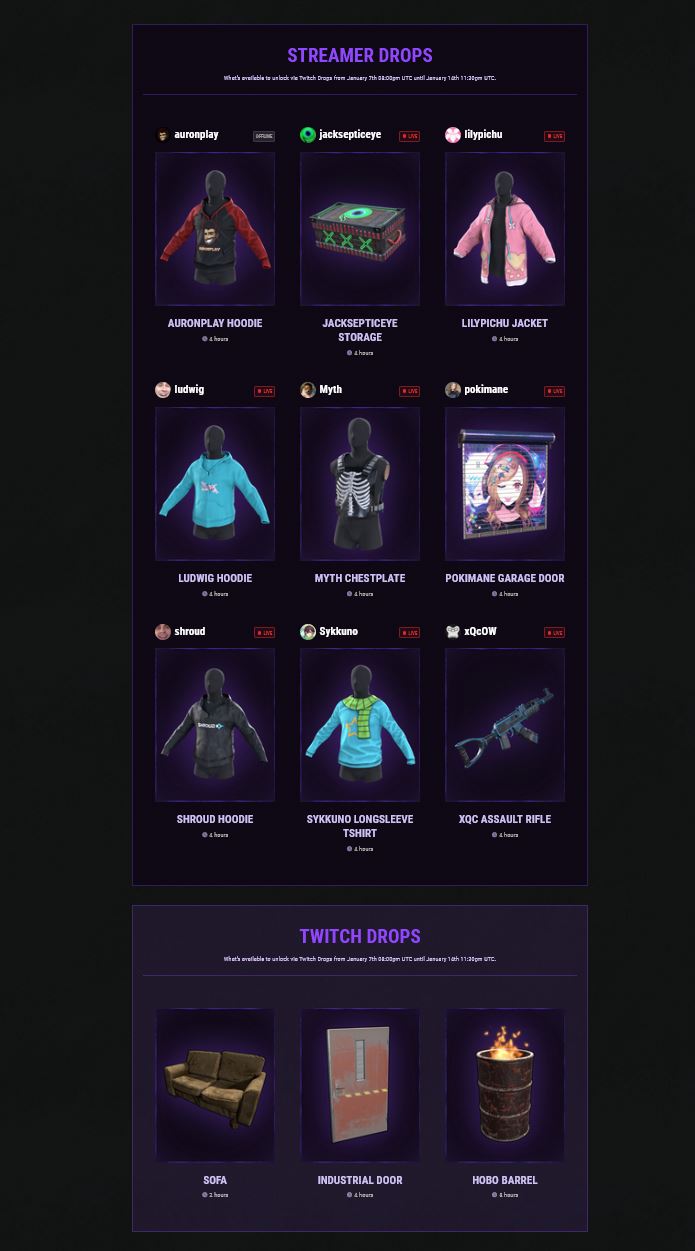
Facepunch has set up a overview page with streamers that have active drops (via Twitch). The list will become active from the update at 8:00 PM.
Activate Twitch Drops in Rust and claim your loot
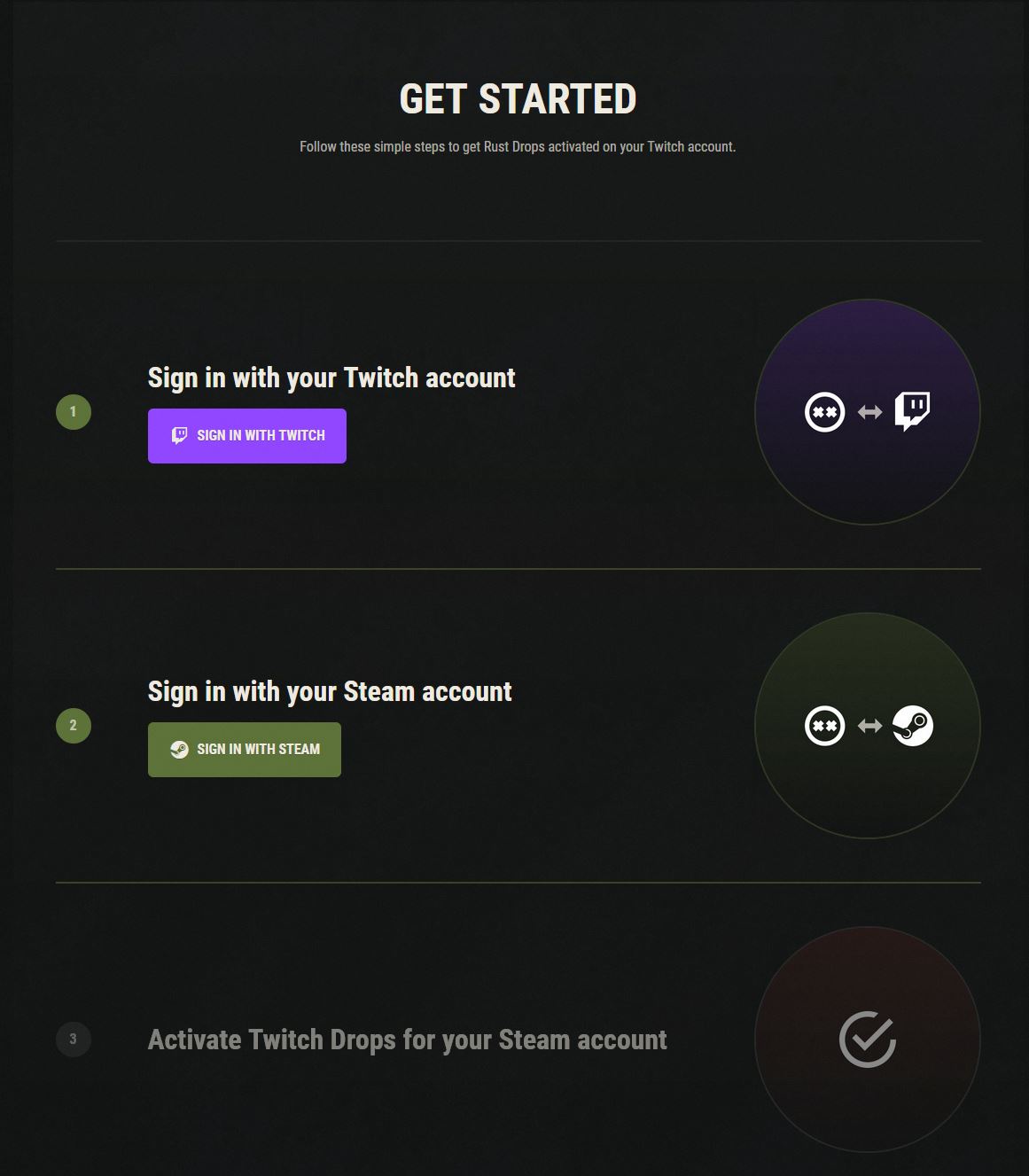
How do I get drops in Rust? First, you need a Steam account with Rust and an account on Twitch. Twitch Prime is not necessary; everything is free. You need to link the two accounts in a few short steps.
Register for Twitch Drops in Rust:
- Visit the official Twitch Drop page of Rust
- Click on “Log in with Twitch” and log in
- Then click on “Log in with Steam” and log in
- Confirm that you want to link your Twitch and Steam accounts
- Activate Twitch Drops for your Steam account
Then you just need to watch certain streamers as they play the survival game starting from the update. Some of the biggest streamers have been showcasing Rust for weeks and are making it huge on Twitch.
Watching multiple channels at the same time isn’t effective. Only one channel will be counted. You will be notified on Twitch when you have received a drop, which you can then redeem through the corresponding button.
Claim your loot:
- Claim your drop from Twitch
- Wait up to 10 minutes if necessary, then the drop should appear in your Steam inventory
- Start Rust
- Navigate to the inventory in the main menu
- Select the crate and open it
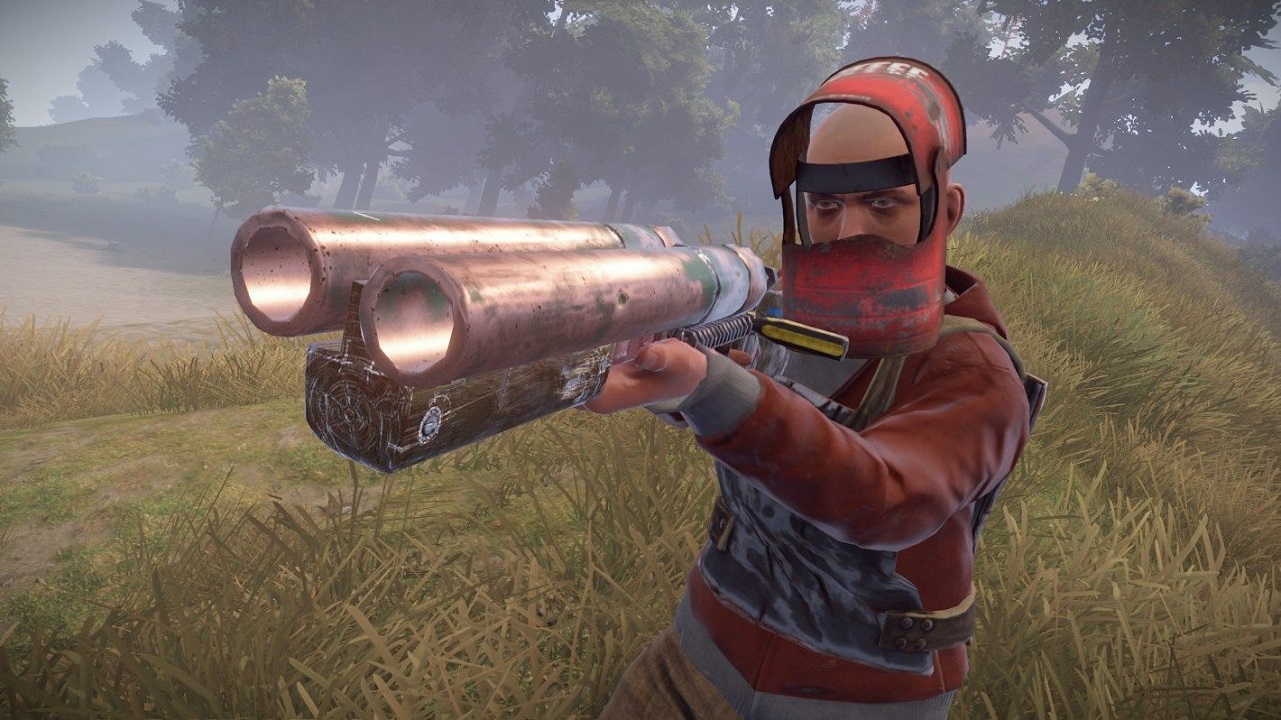
What’s inside? The Twitch Drops for Rust include stylish skins in the style of the respective streamers you can watch – such as a garage door from Pokimane, an assault rifle from xQc, or various tops. There are also general drops available.
If you are new to Rust, you will find useful tips and mistakes to avoid in our beginner’s guide. Due to the update, all players have to start anew anyway – the perfect time to take your first steps in Rust.

Your opinion is important to us!
Do you like the article? Then let us know!