

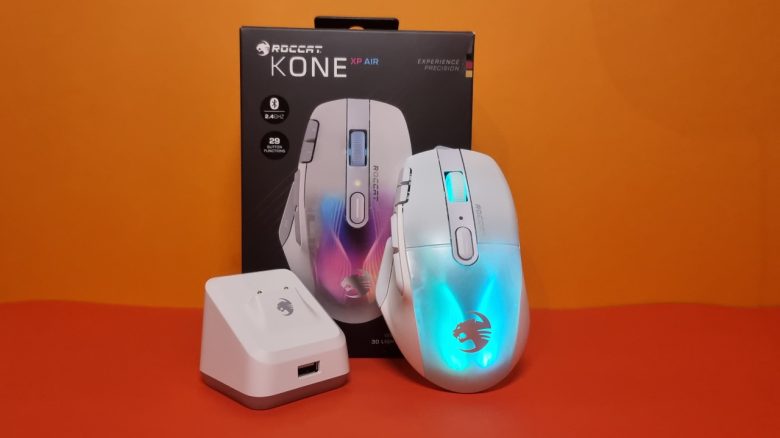
The Roccat Kone XP Air is the wireless variant of the Kone XP. MeinMMO editor Benedikt Schlotmann has tested the gaming mouse for you and explains whether it can hold its own against Razer and Logitech.
With the Kone XP Air, Roccat has presented a wireless mouse with a docking station. Ergonomically, it resembles the Kone XP, which MeinMMO has already tested. However, there are some differences that I would like to explain in the following review.
The most exciting question is whether the Kone XP Air can compete against wireless competitors like the Logitech G502X Lightspeed and the Razer Basilisk Ultimate. In the test, I explain why the Kone XP Air misses the leap to the top of my best mice list.
Update, 11/24/2023: Some testers have pointed out issues with the sensor. For this reason, I tested the mouse again on my setup. In another test, I found no deficiencies or problems with the sensor or the USB polling rate. I couldn’t find any extreme deviations from the data. Therefore, it remains a recommendation for the gaming mouse.
Who has tested it?
I have a penchant for gaming mice and currently own over 20 gaming mice personally. Since 2019, I have been testing hardware for MeinMMO for our readers. Mice are, along with gaming headsets and keyboards, my absolute favorites when it comes to peripherals for PC and console, and I am correspondingly well-versed.
The Kone XP Air was provided to me by Roccat for testing.

Benedikt Schlotmann
Hardware editor MeinMMO
Features and technical details:
| Sensor | Owl-Eye sensor, based on the Pixart 3370, optical sensor |
| Resolution | Up to 19,000 DPI |
| Switches | Optical Titan switches, 100 million clicks |
| Buttons | 15 buttons, up to 29 different functions programmable |
| Design | Black or White mouse with black/white details; adjustable RGB lighting. |
| Gliding feet | 4 |
| Cable | 1.8 m Phantomflex cable, detachable |
| Weight | 101 grams |
| Price (RRP) | 169.99 euros |
Oops, unfortunately this affiliate widget is no longer available. |
Contents, design and construction
What does the package contain? In addition to the mouse, there is a quick start guide, a USB-C cable, and a docking station for the mouse in the box. The software can be downloaded directly from the manufacturer.
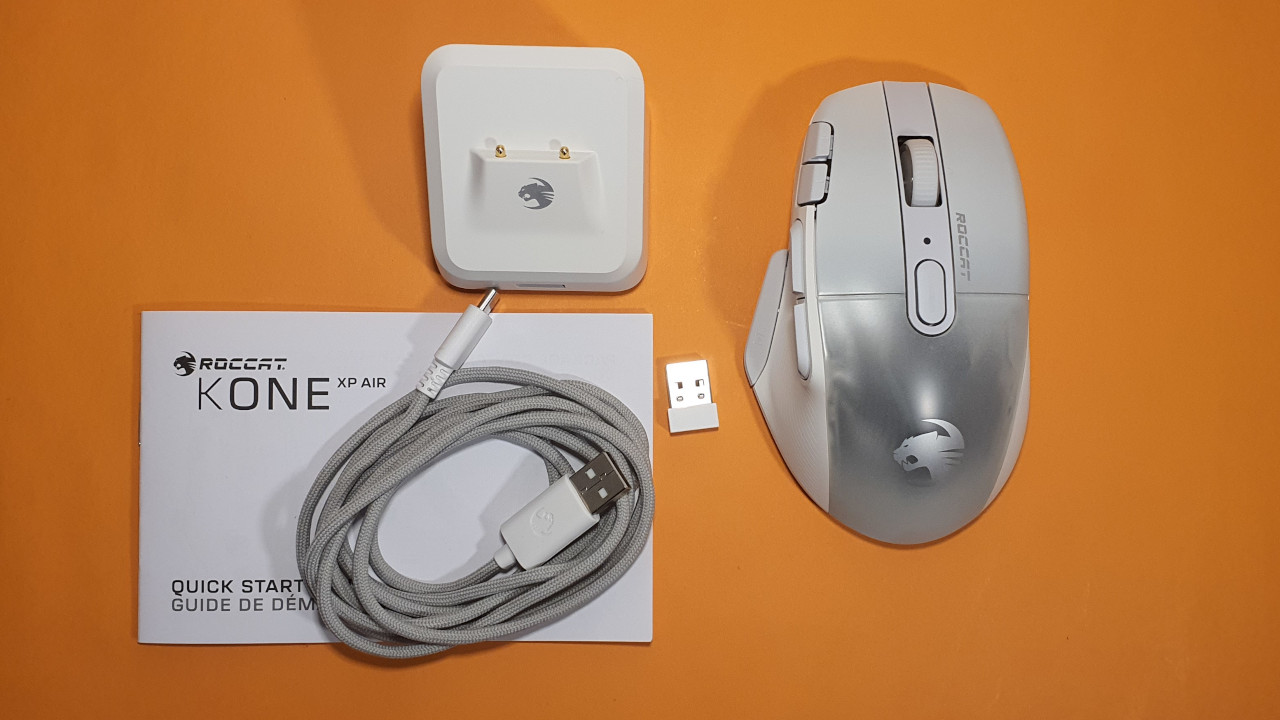
What is the layout of the mouse? The Kone XP is available in both a white and a black design.
- On the top side of the mouse are the main buttons. In between is a 4-way mouse wheel and a single button. On the side of the left mouse button are two small switches that you can reach with your index finger.
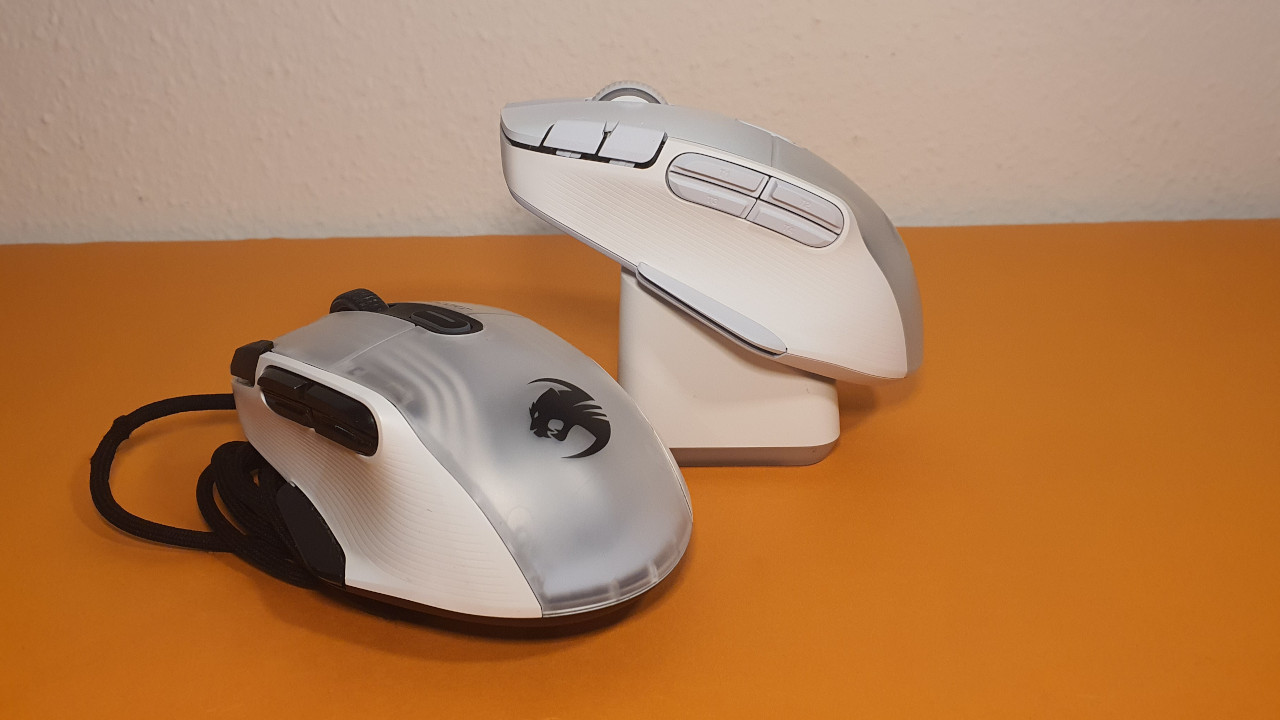
- On the left side, there are 5 more buttons. In the thumb area, there are 4 buttons closely grouped together, while the fifth button is in the thumb’s resting area. The Kone XP does not have a sniper button like the G502 Hero or the Rival 5. Such a button was also not offered by the Kone AIMO Remastered (in the test).
- The white shell of the mouse is ribbed, providing better grip than a smooth casing. The transparent part of the housing, on the other hand, is smooth.
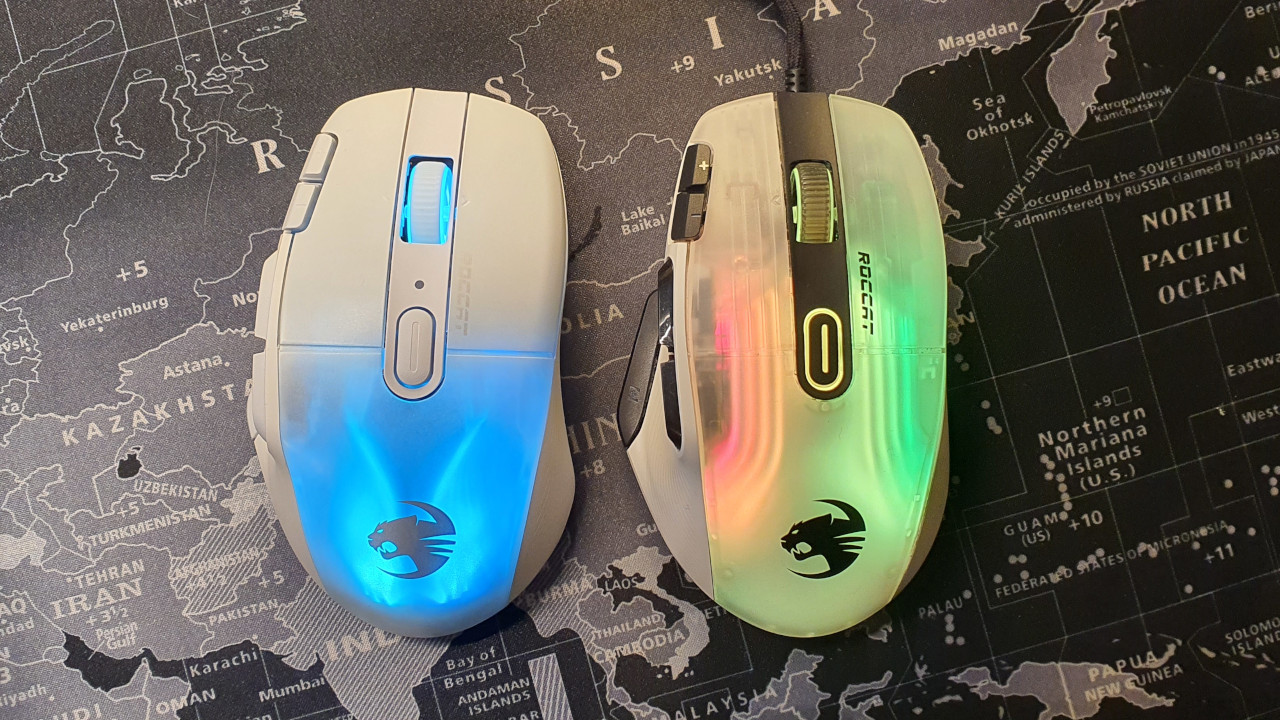
Already in comparison to the wired Kone XP, some differences become apparent. The black details, which contrasted with the rest of the white, completely disappear in the white Kone XP Air.
In terms of RGB, the approach is more reserved. While the entire body including the mouse wheel was illuminated in the Kone XP, in the Air model, only the back of the mouse and the mouse wheel light up. This makes the design less prominent and playful. The lighting is also not as bright as with the Kone XP, which I find a bit disappointing.
The cable of the Kone XP Air is detachable and connects to the mouse via USB-C. The mouse can be charged via USB-C or the included docking station. This station is probably also the reason why the manufacturer demands around 170 euros in stores for the gaming mouse.
Construction
The Kone XP Air appears to be of high quality. In the shake test, nothing rattles, and the mouse sits steadily in the hand. The receiver can be safely stowed inside the model, so it does not get lost. Logitech’s G502X Lightspeed has a significantly poorer solution. However, the indentation on the underside of the mouse for the station and receiver is prone to dirt, which Razer handles better.
High-quality workmanship also applies to the docking station. It has a pleasant weight and with the rubber feet on the bottom, it stands securely on my desk. The docking station also seems more valuable than the station you can use with the Razer Basilisk Ultimate.

Software
The Kone XP uses the well-known Swarm software from Roccat again. For other devices like the Syn Pro Air or the Torch, Roccat relied on the new NEON software. I consider it the right decision to deliver the Kone XP with the Swarm software, as Swarm feels much smoother than NEON.
First, I have to connect the mouse and the dongle to the computer for an update, in the next step, I then have to connect everything together with the docking station, as the mouse cannot be configured wirelessly otherwise.
The many nested menus still make Swarm appear confusing, but the software worked flawlessly during the testing period. However, if I want to activate specific effects in the “AIMO” tab, the software crashes unexpectedly.
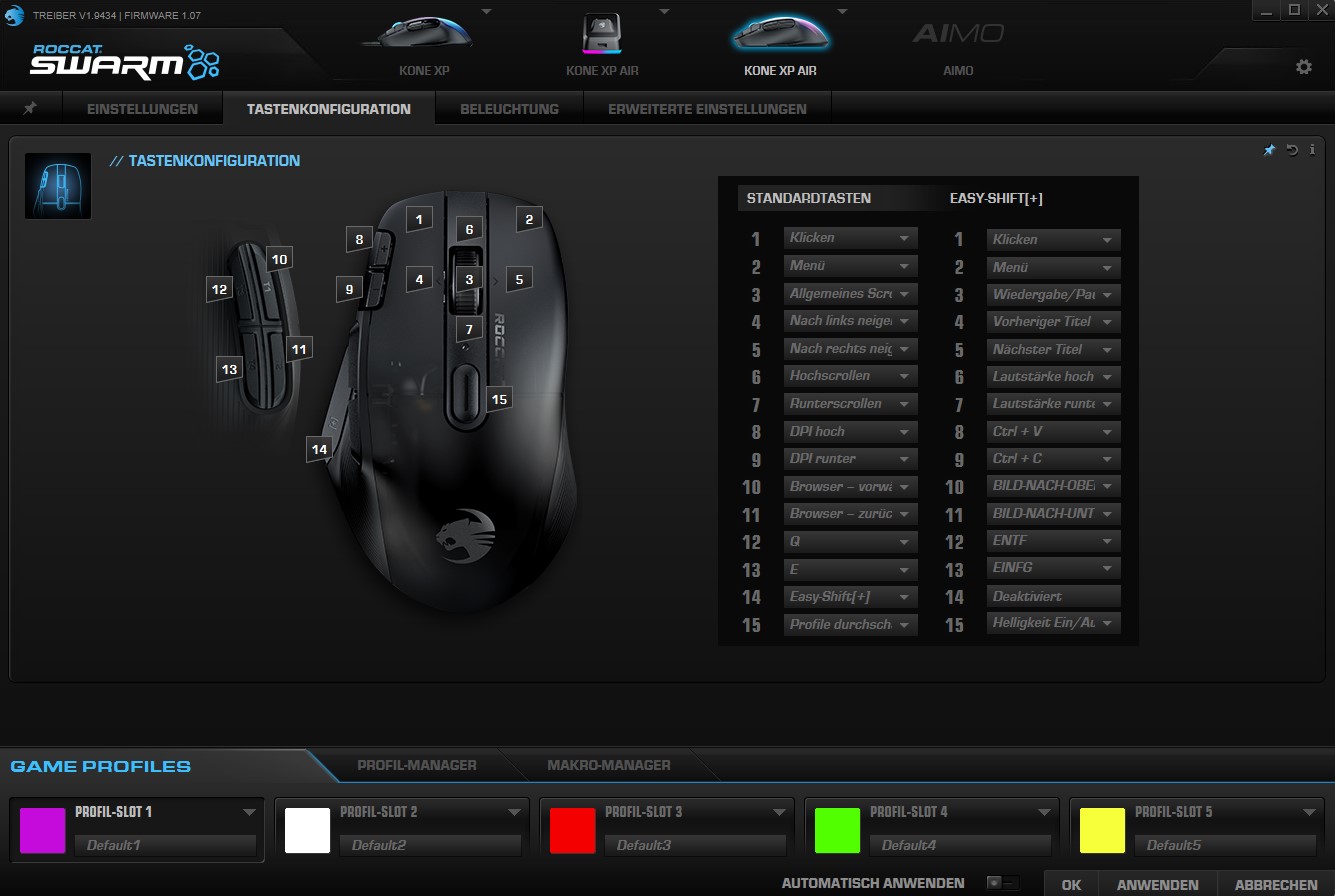
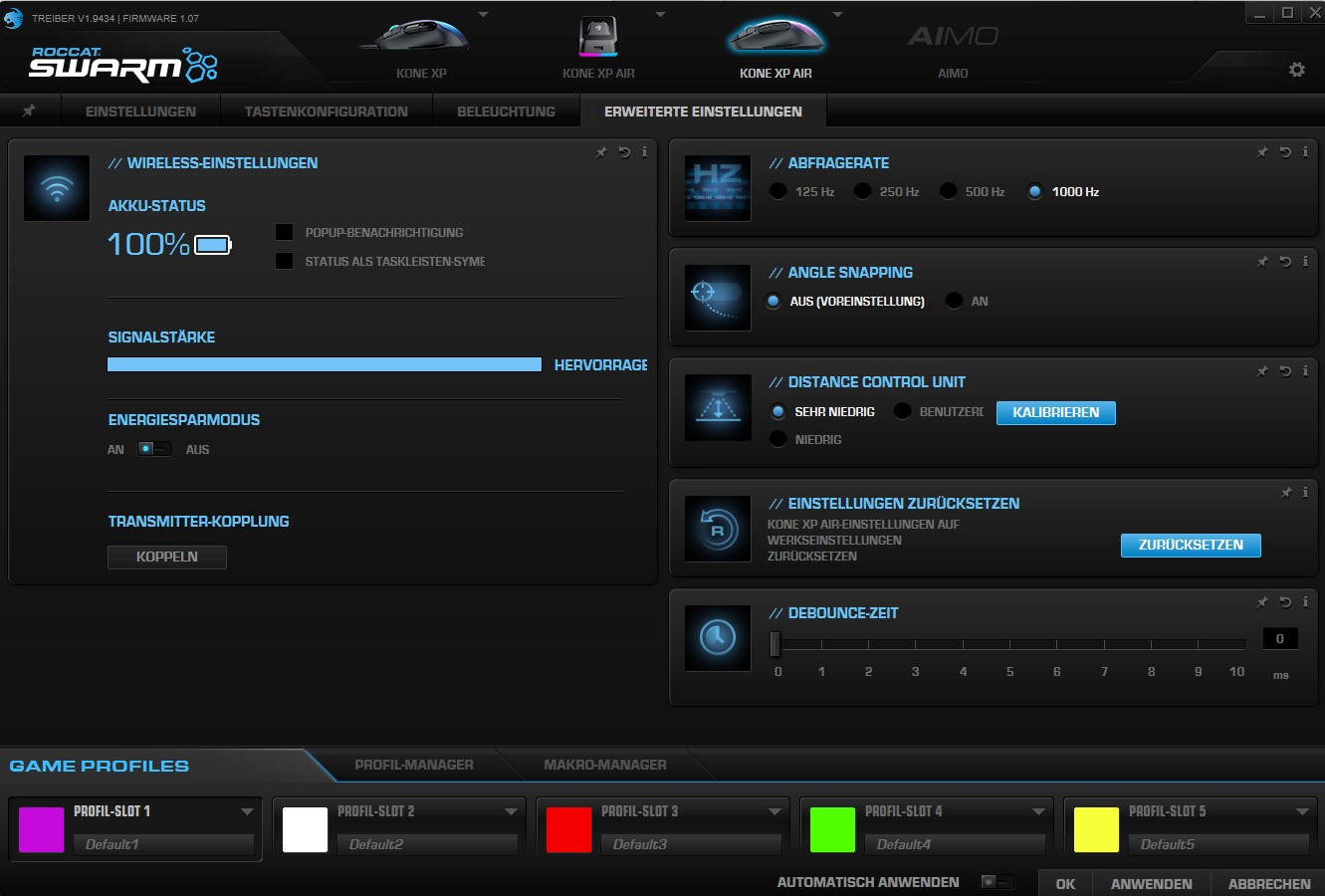
On the next page, I will explain how the Kone XP Air performs in practice. I will address weight, ergonomics, and battery life, and explain what technology Roccat has installed in its Air model.

Your opinion is important to us!
Do you like the article? Then let us know!