Weight, ergonomics, and battery life
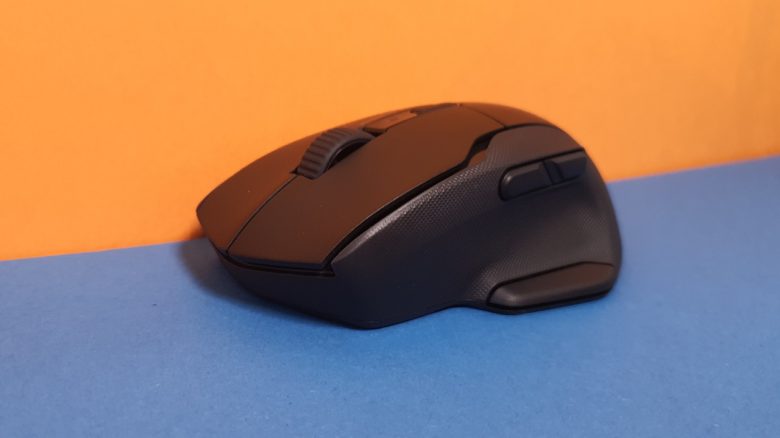
The weight: At 130 grams (with two batteries), the mouse is not lightweight and is among the heaviest mice I have encountered on my desk in recent months.
Especially with quick movements or when I have to move the mouse further or reposition it, I immediately feel the high weight in my wrist. In the long run, I find that quite uncomfortable and rather exhausting.
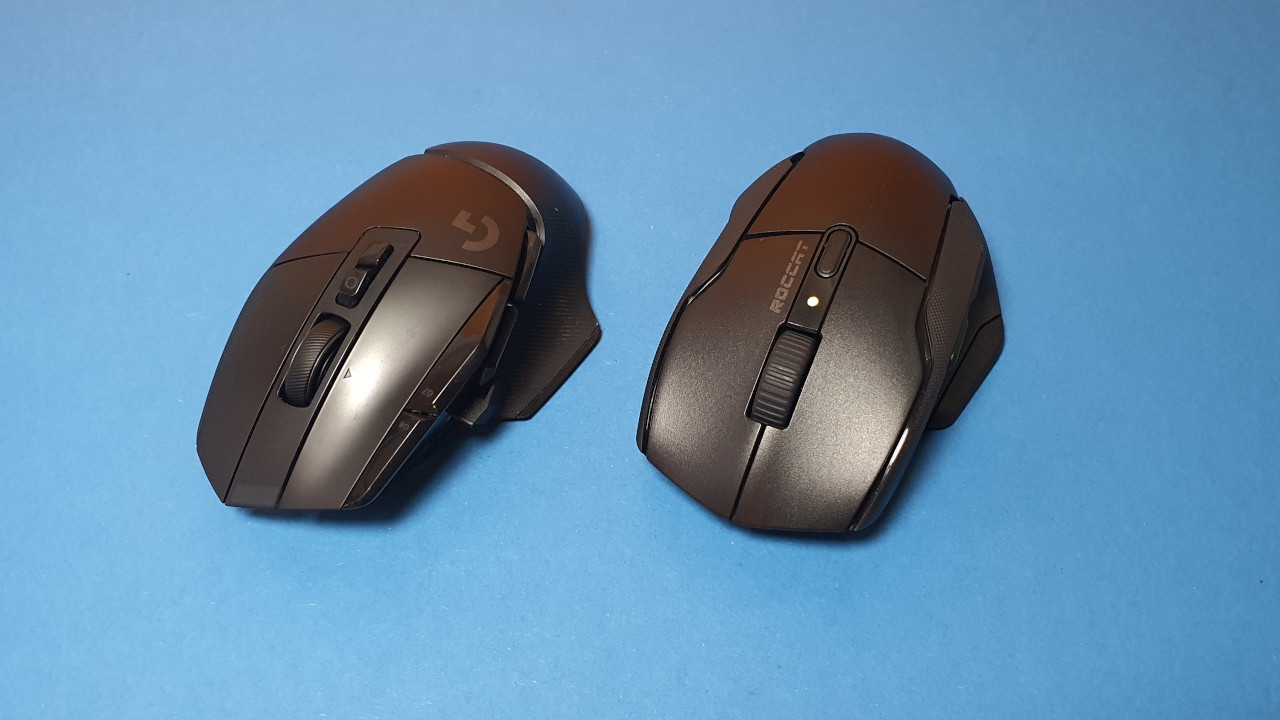
This is also because all the weight is located in the rear of the mouse, where the batteries are. Other mice like a Kone XP or G502X also weigh 100 grams, but here the weight is distributed more evenly over the entire body of the mouse. Even with a Razer Basilisk Ultimate, the weight feels more balanced.
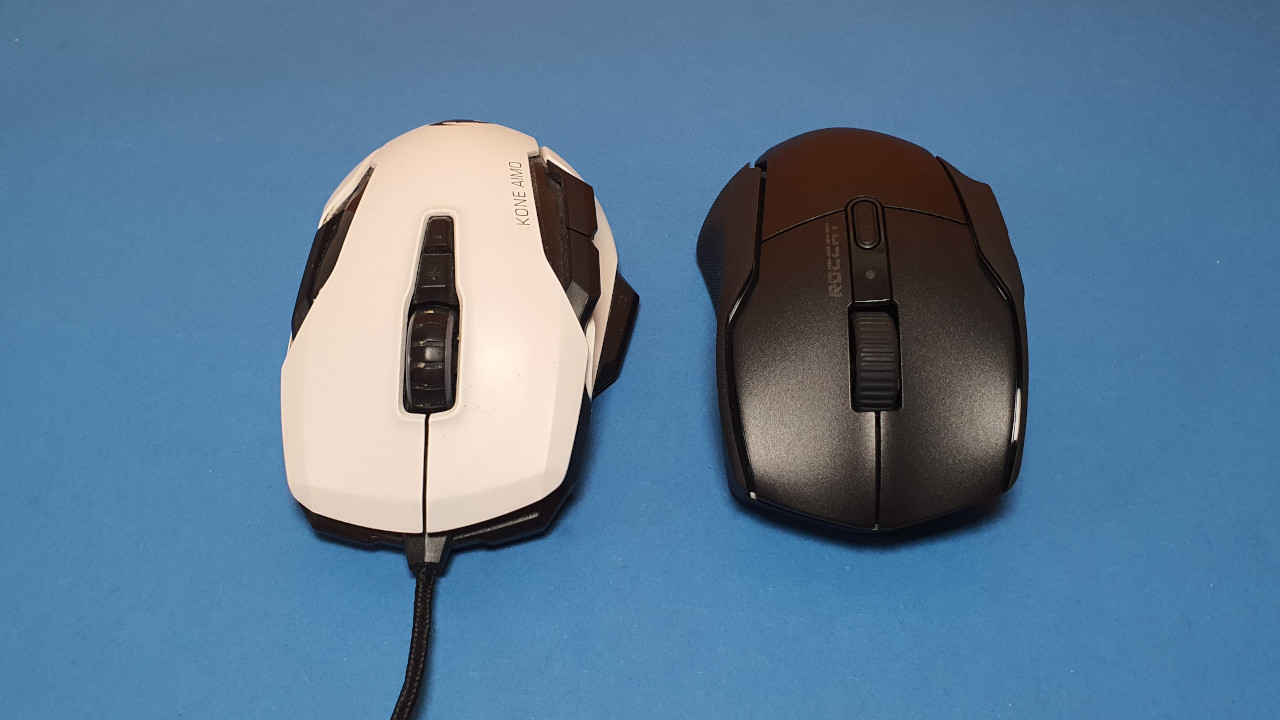
Ergonomics: The shape of the mouse is clearly oriented towards the well-known Kone series. The Kone mice are among my favorites ergonomically. The Kone Air is also slightly wider compared to the XP and thus aligns more closely with the old Kone Aimo Remastered.
Battery life: Roccat claims a whopping 800 hours for battery life. During my testing period, I didn’t have to change the batteries inside the mouse even once, and I accidentally left the mouse on at night.
Battery life is halved when the mouse is powered with only one battery/accumulator. Then the mouse is also lighter.
The mouse buttons and scroll wheel
The mouse buttons: Roccat installs its so-called Titan switches under its buttons. These provide a solid and satisfying click feeling, but due to the design, they sound quite hollow. The clicks are definitely not quiet.
I would not recommend the mouse for a quiet office, even though Roccat markets the mouse as an office device. The loud clicks are likely to annoy colleagues in the office.
The scroll wheel: The scroll wheel scrolls smoothly and offers less resistance than, for example, the Kone XP Air or the G502X, which has a very hard scroll wheel. During my testing period, there were no issues with the scroll wheel, but Roccat has had ongoing issues with its scroll wheels.
Sensor
Inside the mouse works Roccat’s Owl-Eye 19K sensor. It is based on the new PixArt sensor PMW-3370. This is newer than the popular Pixart PMW-3389, but still not a high-end sensor. There are no major jumps in the sensor test; during straight movements, the measurement points remain close to the curve. It is different when the movements of the mouse become very fast: the measurement points remain even and orient themselves to the movement, but there are also always jumps that the sensor must compensate for.
This is strange because the normal Kone XP with the same sensor makes significantly fewer jumps and is overall more accurate. However, the Kone XP is wired, while I use the Kone Air wirelessly. And this with the same circular or sideways movements.
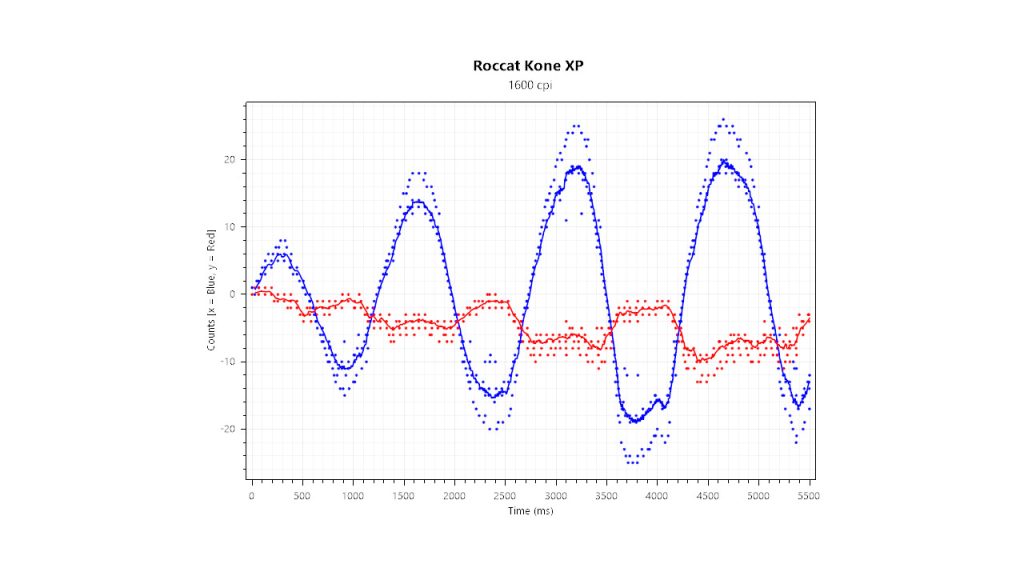

For casual games, the sensor is therefore completely sufficient. With very fast movements, jumps occur.
Conclusion: Great ergonomics and long battery life
Who is the mouse suitable for? Anyone looking for a large and heavy mouse for palm grip players will find the Kone Air a really good mouse, especially offering excellent ergonomics. The battery life is also excellent. However, the weight is quite high, and the sensor is not perfect in every situation.
| Preview | Product | Rating | Price | |
|---|---|---|---|---|

|
Roccat Kone Air – Kabellose Gaming-Maus mit 800 Stunden Akkulaufzeit, 19.000 DPI Optical-Sensor,... | Zu Amazon |
*Affiliate-Links. Wir erhalten bei einem Kauf eine kleine Provision von Amazon. Vielen Dank für Eure Unterstützung!
What alternatives are there?
- Logitech’s G502X (Lightspeed) is significantly more expensive, but overall offers the rounder and better technology. The G502X is slightly slimmer in design and weighs significantly less. The battery life is also commendable.
- The Razer Basilisk Ultimate is also a suitable alternative, and you can regularly get the mouse for under 100 euros. The software is clunky, but you get good build quality and pleasant ergonomics.
- Roccat’s Kone XP is also a recommendation. The ergonomics are not quite as successful, but the mouse offers more buttons. The high price is, however, a point that speaks against the mouse. Or you just get the Kone Aimo Remastered, which is available for 40 euros at retail.
More gaming mice on MeinMMO: If you are looking for more recommended gaming mice, then take a look at our buying guide on MeinMMO. Here you will find the best gaming mice that you can currently buy:
The best gaming mice for shooters that you can buy in 2023
- 1
- 2