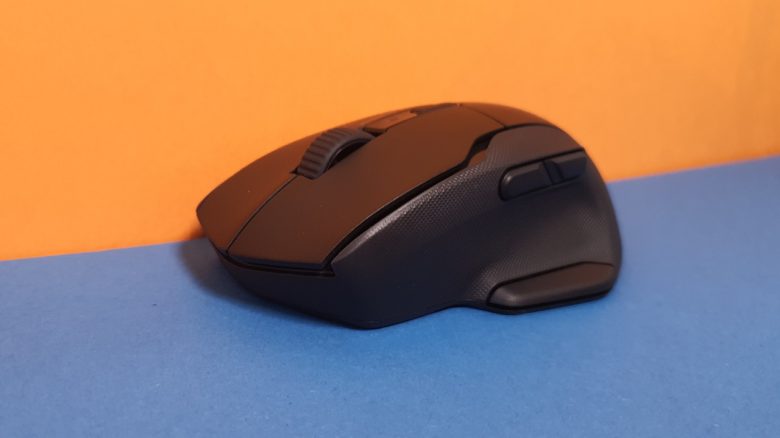
With the Kone Air, Roccat offers a simple gaming and office mouse. Mid-range sensor and the well-known ergonomics of the Kone. MeinMMO editor Benedikt Schlotmann has tested the mouse.
With the Kone Aimo Remastered (zum Test) hatte Roccat für mich ein Highlight in Sachen Ergonomie abgeliefert. Mit der Kone XP (zum Test) war man von dieser Perfektion wieder abgewichen.
The new Kone Air is getting closer to the Aimo Remastered again, but gives up the great design of the Aimo Remastered. In the test, I looked at how well the Kone Air plays and works. The mid-range sensor in the mouse is used by Roccat in all its current mice.
Who tested it?
I have a penchant for gaming mice and now own over 20 gaming mice personally. I have been testing hardware for MeinMMO since 2019 for our readers. Mice, along with gaming headsets and keyboards, are among my absolute favorites when it comes to peripherals for PC and console, and I have accordingly extensive knowledge.
Roccat provided the Kone Air for me to test.

Benedikt Schlotmann
Hardware Editor MeinMMO
Features and technical details:
| Sensor | Owl-Eye sensor, based on the Pixart 3370, optical sensor | ||||||||||
| Resolution | Up to 19,000 DPI | ||||||||||
| Switches | Optical Titan switches, 100 million clicks | ||||||||||
| Buttons | 9 buttons, up to 17 different functions programmable | ||||||||||
| Design | Black mouse without RGB lighting | ||||||||||
| Gliding feet | 4 | ||||||||||
| Cable | No cable | ||||||||||
| Weight | 130 grams (with 2 batteries) | ||||||||||
| Price (RRP) | 69.99 Euro | ||||||||||
*Affiliate-Links. Wir erhalten bei einem Kauf eine kleine Provision von Amazon. Vielen Dank für Eure Unterstützung! |

Contents, design and assembly
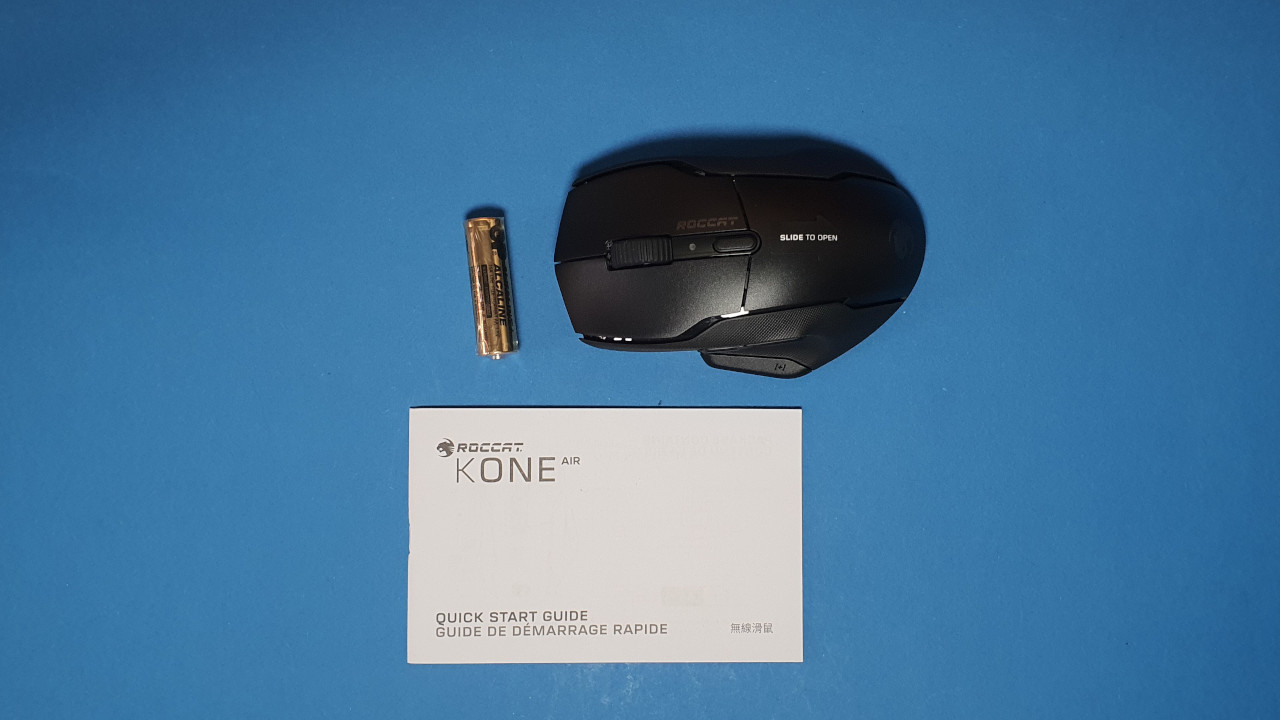
What does the scope of delivery look like? The scope of delivery includes the mouse, a slim manual, and a single battery. With this battery, you can use the mouse right away. The mouse can fit two batteries, but the model works with one.
How is the mouse built? The model either features a black or white design:
- On the top of the mouse are the main buttons, with an unlit scroll wheel in between. On the top is a small switch to adjust the DPI. Otherwise, a small light lights up here to indicate whether the mouse wants to connect or is connected.
- On the left side, there are three more buttons in the thumb area. There are no additional buttons or a sniper button.
- The model features a rough surface. The entire surface is rubberized and thus offers a very good grip in the hand.
- The Kone Air, by the way, does not have a USB connection. You can really only use the mouse with batteries and via Bluetooth/radio.
Roccat is orienting itself with the Kone Air to the popular Kone design. Accordingly, you get an ergonomic mouse for right-handers with a thumb rest.
In comparison to other Roccat products, the design, however, is extremely understated: there is no RGB lighting or other playful details.
Processing
The processing can largely convince me. Although the mouse is made exclusively of plastic, it still feels robust. This is mainly due to the pleasant haptics of the model. During the shaking and pressure test, nothing rattles, and everything stays in place.
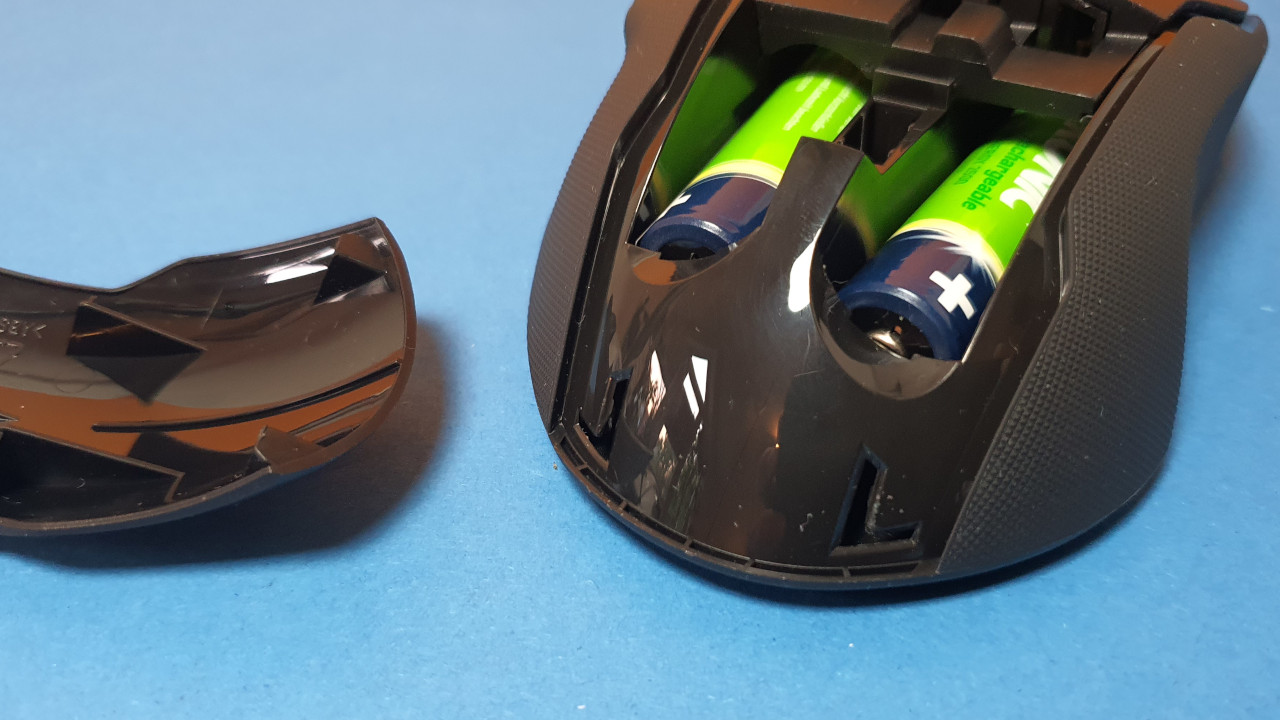
However, there is one weakness, and that is the compartment for the batteries/accumulators. The flap is only secured by two thin plastic knobs, and it is a real hassle to remount the flap for the compartment. However, anyone who wants to store the mouse’s dongle inside again after each day may not enjoy this in the long run. A magnetic holder or a simple mechanism would have been preferable to me.
Overall, quite a pity, because with the Kone XP Air, the dongle could still be stowed away at the bottom of the mouse. Why they didn’t choose the same method for the Kone Air is a mystery to me.
Software
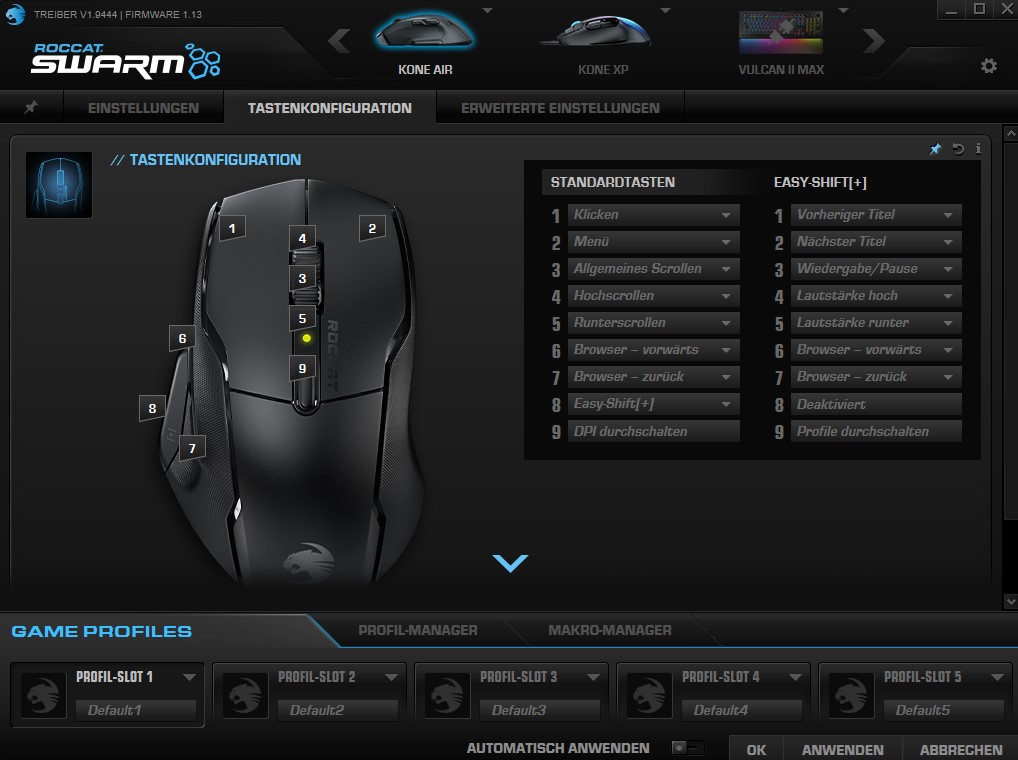
The software also used in the Kone Air is “Roccat Swarm”. At the beginning, it is somewhat confusing, but works without problems and delays with me. Inputs are recognized quickly, and by now the software suite is also fully in English.
On the next page, I will discuss weight, ergonomics, and battery life. In the final conclusion, you will read whether I can recommend the mouse and what alternatives you can buy instead.
- 1
- 2