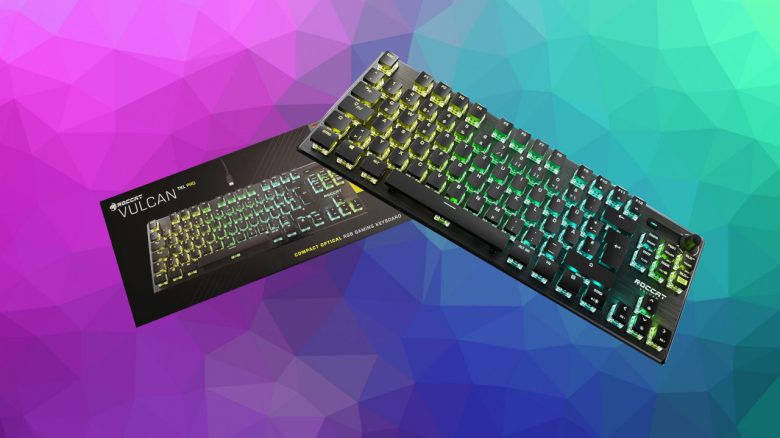
The Vulcan TKL Pro is a gaming keyboard from Roccat, featuring fast keys and an appealing design. But how well does this high-quality keyboard without a number pad perform for demanding gamers? MeinMMO tested the gaming keyboard.
The most important things at a glance:
- The Roccat Vulcan TKL Pro is a mechanical keyboard with a detachable cable and no number pad (tenkeyless design).
- The keyboard costs €159.99 and is available on various platforms.
- In the test, the keyboard delivers a pleasant keystroke and many features.
- The keyboard does not come with a wrist rest.
Which keyboard is it? The Vulcan TKL Pro is the latest keyboard in the Vulcan series from Roccat.
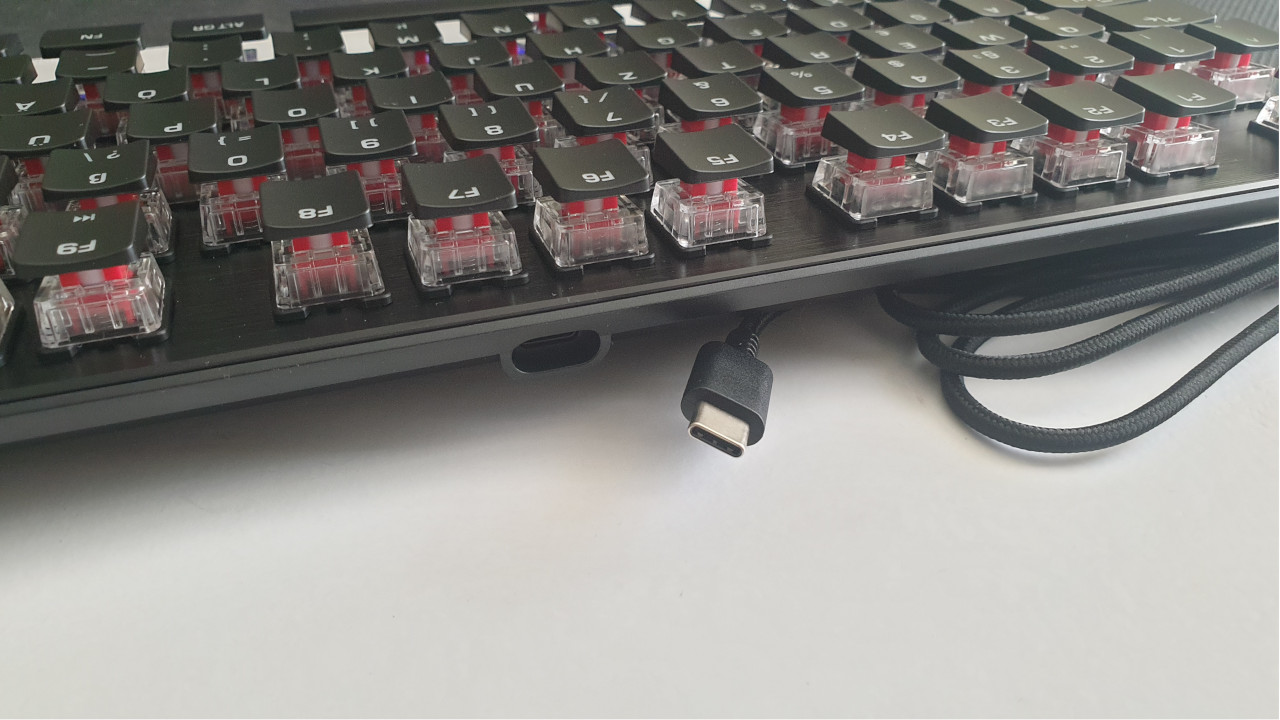
The keyboard uses optical, linear “Titan Switches,” which have a particularly short keystroke. The actuation point of the keys is at 1.4 mm, meaning that keystrokes can happen particularly quickly. In addition, Roccat claims that the switches offer exceptional durability.
The device features a detachable USB cable, unlike previous Vulcan models which had a fixed cable. The TKL keyboard also has an Easy-Shift function and the AIMO lighting system.
What are Easy-Shift and AIMO? Easy-Shift and the AIMO lighting system are two features known from Roccat devices:
- The AIMO lighting system synchronizes all AIMO-compatible devices. If you connect a Roccat mouse or keyboard, both will light up in the same pattern.
- With Easy-Shift, keys can be doubled via software. Pressing the Easy-Shift key and then another key activates its second programmed function.
With the FN key, additional key functions can be toggled.
MeinMMO took a closer look at the gaming keyboard and explains what we like and what we like less.
Features and Technical Details
| Design/Interface | Wired |
| Key Type | Mechanical |
| programmable keys | Yes |
| Lighting | Yes, Roccat’s AIMO System |
| Compatibility | PC (with software) |
| Contents | Keyboard, USB-C to USB-A cable, manual |
| Features | AIMO lighting system, internal memory, anti-ghosting, Easy-Shift technology |
| Price (RRP) | €159.99 |
Roccat Vulcan TKL Pro Review: How Did We Test?
We at MeinMMO used the keyboard for about 4 weeks. During this time, we played fast games like Apex Legends or Overwatch, but also something more laid-back like Anno 1800.
While playing, we particularly utilized the macros and game mode which had to prove themselves. Here, we were especially interested in ensuring that incorrect keys weren’t pressed in the heat of battle. Additionally, we typed texts with the gaming keyboard. This article was also created using the Roccat Vulcan TKL Pro.
| Preview | Product | Rating | Price | |
|---|---|---|---|---|

|
Roccat Vulcan TKL Pro - Kompakte optische RGB Gaming Tastatur, AIMO LED Einzeltastenbeleuchtung,... | Zu Amazon |
*Affiliate-Links. Wir erhalten bei einem Kauf eine kleine Provision von Amazon. Vielen Dank für Eure Unterstützung!
Buy Roccat Vulcan TKL Pro at MediaMarkt*Roccat Vulcan TKL Pro in Detail
In the following section, we introduce the gaming keyboard in detail. We will go over the following aspects:
- Contents
- Design and Build
- Processing
- the Software
We will thoroughly cover each point and explain what Roccat has succeeded in with the keyboard and where improvements are needed.
Contents
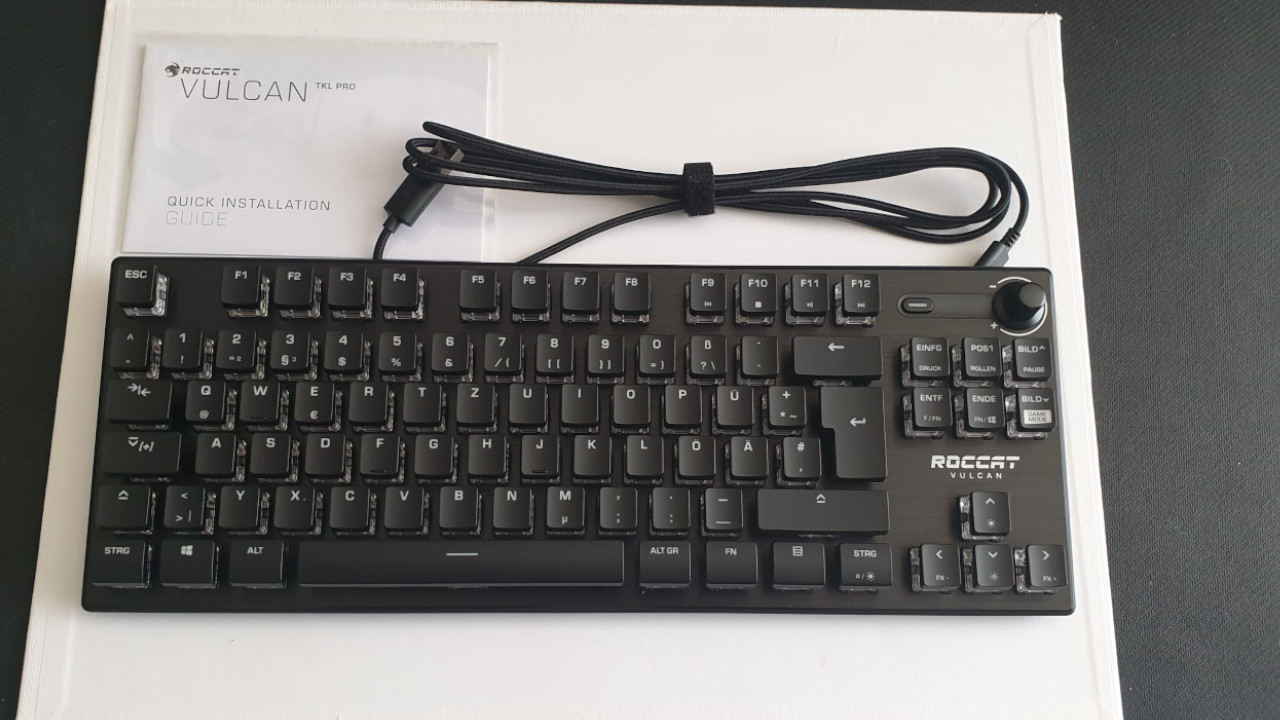
What accessories are there? The contents are sufficient for a gaming keyboard. Besides the keyboard, there is a manual and the USB-C to USB-A cable in the box. No more is needed to get the keyboard operational. The software can be downloaded online from the manufacturer’s website.
Design and Build
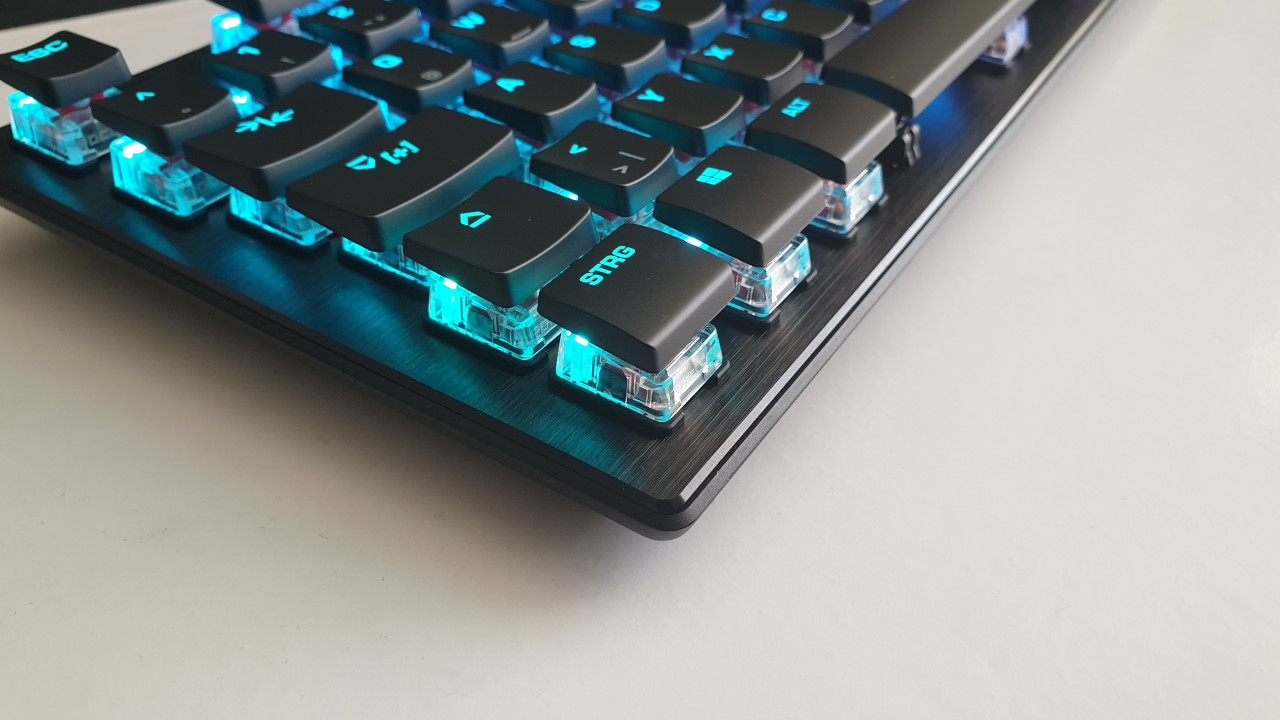
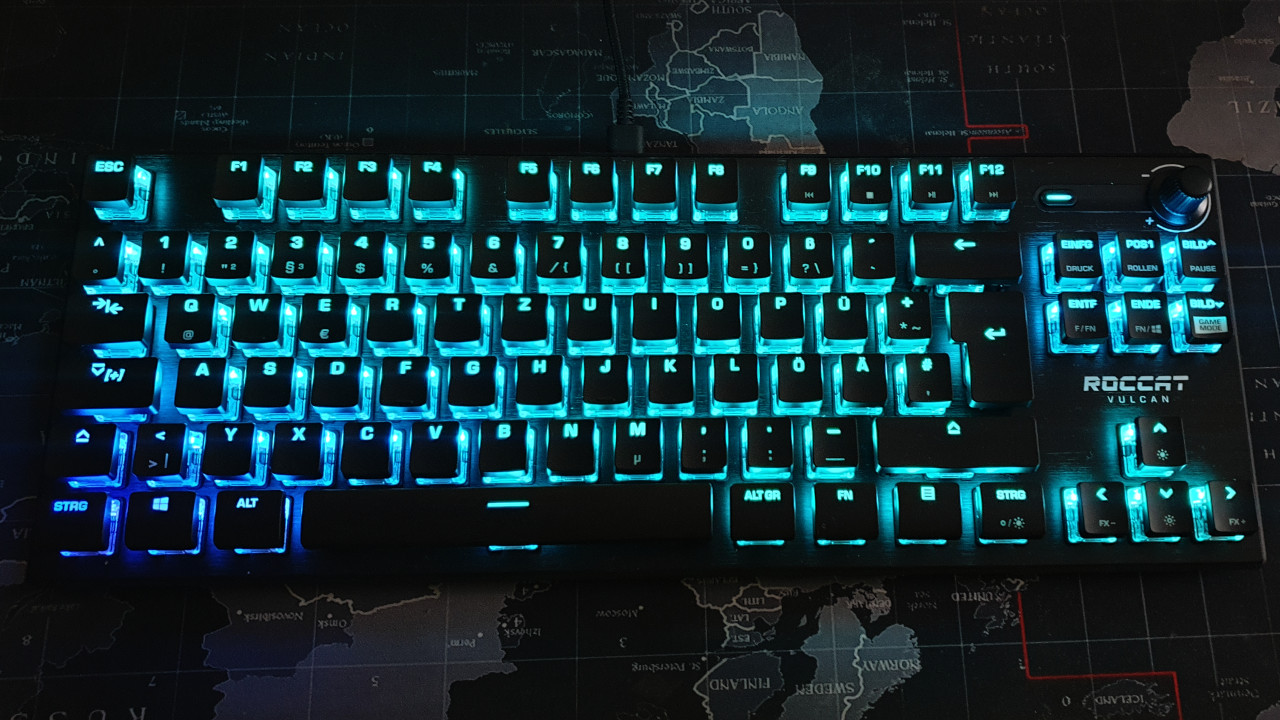
What does the keyboard look like? The Vulcan TKL Pro features a black color scheme. However, the keyboard is not inconspicuous as its open design is a real eye-catcher, and the lighting stands out immediately.
The main feature of the gaming keyboard is its lack of a number pad. This is particularly interesting for gamers who need more space for their gaming mouse or otherwise have little space and can do without a number pad. Professional players, in particular, do not need this. The additional detachable cable makes the keyboard handy and compact, weighing just 660 grams, hardly heavier than a modern tablet.
The gaming keyboard does not offer a USB or audio port for additional devices.
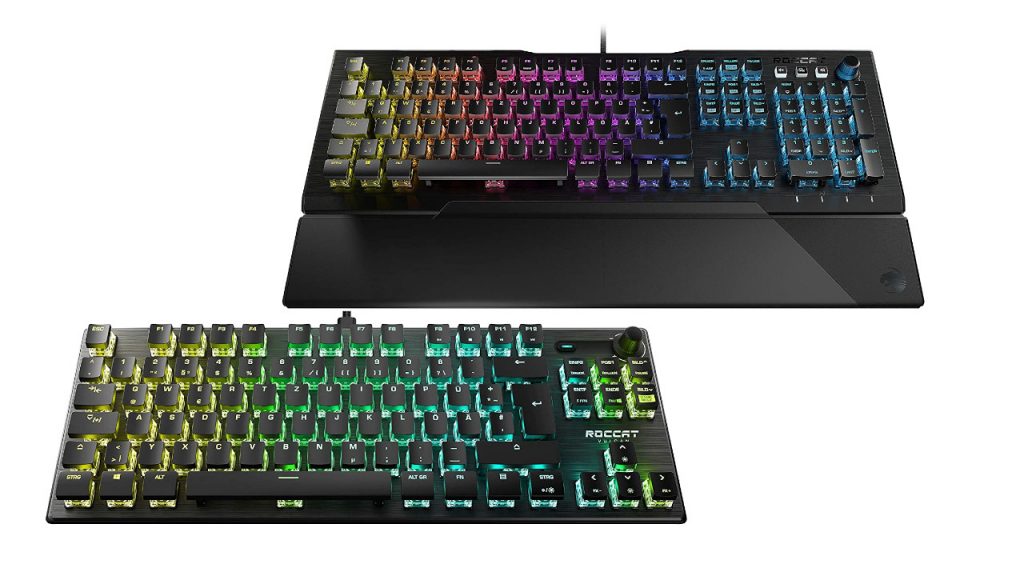
The keyboard is also available in a full-size version, the Roccat Vulcan Pro. This version includes a number pad and a wrist rest. However, in the full-size version, the cable cannot be detached.
What keys does the keyboard offer? In addition to the usual keyboard keys in German format (Qwertz), the Vulcan TKL Pro offers two media control keys. With the slider, you can adjust the volume, while you can mute the entire sound with the button.
In addition, the keyboard has an FN key, similar to what we usually see on laptops. You press FN and can then use additional keys that offer extra functions. 15 keys are pre-set in this way.
Processing
In terms of processing, Roccat has nothing to be criticized for. The keyboard is impeccably manufactured and remains stable and non-slip on the desk. The entire keyboard is reinforced with a layer of aircraft aluminum. The casing gives an overall high-quality and stable impression.
A detachable cable and Roccat’s Titan switches also potentially offer long durability. The cable is fabric-coated, but the keyboard can be connected to the PC with any other USB-C to USB-A cable.
Roccat Vulcan TKL Pro Software
What we like about the software: Roccat’s Vulcan TKL Pro uses the “Roccat Swarm Software.” As soon as you connect the keyboard to your computer, the device is immediately recognized by the PC – even without the program.
Then you can download and install the software from the manufacturer’s website. The software immediately recognizes the keyboard and downloads the corresponding feature update.
It is worth noting that most functions of the keyboard also work without software. The FN functions can be used easily, and other saved settings are also available. For all AIMO lighting effects or comfort functions like custom macros, you will need the software.
The software itself is well-organized and clear. Through a tab in the upper half, all Roccat devices are controlled, and you can directly select the keyboard. Here, all settings can be made. We can adjust the brightness or configure the lighting system (AIMO), or assign keys. The operation is simple and straightforward. Certain keys are permanently assigned.
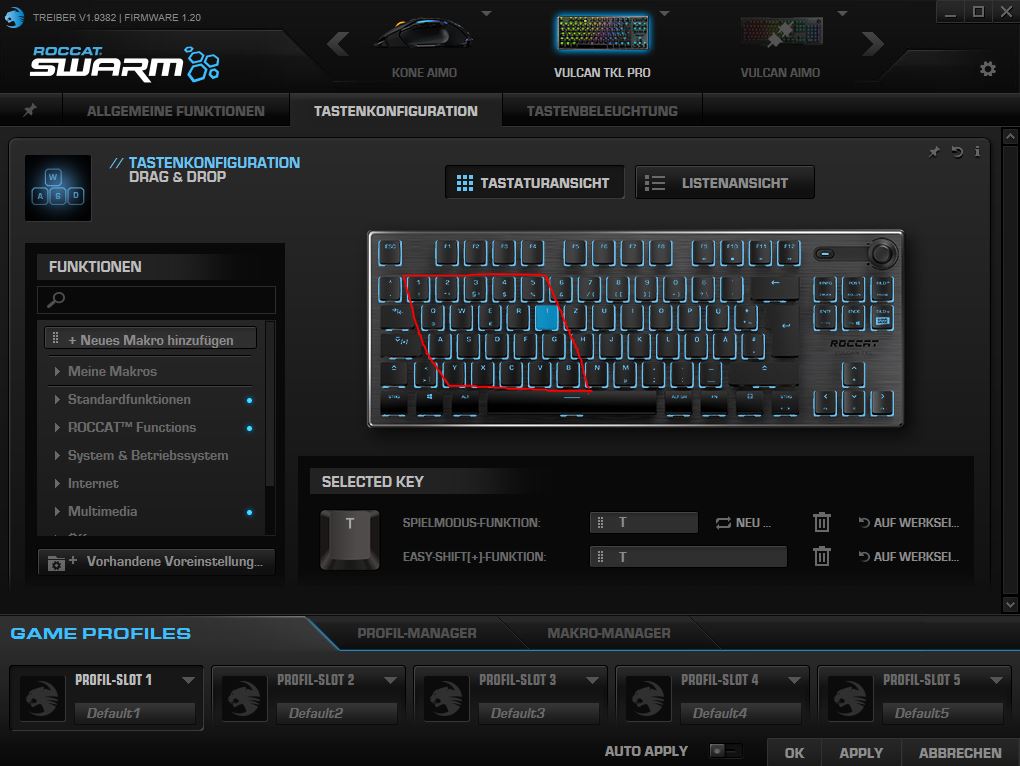
What we like less: The Swarm software consists of a mix of German and English in some areas. While most texts are now in German, particularly the buttons in the menus are presented in English. The auto-updater speaks only English. Roccat’s software offers enormous possibilities to customize the keyboard to your needs. However, it may take some time to discover and understand all the functionalities and how they work.
Some bugs were also present during the test. For example, in one game, the mouse cursor was controlled by the arrow keys, which was noticeably disruptive.
Also strange: If you want to skip tracks in the music player (VLC Media Player) with the keyboard, you must have the player actively open for the FN keys to work. If you leave the music player running in the background and want to use the keys, it does not work – despite the installed software.
In Practice
In this section, we present how the keyboard performs in practical tests. We will look at ergonomics and handling. We will also see how typing and gaming with the keys feels and what possibilities the keyboard offers in practice. We will elaborate on the following points:
- Ergonomics and Handling
- The Keys and Volume
- Macro Functions
- Performance
Ergonomics and Handling
What we like: The keyboard offers a pleasant ergonomics for hands. It stands stable on the desk, and the keys are easy to reach and provide a comfortable pressure point. However, the low level of the keys requires a little familiarization. With the feet on the underside of the keyboard, you can also adjust the height a bit. Once you have gotten used to the design, typing and gaming are no problem.
The media control keys at the upper right edge offer good haptics. While the button provides pleasant clicking feedback, the volume knob offers a nice stepped rotation. The knob does not run freely; instead, we feel the notching and each setting provides more precision.
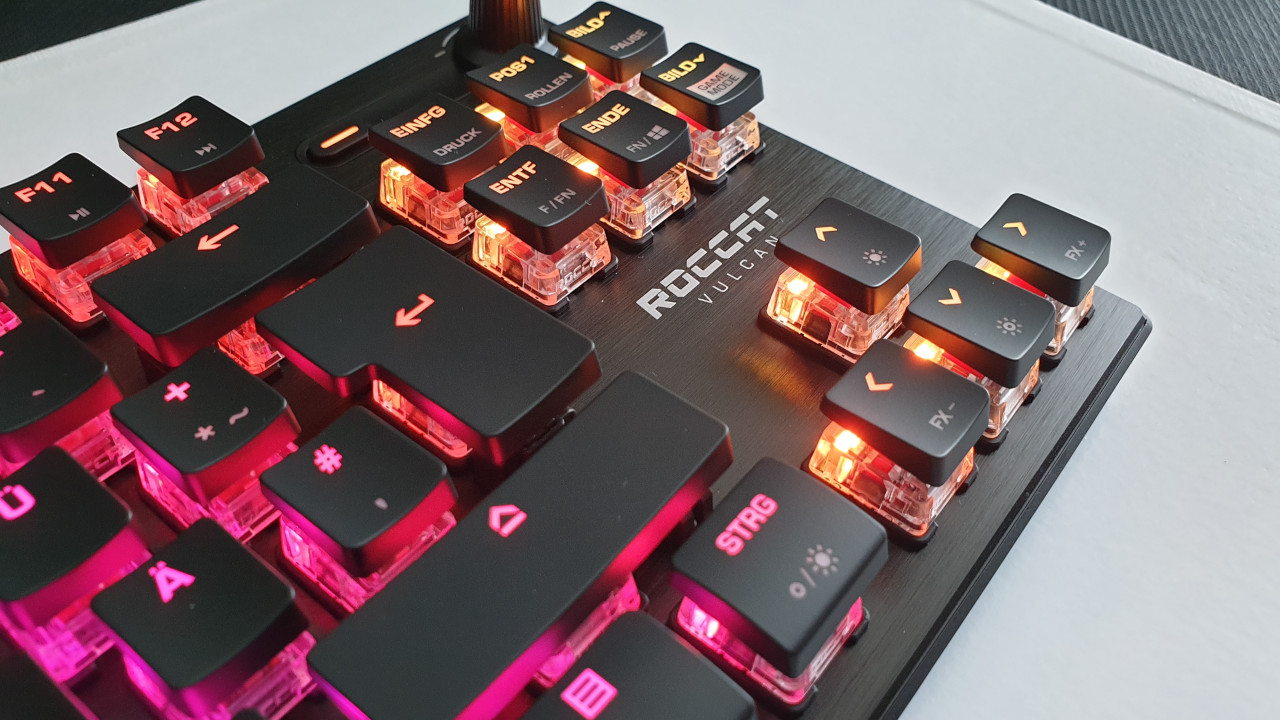
What we like less: While the Roccat Vulcan Pro offers a wrist rest, this is missing in the tenkeyless version. There is also no way to attach one to the keyboard afterwards. In other Vulcan keyboards from Roccat, the wrist rest had proven to be very pleasant, especially during long sessions.
The Keys and Volume
Mechanical keyboards generally offer high quality and durability, but they are also audible. This is due to the switch technology used, which makes noise. Thus, we will explicitly address volume and keys.
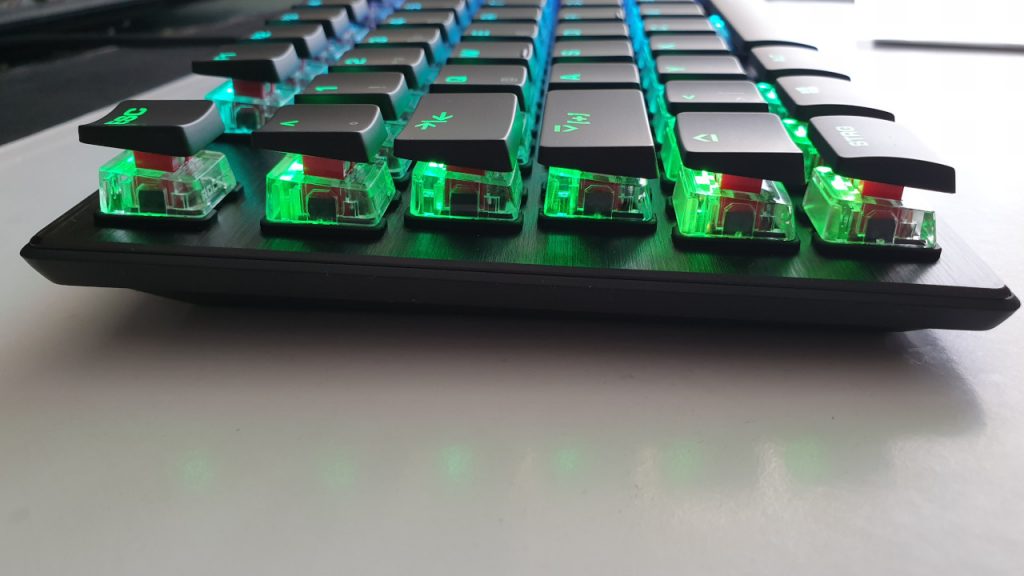
The keys of the keyboard: The Roccat TKL Pro is pleasant in terms of noise. The keys are both tactile and audible.
Roccat’s own “Titan Optical Switches” technology does a good job. The actuation travel of the keys is short (1.4 mm). This showcases the advantage of mechanical keys, as the short actuation distance requires little force and time for the keys to trigger. This increases the speed at which your PC registers keystrokes and is also more ergonomically pleasant. Thus, typing on the Roccat Vulcan TKL Pro is very enjoyable.
The triggers of the keys give clear feedback after confirming, and little effort is needed to press the keys. This results in high speed.
Felt to be slightly quieter than the switches of the Roccat keyboard are the “Romer-G” key switches from Logitech, which are used in the Logitech G513, for instance. In contrast, the Redragon K552 is significantly louder than Roccat or Logitech.


*Affiliate-Links. Wir erhalten bei einem Kauf eine kleine Provision von Amazon. Vielen Dank für Eure Unterstützung!
Roccat’s keyboard is not silent. The noise level is at a pleasant level but is not perfect.
Missing Number Pad: The Roccat Vulcan TKL Pro consciously has no number pad. Gamers and professional players do not need this anyway, as they usually prefer to have their free hand on the WASD keys. However, for other users, tenkeyless is a sensible alternative.
Gaming or working without a number pad is generally more ergonomic, partly because the arm with the mouse is closer to the body since the mouse has more space by the absence of a number pad.
Additionally, tenkeyless keyboards take up less space than full-size keyboards.
As a supplement, you can purchase an external number pad. This can be connected when needed. A recommended model is the external number pad from “Jelly Comb.” The device is small, lightweight, and offers pleasant ergonomics. On Amazon, the device has a rating of 4.5 out of 5 stars based on 426 reviews.
Keine Produkte gefunden.
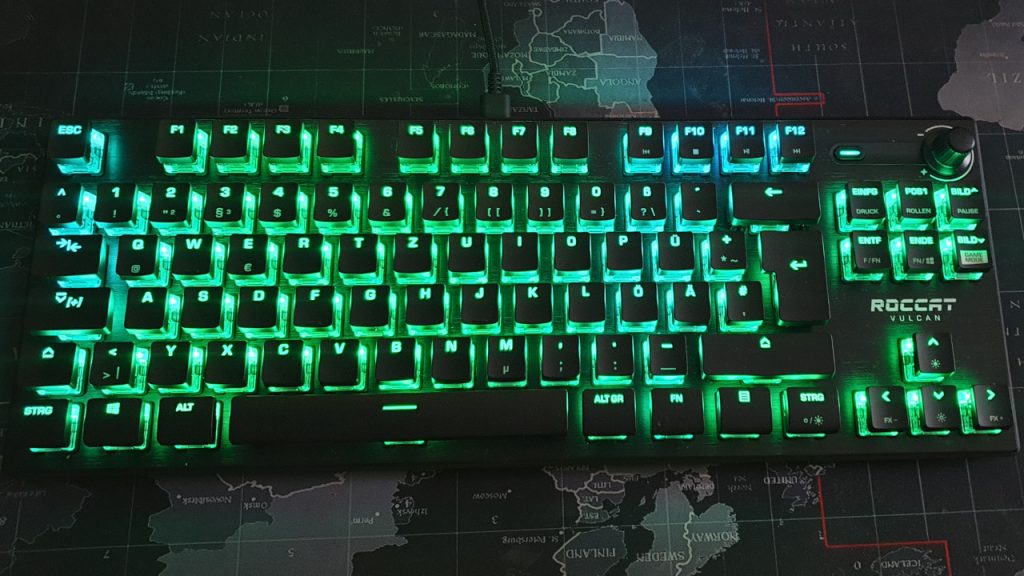
The keyboard’s lighting: The illumination of the keys is also well done. The brightness is high enough for playing or typing in a dark room. If desired, the lighting can also be turned off.
As a counterexample, there is the Logitech G915 LIGHTSPEED RGB, where the illumination of the keys is noticeably uneven, as neither special keys nor multimedia keys are illuminated.
For those looking for a lamp for their gaming PC, you might want to check out the ScreenBar Plus from BenQ. MeinMMO has tested the lamp in a long-term test:

Thanks to the AIMO lighting system, the keyboard’s lighting can also be linked with other Roccat devices. With the Kone AIMO Remastered tested by MeinMMO, this offers some cool lighting effects.
| Preview | Product | Rating | Price | |
|---|---|---|---|---|

|
Roccat Kone AIMO Gaming Maus (hohe Präzision, Optischer Owl-Eye Sensor (100 bis 16.000 Dpi), RGB... | Zu Amazon |
*Affiliate-Links. Wir erhalten bei einem Kauf eine kleine Provision von Amazon. Vielen Dank für Eure Unterstützung!
While the AIMO lighting system does not provide gameplay advantages, it certainly looks nice.
Macro Functions
What we like: The FN function is also well done. Similar to a laptop, pre-set keys can be used this way. Some special keys can be utilized in this manner, which have not found space on the keyboard due to the tenkeyless design.
Additionally, it is interesting that you can swap the Windows and FN keys: thanks to this feature, their functions switch.
In game mode, certain keys are disabled or offer other functions that we can set ourselves. For example, in game mode, the Windows key is disabled. This is particularly helpful in heated battles.
Stored macros or profiles can also be used across multiple Roccat devices.
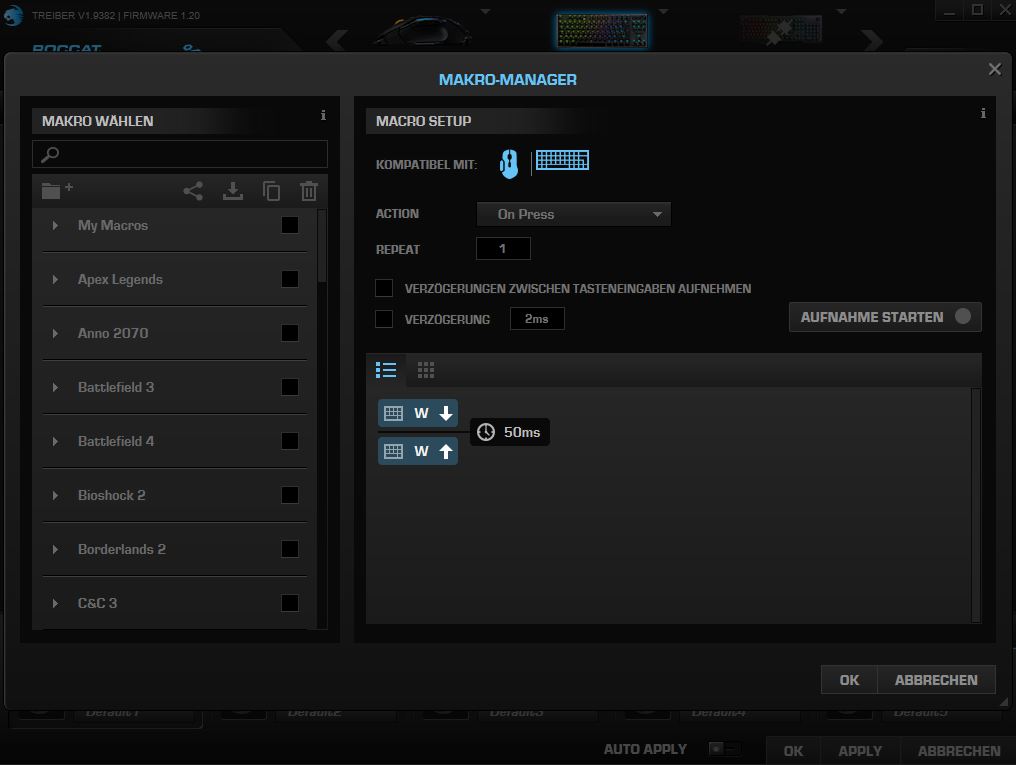
What is less successful: Not all keys on the keyboard can be individually assigned. It is also unfortunate that some keys can only be used if you switch the keyboard to game mode. For example, the Easy-Shift key can only be used with difficulty in normal office use, as you first have to switch to game mode via the FN key. This is unnecessarily complicated.
While having the option to disable the Windows key is a good solution overall, having an actual key for disabling it, like in the Fnatic Streak, instead of a software solution would have been even more practical.
Conclusion: High-Quality Gaming Keyboard for Gamers and Professionals – With Minor Flaws
Is this the best gaming keyboard from Roccat? To answer this question, we need to look at Roccat’s offerings. Besides the Roccat Vulcan TKL Pro, the manufacturer has other keyboards in its portfolio. These include:
- the Horde, a membrane keyboard. This features self-developed membranical keys
- the Suora series, a particularly minimalist gaming keyboard with Cherry switches
- the Vulcan series with Pro versions and TKL variant.
Compared to other Vulcan keyboards, the Vulcan TKL Pro is not surprising in terms of build quality and technology or offers particularly new features, but it is – thanks to the detachable cable – currently the best choice for pure gamers from the current portfolio and definitely a purchase recommendation.
For gamers or heavy typers who also desire a number pad or wrist rest, the Vulcan keyboards with number pad (Vulcan 100 and 121) are the better option. The keys and actuation are great, and the optical switches feel a bit better under the fingers than mechanical switches, but they do not justify the premium for the Pro model of the Vulcan series.
Who is the gaming keyboard suitable for? Roccat’s keyboard is aimed at both casual and competitive gamers. The design without a number pad primarily appeals to players who have more space on their desk and want to avoid unnecessary bulk. Or simply need more space for their mouse.
Thanks to the design without a number pad, the keyboard finds space virtually anywhere and can be conveniently taken along, ideal for gamers who prefer a minimalist desk and are also willing to forgo certain keys.
From an ergonomic perspective, the gaming keyboard can also be worth a look, as gaming and working overall become more pleasant.
| Preview | Product | Rating | Price | |
|---|---|---|---|---|
|
|
Roccat Vulcan TKL Pro - Kompakte optische RGB Gaming Tastatur, AIMO LED Einzeltastenbeleuchtung,... | Zu Amazon |
*Affiliate-Links. Wir erhalten bei einem Kauf eine kleine Provision von Amazon. Vielen Dank für Eure Unterstützung!
Buy Roccat Vulcan TKL Pro at MediaMarkt*However, the price is high: currently, you pay €159.99 for the Roccat Vulcan TKL Pro. However, for that money, you also get a very well-manufactured gaming keyboard with precise, fast keys and successful lighting. Weighing around 600 grams, with a detachable cable and its compact design, the keyboard is also suitable for mobile use. You certainly get a lot for your money.
What alternatives are there? A somewhat cheaper alternative to the Roccat Vulcan TKL Pro is the Razer BlackWidow V3 Tenkeyless. This also offers lighting and no number pad, and all keys can also be assigned with Razer’s software.
For those missing the wrist rest on the Vulcan TKL Pro and the BlackWidow, the Cooler Master Masterkeys MK730 keyboard could be examined. The price is between the two models from Razer and Roccat, providing a wrist rest.


*Affiliate-Links. Wir erhalten bei einem Kauf eine kleine Provision von Amazon. Vielen Dank für Eure Unterstützung!
If instead, you want a number pad and wrist rest, you should look at Roccat’s Vulcan 120. This is currently (December 16, 2020) slightly cheaper than the Vulcan TKL Pro but offers similarly good keys and a wrist rest.
The Roccat Vulcan 120 is among the best gaming keyboards you can currently buy and offers both gamers and heavy typists pleasant ergonomics and haptics.