

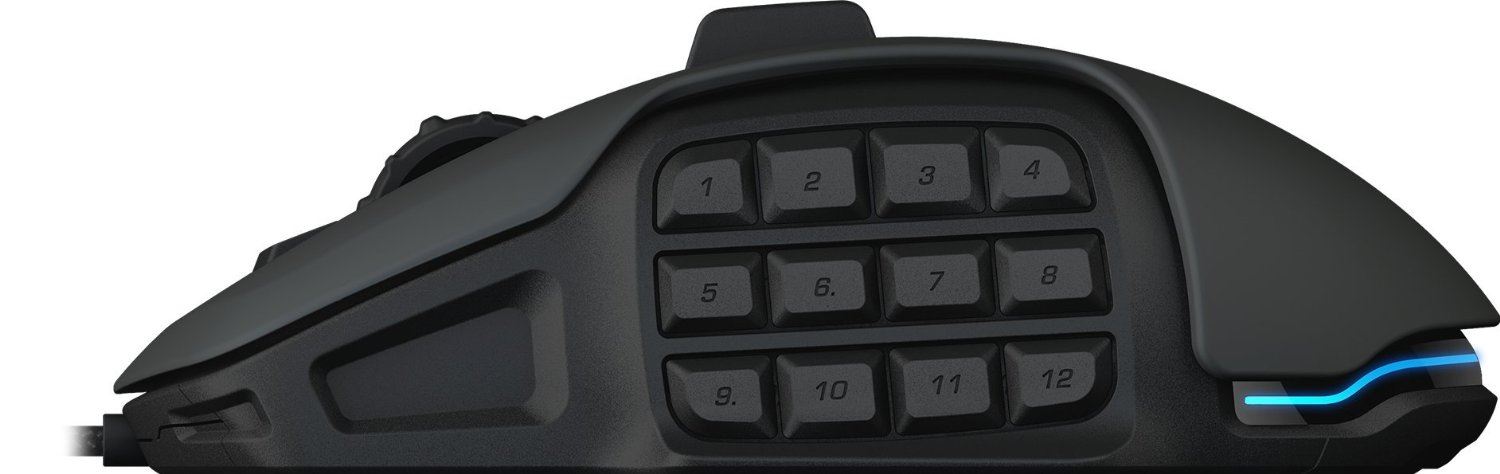
12,000 dpi, up to 12 customizable side buttons. Whether playing with the Roccat Nyth is as good as it sounds will be shown in our test report.
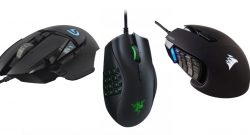
A good MMO mouse should offer more than just 2 buttons and a scroll wheel. Especially in the thumb area, there should be as many clickable buttons as possible. The more, the better, as in MMORPGs, you often want to quickly access over a dozen abilities. Of course, you should also be able to reach and select the buttons individually. There’s no use if everything is so small that you always press 2, 3, or 4 buttons at once.
Additionally, the device needs to fit well in your hand. You’re often using it for several hours at a time, so you can’t afford an uncomfortable hand position. This means the mouse should be asymmetrical. Razer, for example, has long released a model like this with the Naga. Now Roccat aims to follow suit with the Nyth. But can it succeed?
Modular Side Section

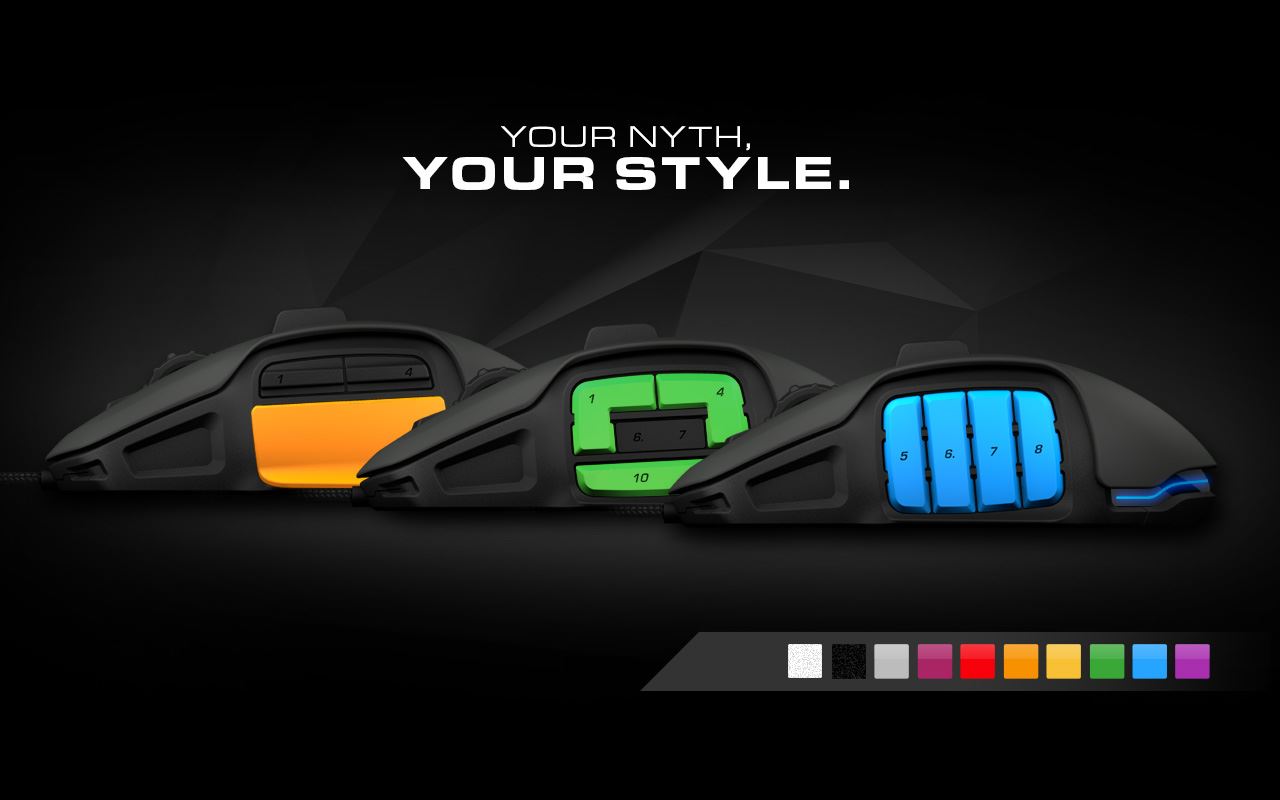
The Nyth aims to distinguish itself by allowing the buttons to be swapped out. With a switch at the bottom, they can be released. This way, the user can choose how many buttons they actually want for each game.
The switch can be operated relatively easily. However, it requires some finger dexterity to remove a single button. It’s easier to shake the mouse gently until all fall off.
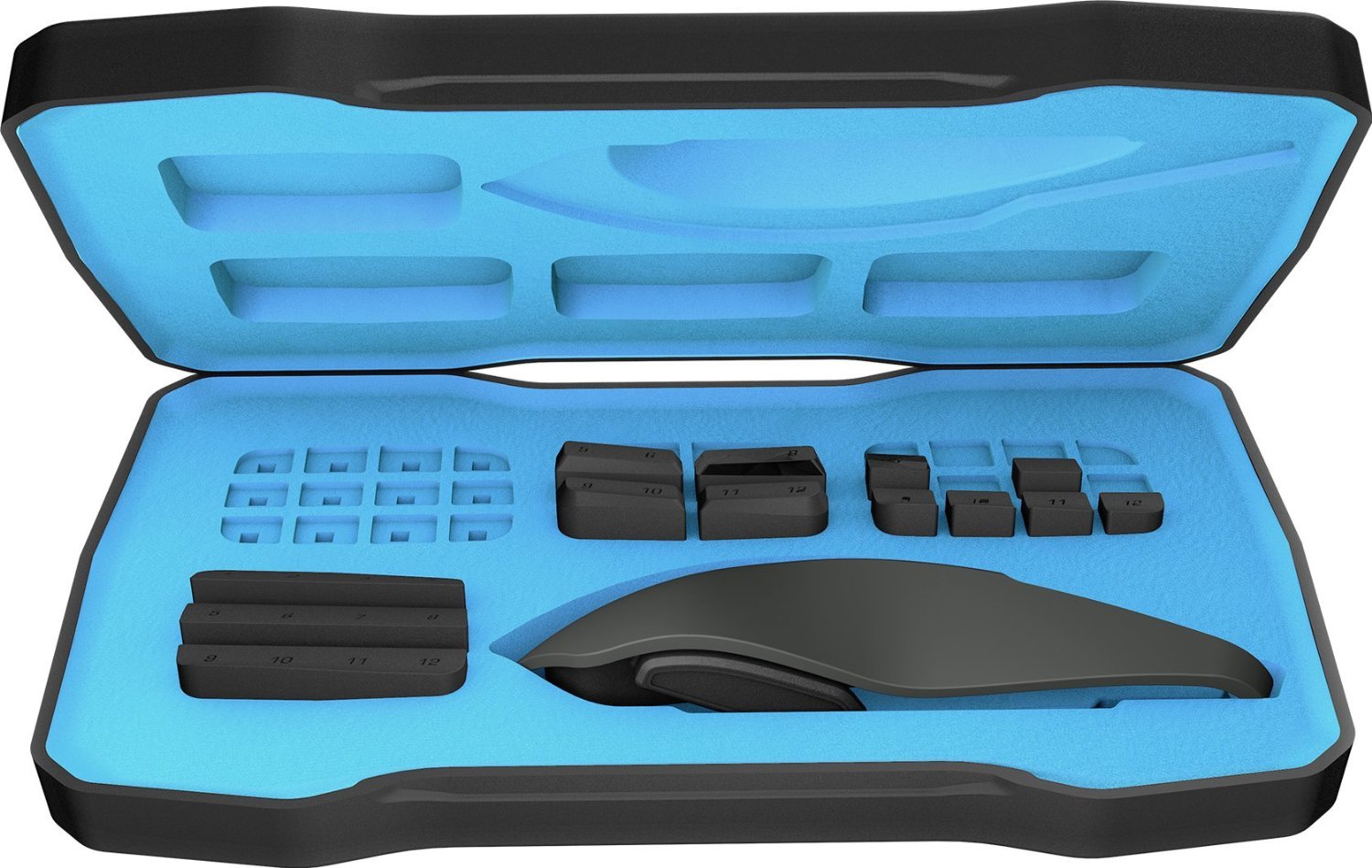
The package includes 4 different types that can be combined freely. 12 buttons, each the size of 1 field. 6 with a width of 2 fields. The other two variants are not buttons in the strictest sense and are only meant to fill gaps. For example, if you only want to use buttons 1, 3, and 4 in the first row, you can leave a gap at number 2. These cannot be activated.
If that’s not enough, thanks to the provided 3D printing information, you can create your own buttons. Or you can buy additional buttons. This information can be found at roccat.org.
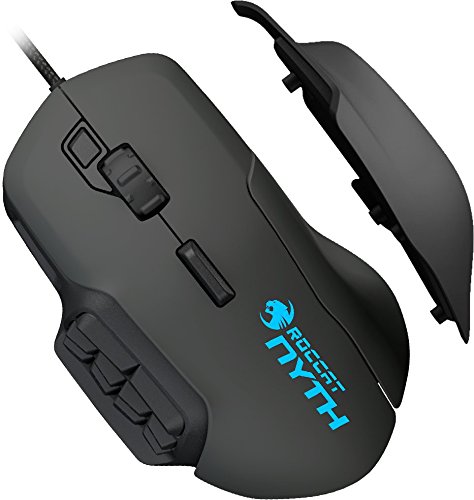
The other side is also adjustable. However, only with the choice of whether or not to have a finger rest. The magnets are strong enough that you don’t have to worry about anything falling off. This way, the device can be used for both palm and claw grip. For fingertip grip, it is a bit too heavy at 141g.
Although heavily advertised for its modularity, there is still a downside. The mouse cannot be adjusted to be suitable for left-handed users. A left-handed version is also not offered in stores.
With dimensions of 24.2 x 20.8 x 10.2 cm, the Roccat Nyth is only suitable for larger hands. Furthermore, the button pressure is quite high. Some may prefer a lower pressure. The same applies to the scroll wheel, which may be perceived as too stiff.
Easy Shift and Roccat Talk
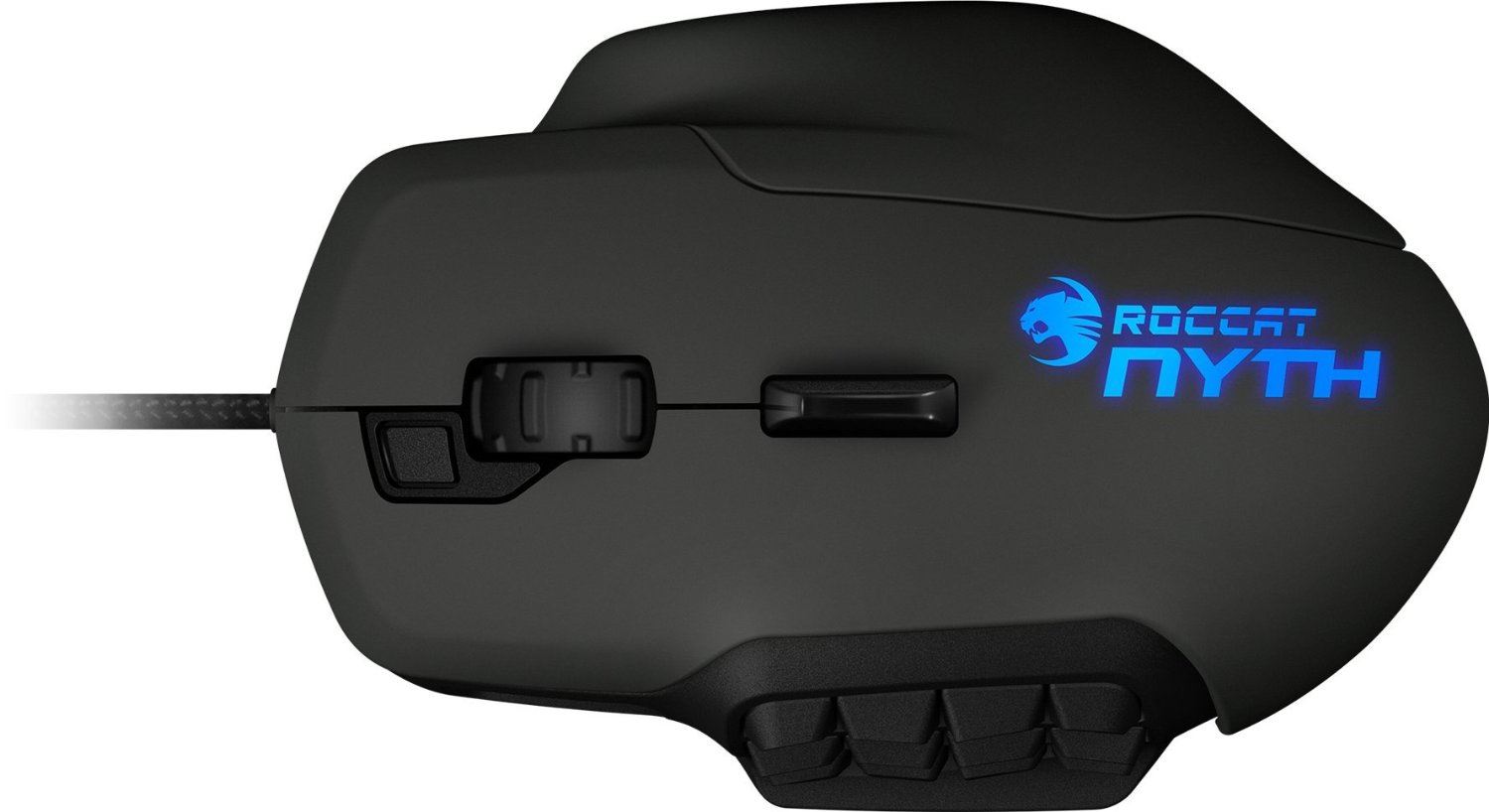
Easy Shift and Roccat Talk are technologies used to promote the Roccat models. Easy Shift corresponds to a modifier key known from keyboards, such as Shift or Alt. When holding this key down, the secondary mapping of the mouse buttons can be used. This allows for 24 thumb buttons instead of 12. And which Easy Shift you use can be freely selected. By default, it’s the small one on the scroll wheel. It is easy to select; usually, you slightly move the scroll wheel forward with it. Therefore, the secondary mapping of the scroll wheel should be disabled, as it will otherwise be triggered constantly.
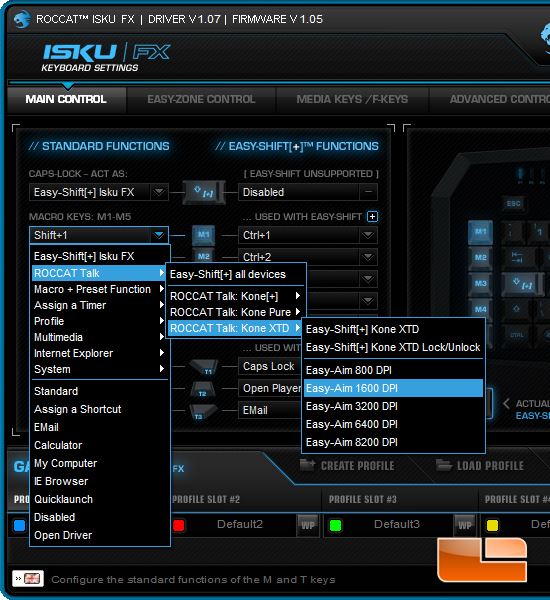
Roccat Talk enables communication between devices. For example, the EasyShift key on the keyboard can simultaneously apply to the mouse. The only requirement is that the devices are compatible. Unfortunately, the Nyth is still a bit shy. Its Talk feature will only be added through an update.
There are numerous application areas. You could set up an Easy-Aim key on the keyboard. As long as this key is pressed, the dpi of the mouse is reduced. This way, you can aim more precisely in sniper mode. Functions like changing the mouse profile can be offloaded to the keyboard, which offers more space. This way, the buttons on the mouse can be kept free for more important functions.
The Driver Software – Roccat Swarm
You don’t expect much from a driver. It should be easy to install and as intuitive as possible. This is indeed the case. However, there is a long way to go before the program recognizes the mouse.
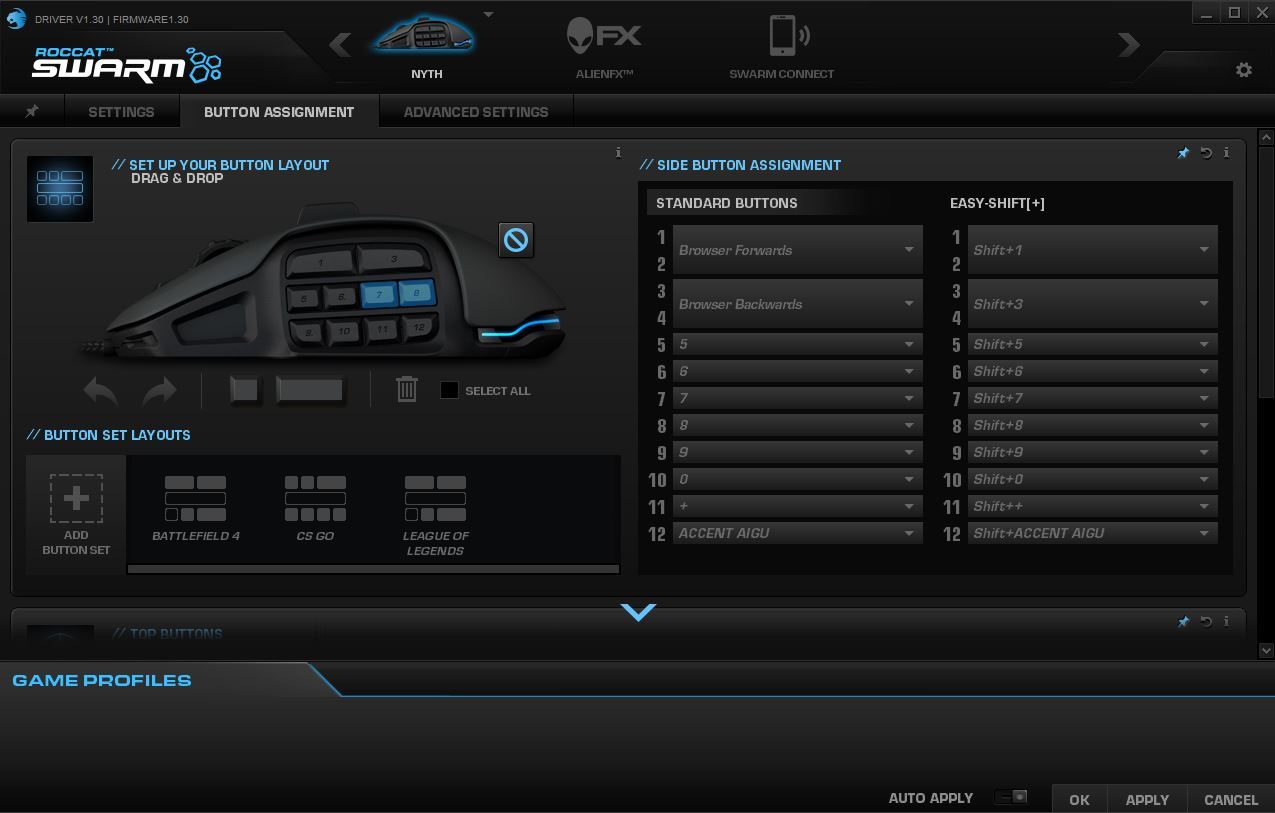
When Swarm recognizes it is purely by chance. Sometimes restarting the program or the PC helps, sometimes a reinstallation. Sometimes the firmware update has to be started, downloaded, and installed via the Swarm client, though the program may also just freeze. Then the corresponding Upgrade.exe from the Swarm folder needs to be used. Or you have to restart the PC or reinstall the program. All in all, it’s a roller coaster, and with a bit of luck, the Nyth will be recognized eventually. By the way, you should install a keyboard driver first, if it’s a Roccat device. Because the installation of the Isku-FX driver also led to Swarm no longer recognizing my Nyth. However, a restart helped here.
Once you eventually manage to get it working, the operation becomes very pleasant. Numerous settings, including the dpi, which can be adjusted in increments of one. Additionally, you can turn off the mouse lighting. Conveniently, there’s a button that disables the mouse until you press Enter. This way, you can swap the thumb buttons without accidentally activating them.
You will spend a lot of time with button mapping. Fortunately, both button sets and their mappings can be saved. The latter is done through the Game Profiles. Everything is saved on the mouse. Very convenient when you want to connect it briefly to another PC with its button mapping, without having to go through the Swarm installation again.
Conclusion
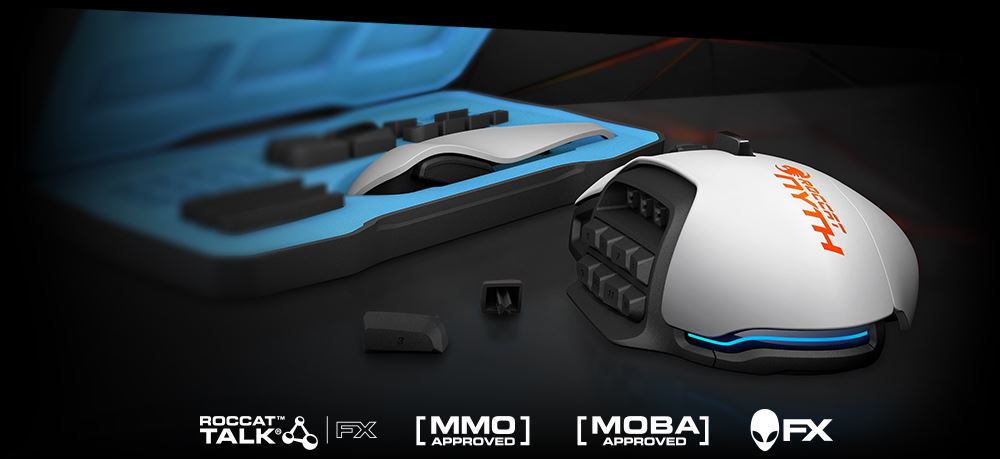
All in all, a very good gaming mouse, especially in the MMO sector. For a The Elder Scrolls Online I need significantly fewer buttons than for World of Warcraft. If I play the latter for a while, I dream up a set with many buttons. In TESO – or for example WildStar or League of Legends – they would annoy me, as only a few would be utilized. This way, I can switch them out and change profiles.
I really like the palm rest. I don’t want to miss it anymore. Other mice might have it too, but the advantage of the Nyth is that you have the freedom to choose whether you want it or not. Behind the scroll wheel, there is another button that can be pressed to the right or left. It is easily accessible without having to really move your fingers. You could assign strafing, i.e. the lateral movement, to it. And thanks to the high and freely adjustable dpi settings, MOBA players will also enjoy the mouse.
The Nyth can easily hold its ground against competitors from Razer and Co. Its greatest advantage is the modular thumb area. This way, the manufacturer doesn’t dictate how the buttons are arranged; instead, you can determine it yourself. Combined with Easy Shift, it allows for fewer large buttons that can still take on many functions thanks to the secondary mapping. Those who play many different games with different button requirements will not find a better alternative.
Additionally, Roccat products are usually very durable. It is unlikely that you will need to buy another device due to a defect after just 1-2 years. For this reason, the above-average high price is justified. Therefore, this mouse is highly recommended.
Not the right mouse? What to look for when buying can be found in our PC Mouse Guide. The best mice for MMOs can be found here:

Your opinion is important to us!
Do you like the article? Then let us know!