

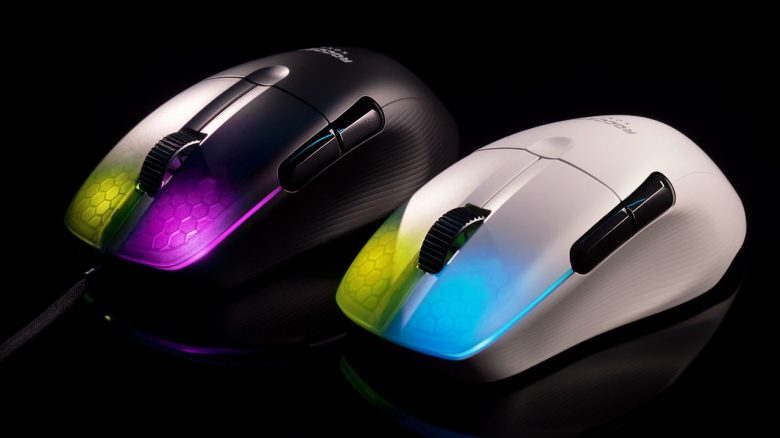
Roccat has introduced two gaming mice, the Kone Pro and the Kone Pro Air. Both mice are aimed at gamers who prefer lightweight options. MeinMMO has tested the mice and reveals who they are suited for.
Key points at a glance:
- The Roccat Kone Pro and Pro Air are two extremely lightweight mice. The Kone Pro weighs 66 grams while the Kone Pro Air weighs 75 grams.
- The Kone Pro uses a USB cable, while the Kone Pro Air connects wirelessly via a dongle or Bluetooth.
- The wired Kone Pro costs 79.99 euros, while the Kone Pro Air is priced at 129.99 euros.
- The Kone Pro is a well-rounded alternative to the Roccat Kone Pure Ultra, mainly due to numerous small design improvements.
- The Kone Pro Air is recommended for gamers looking for an ergonomic, wireless mouse as an alternative to the Razer Deathadder V2 Pro.
Which mouse is it about? In mid-April, Roccat introduced the Kone Pro and Kone Pro Air. These new mice aim to impress buyers primarily with their lightweight design.
This is interesting for gamers who frequently move their mouse and feel disturbed by high weight. Particularly, shooter players prefer lightweight mice.
In our test, we want to see how the new Kone Pro performs in practice. MeinMMO had already tested the Roccat Burst Pro. Here too, it is a particularly lightweight gaming mouse.
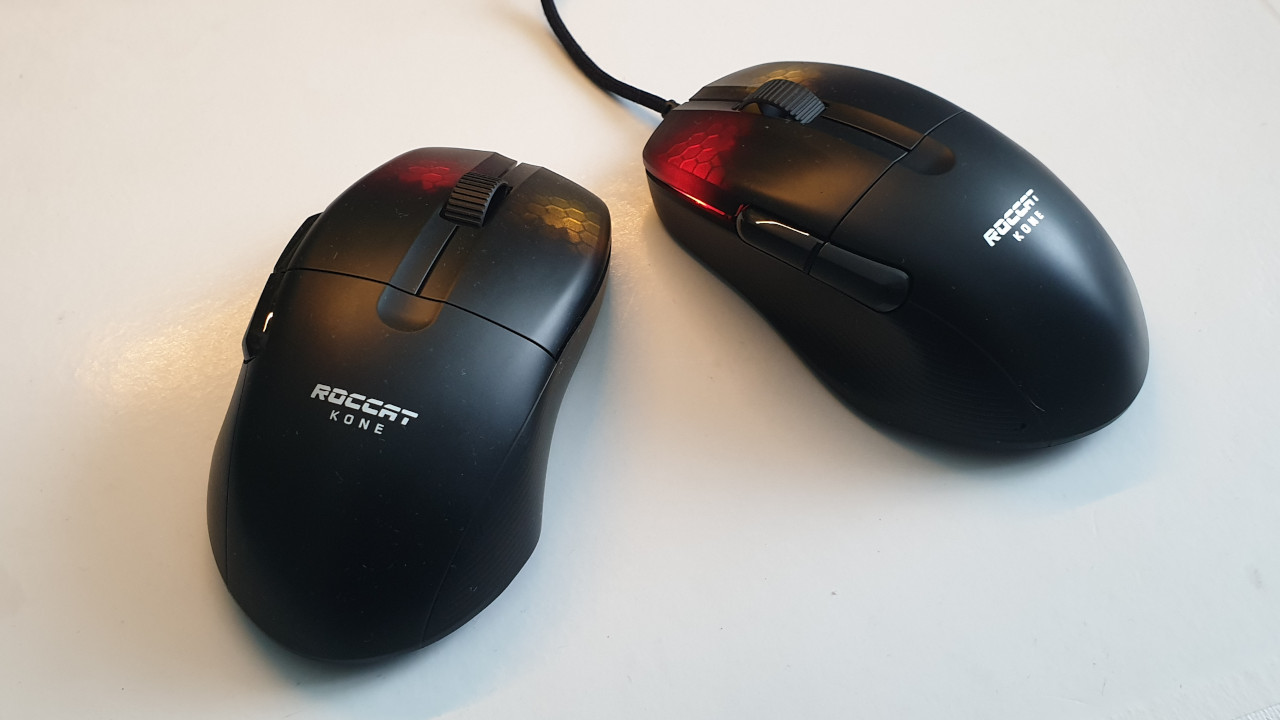
Roccat Kone Pro Review: How did we test it?
How long was the mouse tested? We were able to extensively test the mouse and take a closer look:
- The gaming mouse was in use for about 14 days.
- We mainly played shooters like Overwatch or Apex Legends with the mouse. Here, the mouse was used constantly for three or four hours, accompanying us during fights.
- In direct comparison, we also had Roccat’s Kone Pure Ultra and Razer’s Viper in hand.
Features and technical details:
| Sensor | ROCCAT Owl-Eye optical sensor, based on Pixart 3370 |
| Resolution | Up to 19,000 DPI |
| Switches | Optical Titan switches, 100 million clicks |
| Buttons | 5 |
| Design | Black or white mouse, with adjustable RGB lighting (16.8 million colors), AIMO lighting |
| Skates | 2 PTFE skates (replaceable) |
| Cable | 1.8 m PhantomFlex cable |
| Dimensions | 125.6 mm x 72 mm x 40 mm |
| Weight | 66 grams / 75 grams (Wireless) |
| Price | 79.99 euros / 129.99 euros (RRP) |
Roccat Kone Pro in detail
What is special about the mouse? Many particularly lightweight gaming mice use a hole or honeycomb system. Two well-known examples are the Xtrfy M4 RGB or Glorious Model O-.
Roccat avoids holes in its “Kone Pro” models. The honeycomb pattern is suggested on the mouse buttons, but there are no actual “holes” in the mouse.
Weight: With its 66 grams, the Roccat Kone Pro is one of the lightest gaming mice available. Razer’s Viper weighs 69 grams, while the Glorious Model O- is even lighter at 58 grams.
Roccat Kone Pro: Weight comparison:
| Glorious Model O- | 58 grams |
| Roccat Kone Pro | 66 grams |
| Roccat Burst Pro | 68 grams |
| Razer Viper | 69 grams |
| Endgame Gear XM | 70 grams |
| Logitech G Pro Wireless | 81 grams |
Skates: Roccat uses two large PTFE skates on the back of the Kone Pro.
The package also includes an additional set of skates for replacement, which is very commendable and practical when the existing skates are worn out.
What sensor does the mouse use? Roccat uses a modified version of the optical Pixart MMW-3370 in its Pro models. Roccat calls the modified sensor “Owl-Eye.”
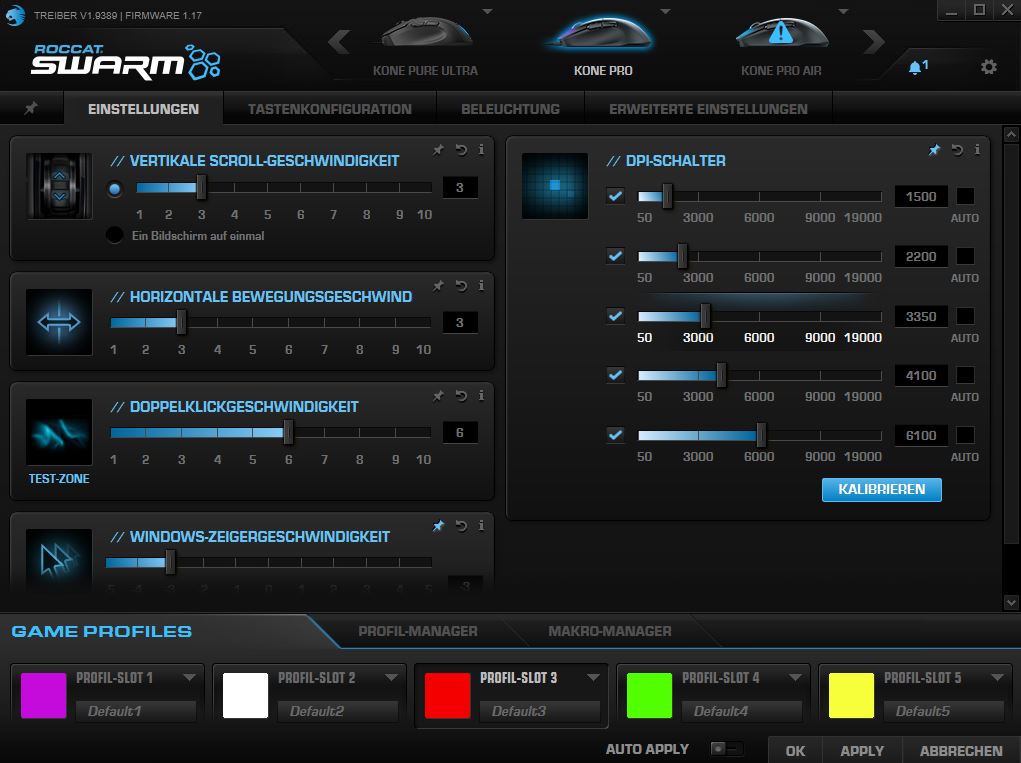
The DPI can be adjusted from 50 to 19,000 in increments of 50. The settings are saved in the internal memory of the mouse. If you use the mouse on multiple computers simultaneously, your personal settings will always be with you.
Roccat Kone Pro: Grip type
With its size and weight, the mouse is primarily aimed at claw grip and fingertip players. However, the ergonomic shape is also suitable for palm grip users who prefer to take the mouse fully in hand.
This is our impression: Thanks to its ergonomic design for right-handers, the mouse feels comfortable in the hand. This is true for both palm grip and claw grip.
In “claw grip,” it is almost most comfortable as we can best feel the pressure point of the buttons. Even better than in palm grip.
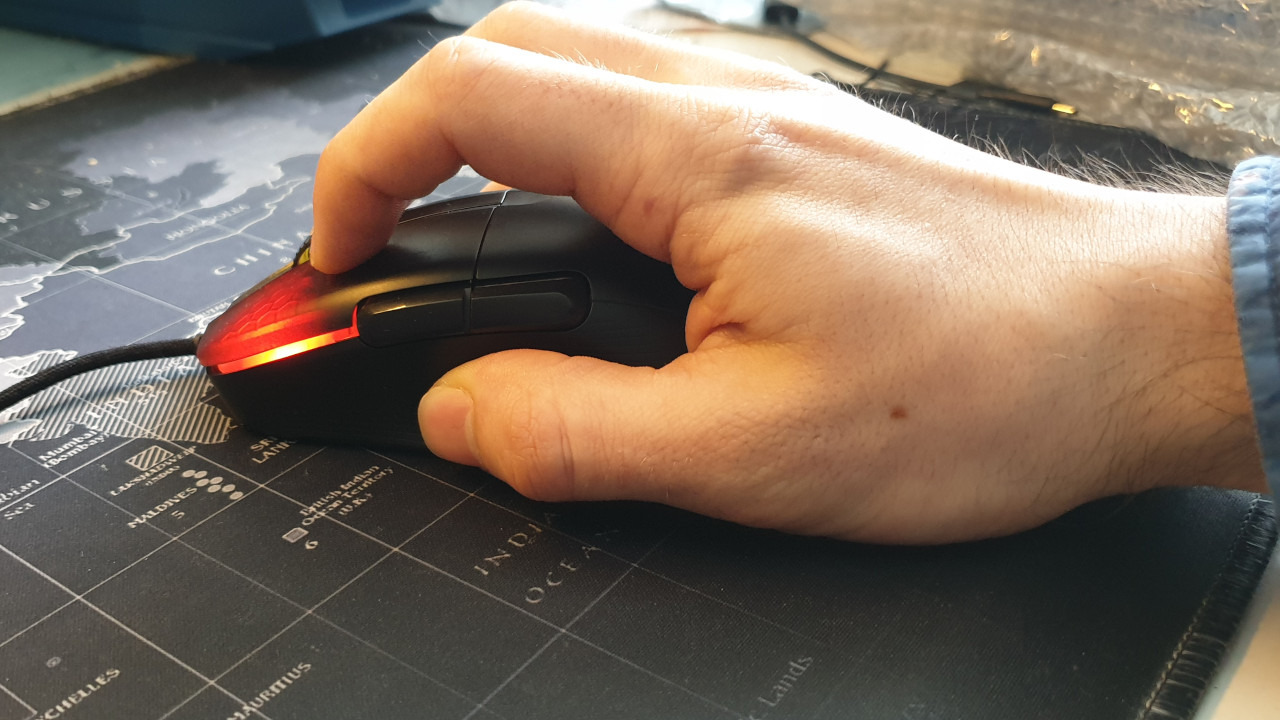

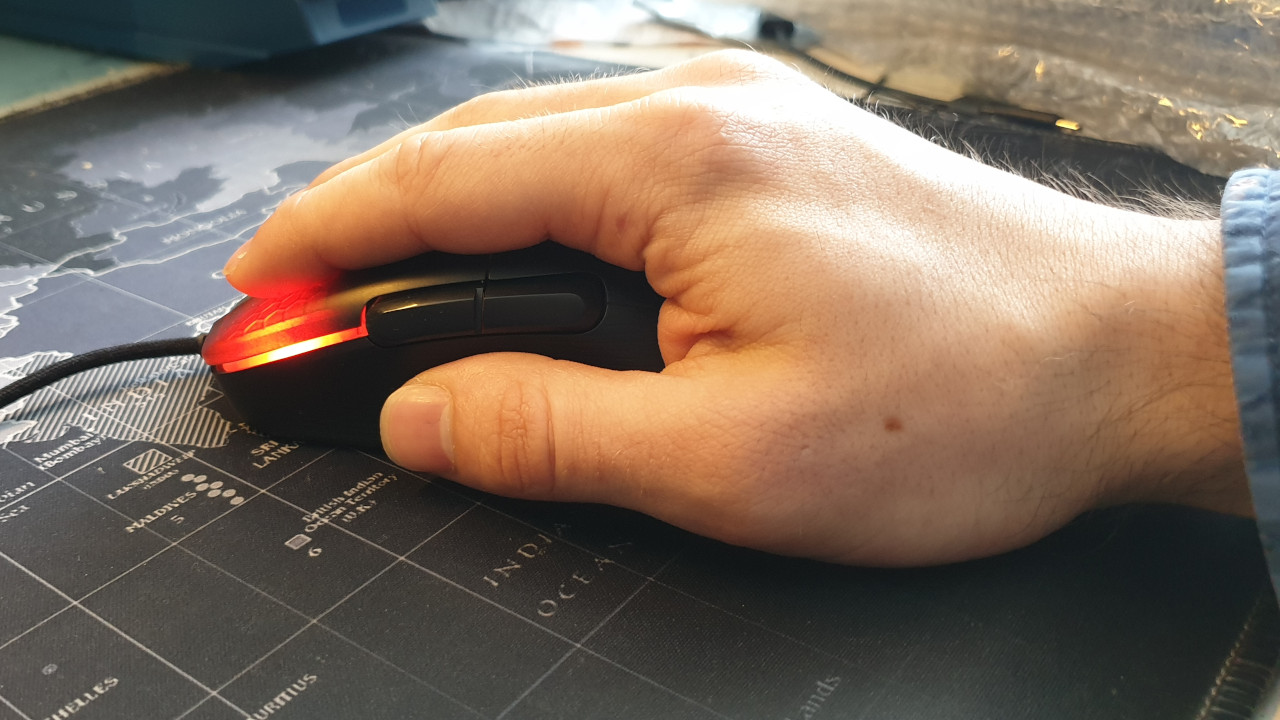
However, with fingertip grip, depending on hand size, there may be limitations. With smaller hands, the front thumb button is hardly comfortable to reach in fingertip grip. For this, the Kone Pro is almost a bit too big. With the Kone Pure Ultra, we had fewer issues.
Roccat Kone Pro Software “Roccat Swarm”
What we like about the software: Roccat uses the “Roccat Swarm Software” with its Burst Pro. Once you connect the mouse to the PC, it is immediately recognized by the PC. The software downloads the appropriate update for the mouse, and then it is ready to use.
The software itself presents itself neatly and clearly. Through a tab in the upper half, all Roccat devices are controlled, and you can select the mouse directly. Here you can then make all the settings. We can adjust the brightness or configure the lighting system (AIMO), or assign functions to the buttons.
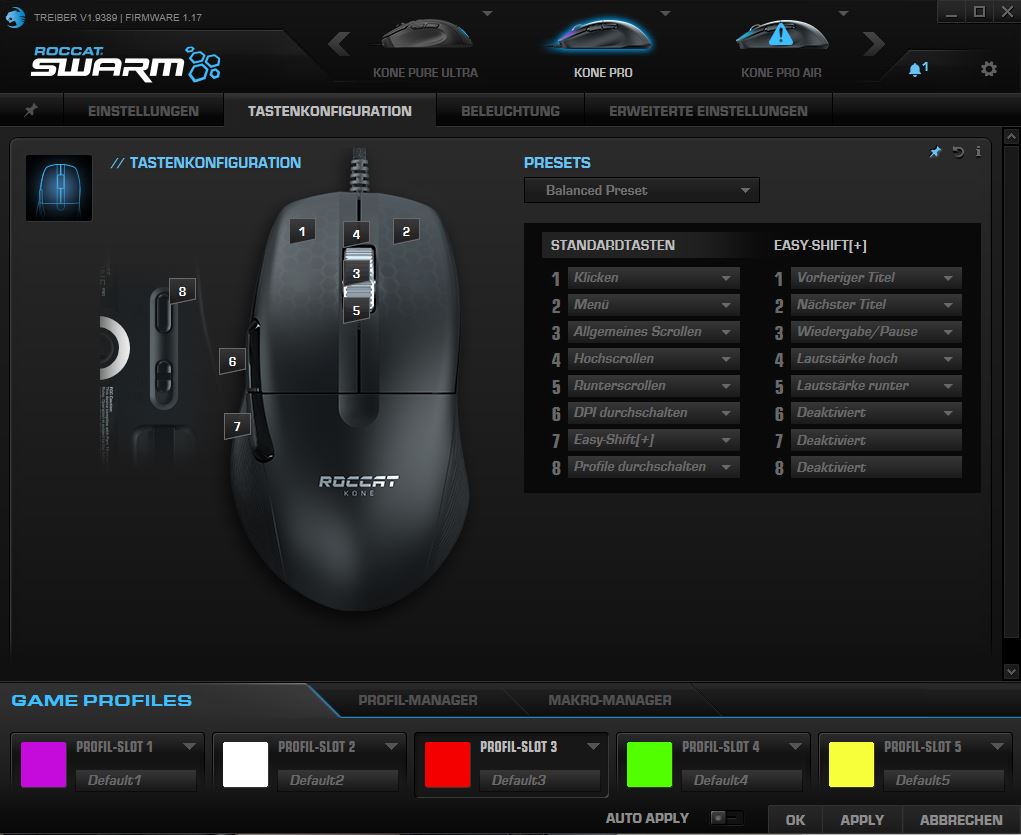
The operation is simple and straightforward. A mixture of German and English. While most texts are now in German, buttons in menus are mainly presented in English.
This is not successful: The Swarm software consists of a mix of German and English in some places. Additionally, it offers a lot of functions that may overwhelm you at first glance and that you probably won’t need.
The Roccat Kone Pro in practice
In this section, we present how the mouse performs in practical tests. We will address the weight and speed, but also discuss which sensor works in the mouse and what possibilities the mouse offers in practice.
In the test, we compare the Kone Pro directly with its predecessor, the Kone Pure Ultra.
Roccat Kone Pro vs Roccat Kone Pure Ultra
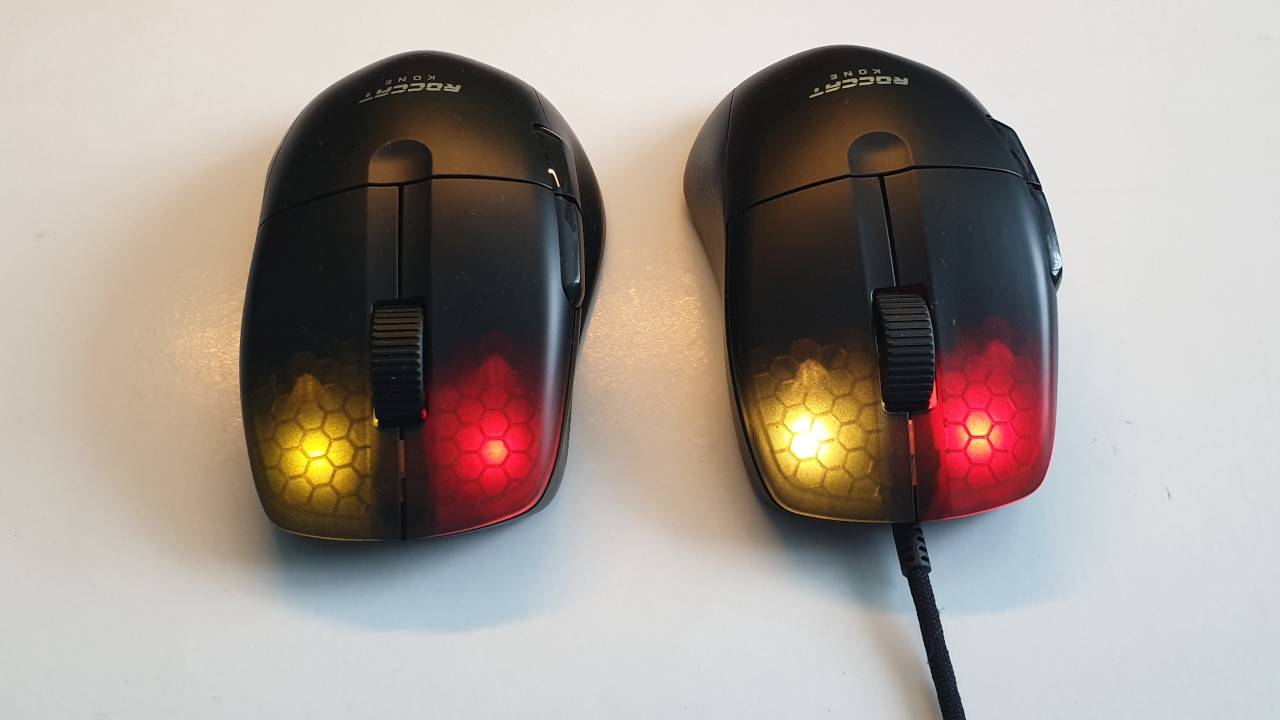
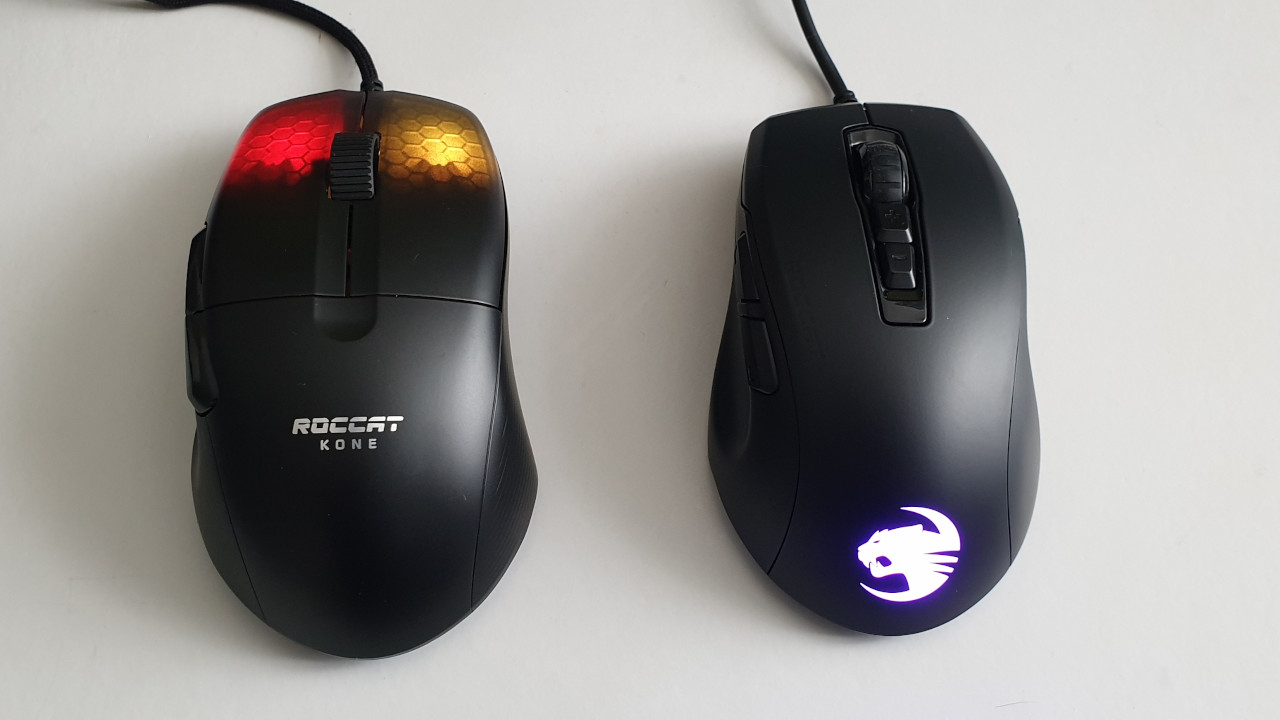
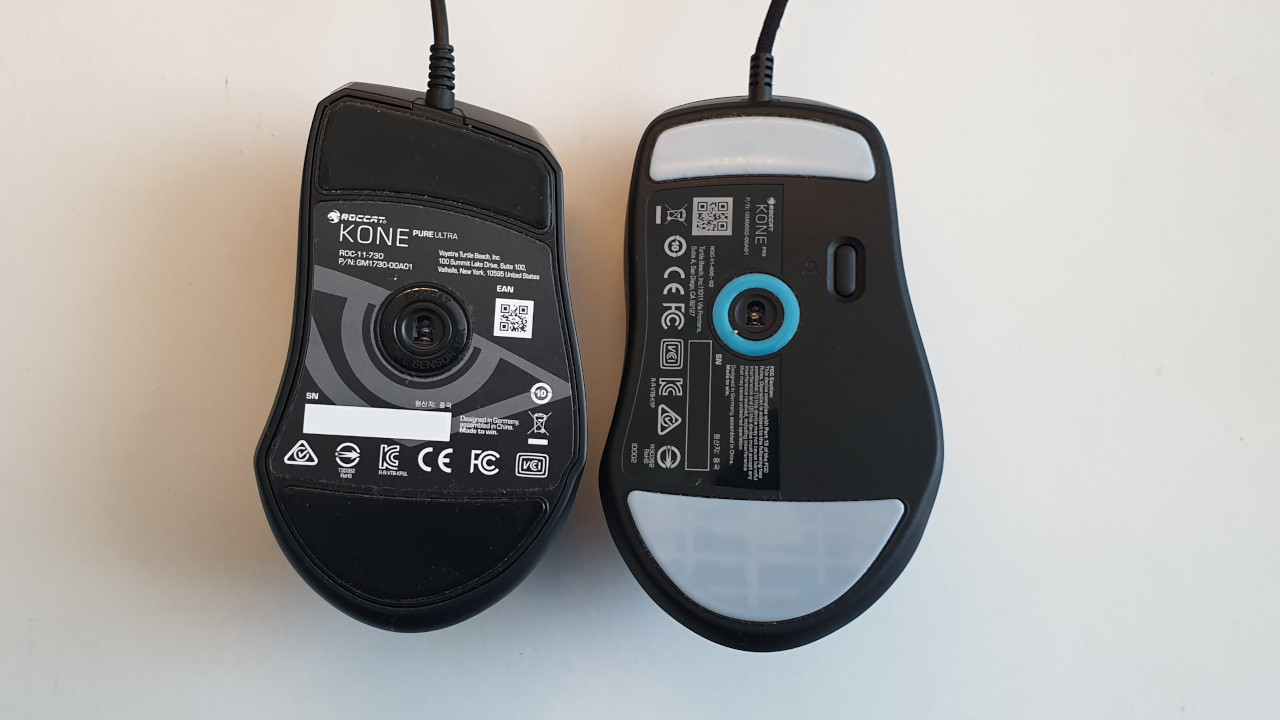
Processing: Both gaming mice are built with a robust plastic chassis and feature two large skates on the underside. The feet and the scroll wheel of the Kone Pro overall make a more robust impression. The cable of the Kone Pro feels significantly more premium than the thin cable of the Kone Pure Ultra.
While Roccat installed Omron switches with a durability of 50 million in the Pure Ultra, the manufacturer uses its own optical Titan switches in the Kone Pro. According to the manufacturer, these switches should even achieve at least 100 million clicks.
Ergonomics: The Roccat Kone Pure Ultra generally fits better in the hand than the Kone Pro. This is mainly due to the stronger indentation for the thumb on the left side and the slightly oval shape.
The Kone Pure Ultra also offers two DPI buttons on the top unlike the Kone Pro, which completely lacks these. A workaround is to program one of the thumb buttons of the Kone Pro as a DPI button.
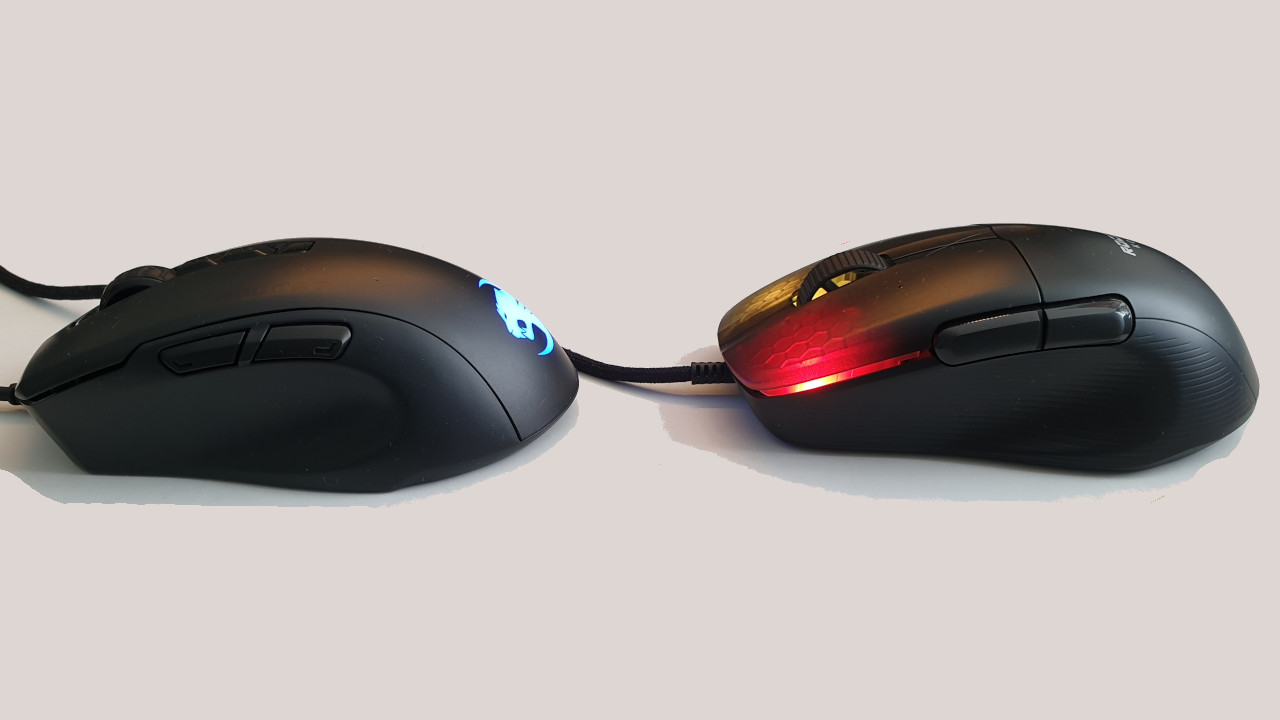
Haptics: Both mice are on par. Both the Kone Pro and the Pure Ultra forego a rubberized grip and opt for a pleasant plastic housing under the hand.
The palm fits comfortably on both mice. The thumb buttons and the scroll wheel are also easily reachable on both mice.
In palm grip and claw grip, the mice are easy to hold. However, smaller hands may have trouble controlling the mouse in fingertip grip, as the mouse is quite large.
Slide quality: Both the Kone Pure Ultra and the Kone Pro (Air) feature two large gliding feet on the back of the mouse. These feet ensure good glide on our mousepad and on other smooth surfaces.
Mouse buttons and scroll wheel: The scroll wheel of the Kone Pro is more textured and thus feels grippier than that of the Pure Ultra. The scroll wheel also feels more premium and precise on the Kone Pro. It remains a two-way scroll wheel (forward and backward). With the buttons, Roccat uses its own development with Titan switches:
- While the buttons of the Pure Ultra sound higher, the clicks of the Kone Pro sound more muffled and thus quieter. This way, the buttons are also significantly quieter than those of the Burst Pro, where Titan switches are also used.
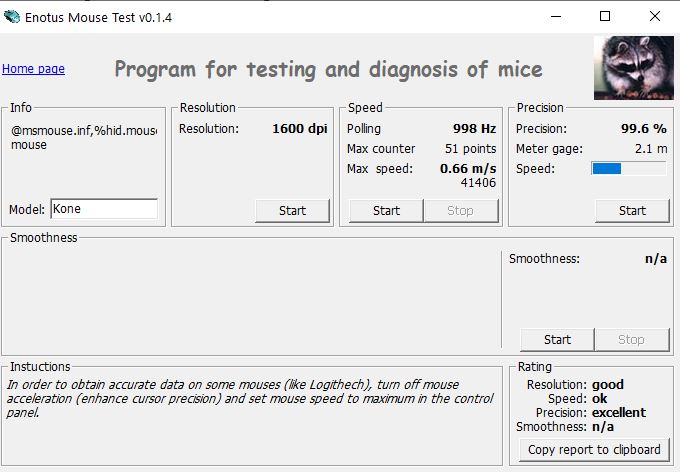
- The buttons of the Kone Pro are even more precise than those of the already good Pure Ultra buttons. In the Enotus mouse test, the Kone Pro is just ahead of the Pure Ultra with 0.6 percent at the same DPI and speed.
- There is no debounce delay on the buttons thanks to the optical technology. Debounce delay refers to how long the mouse takes to register the next click. This means that every click is recognized immediately.

Macro functions: The “Kone Pro” models do not offer DPI buttons on the top area near the index finger like the Kone Pro Ultra does. Instead, there is a profile switch button on the back.
The Kone Pro also supports Easy-Shift. With Easy-Shift, all buttons of the mouse can be double-assigned. This way, for example, one of the thumb buttons can be repurposed as a DPI button. Creating macros for the buttons is simple and straightforward.

Kone Pro or Kone Pure Ultra – which mouse is better?
If you compare the two mice theoretically and in practical application, the Kone Pro is either slightly or significantly ahead of the Kone Pure Ultra. In terms of processing, the Kone Pro has made a significant step forward, while we notice hardly any differences in precision. The clicks on the Kone Pro are unusual, but they do not seem less precise to us.
However, we prefer the Pure Ultra in terms of ergonomics compared to the Kone Pro. The Pure Ultra is not only slightly smaller, but we also find the thumb rest better since our thumb feels more comfortable here. The DPI buttons are also a point in favor of the Pure Ultra.
Overall, the Kone Pro represents a significant improvement over the Kone Pure Ultra in our hands.
| Roccat Kone Pro | Roccat Kone Pure Ultra | |
|---|---|---|
| Weight | 66 grams | 68 grams |
| Buttons | 5 buttons, Optical Titan switches, 100 million clicks | 7 buttons, Omron D2FC-F-K, 50 million clicks |
| Sensor | Roccat Owl-Eye sensor (PixArt PMW-3370), up to 19,000 DPI | PixArt PMW-3381, up to 16,000 DPI |
| RRP Price | 79.99 / 129.99 euros | 69.99 euros |
| RGB | 1 addressable zone | 1 addressable zone |
Conclusion – A strong alternative to the Kone Pure Ultra
Who is the mouse suitable for? The Roccat Kone Pro is aimed at all gamers looking for a very lightweight mouse with few buttons for right-handers.
For 80 euros, you get a really good mouse from Roccat, although it is also slightly more expensive than the competition, which offers similar features. You can already get Razer’s Deathadder V2 for around 55 euros. This also offers an ergonomic design, similar many buttons, and has a comparably good sensor. However, at 82 grams, the Deathadder V2 is significantly heavier than the Roccat Kone Pro.
The Kone Pro and Kone Pro Wireless hardly differ from each other. If you can forgo wireless capability, the Kone Pro with its lower weight (66 grams vs 75 grams) is the better choice.
However, the mouse is not suitable for everyone: If you primarily play MMOs or need many buttons, the Kone Pro is less suitable for you.

Why you should consider the Kone Pro Air: For 130 euros, the Roccat Kone Pro Air is worth a recommendation. The competition emphasizes ambidextrous mice in the lightweight category, such as the Razer Viper Ultimate or the Logitech G Pro X Superlight. A wireless ergonomic alternative would be the Deathadder V2 Pro. However, the Deathadder weighs 88 grams, which is significantly more than the Kone Pro Air, and uses Micro-USB, while Roccat uses USB-C.
If you’re looking for an ergonomic, wireless, and lightweight gaming mouse, there’s hardly any way around Roccat’s new Kone Pro Air.
If you already own Roccat’s Kone Pure Ultra or Burst Pro, then repurchasing is not worthwhile unless you absolutely want the better sensor or the wireless capability of the Air version.
What alternatives are there?
- The Roccat Burst Pro offers a slightly weaker sensor and weighs two grams more. Both have similar durability, but the Burst Pro is only wired. The Burst Pro also lacks the ergonomic shape of the Kone Pro.
- Razer Viper: Razer’s mouse has a highly precise sensor and is slightly heavier. The construction of the standard Viper does not seem as premium as that of Roccat. The Razer Viper Ultimate is the wireless version of the Viper, which is considerably more expensive than the Pro Air, but seems better made and includes a docking station.
- Logitech G Pro Wireless/ Logitech G PRO X SUPERLIGHT: Logitech’s gaming mouse offers premium construction and allows side swapping. The mouse is also symmetrical and suitable for both left and right-handed users.
More gaming mice on MeinMMO: Are you looking for a suitable gaming mouse for you? Then check out our best list of gaming mice. In our MeinMMO list, we present the best gaming mice you can currently buy.

Your opinion is important to us!
Do you like the article? Then let us know!