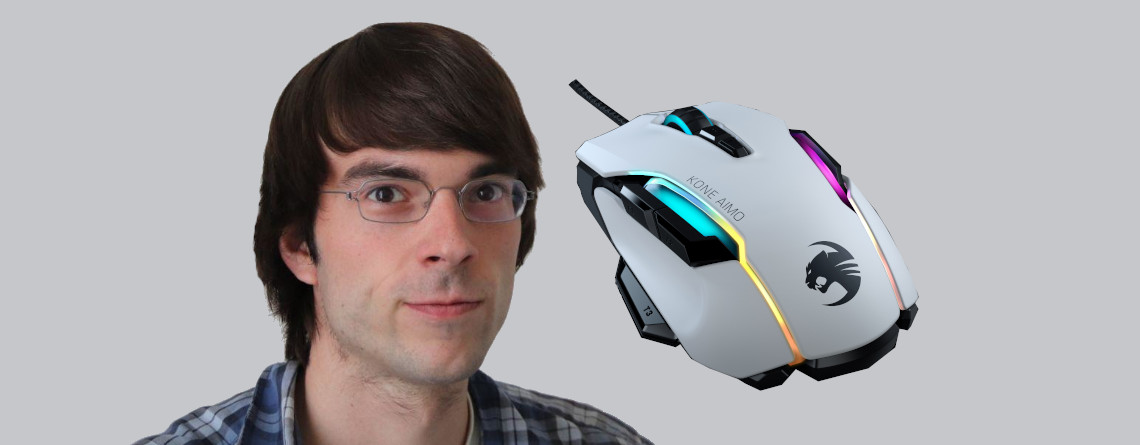
With the Kone Aimo Remastered, Roccat offers the successor to the 2017 mouse. MeinMMO explains in a review how good the mouse is and for whom it is suitable.
Which mouse is it about? Behind the Roccat Kone Aimo Remastered lies the successor model of the Roccat Kone Aimo from 2017. The 2019 Remastered version expands the old mouse with several features. In our review, we took a closer look at the mouse.
Roccat Kone Aimo Remastered Review: How did we test?
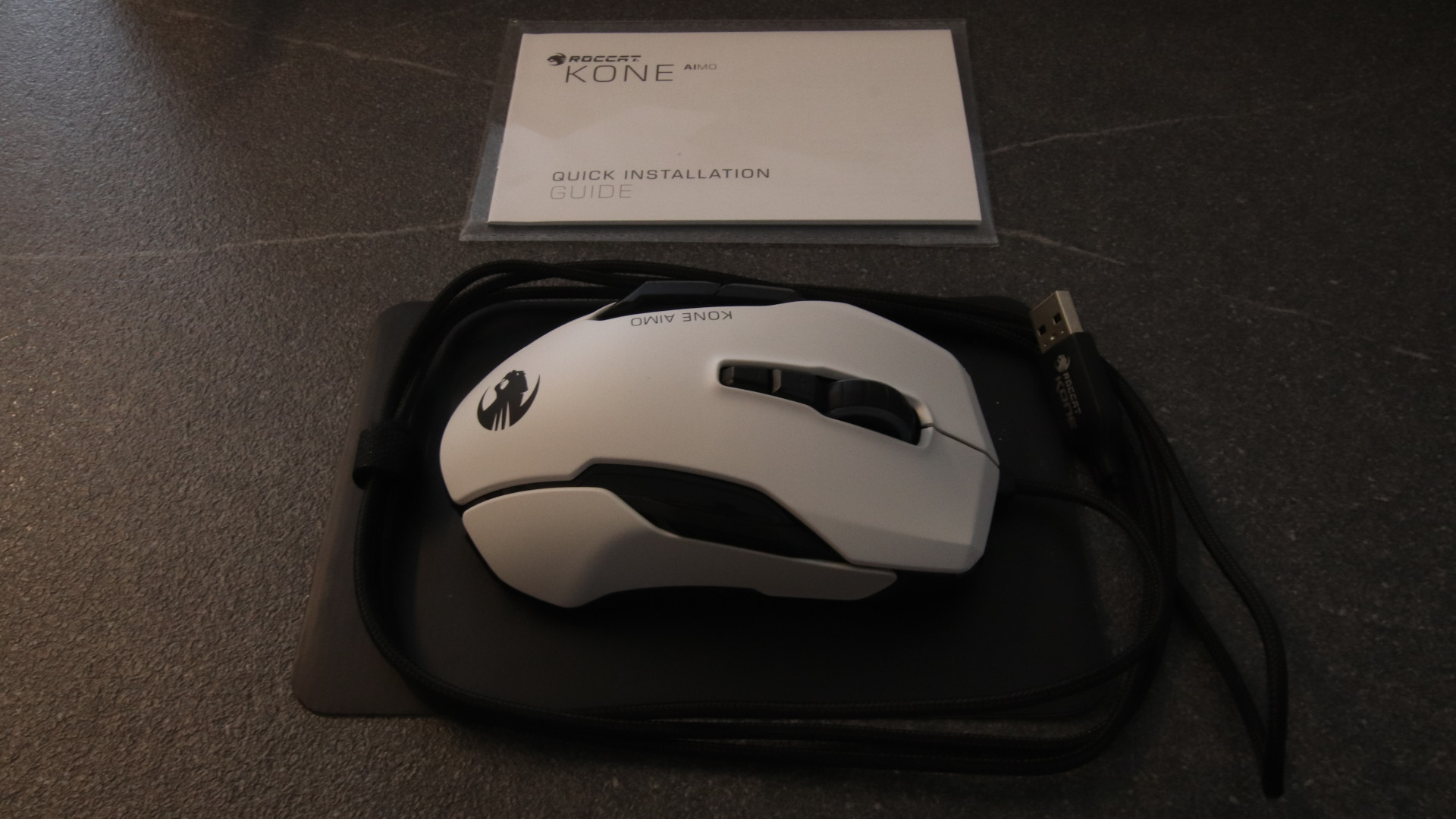
How long was the mouse tested? We thoroughly tested the mouse for our review:
- The mouse has been in constant use since March 31, 2020, with about 8 hours a day.
- We worked, surfed, and played with the Roccat Kone Aimo for a total of about 300 hours.
- The Roccat Kone Aimo Remastered was used for both office tasks (navigation, web browser, etc.) and gaming.
MeinMMO explains how well the mouse performs in the test, what we liked, what we found less successful, and for whom the mouse is suitable.
Roccat Kone Aimo Remastered vs Kone Aimo
Roccat revised its Kone Aimo two years after its release. This resulted in the Remastered version.
What are the differences? Compared to the 2017 model, several improvements have been made:
- The Remastered version of the Roccat Kone features what is known as performance coating: This is a coating that provides better grip and is dirt-resistant.
- The main difference, however, is the sensor. The Remastered version now uses the in-house Owl-Eye optical sensor with up to 16,000 DPI. The 2017 mouse only offered 12,000 DPI.
Features and technical details
DPI: 16,000 | Sensor: Optical | Buttons: 8 (23 programmable buttons) | Weight: 130g | Special feature: Good and extensive configuration software; additional button on thumb; Easy-Shift | Price range (according to Geizhals): €59 – €90
| Sensor | ROCCAT Owl-Eye optical sensor |
|---|---|
| Resolution: | up to 16,000 DPI |
| Polling rate: | 125 – 1,000 Hz |
| Tracking speed: | 250 ips (inches per second) |
| Switches: | Omron switches |
| Buttons: | 12 buttons, of which 11 can be double-assigned with Easy-Shift |
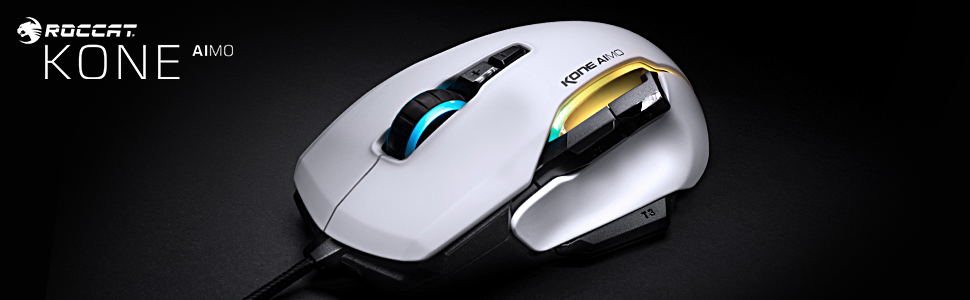
| Design | white or black right-handed mouse with 5 freely programmable RGB areas (Aimo lighting system) |
| Glides: | 5 |
| Cable: | Braided cable with a length of 1.8m |
| Dimensions: | 125 mm (length) x 85 mm (width) x 40 mm (height) |
| Weight: | 130 g |
| Price: | €79.99 (RRP) |
Roccat Kone Aimo Remastered in Detail
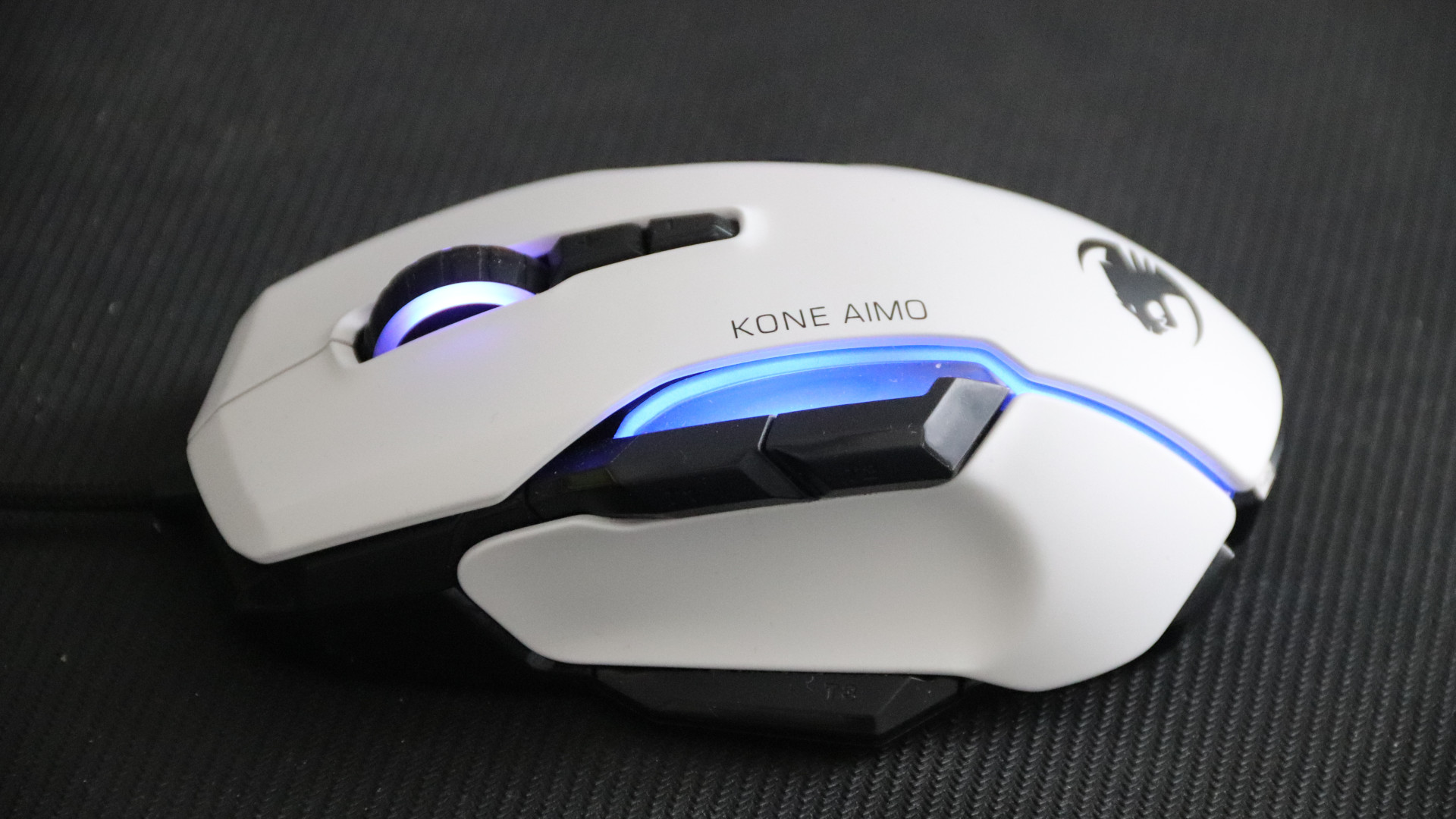
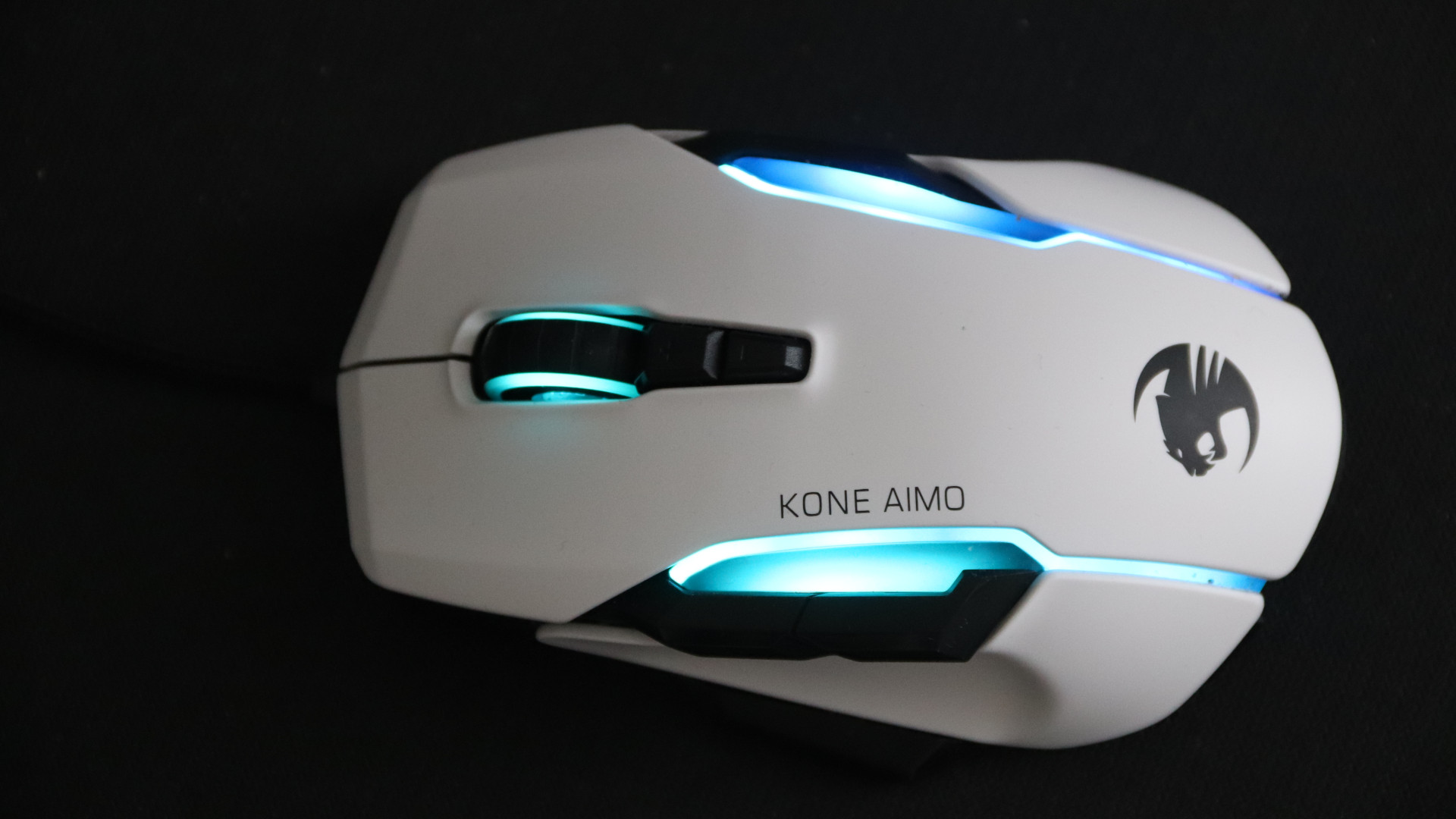
The Roccat Kone Aimo Remastered is available in both black and white. For the mouse, it makes no difference, as it always contains the same hardware and the RGB lighting system remains the same.
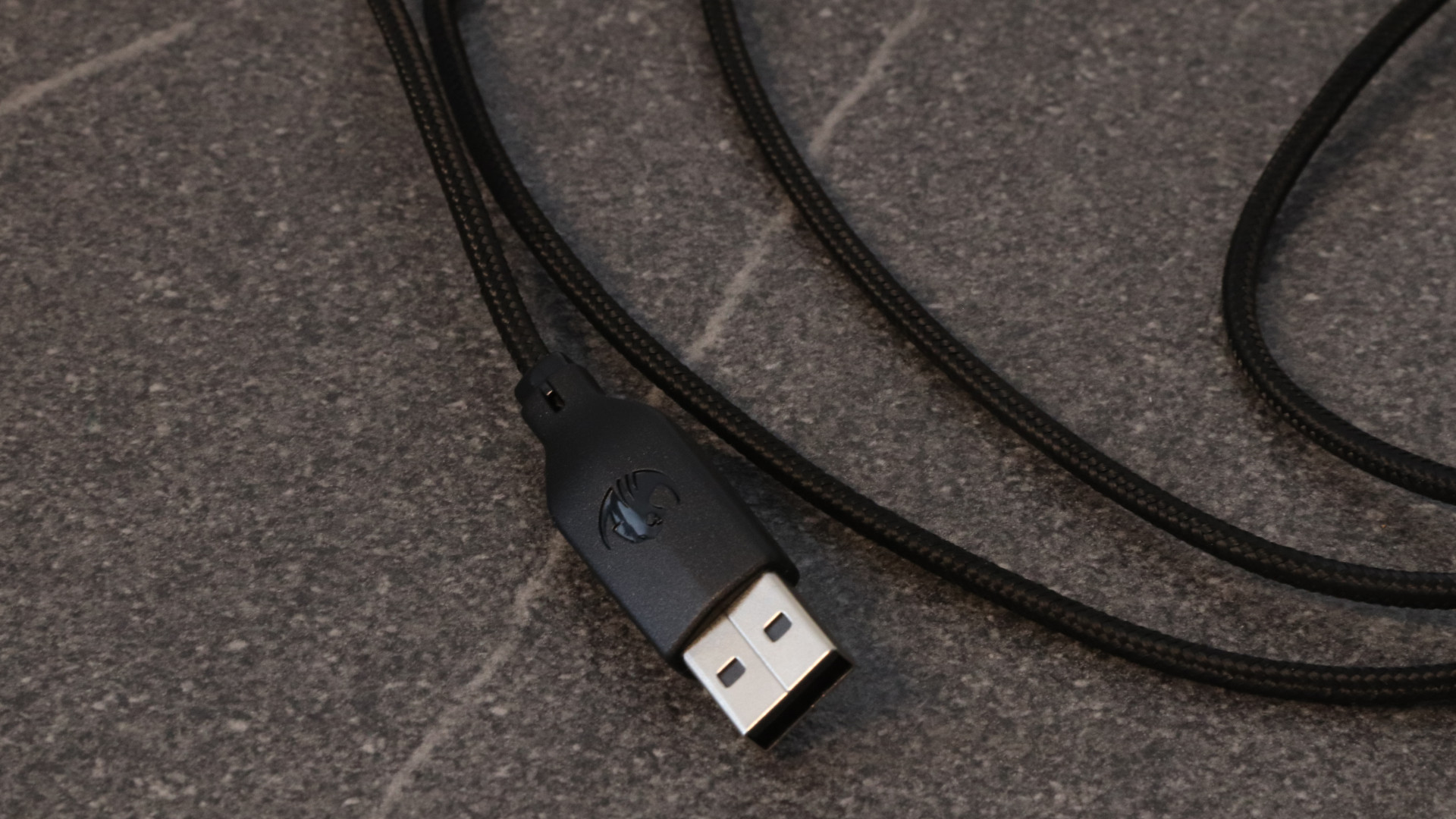
The braided USB cable is permanently attached, and otherwise, no part of the mouse can be removed.
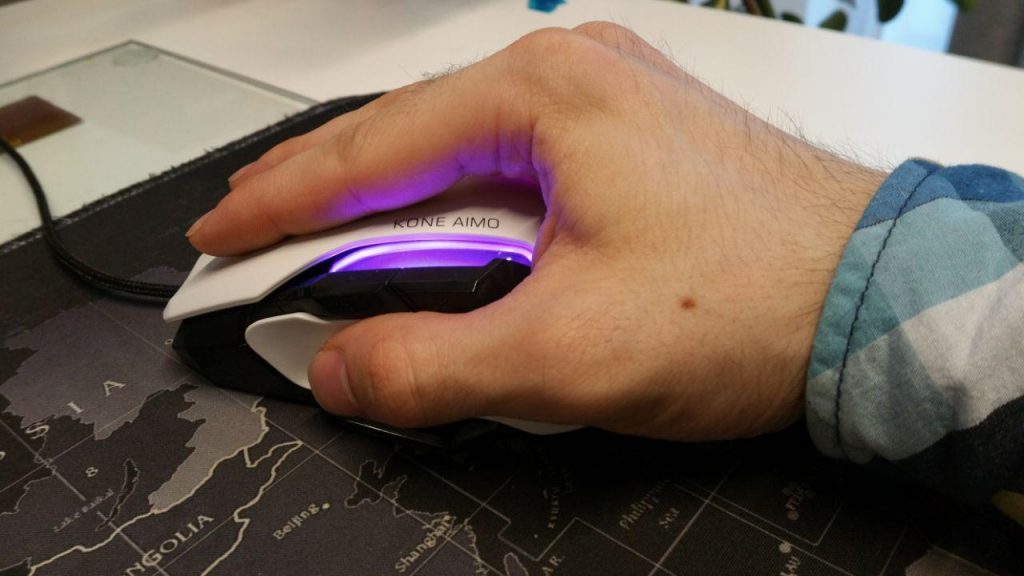
The Kone Aimo Remastered is bulky and, at 130 grams, is not exactly lightweight. When comparing the weight, this becomes quite evident.
Roccat Kone Aimo Remastered: Weight comparison
| Name | Weight |
|---|---|
| Logitech G Pro Wireless | 81 grams |
| Razer Lancehead | 111 grams |
| Logitech G 502 Hero | 121 grams |
| Roccat Kone Aimo Remastered | 130 grams |
However, the five glides on the underside ensure that the mouse moves well over the mouse pad.
With Roccat’s Swarm software, you can control the RGB lighting of all AIMO products simultaneously to create a beautiful wave pattern on your desk.
The mouse is particularly suitable for fans of palm grip: Its size allows the whole hand to comfortably envelop the mouse. Claw grip and fingertip grip are less suitable due to its size and weight. In the test, we used the mouse exclusively in palm grip.
Inside, the Owl-Eye sensor from Roccat does its job. Behind it is basically the Pixart PMW 3361 sensor, which is considered one of the best sensors overall. More on the sensor later.
Roccat Kone Aimo Remastered Software: Roccat Swarm
What we like about the software: Through the Roccat Swarm software, all Roccat devices can be controlled. This includes the Kone Aimo Remastered. Here, the buttons can be freely assigned, RGB lighting can be adjusted, and the mouse and computer software can also be updated.
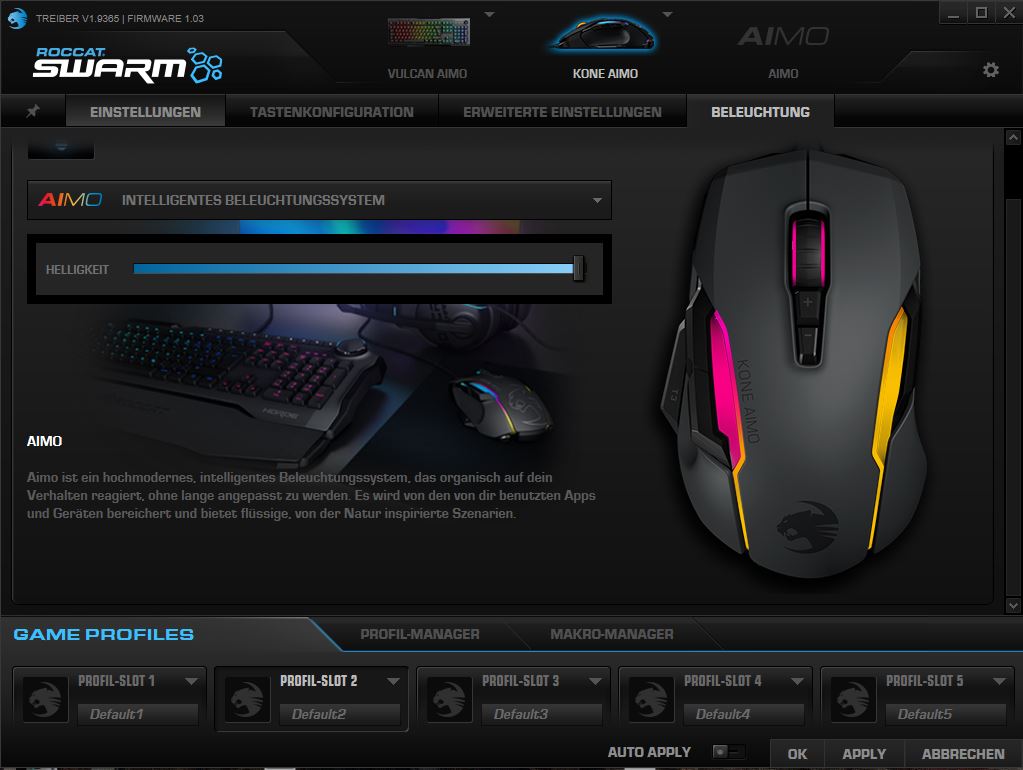
The Roccat Kone Aimo has a 512Kb internal memory, which allows five profiles to be stored. In addition, there is a macro manager that also offers preconfigured profiles for games like PUBG, Fortnite, GTA 5, or Overwatch. You can also create macros yourself.
Furthermore, in additional menus, polling rate, angle snapping, and lift-off distance (LoD) can be adjusted. The software itself appears tidy and clear, and the scope does not leave anything to be desired.
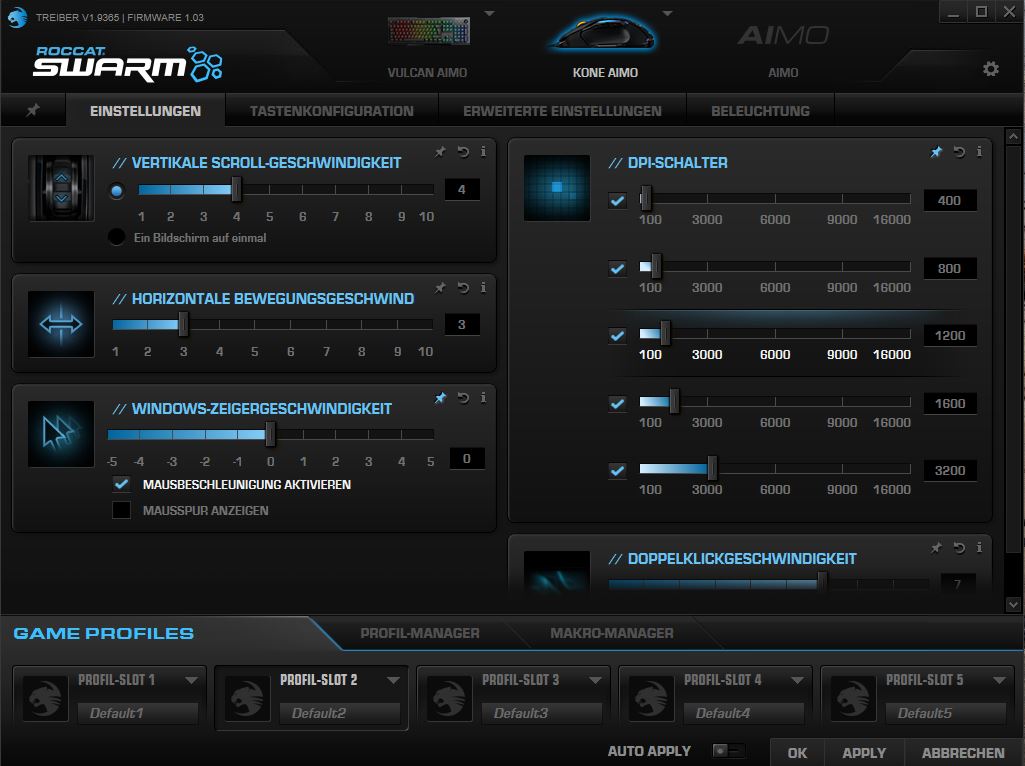
What bothers us about the software? Not everything is perfect, as the software has its quirks. Occasionally, the software crashes unpredictably. While the mouse still works, the lighting and special buttons only work again once the software is manually restarted via Windows.
If you switch the user in Windows, the Swarm software requests administrator rights after the user change – and then promptly crashes as well. Apparently, the software does not like it when it is started on multiple Windows instances.
Also strange: In the actually German software, sporadic English phrases such as “Auto Apply”, “Programs” or “needs swarm restart after change” keep appearing.
In practice
In this section, we will show you how the mouse performs in practical tests. We will cover weight and speed, as well as which sensor works in the mouse and what options the mouse offers in practice.
Weight, texture, and glide feet
The weight and texture of the mouse are initially something to get used to: The dirt-repellent plastic is very soft and smooth – and thus somewhat unusual. However, the material feels very pleasant after some acclimatization, and the mouse sits well in the hand thanks to this soft plastic coating. Greasy fingerprints or unsightly marks cannot be seen on the mouse.
The mouse is comparatively heavy at just over 130 grams: If you lift the mouse, you will noticeably feel the weight. However, you hardly need to lift the mouse – and that is due to its backside.
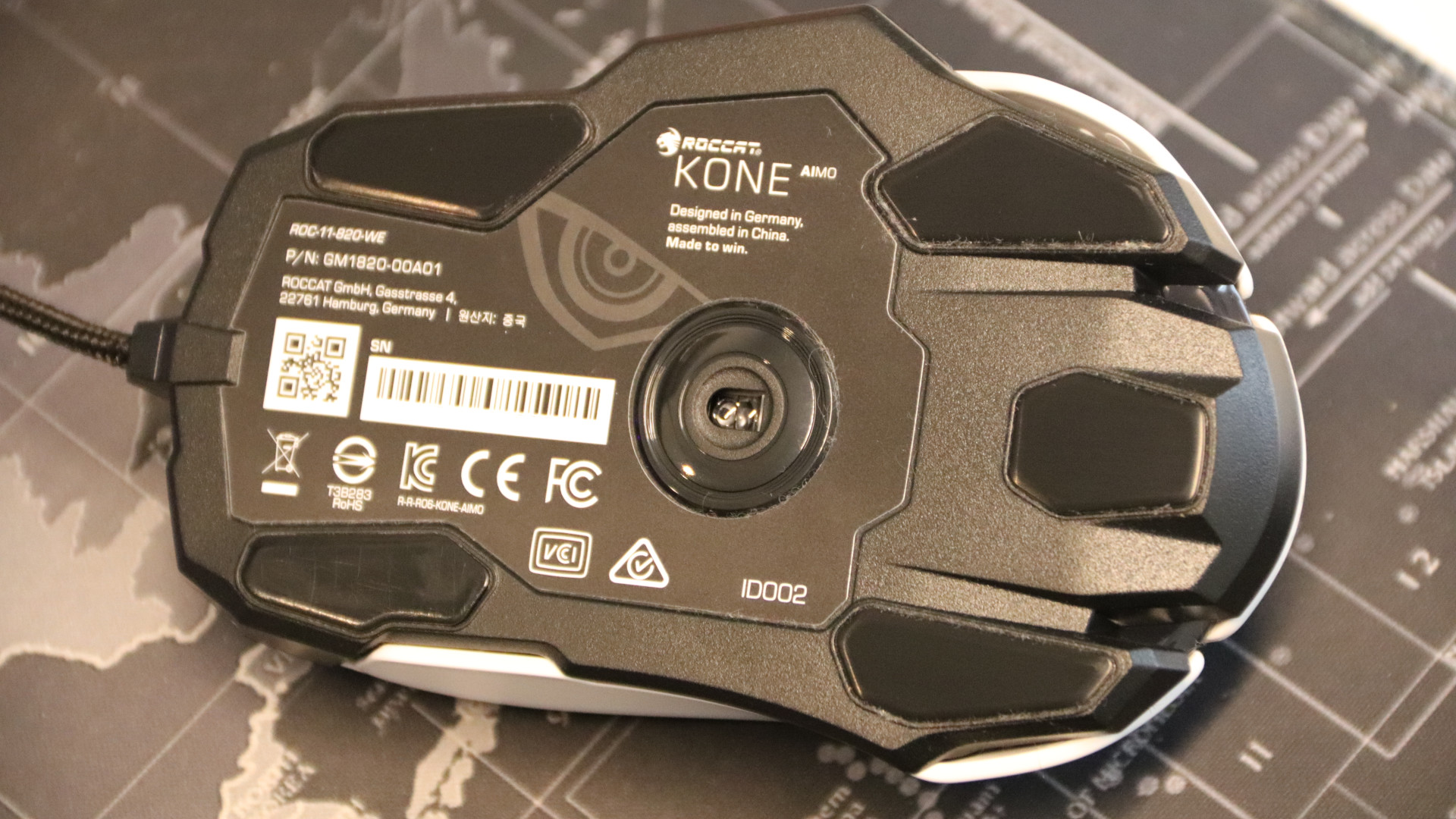
Because on the back, there are not only the Owl-Eye sensor, but also five glide feet that ensure that the mouse glides quickly over the mouse pad. The speed of the mouse is therefore not limited by the weight. So, the extra grams are not a deciding factor.
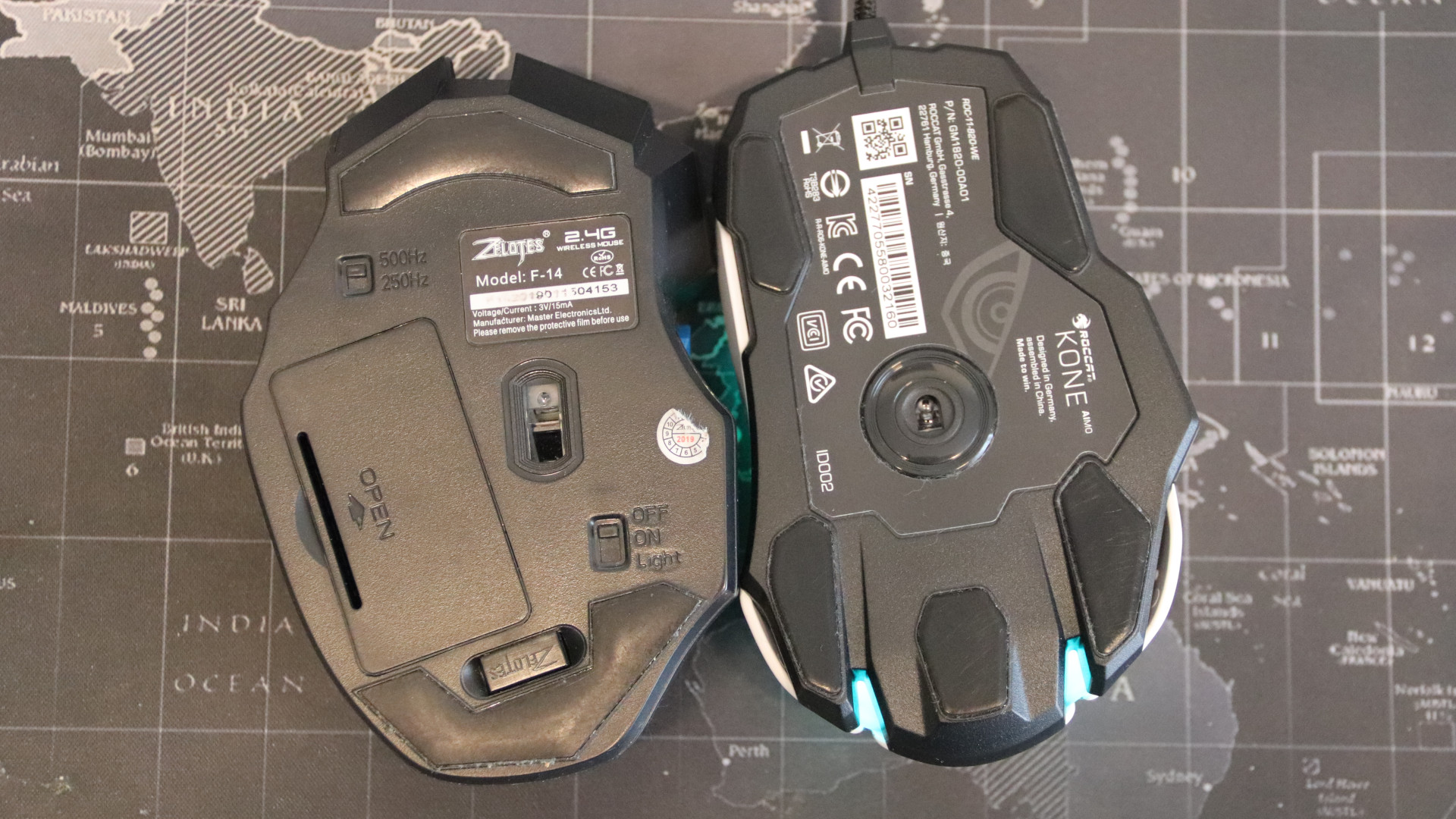
How does this compare? The advantage becomes particularly clear in comparison: The Zelotes Gaming Wireless weighs in at 160 grams, which is a bit heavier, but at just two glide feet, it is considerably slower on the mouse pad. Here, the advantage of the five glide feet of the Roccat Kone Aimo Remastered is clear.
The mouse buttons and scroll wheel
An absolute highlight is the scroll wheel, which is precise and pleasant to operate. In addition to scrolling up and down and a simple press, the scroll wheel can also be tilted right and left.
The two main buttons have a crisp and precise pressure point, just as a gamer would wish. Thanks to comfortable ergonomics, the three buttons in the thumb area are also easy to reach. A slight, noticeable resistance prevents accidental triggering of the thumb button.
Easy-Shift and macro functions
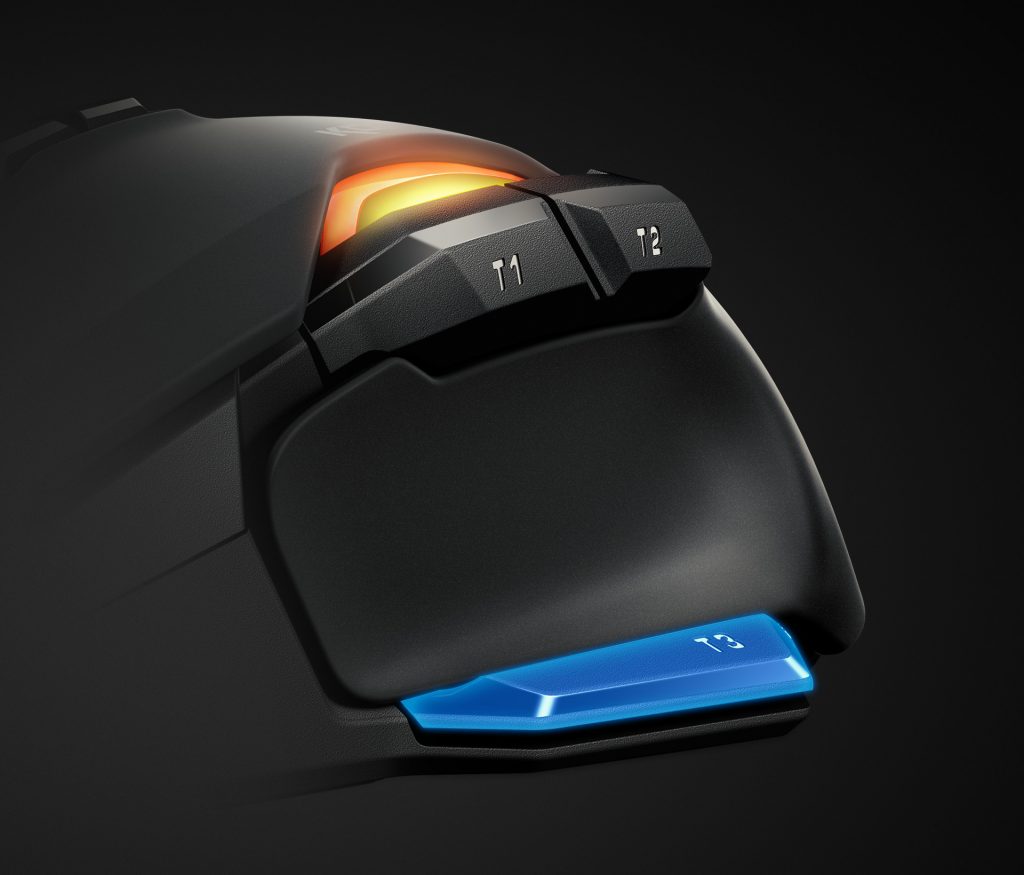
What is Easy-Shift: The Easy-Shift button (T3) is initially something to get used to, but its configuration quickly becomes second nature. Holding the Easy-Shift button while pressing another button executes the function that you assigned yourself.
How do macro buttons work? Through the macro manager, you can either select preconfigured macros for games like Counter Strike, Dota 2 or create your own macros with the macro manager.
To do this, you can record the pressing of keys in-game using the software and then assign them. These macros can then be saved in the mouse’s device memory or exported as a file. Overall, the macros offer players a tremendous variety of options.
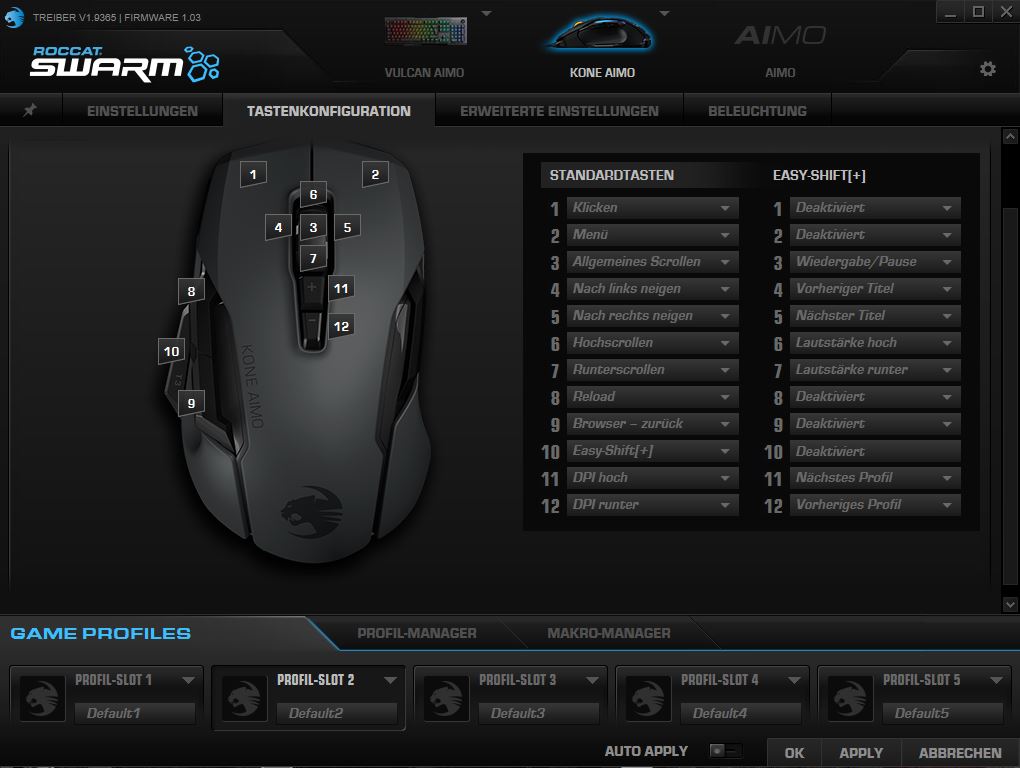
These options make the Roccat Kone Aimo Remastered particularly recommended for MMO and MOBA use: Because with the software, using “Easy-Shift” and the macros, (almost) all buttons can be easily double-assigned. The macros and Easy-Shift proved to be extremely helpful in practice.
Setting the macros usually works smoothly unless the software quits at the wrong moment.
The sensor of the Roccat Kone Aimo Remastered
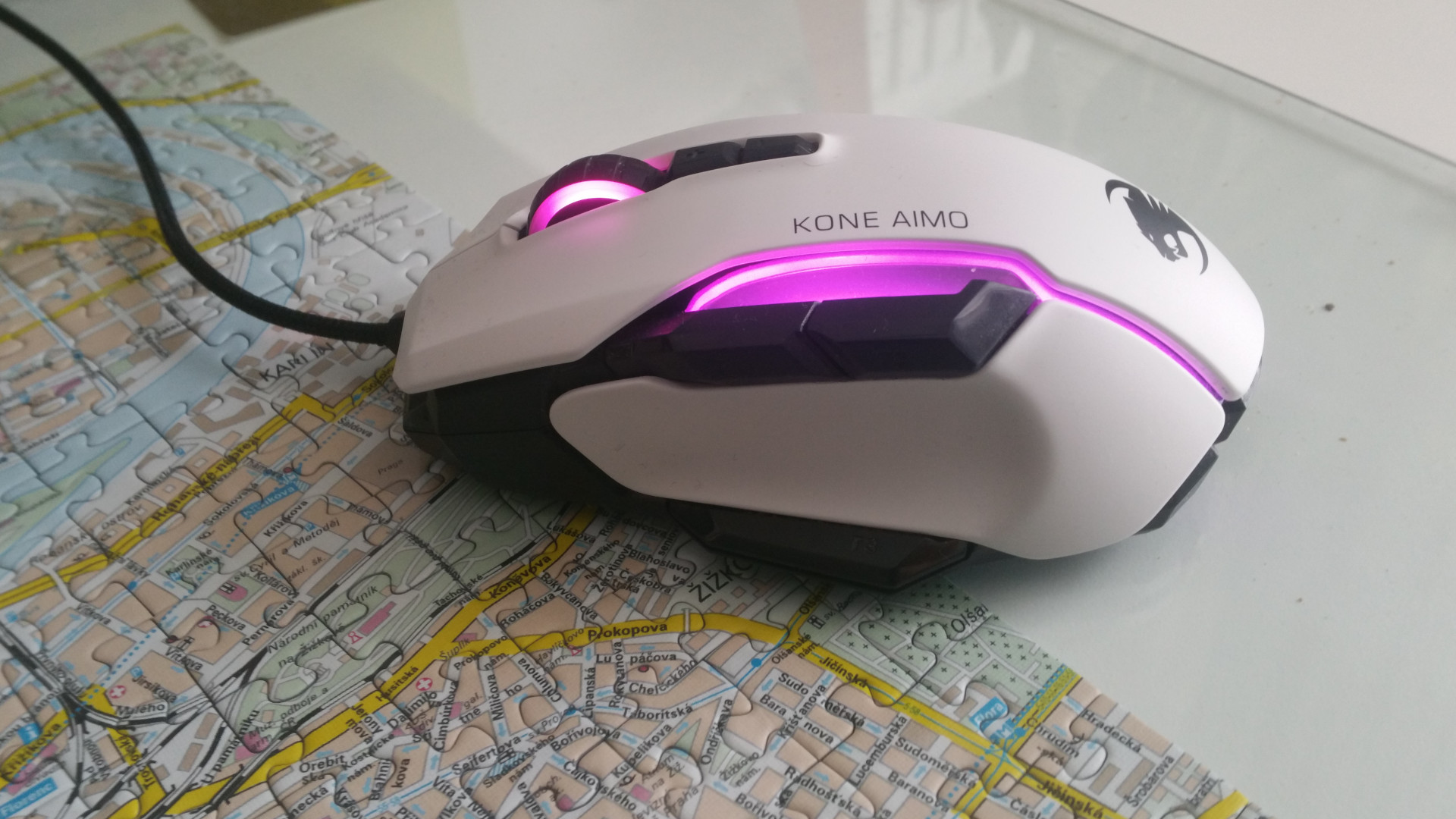
The mouse’s great precision is thanks to its excellent sensor, the Owl-Eye sensor from Roccat. The sensor is the Pixart PMW 3361, which Roccat has modified with its own firmware.
The modification is also positively noticeable in practice: With normal surfaces like tables, glass plates, mouse pads, and so on, the sensor has no problems and is always precise. The modified sensor feels a bit more precise and accurate than the sensor of the Logitech G502 or G303, which contains the similarly good, unmodified Pixart PMW-3366 sensor.
Compared to the old Roccat Kone Aimo, the DPI value can be increased to 16,000 (old model: 12,000). Otherwise, the improvement from the normal Roccat Kone Aimo to the Remastered version of the gaming mouse has been beneficial.
Conclusion
MeinMMO author Benedikt Schlotmann says: Roccat delivers a great mouse with the Kone Aimo Remastered: It has excellent ergonomics and sits grippily in the hand. It also feels high-quality and does not get dirty thanks to the material.
Also, among our best gaming mice of 2020, the Roccat Kone Aimo Remastered is rightly recommended by the editorial team. The Kone Aimo Remastered offers a successful overall picture of hardware, design, and haptics.
The only weakness of the mouse is the software. Most of the time, it performs its duty reliably, and the settings are easy to handle. Only setting the macros takes some time. More annoying are the non-reproducible crashes of the software, which can be particularly frustrating in the middle of a game when you have to manually restart the software afterwards.
It is also unfortunate that the braided cable of the mouse cannot be removed, but this is lamenting on a high level and does not affect the quality of the mouse.
Who is the mouse suitable for? The mouse is especially suitable for users looking for a grippy and customizable mouse. Thanks to Easy-Shift, almost every button can be assigned two functions simultaneously, making it particularly interesting for MOBA and MMO players. This mouse is also suitable for FPS players, especially if you prefer a heavier mouse instead of a lightweight one.
For those who have a problem with a heavier mouse, which also feels more stable, they should look elsewhere: If you are looking for a lightweight mouse, you will not find it with the Roccat Kone Aimo Remastered.
| Preview | Product | Rating | Price | |
|---|---|---|---|---|

|
Roccat Kone AIMO Gaming Maus (hohe Präzision, Optischer Owl-Eye Sensor (100 bis 16.000 Dpi), RGB... | Zu Amazon |
*Affiliate-Links. Wir erhalten bei einem Kauf eine kleine Provision von Amazon. Vielen Dank für Eure Unterstützung!
If you are looking for a great gaming mouse along with a keyboard, we also have a few good tips for you: In our overview, MeinMMO presents the best gaming keyboards of 2020.