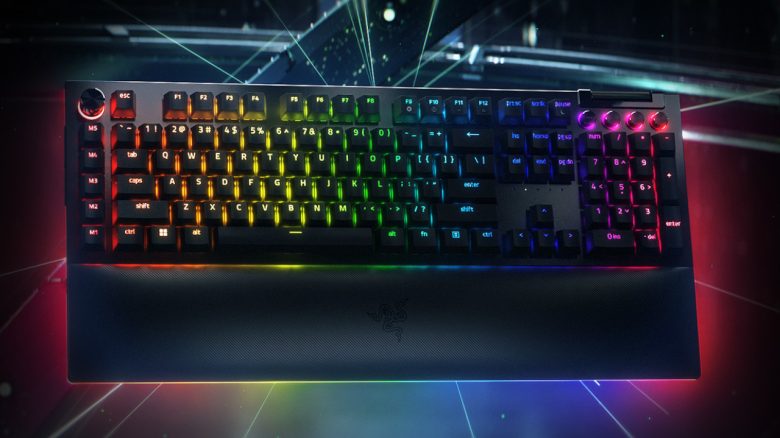
With the Blackwidow V4 Pro, Razer has introduced a new gaming keyboard in the premium price segment. MeinMMO editor Benedikt Schlotmann has tested the keyboard and reveals whether this model is worth it for you.
With the Blackwidow, Razer offers a keyboard series that the manufacturer claims is “the first choice of pro gamers worldwide” (via razer.com). This is a series of mechanical gaming keyboards with numerous features. With the Blackwidow V4 Pro, Razer has now introduced the latest iteration. Most notably, the keyboard offers more detailed customization compared to its predecessor, the Blackwidow V3 Pro.
I checked out the keyboard in a test for MeinMMO and I’ll explain how it performs in the review. Additionally, you’ll find out for whom the keyboard might be worthwhile.
Who tested it?
I have a penchant for gaming mice and now own over 20 gaming mice personally. Since 2019, I have been testing hardware for MeinMMO for our readers. In addition to the PC and PS5, I’m now also using the Steam Deck.
The manufacturer provided me with the Razer Blackwidow V4 Pro for testing.

Benedikt Schlotmann
Hardware Editor MeinMMO
Features and Technical Details:
| Design/Interface | Wired, Full-size keyboard | ||||||||||
| Key Type | Mechanical switches, green | ||||||||||
| Programmable Keys | Yes | ||||||||||
| Lighting | Yes | ||||||||||
| Compatibility | PC (with software) | ||||||||||
| Package Contents | Keyboard, manual, 2 USB-A to USB-C cables | ||||||||||
| Special Features | “Command Dial” and 3 additional keys on the side of the keyboard | ||||||||||
| Price (MSRP) | 229.99 | ||||||||||
*Affiliate-Links. Wir erhalten bei einem Kauf eine kleine Provision von Amazon. Vielen Dank für Eure Unterstützung! |

Package Contents, Design and Build
What does the package contain? Inside the box, beside the keyboard, there is a manual, a set of stickers, and two “USB-C to USB-A” cables. Additionally, the package includes a wrist rest with a leatherette finish, which attaches to the keyboard magnetically.

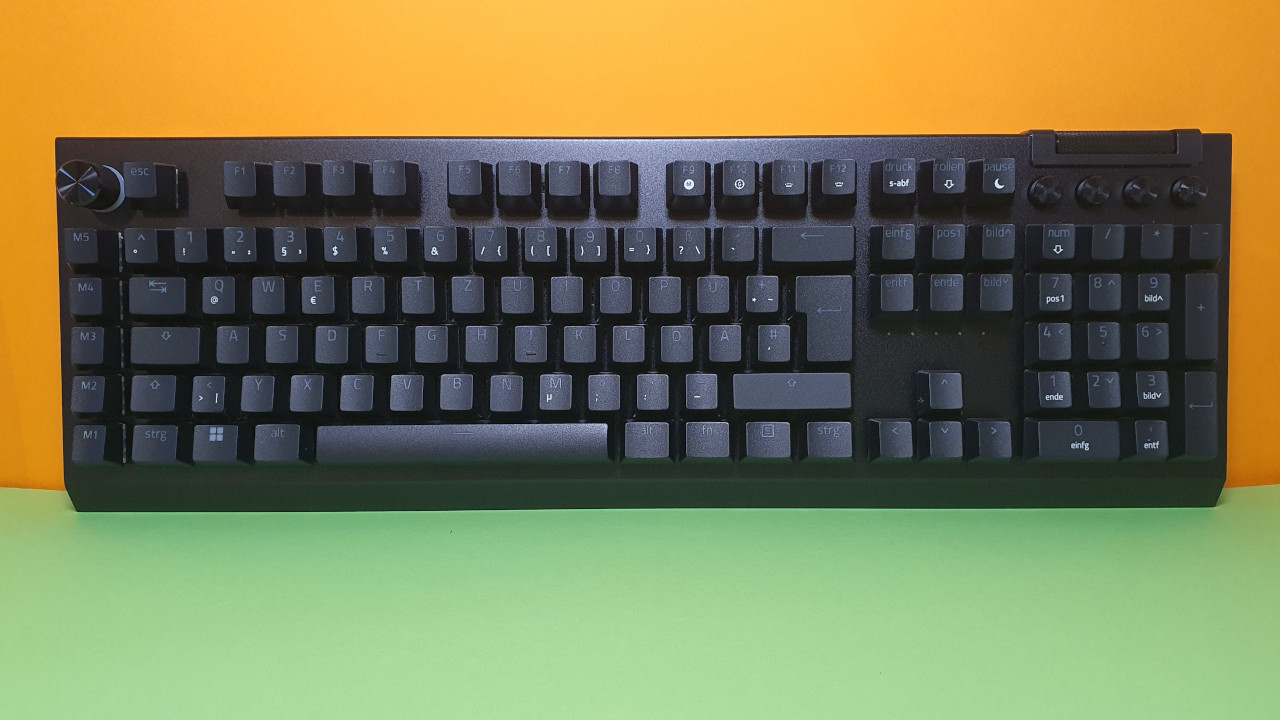
How is the keyboard built? The keyboard comes in the familiar full-size layout and uses green switches. However, the layout of the keyboard has a few special features:
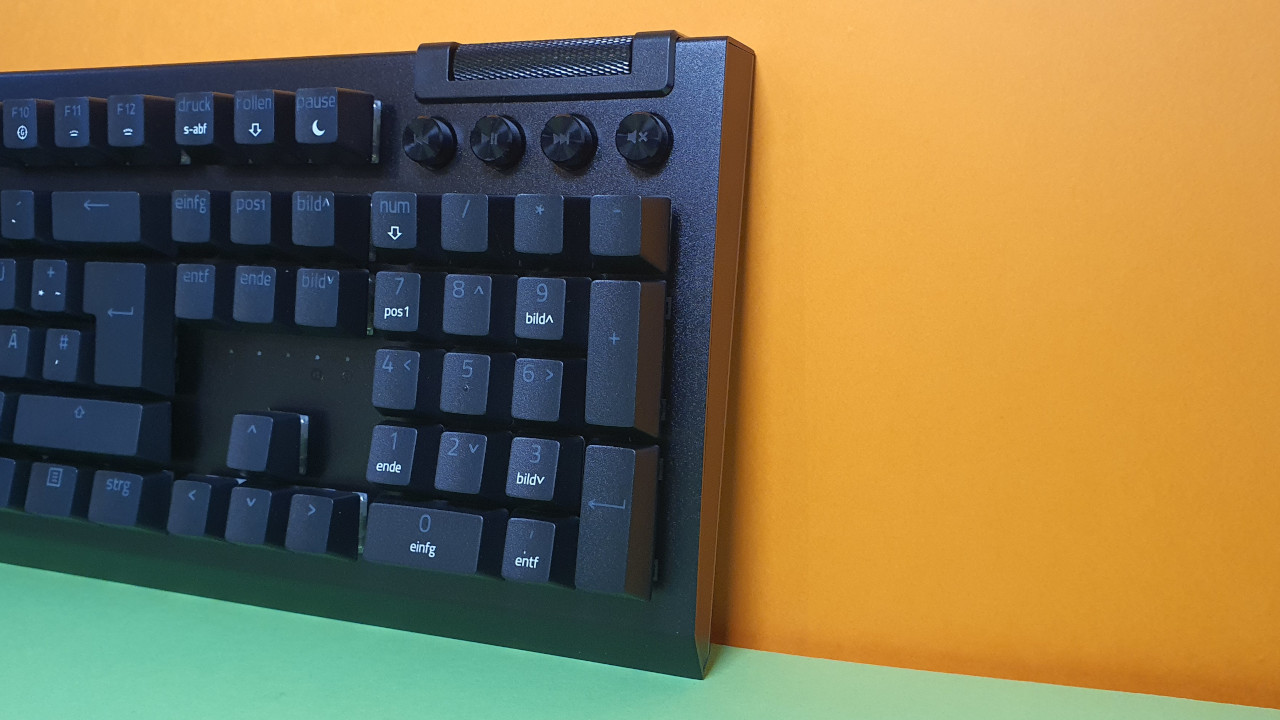
- At the top right, above the number pad, there are 4 media control keys and a large dial that can be used to adjust the volume.
- On the left side of the keyboard, there are 5 macro keys (M1 to M5) and 3 additional macro keys on the outer left side of the keyboard. This is rather rare for keyboards.
- A wrist rest is magnetically attached at the front.
- At the back, there is a USB passthrough connection. You can connect and use a USB device through the keyboard.
The keyboard requires two USB ports on the computer. One cable for power and the basic functions of the keyboard, and the second port is optional for “USB Passthrough.” You can also use the keyboard with just one cable.
The keyboard features an active and comprehensive lighting system. Not only the keys of the keyboard are illuminated, but also the chassis of the keyboard and the wrist rest. It definitely looks very stylish, even if it might not be strictly necessary.
Unfortunately: Compared to its direct predecessor, the Razer BlackWidow V3 Pro, the V4 Pro does not offer a wireless connection. This is a feature I enjoyed using with the predecessor and the Logitech G915.

Build Quality
The keyboard feels well-constructed. The body of the keyboard is made of a metal alloy, the media keys and the knobs are also made of metal and not plastic. These are also improvements compared to the predecessor.
The switches of the keyboard are not replaceable, but the keycaps can be easily removed and replaced with others.
For the keys, Razer uses the Doubleshot molding process. These keys offer better durability than regular ABS keys and have the same rough surface as PBT keycaps. However, it’s a pity that this high-priced keyboard does not use PBT keycaps. But to Razer’s credit, other manufacturers do the same only partially.
Software
The software used is “Razer Synapse.” The software is quite large and occupies significantly more storage space than comparable software suites, such as those from Roccat or Logitech. The software itself is somewhat confusing, but all functions are explained with tooltips and are self-explanatory.
Within the software, you can remap all keys and set up the macro keys. Additionally, you can configure the “Gaming Mode” and specify whether certain keys should be disabled during gaming.
On the next page, you’ll read everything about ergonomics, the keys, and the concluding review. Here, I will explain whether the keyboard might be worth it for you.
- 1
- 2