

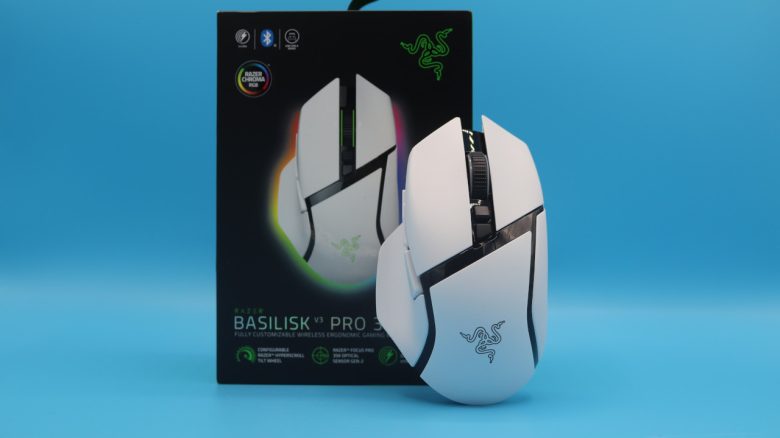
The Razer Basilisk V3 Pro 35K is an all-rounder for gamers. Razer primarily advertises a fast sensor and long battery life. MeinMMO editor Benedikt Schlotmann tested the mouse and explains whether the model is worth it.
What device is it about? With the Basilisk V3 Pro 35K, Razer has released another variant of its popular Basilisk series. Among gamers, the Basilisk has long been referred to as a clone of Logitech’s G502, as Razer’s model is heavily based on Logitech’s mouse.
For its Basilisk V3 Pro 35K, Razer demands a recommended retail price of 180 Euros, with the market price currently at about 165 Euros. The identical Basilisk V3 Pro is similarly well equipped with the Focus Pro 30K and currently costs around 120 Euros. The wired version (Razer Basilisk V3) is available for about 70 Euros.
The test at a glance:
- Scope of delivery, design, and build
- Razer Basilisk V3 Pro vs Basilisk V3 Pro 35K
- Build quality
- Software
- Weight, ergonomics, and battery life
- Mouse buttons, scroll wheel, and sensor
- Conclusion
Who tested it?
I currently own over 20 gaming mice and have tested over 15 keyboards. Privately, I also have over 10 sets of in-ear headphones. At MeinMMO, I have been testing hardware for our readers since 2019. Besides the PC and PS5, I am also using the Steam Deck.
Transparency notice: The review unit was provided to us by the manufacturer.

Benedikt Schlotmann
Hardware Editor MeinMMO
Details
| Sensor | Focus Pro, 2nd generation |
| Resolution | Up to 35,000 DPI |
| Switches | Optical switches, 3rd generation |
| Buttons | 7 buttons |
| Design | White or black mouse. RGB lighting on the scroll wheel and side, asymmetrical right-handed mouse. Color cover freely selectable. |
| Gliding feet | 4 |
| Cable | Removable 2.0 m USB-C cable |
| Weight | 112 grams |
| Price (RRP) | 179.99 Euros |
Scope of delivery, design, and build
What does the scope of delivery look like? In addition to the gaming mouse, the box contains a wireless USB adapter, a USB-A-to-C cable, and the obligatory manual.
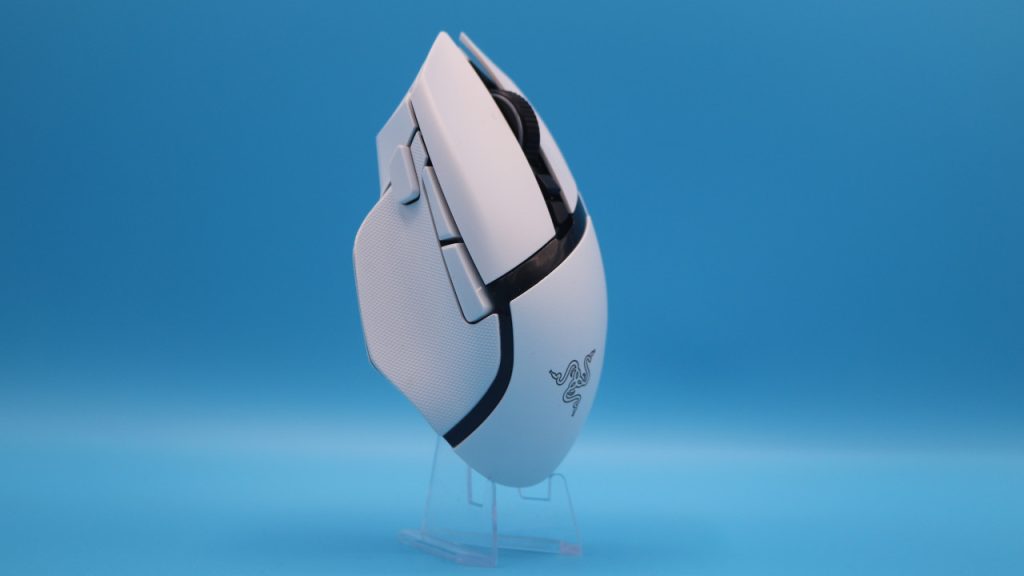
How is the mouse built? You can buy the mouse in various colors; I use the white model for the test. Alternatively, you can also purchase the mouse in black. The technology is identical across all colors.
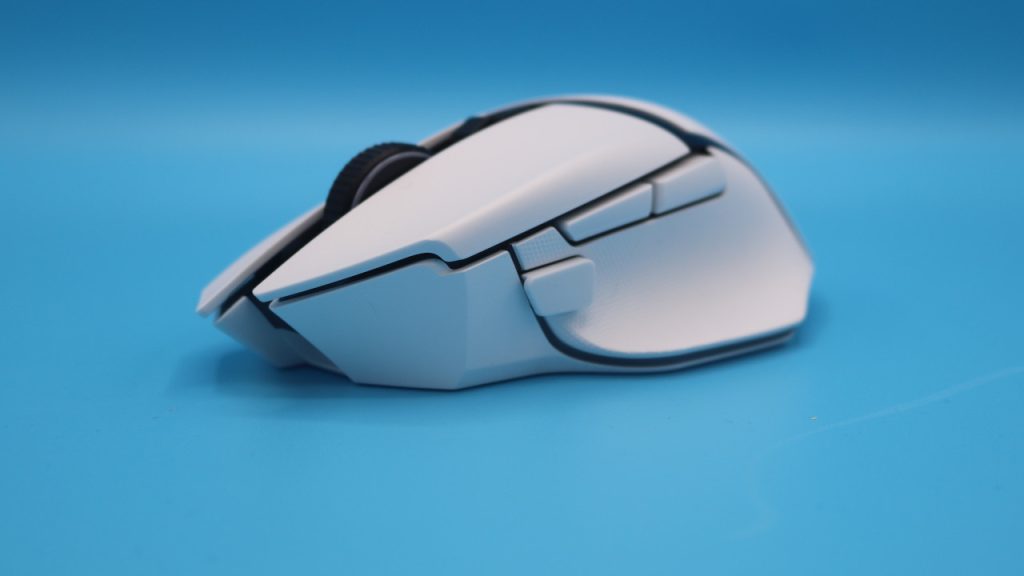
- On the top of the mouse, there are the main buttons and in between them is the scroll wheel. Above the scroll wheel, there are two small buttons behind the scroll wheel. The front button is for changing the scroll wheel. This allows you to switch between a notched scroll wheel and smooth scrolling.
- On the underside, there is a switch for Bluetooth and wireless connection. Additionally, there is a switch here to change the profiles on the mouse.
- On the underside, there is also an area that you can remove to insert a charging puck for the gaming mouse. The wireless charging system is reminiscent of Logitech’s G POWERPLAY.
- The wireless adapter can also be stored in the underside of the mouse.
Razer Basilisk V3 Pro vs Basilisk V3 Pro 35K
Similarities: Both models share the same ergonomic right-handed shape and also use the same optics. The size and weight of around 112 grams are also identical. Both mice also use the same wireless charging system.
By the way, both mice officially cost the same recommended retail price of 179.99 Euros, but the older model (without 35K) is currently available at a lower price.
Differences: There are two important differences: On the one hand, the 35K variant has a better sensor (30K vs 35K). On the other hand, the battery in the 35K model is said to be 25% larger. The battery life improves on paper from 90 hours to 140 hours.
Build Quality
With the Basilisk V3 Pro 35K, you get a well-constructed gaming mouse. The mouse feet and side rubber are firmly mounted, and no additional mouse feet or grip tape are included. During the shake and pressure test, the mouse creaks slightly on the right side, though there is no rattling.
As with most Basilisk mice (except for the Hyperspeed model), the battery is not interchangeable.
Software
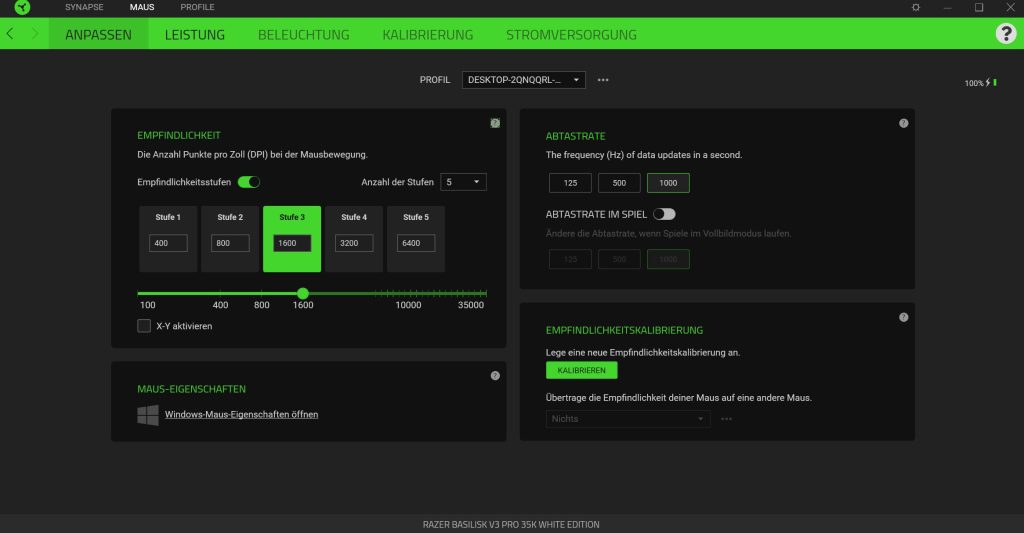
Razer utilizes the Synapse software for the Basilisk V3 Pro 35K. You can now use both the older Synapse 3.0 and the new 4.0 version. I will take a closer look at Razer Synapse 4.0, so I will still be using the old software version 3.0 for the mouse test.
Razer features a hub (Central), which integrates Synapse. From the central menu, you can go directly to your mouse or keyboard settings, and their own advertising for the store or “Razer Gold & Silver” is tasteful and unobtrusive. By the way, all this can also be disabled via the menu.

The menus of the software itself are somewhat nested and primarily consist of dropdown menus. You have to like that, but it can be quickly understood. Tool tips are also provided by Razer Synapse.
Also good: You can use the software in both a light and dark design. Unfortunately, there are no additional options available, such as color adjustments for the text or larger scaling.
Weight, ergonomics, and battery life
The weight: The Razer Basilisk V3 Pro 35K weighs 112 grams and is therefore in the mid-range when compared to the competition:
- The popular and very good Logitech G502X Lightspeed (to the test) weighs 102 grams.
- The older Razer Basilisk Ultimate (to the test) weighs about 107 grams.
- The TurtleBeach Kone II Air (to the test) weighs 111 grams.
The ergonomics: I have very large hands with a size of 19 centimeters. The ergonomics of the Basilisk V3 Pro 35K differ from the Logitech G502X. The two mice are approximately the same length (13 centimeters), but the Basilisk is half a centimeter narrower than the G502X Lightspeed (7.5 vs 8 cm).
The ergonomics are not necessarily worse, but the sniper button on the Basilisk is harder to reach in everyday use than on the G502X. If I place my large hand normally on the G502X, the sniper button is directly under my thumb. Smaller hands have almost no chance.

With the Basilisk, I can no longer reach the button in a normal holding position and have to stretch my thumb forward. If you have smaller hands, then you will have no chance.
Battery life: The manufacturer claims the battery life is around 140 hours, which is in line with the competition. Logitech also lists the battery life of its G502X Lightspeed as 140 hours, while the SteelSeries Aerox 5 is even listed at 180 hours. However, I did not reach the 180 hours in the test of the SteelSeries Aerox 5.

The mouse buttons, scroll wheel, and sensor
The mouse buttons: Under the buttons are optical switches of the third generation from Razer. These are not yet optomechanical switches like those found in Logitech’s Lightforce switches.
Razer’s optical switches have a definite advantage over the Lightforce switches: They are significantly quieter. Even in comparison to the TurtleBeach Kone II Air, the switches of the Basilisk V3 Pro 35K are more pleasant and not as intrusive.

The scroll wheel: For the scroll wheel, Razer offers the option to switch between a notched scroll wheel (Tactical Mode) and a freely running scroll wheel (Free-Spin Mode). A third mode combines both options.
When switching modes via the button on the mouse, the mouse makes a loud clicking noise for me. To my ears, it sounds as though there is mechanical abrasion occurring to switch between the types. The switch works only when you have the mouse connected to the PC and the software is running. With the Logitech G502X, the switch works “offline.” If needed, you can also fine-tune the switch via the software.

Sensor: The “Focus Pro” sensor of the second generation is installed in the mouse. The sensor resolves up to 35,000 DPI, offers a maximum speed of 750 IPS, and a maximum acceleration of 70G.
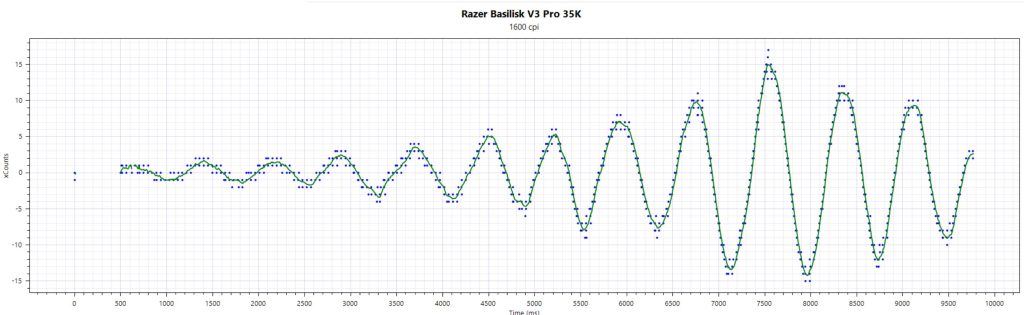
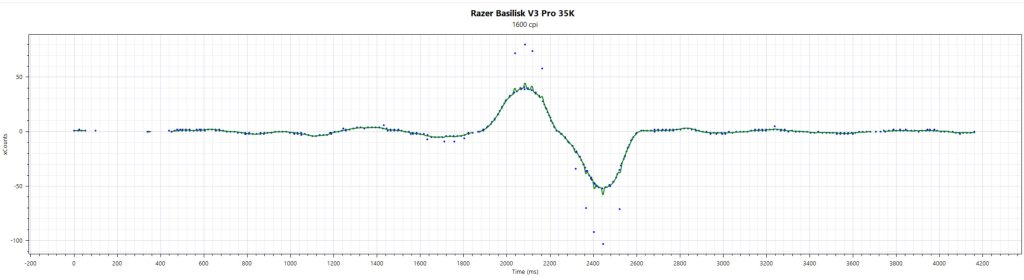
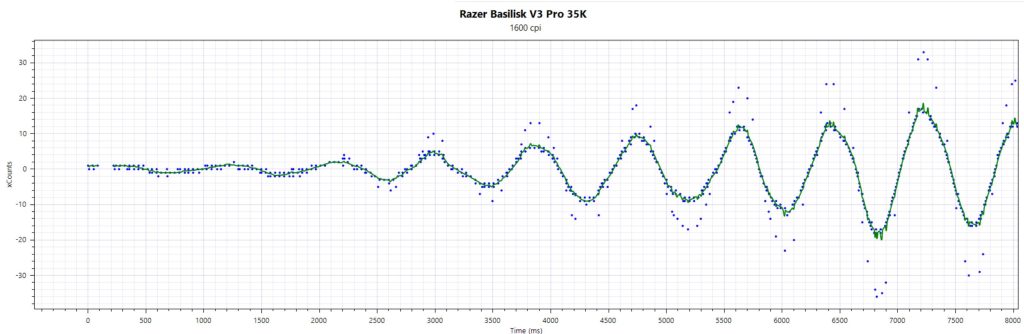
I have tested the mouse multiple times in daily use. When using the mouse via a wireless connection with the adapter, the sensor operates irregularly and with more errors than when using the mouse via cable.
With the included cable from Razer, the sensor works almost flawlessly, and I achieve a consistent, clean curve. This also applies to very fast movements (flick shots).

Conclusion: Mouse with high-end technology, but competitors are cheaper
Who is the mouse suitable for? The Basilisk V3 Pro 35K is only a small upgrade compared to the “normal” Basilisk V3 Pro, as nothing changes except for the battery and sensor. If you already own the old model, I would strongly advise against purchasing it. In general, you should ask yourself whether the high price is really worth it for the additional DPI. Because even with the normal V3 Pro, you get a very good mouse for around 120 Euros.
What alternatives are there?
- The Basilisk V3 Pro offers the same technology except for details and costs only around 120 Euros in retail. If you do not need the high-end sensor and better battery, you can also opt for the other Basilisk.
- The G502X Lightspeed is, in my opinion, currently the best all-rounder on the market. Regularly available for around 100 Euros, you get a great sensor, solid clicks, and long battery life here. Only the clicks are somewhat intrusive.
- The TurtleBeach Kone II Air is heavier and larger than the Basilisk, but the ergonomics are better.
More gaming mice on MeinMMO: If you are looking for more recommended gaming mice, please check out our buying guide on MeinMMO. Here you will find the best gaming mice you can currently buy: The best gaming mice for shooters that you can currently buy

Your opinion is important to us!
Do you like the article? Then let us know!