

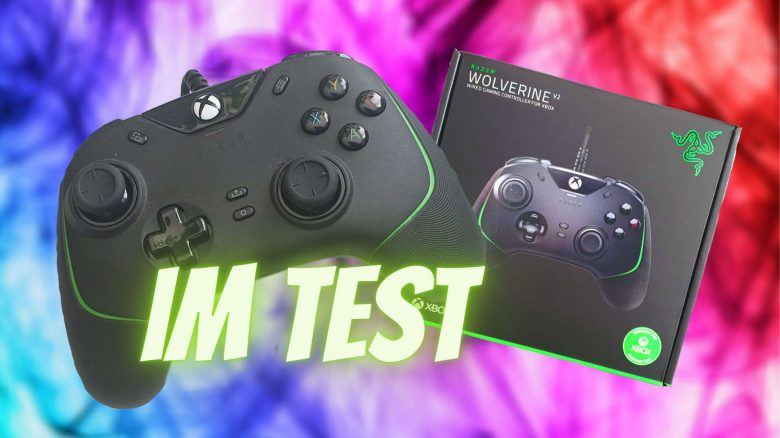
The Razer Wolverine V2 is a wired Xbox controller for the Xbox Series X and PC. MeinMMO presents how the gaming controller performs in the test.
The most important things at a glance:
- The Razer Wolverine V2 is a wired gaming controller for the Xbox Series X|S and PC.
- The controller costs 119 € and is available through various platforms.
- In the test, the controller delivers high precision, but has issues in small hands.
Which controller is it? The Razer Wolverine V2 is the latest model of the Wolverine controller for PC and Xbox Series.
This controller features mecha-tactile buttons that are supposed to be particularly durable and appealing. Additionally, the controller, unlike the original “Xbox Wireless Controller,” uses a USB cable that is permanently connected to the controller. Furthermore, the controller offers two additional buttons that can be freely programmed.
MeinMMO took a closer look at the controller and reveals what we like and what we like less. We also compare Razer’s controller with Microsoft’s official controller and explain the differences in practice.
Razer Wolverine V2 Review: How did we test?
We at MeinMMO tested the controller for about 2 weeks. It was used several hours a day in different games. The controller works flawlessly in the gamepad mode of the MMORPG The Elder Scrolls Online or in the online game Genshin Impact on Windows PC.
For a direct comparison, we also played with the “Xbox Wireless” controller. In our article, we explain the differences and which we would prefer for gaming.
Features and technical details
| Weight | 274 g |
| Connection | Wired |
| Cable length | 3 m |
| Design | black-green controller in Xbox design |
| Special features | two configurable additional buttons on the back of the controller and lockable trigger buttons |
| Dimensions | 161.5 mm x 105.8 mm x 65 mm |
| Price | 119.99 € (RRP) |
Razer Wolverine V2 in detail
In the following section, we will introduce the gaming controller in detail. We will cover the following aspects:
- Contents
- Weight and design
- The software
We will go into detail on the individual points and explain what Razer succeeded in with its controller and where improvements are needed.
Contents
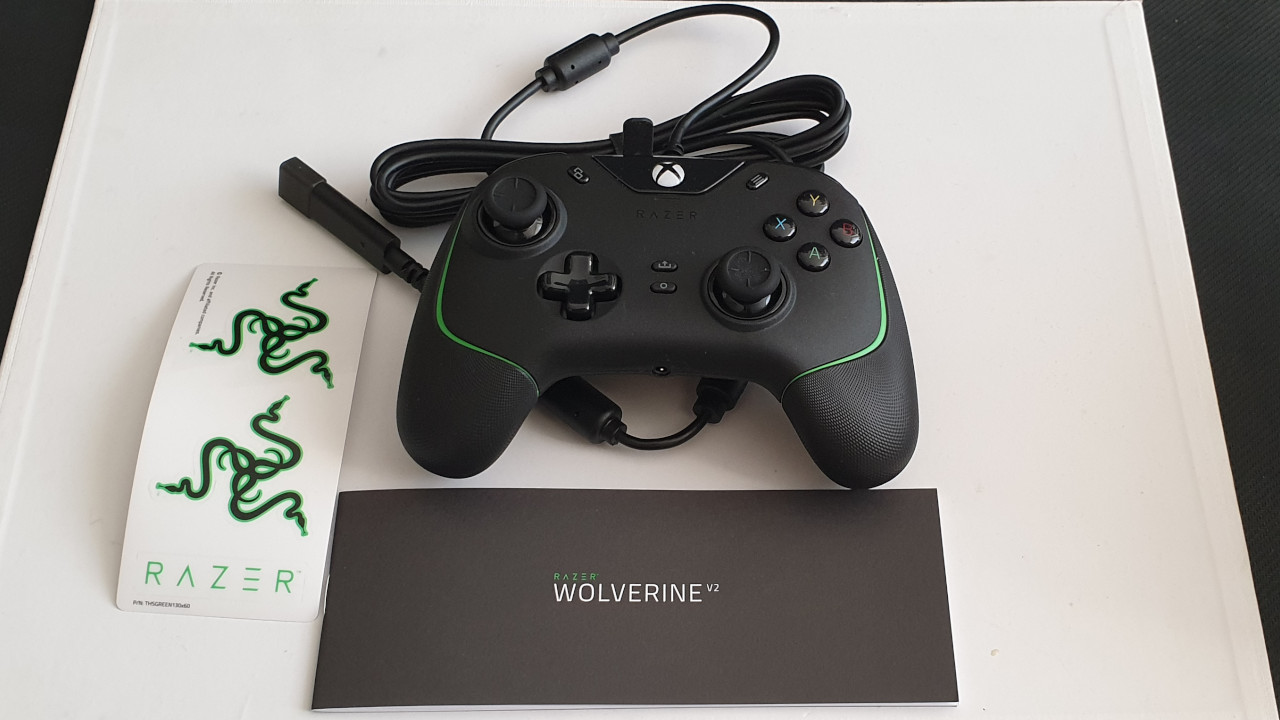
What accessories are included? The contents are minimal. Besides the controller, there is only a quick start guide and a set of Razer stickers in the box. The 3-meter-long cable is permanently connected to the controller and cannot be removed.
Weight
The Razer Wolverine V2 weighs 274 grams. This makes it slightly heavier than the original Xbox controller: The Microsoft Xbox controller weighs around 260 grams. The Xbox Elite controller offers significantly more at 345 grams than the two mentioned devices.
| Device | Weight |
|---|---|
| PowerA Fusion Pro | 250 grams |
| Microsoft “Xbox Series X” Controller | 260 grams |
| Razer Wolverine V2 | 274 grams |
| Xbox Elite Controller Series 2 | 345 grams |
Design
The Razer Wolverine V2 is black with subtle green tones. If you have already held Razer devices, you are already familiar with the green design. However, Razer does without RGB elements. Only a white light on the front indicates that the controller is connected to the console or PC. The buttons or other areas are not illuminated. This clearly distinguishes it from the “Razer Wolverine Tournament Edition.”
Otherwise, Razer follows the familiar Xbox design: The thumbsticks are asymmetrically arranged and not symmetrically like with the PlayStation DualSense, meaning they are not directly next to each other. The special buttons also match 1:1 with the official Xbox design.
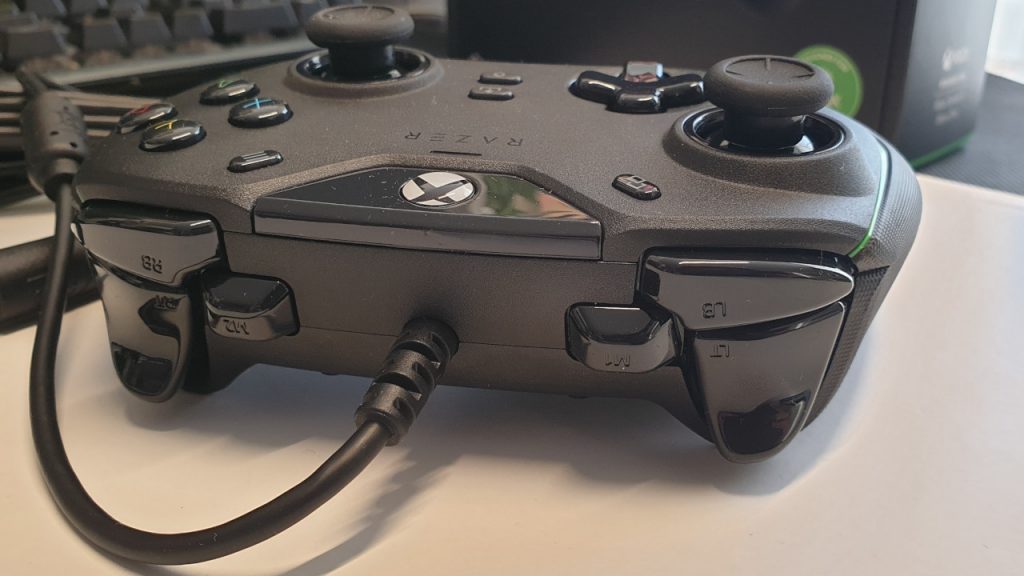
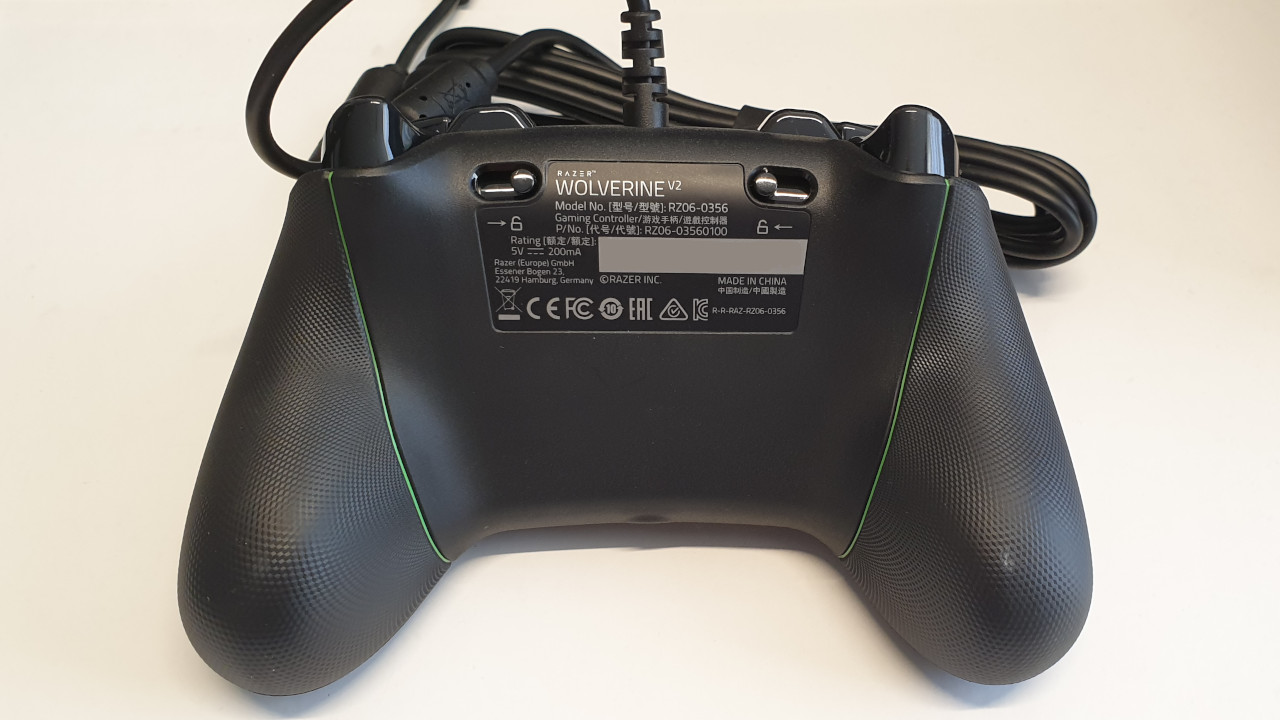
In direct comparison, the Wolverine V2 offers two special features. On the one hand, there are two additional buttons next to the triggers that you can assign freely. On the other hand, there are two small levers on the back. With these, you can lock the trigger buttons.
Software: Razer Controller Setup for Xbox
What we like about the software: On Xbox and Windows PC, Razer uses its “Razer Controller Setup for Xbox” app. This is simply installed via the in-house Microsoft Store on Windows and Xbox. Subsequently, you can create different profiles for the controller.
The app is neatly organized. There’s only a simple menu, and behind each point are the settings for the key functions. Everything works precisely and is wonderfully easy to handle: With two to three clicks, you can reassign keys, adjust the sensitivity of the analog sticks or change the vibration strength.
There is, by the way, no online registration requirement for the software.
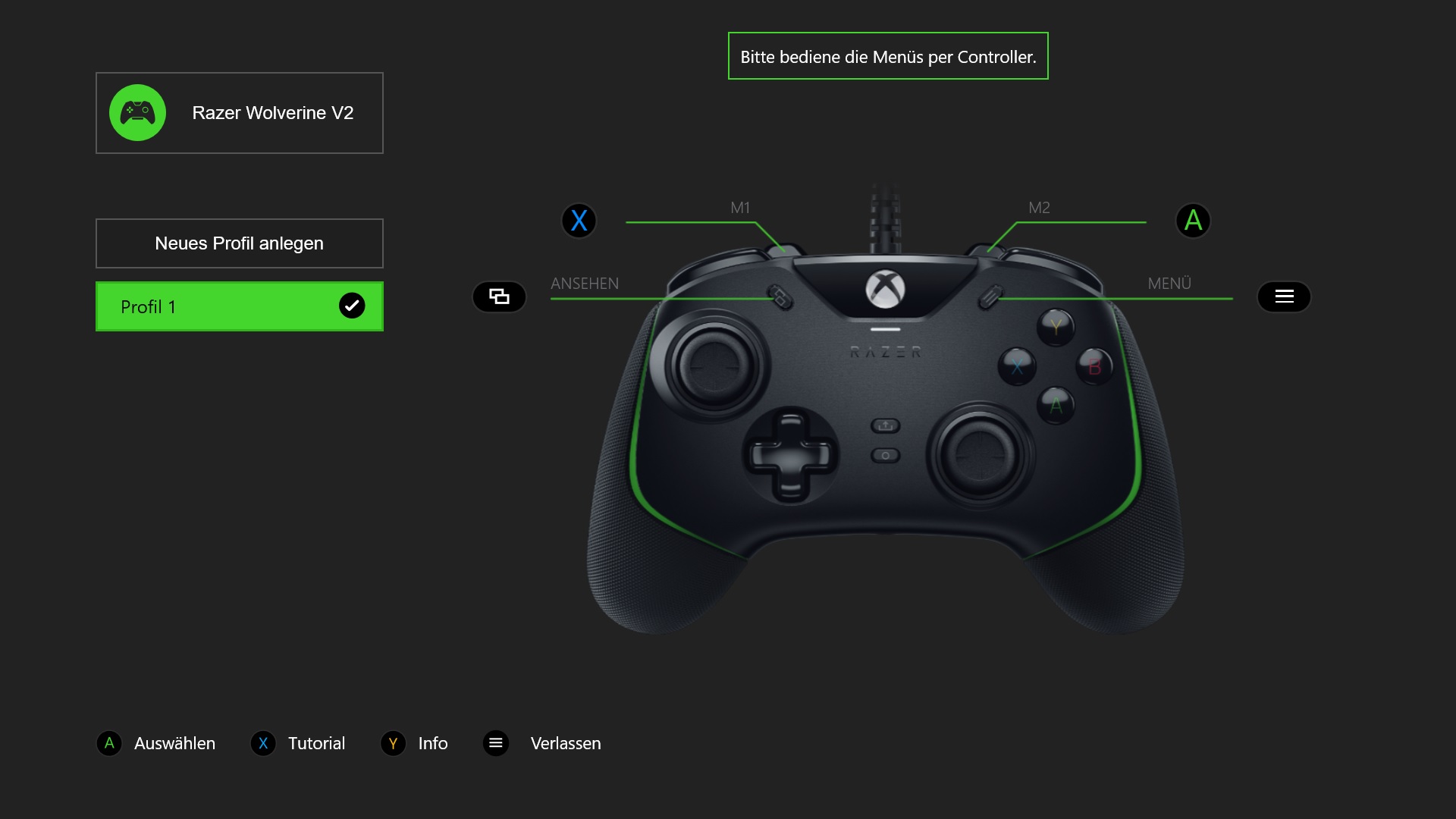
What we don’t like about the software: On the Windows PC, the software has two disadvantages: You can’t minimize it and you can’t close it like other programs via the cross. The software can only be completely turned off via the menu button on the controller. This is cumbersome, but bearable. Furthermore, you cannot navigate through the menus with the mouse on Windows.
In practice
In this section, we present how the controller performs in practical tests. We will cover the following points:
- Weight, ergonomics, and handling
- The buttons, thumbsticks, and triggers
- Macro functions
- Comparison with the Xbox Series X controller
Weight, ergonomics, and handling
What we like: The controller feels comfortable in the hand with its 274 grams. Overall, the controller is strongly based on the standard Xbox design and is ergonomically appealing.
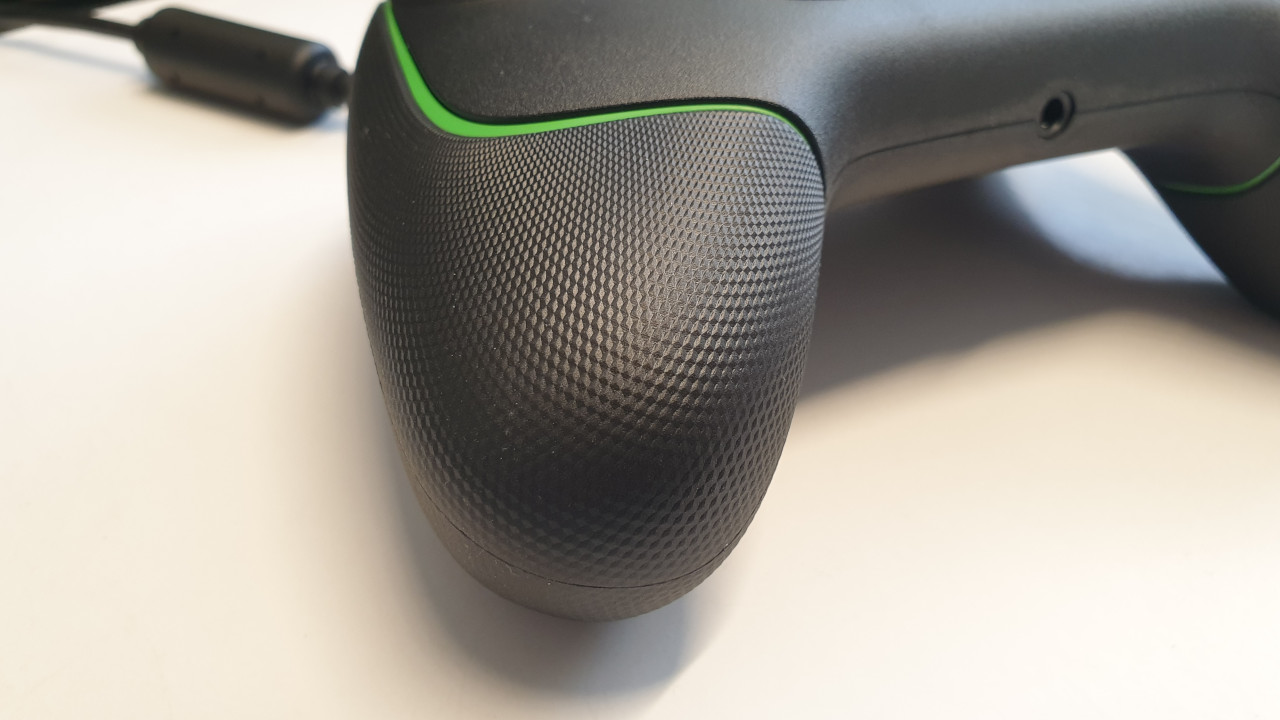
The rubber coating covers the entire grips of the controller, giving it excellent grip. Even during heated battles or with sweaty hands, the controller stays securely in hand. The rough surface texture of the controller reinforces this as well.
What we like less: In practice, it becomes apparent that the controller is somewhat larger than other models. Especially the thumbsticks are a bit further apart, which makes it somewhat more difficult and strenuous for smaller hands to use the thumbsticks over long periods.
This also applies to the two configurable additional buttons on the back of the controller, which are a bit more difficult to reach. With large hands, you quickly get used to it, but with smaller hands, reaching the special buttons can quickly become tiring. They could be placed slightly more comfortably overall.
The Razer Wolverine Ultimate, for example, had configurable buttons mounted directly underneath the controller.
Buttons, thumbsticks, and triggers
What we like: Especially the ABXY buttons are a real highlight of the Wolverine V2. Here, Razer uses mecha-tactile action buttons: The buttons provide clear, audible feedback, click nicely, and are noticeably precise. This is especially noticeable when you have to click the buttons quickly and often in succession.
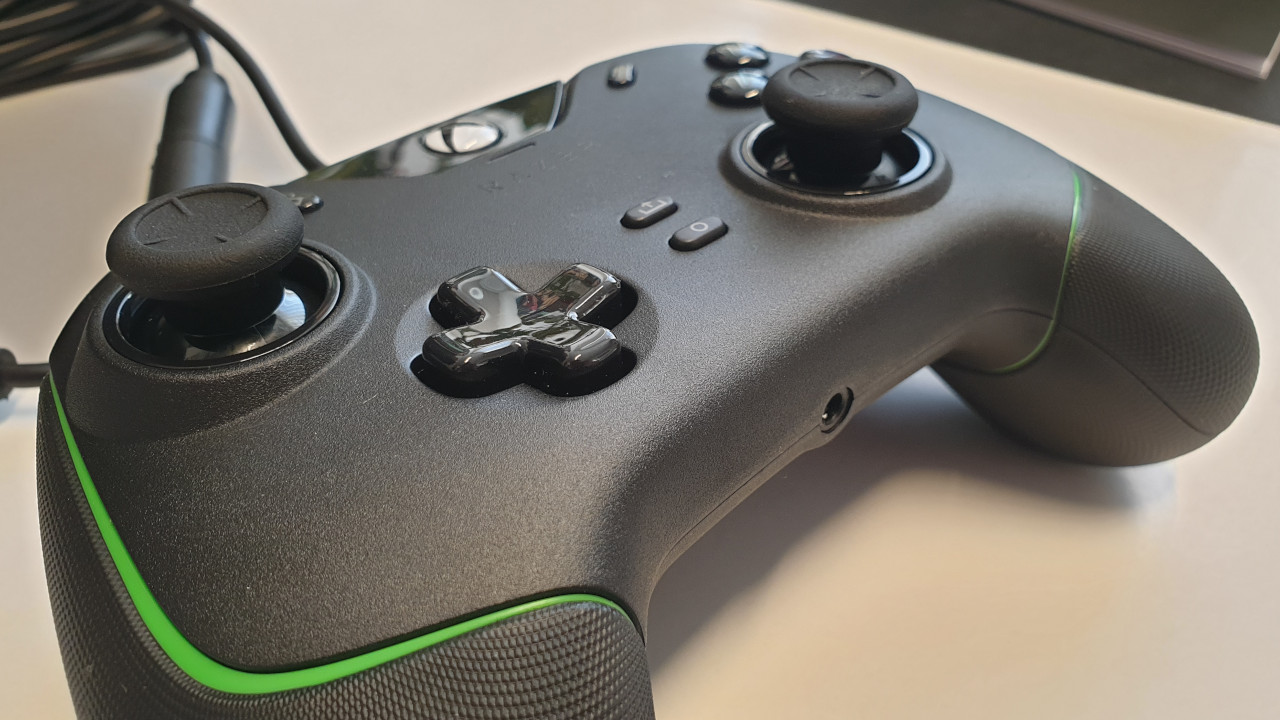
Razer also uses mecha-tactile buttons for the D-pad. This gives the buttons a pleasant pressure point and makes them significantly more precise than comparable controllers.
The ability to lock the trigger buttons with a lever is also a nice feature. If you want to prevent accidentally pressing the trigger buttons, you can deactivate them in this way. This works perfectly in practice. When the triggers are locked, they are hard to press.
Potentially, Razer’s mecha-tactile switches also offer significantly longer durability than traditional switches.
Macro functions
What we like: Programming the buttons with functions or actions is child’s play thanks to Razer’s software. With three clicks, you’re in the right menu, with two more clicks you’ve already changed the button configuration and can play on. It’s intuitive and straightforward.
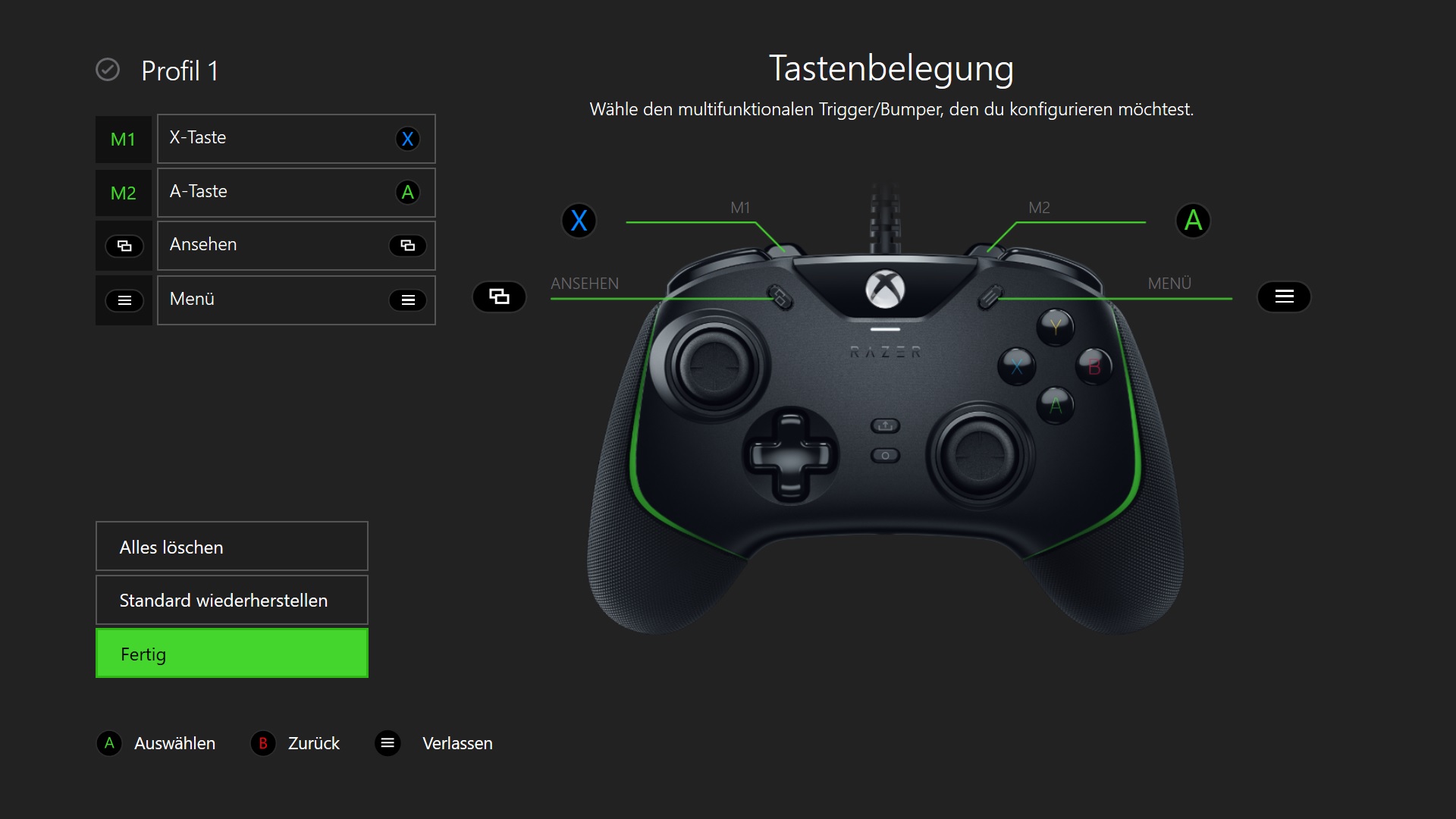
Especially interesting are the two configurable additional buttons on the back of the controller. You can reach these with your index finger, and they can be programmed. For example, you can assign the menu to these buttons or assign the ABXY buttons to the additional buttons. At first, it is unusual but quickly becomes second nature.
“Xbox Series X Controller” vs Razer Wolverine V2
What the Wolverine V2 does better: The buttons of the Wolverine V2 feel noticeably better under the fingers. The clicking feedback of the D-pad and the ABXY buttons make the Wolverine V2 noticeably more precise.
With configurable special buttons and the ability to lock the triggers at the hardware level, the Razer Wolverine V2 also distinguishes itself from the standard Xbox input device. The original controller from Microsoft does not offer this.
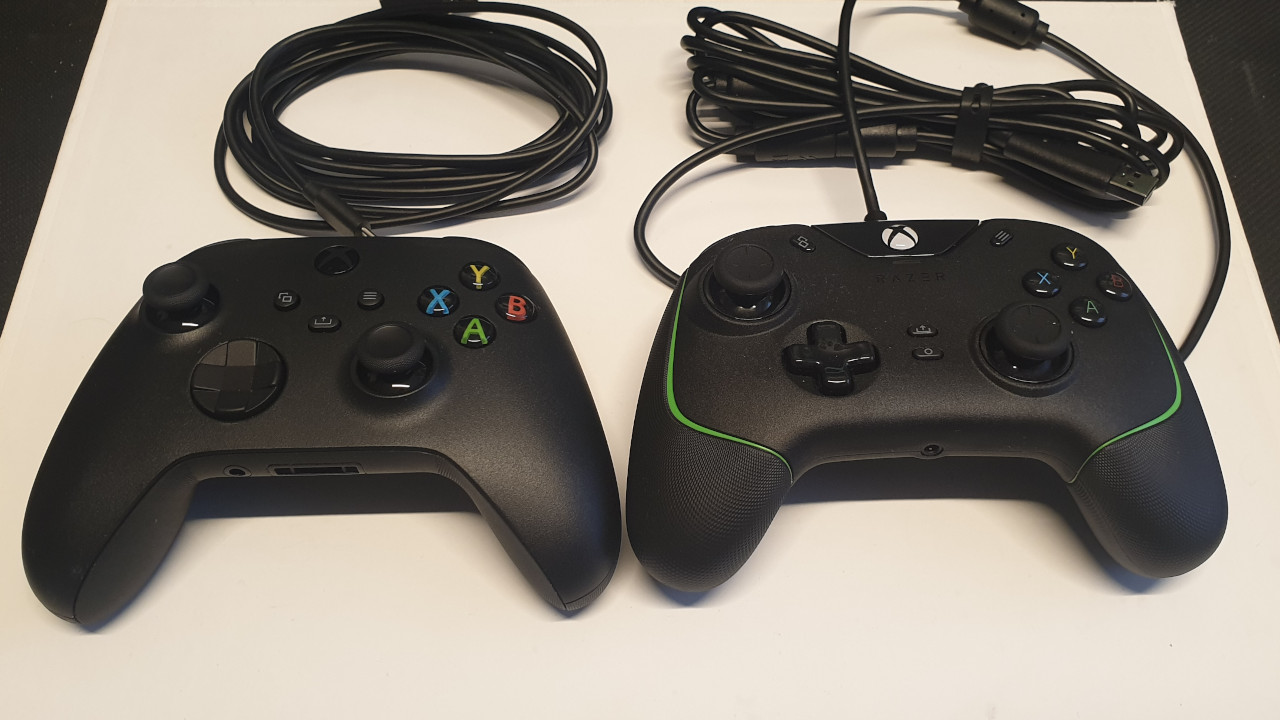
What the “Xbox Series X” controller does better: Especially in smaller hands, the official Xbox controller fits much better than the Wolverine V2. The thumbsticks are easier to reach.
The Xbox Wireless Controller also offers both Bluetooth and “Xbox Wireless” support, but weighs only a few grams more than Razer’s controller despite interchangeable batteries.
Razer Wolverine V2 vs Microsoft Elite Controller Series 2
Here are the differences: The Microsoft Elite Controller offers slightly more personalization and customization options compared to the Wolverine V2. Here, you can swap out and customize almost all parts. With the Wolverine 2, you can adjust the sensitivity of the analog sticks.
Currently, you can get the controller for 150 euros, but in terms of its capabilities, the “Elite Controller Series 2” is primarily aimed at enthusiasts and players who regularly play competitively and ambitiously. However, for about 30 euros more, the

Your opinion is important to us!
Do you like the article? Then let us know!