

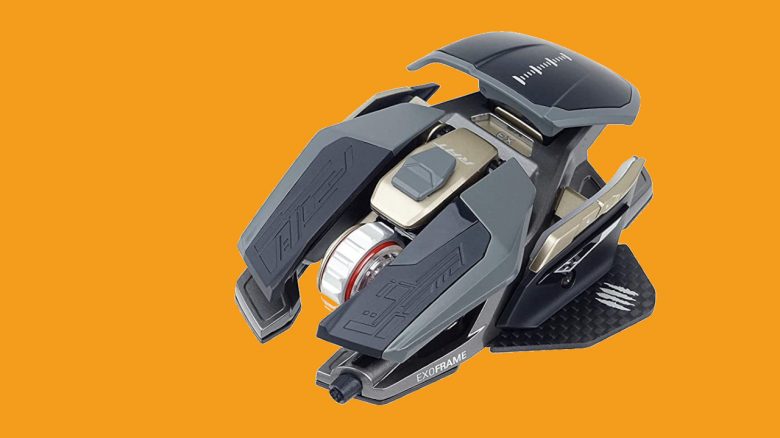
The R.A.T Pro X3 Supreme Edition is an exceptionally configurable mouse. MeinMMO presents what the mouse from Mad Catz can do and how it performs in testing.
Which mouse is it about? The mouse we want to introduce you to in this article is the R.A.T. Pro X3 Supreme Edition from Mad Catz. The manufacturer officially presented the Limited Edition of the mouse on the occasion of the Year of the Rat in China. MeinMMO took a closer look at the mouse and reveals what we like and what we like less.
R.A.T Pro X3 Supreme Edition Review: How did we test?
How long was the mouse tested? We were able to extensively test the mouse and took a closer look at it:
- The mouse was in use for about 10 days, averaging 4 – 5 hours a day.
- Overall, we worked with the mouse for about 50 hours, surfing and gaming.
Features and Technical Details
| Sensor | Pixart PMW3389 |
| Resolution | Up to 16,000 DPI |
| Switches | Omron switches, 50 million clicks |
| Buttons | 10 |
| Design | Black mouse with adjustable RGB lighting (16.8 million colors) |
| Glide Feet | 4 glide feet (replaceable) |
| Cable | 1.8 m cable made of braided fiber |
| Dimensions | 115 mm x 87 mm x 38 mm |
| Weight | 105 g |
| Price | 229.00 Euro (MSRP) |
| Price Trend (according to Geizhals.de) | 229 – 299.87 Euro |
R.A.T Pro X3 Supreme Edition in Detail
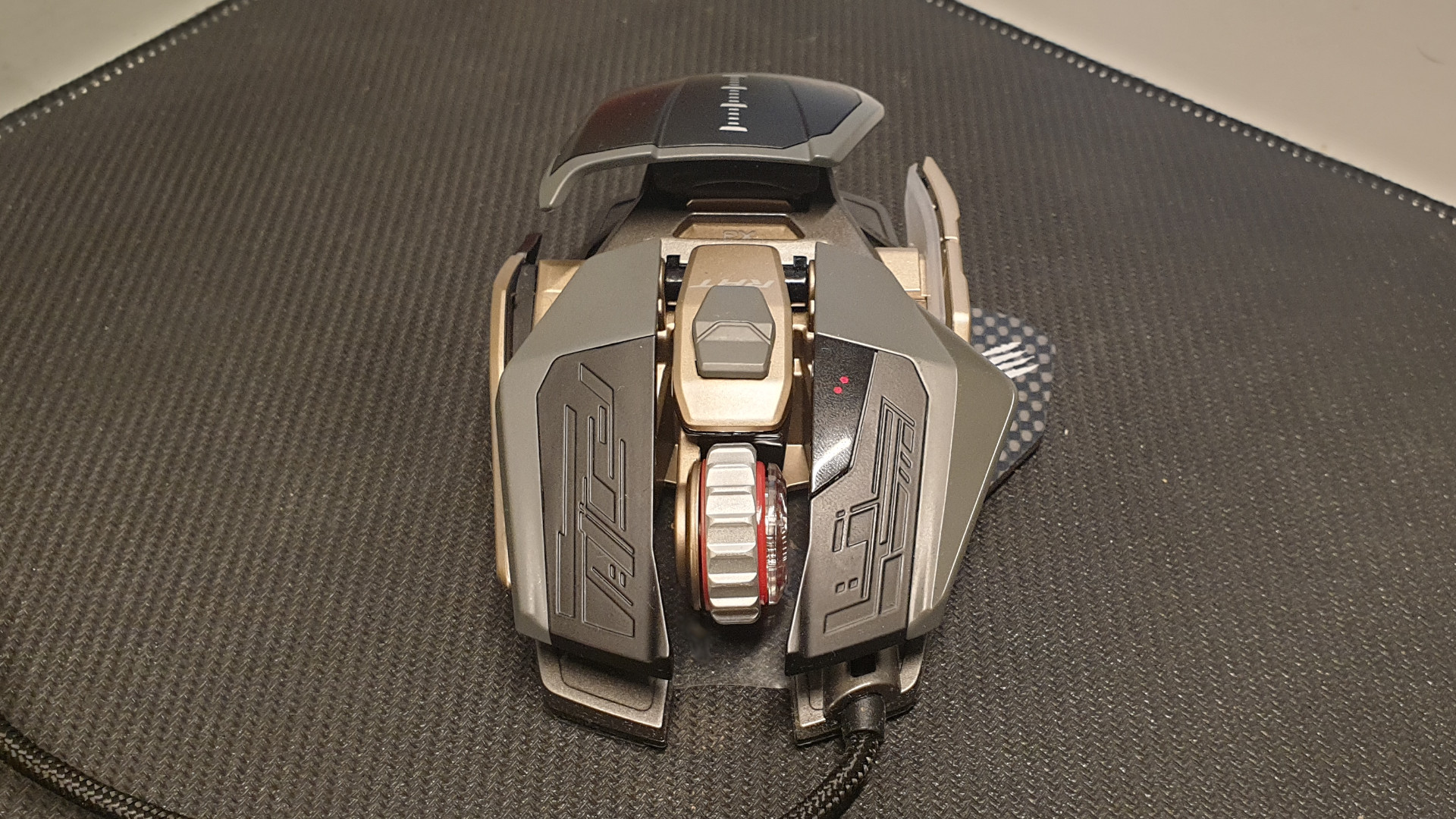
What is special about the mouse? The R.A.T Pro X3 Supreme Edition stands out due to its unusual design. While other mice are closed, this device features many open spaces. This is also because some parts of the mouse can be replaced.

The manufacturer includes two palm rests, 2 scroll wheels, a pinky rest, two thumb rests, and a set of replaceable glide feet with the actual mouse. With the included screwdriver, the parts can be changed in just a few minutes. What cannot be changed is the braided USB cable, the mouse buttons, and the sensor, which is firmly integrated into the reinforced magnesium alloy housing.
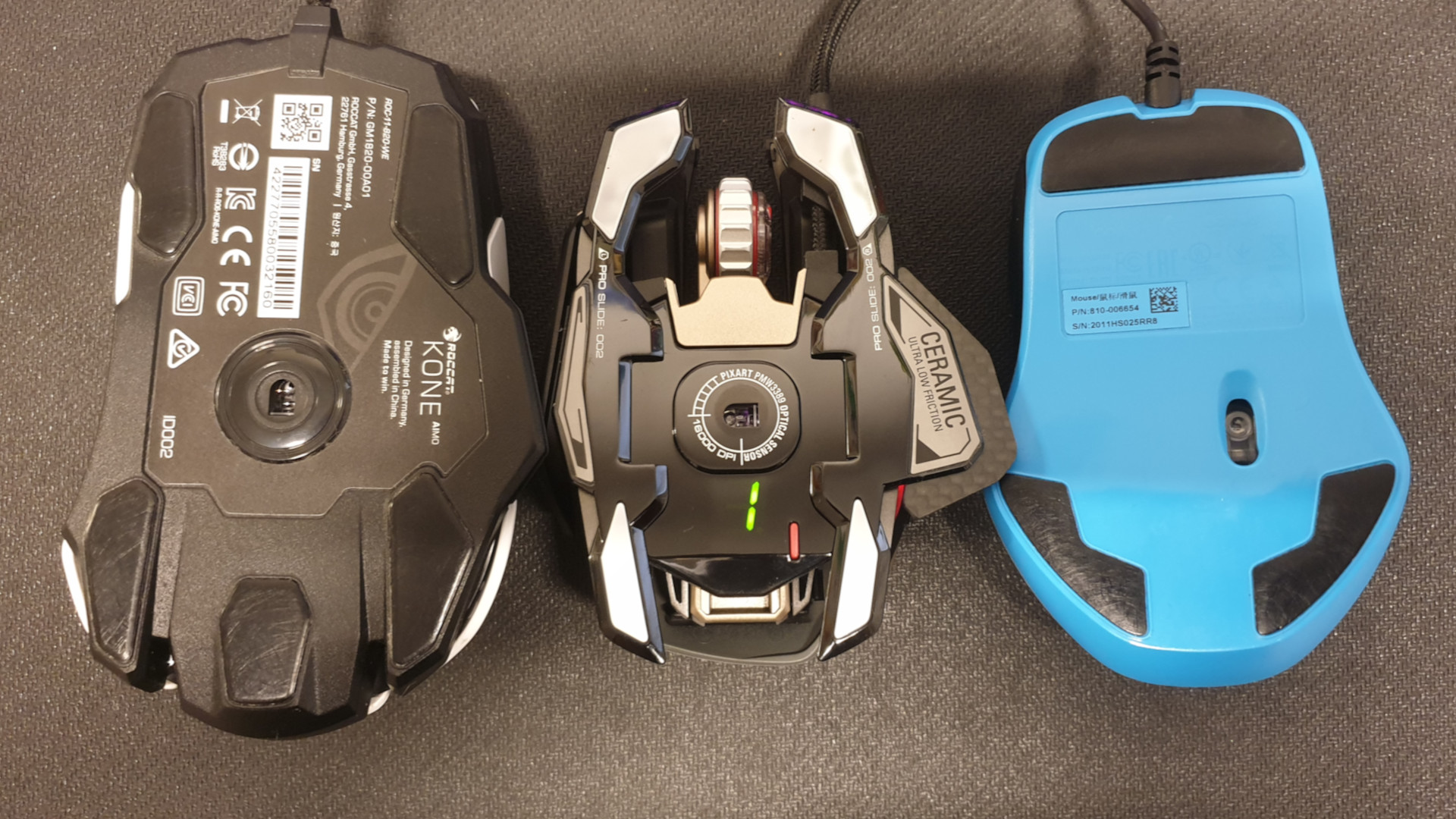
Weight: At 105 grams, the mouse from Mad Catz is slightly lighter than the comparable competition. It also appears somewhat slimmer than the bulky Kone Aimo Remastered from Roccat or the also quite large G 502 Hero from Logitech. When comparing the mice directly, this becomes quite clear.
R.A.T Pro X3 Supreme Edition: Weight in Comparison:
| Logitech G Pro Wireless | 81 grams |
| R.A.T Pro X3 Supreme Edition | 105 grams |
| Razer Lancehead | 111 grams |
| Logitech G 502 Hero | 121 grams |
| Roccat Kone Aimo Remastered | 130 grams |
Glide Feet: The glide feet are replaceable like almost every part of the mouse. You can choose between ceramic and Teflon feet. Both are said to provide differently good glide properties on different surfaces.
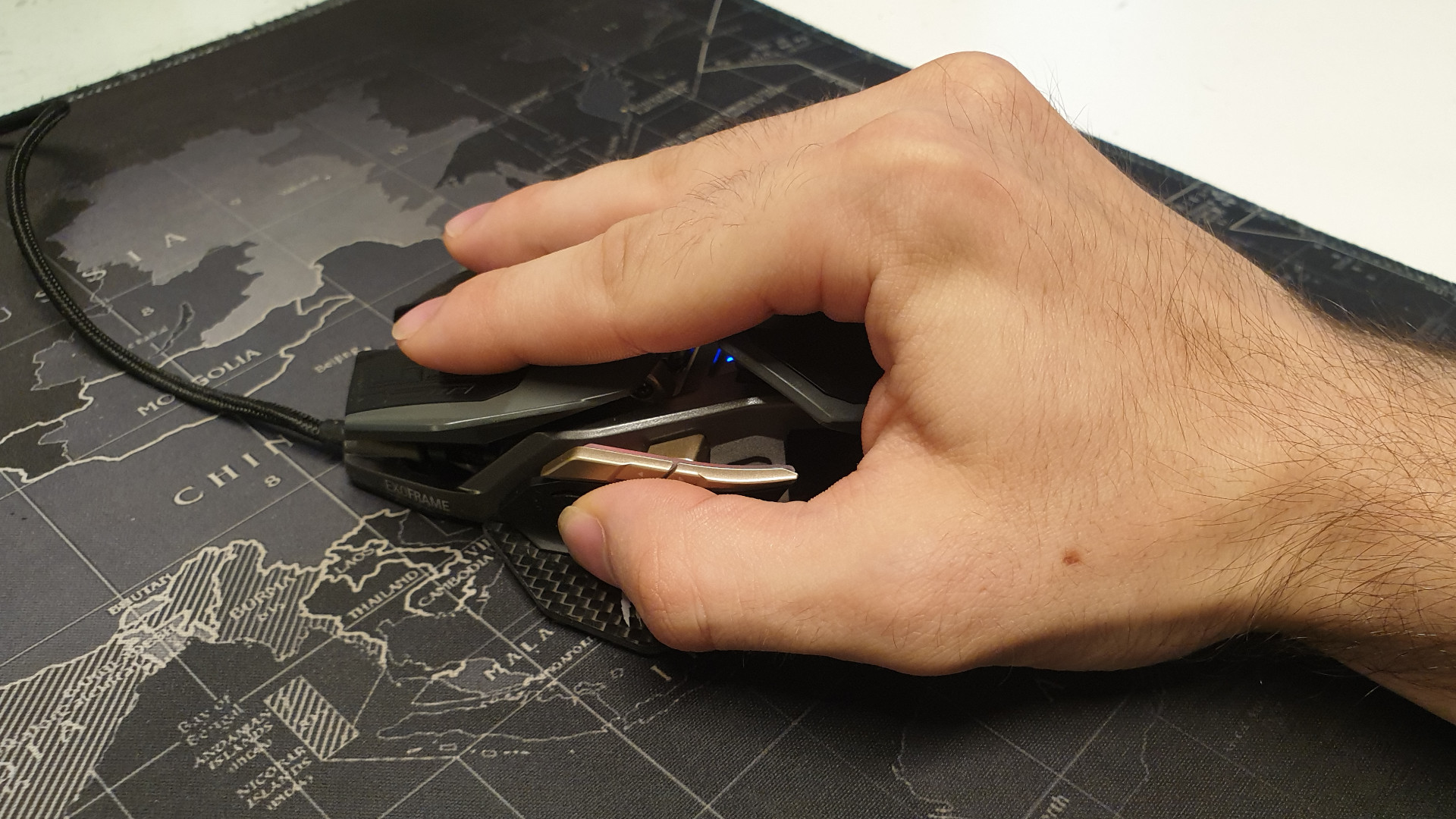
Grip Type: Especially with palm grip, the mouse is well suited, which is also due to the semi-open design. Claw grip is also possible. Fingertip grip may not be suitable due to the relatively high palm rest. In the test, we used the mouse exclusively in palm grip.
What sensor does the mouse use? The mouse from Mad Catz uses the PixArt PMW-3389. This is an optical sensor and belongs to the best currently available on the market. Even better would be the PixArt PMW-3399, which would offer even higher speed. However, this is currently reserved for Razer and is for example used in the Viper Ultimate.
R.A.T Pro X3 Supreme Edition Software
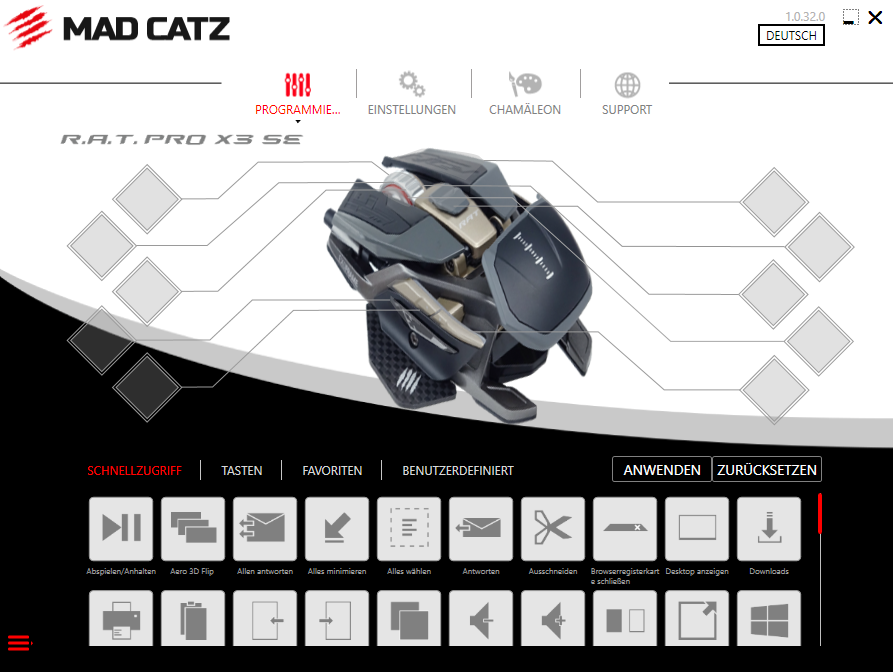
What we like about the software: The design looks clean and organized, and it can be operated with just a few clicks. Almost all functions are directly accessible from the main interface.
It is also possible to import old profiles into the software. In total, you can use 10 profiles side by side. However, if you want, you can also create custom commands or choose from a variety of buttons to assign to your mouse buttons. You can assign almost any key on the keyboard, as well as most functions of Windows to the mouse. With drag & drop, the buttons are then moved to the correct place. This is unusual, but works without problems.
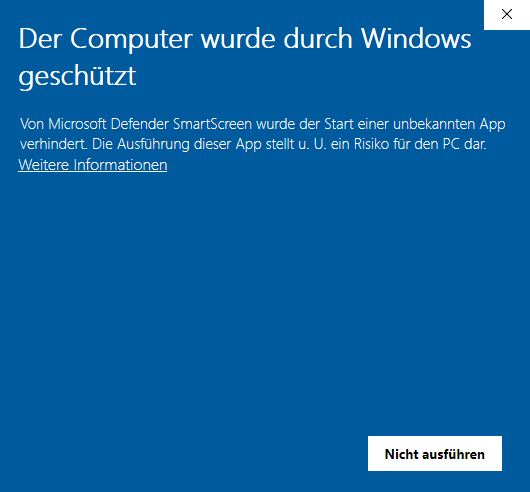
What we like less: Installing the software is unnecessarily complicated, as it cannot be installed easily. If you have downloaded the software and want to run it, Windows shows only a warning.
So far, only a workaround helps: We had to download the driver from the official site and then grant permission for the software for Windows (via right click and properties) so that we could even install it.
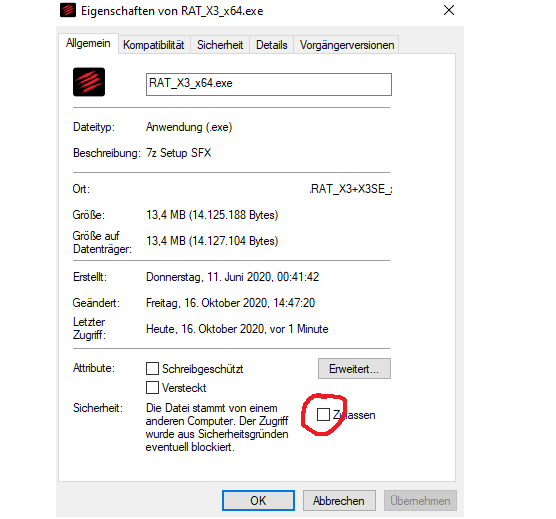
You also cannot set the location where you want to install the software, what gets installed, and also not how big the software is. If you do not have enough system memory, the software shows a successful installation, but nothing is actually installed.
In Practice
In this section, we present how the mouse performs in practical tests. We will discuss weight and speed, but also which sensor works in the mouse and what possibilities the mouse offers in practice.
Weight, Texture, and Handling
Weight and Grip: At 105 grams, the mouse is in the middle range of gaming mice. The mouse buttons feel slightly rougher, giving them a pleasant grip. Even in heated battles, the mouse remained firm in hand, and we did not slip.
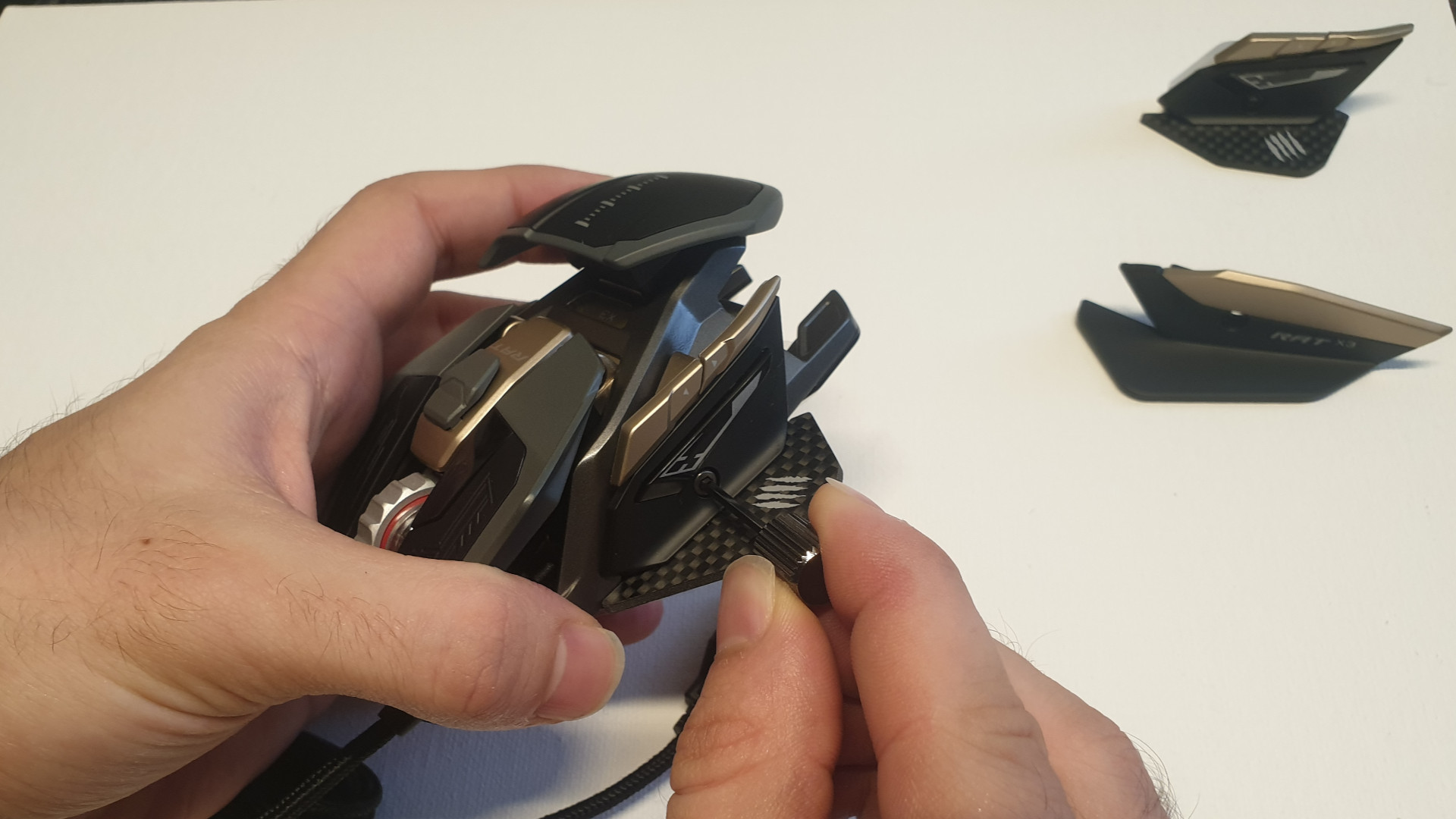
Exchange of Parts: A special highlight is the exchange of parts, as most parts of the mouse can be replaced. And this is very easy with the included screwdriver. The included quick guide explains how the parts can be exchanged.
After changing the parts, the mouse feels noticeably different in hand but never uncomfortable. The ergonomics are well done and can be improved even further by the various parts to better fit your own hand.
The actual problem, however, lies in the back of the parts: While the screws themselves are made of metal, the threads and holders are made of plastic. We cannot answer how durable these plastic pins are and how well they hold the parts to the mouse body. However, for an expensive mouse, the question arises as to why not a higher quality material has been used.
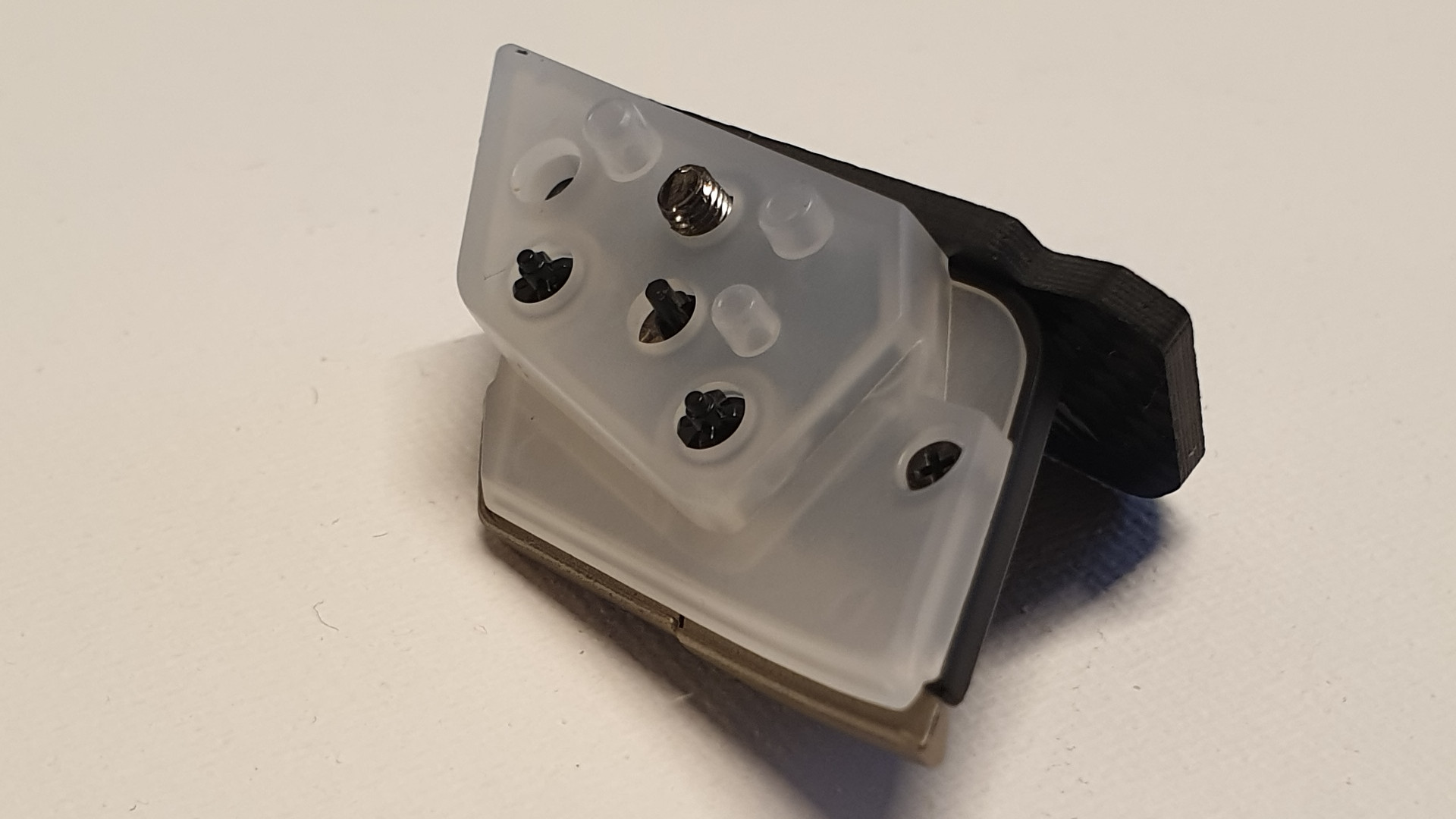
Glide Feet and Handling: On the back, there are four glide feet that ensure the mouse glides over the mousepad. These glide feet can also be replaced: optionally, we can use ceramic or Teflon feet. However, we did not notice a significant difference. Both types are very pleasant and allow the mouse to glide easily over the mousepad or other surfaces. The weight and modularity of the mouse do not hinder the glide capability.
The Mouse Buttons and Scroll Wheel
The mouse buttons are precise and respond without delay. At the same time, there is a clear feedback on the buttons. We hear and feel the mouse buttons, which is not unpleasant. By the way, the mouse buttons cannot be replaced. The scroll wheel that the manufacturer has provided for the mouse is also very good. It is pleasantly notched, feels good under the index finger, and allows for precise navigation.
Manufacturer Mad Catz uses Omron switches in the mouse with a minimum durability of at least 50 million clicks. In comparison, the Logitech G Pro Wireless offers at least 50 million clicks, while Razer’s Viper Ultimate offers a bit more with 70 million clicks.
Special Functions: Useful but Peculiar Placement
The side buttons are precisely reachable, and the quick buttons are easy to use. However, switching profiles seems a bit cumbersome. If you want to switch profiles on the mouse, you must either do it via the software or turn the mouse over: Because on the back, you will find the display for the profile as well as a button to switch profiles.
The Sensor of the R.A.T Pro X3 Supreme Edition: High-end Sensor with High Precision
With the Pixart PMW3389, Mad Catz has integrated one of the best sensors currently available in its mouse. Gaming mice like the Lioncast LM60 or the Razer Viper (without Ultimate) use the same sensor. In practice, however, these differences are not noticeable.
The precision of the sensor can also be demonstrated by the raw data from the sensor. On the X-axis are the measurement points of the sensor, while the Y-axis indicates the duration of movement. In the example, the mouse was quickly moved from right to left.
Raw data from the mouse. The points fluctuate above and below the line; the closer, the better, because that indicates the consistency of the data coming from the sensor. Strong deviations are negative.

The data shows primarily that the data from the sensor are very accurate. There are deviations only with rapid changes of mouse movement. These are sometimes more pronounced than others.
The mouse has no issues with different surfaces. Even off the mousepad, on rough stone surfaces, or on glass, the mouse sensor remains precise and accurate. Only the Hero sensor from Logitech or the Razer Focus+ from Razer may be slightly more precise.
Conclusion
Benedikt’s Conclusion:
Mad Catz delivers a premium mouse at a premium price with the R.A.T. Pro X3 Supreme Edition. The sensor is very precise and accurate, the scroll wheel is grippy and very pleasant to use. Additionally, it comes with a large range of accessories, including a case, which few other mice offer. Those who take the time to get to know the mouse can individually put together their best mouse, as the individual parts can be exchanged in just a few moments, leaving little to be desired.
In detail, however, things are bothersome, especially regarding the build quality. On one hand, Mad Catz incorporates one of the best available sensors and uses a stable housing made of magnesium alloy. On the other hand, the parts of the mouse are secured with a plastic thread. Anyone who changes the parts regularly may eventually have worn threads.

Benedikt Schlotmann
Author at MeinMMO
Who is the mouse suitable for? The mouse is especially suitable for users looking for a comparatively light and precise mouse. It could also be interesting for esports players due to the transport case and the many options to customize it to their hand. On the other hand, the high price of the mouse can be off-putting.
If you are looking for a mouse with an enormous range and options for configuration, or a mouse with an elegant design, you should take a closer look at the R.A.T. PRO X3 Supreme Edition. If you are simply looking for a good gaming mouse with similar durability in the switches and a similarly precise sensor, you can already get more for your money with the in-house MadCatz R.A.T. 6+.
Best Gaming Keyboards 2020 as Companions for Your Mouse
Are you still looking for a suitable keyboard for your gaming mouse? Then you can also find some suitable recommendations for your PC on MeinMMO. We present the best keyboards from Razer, Logitech, Roccat, and others. Perhaps you will even find a suitable Christmas gift:

Your opinion is important to us!
Do you like the article? Then let us know!