

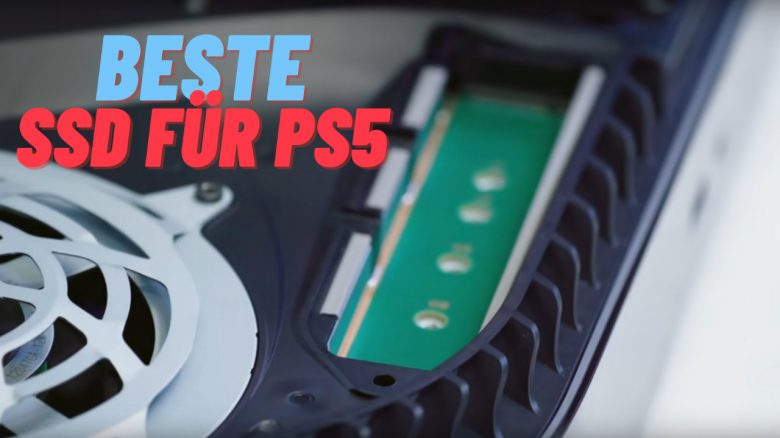
Which is the best SSD for the PS5 and which meet Sony’s system requirements? MeinMMO presents you the best SSDs you can currently buy.
How much storage does the PS5 have? The standard PS5 officially offers you 825 GB of storage. For games and apps, about 667 GB remain available for your use.
With the PS5 Slim, Sony has increased the storage to 1 TB, of which about 800 GB remain available to you. You can read all the differences between the PS5 and Slim model on MeinMMO.
Why should you install an SSD? Many large games like Call of Duty: Warzone or new next-gen games require a lot of space on your hard drive. For this reason, you have the option to install an additional SSD in your PS5.
MeinMMO explains what you need to consider when installing an SSD in the PS5 and also presents you with recommended models.
The best M.2 SSDs for the Playstation 5 at a glance:
- Seagate FireCuda 530: Fastest and best M.S-SSD
- Corsair MP600 Pro LPX: Top alternative
- WD Black SN850X
- Samsung 980 PRO and 990 PRO
- XPG ADATA GAMMIX S70
- Sabrent Rocket 4
- Crucial T500: Price-performance tip
- Kingston FURY RENEGADE
- SK Hynix Platinum P41
- PNY XLR8 SSD Gaming
Last updates: 29.01.2025, 29. 08.2024, 15.01.2024, 21.04.2023.
The best M.2 SSDs for the PS5 2025 at a glance
Here we present to you the currently best and compatible M.2 SSDs for your PS5. Sony itself recommends installing an SSD with a cooling module. If you already have a cooling module at home, you can of course install that as well. In our article, you can also find the SSD that the chief architect of the PS5 likes best.
The following links all lead you to the Amazon page for the corresponding product. Exceptions, such as Mindfactory, have been marked.
Seagate FireCuda 530
The model from Seagate offers you excellent performance at a fair price. Since the SSD from Seagate is very popular among gamers due to its strong price-performance ratio, availability is limited.
- Seagate FireCuda 530 with Heatsink*
- Seagate FireCuda 530 with Heatsink at Mindfactory*
- Without Cooling Module*
Corsair MP600 Pro LPX
The MP600 Pro LPX from Corsair is among the fastest consumer SSDs you can currently buy, alongside the Seagate FireCuda 530.
Be careful when purchasing: The LPX version fits into your PS5 due to its low height, while the XT version does not and is only suitable for gaming PCs.
WD Black SN850X
The SN850X is the successor to the popular SN850. The X model offers significantly better temperatures and better performance for the PS5. For this reason, we have replaced the predecessor with the successor:
Samsung 980 PRO and 990 PRO
The 900 series belongs to the best-known SSDs and NVMe SSDs from Samsung. You get high performance. The models are regularly on sale. For even more performance and power, you can opt for the Samsung 990 Pro.
- Samsung 980 Pro with Cooling Module*
- Samsung 980 Pro without Cooling Module*
- Samsung 990 Pro with Cooling Module*
- Samsung 990 Pro without Cooling Module*
XPG ADATA GAMMIX S70
With the NVMe SSD from ADATA, you get a price-performance tip. The performance is high and a heatsink is also included. You can now get the fast model for under 80 Euros.
Sabrent Rocket 4 Plus Heatsink
The NMVe SSD from Sabrent offers you high performance and very good cooling performance. Due to the massive heatsink, you need to be careful when installing it in your console. Another disadvantage is the price, which is usually higher than the competition.
Crucial T500 – Price-performance tip
The T500 from Crucial is a price-performance tip if you do not want to spend much on a large and fast NVMe SSD. It replaces the very good predecessor (P5 Plus) in our opinion. For 1 TB, you usually pay under 100 Euros and sometimes as low as 70 Euros on sale.
Kingston Fury Renegade
With the Kingston Fury Renegade, you get an excellent M.2 SSD for your PS5. The colleagues from TechRadar explain in their review that it is one of the best SSDs you can buy for your PlayStation 5.
SK Hynix Platinum P41
With the SK Hynix Platinum, you get one of the fastest M.2 SSDs on the market. The English-language site TomsHardware considers it one of the best SSDs you can buy right now. The only criticism is the high temperatures.
The only downside is that the SSD is shipped without a heat sink. However, manufacturer SK Hynix offers an official heatsink for about 10 Euros to retrofit the M.2 SSD. A heatsink is recommended because otherwise the SSD runs very hot without one.
- SK Hynix Platinum without Heatsink (2 TB)
- SK Hynix Platinum without Heatsink (1 TB)
- SK Hynix, official heatsink for M.2 SSD
PNY XLR8 SSD: Small and cheap
The PNY XLR8 is a fast and, above all, inexpensive SSD that is equipped with a very good cooler. As a budget tip, it is recommended, but it is not the fastest SSD on the market.
PS5: Buy heatsink separately
Can I retrofit a heatsink? Yes, in most cases this is possible without any problems. If you have already purchased an SSD for your PS5 without a heatsink, you can buy a heatsink. A heatsink costs about 20 Euros:
Installing PS5 SSD-M.2 – What you need to consider
In which PS5 can you install an SSD? You can install an SSD in both the PS5 and the PS5 Digital Edition. Both devices provide you with a slot for additional storage.
Who can install an SSD? Since the update to the PS5 firmware 4, recognizable by version 21.02-04, you can install an M.2 SSD in your PS5. This update has been available to you since September 15, 2021, and is about 900 megabytes in size.
What requirements are there? Using an M.2 SSD with the PS5 requires effective heat dissipation with a cooling structure. Either you buy an M.2 SSD that already has a cooling module (so-called heatsink) installed, or you buy an appropriate cooling module. However, there are restrictions on the height.
| Interface | Supported M.2 NVMe SSD via PCI-Express Gen4x4 (Key M) |
| Storage | 250 GB – 4 TB |
| Supported Formats | 2230, 2242, 2260, 2280, 22110 |
| Size with cooling | Width: up to 25 mm Length: 30/40/60/80/110 mm Thickness: up to 11.25 mm (up to 8.0 mm above the board, up to 2.45 mm below the board) |
| Sequential read speed | 5500 MB/s or faster is recommended |
| Connection type | Connector 3 (Key M) |
PS5 SSD Expansion: Here’s how it works
What you need:
- A bright room with a table.
- A size 1 Phillips screwdriver.
- A small flashlight (optional).
- The right M.2 SSD for your PS5 console.
Best approach: It is best to watch the official video from PlayStation. Here you can see not only all the steps but also exactly what you need to pay attention to when installing. The video is also not very long at around 3 minutes:
More tips and tricks for the PS5: Are you interested in more information about the PlayStation 5? Then check out the following article: Here we explain which PS5 console could be the most worthwhile for you: PS5: Which console is better, with or without a disc drive?
The offers listed here are equipped with so-called affiliate links. By purchasing through one of these links, you support MeinMMO: Without affecting the price, we receive a small commission from the provider.

Your opinion is important to us!
Do you like the article? Then let us know!