

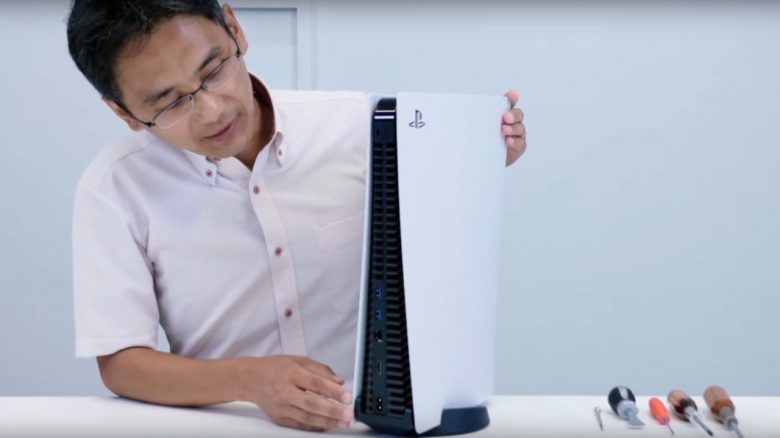
In an official video, Sony disassembles the PS5 into its components. However, a few questions remain unanswered. For example, we still do not know which SSDs will be compatible with the PS5.
Sony showed in the official PlayStation Blog how to disassemble a PlayStation 5 into its components. This was also the first time that the parts of the console could be seen. The Sony employee also explains each individual component.
Where can you watch the video? Here you can see how the PS5 is disassembled into its components:
PS5: This is what the PS5 looks like inside
The PS5’s SSD: The SSD of the console is firmly connected to the motherboard. The SSD consists of three separate blocks that are controlled by the special SSD controller.
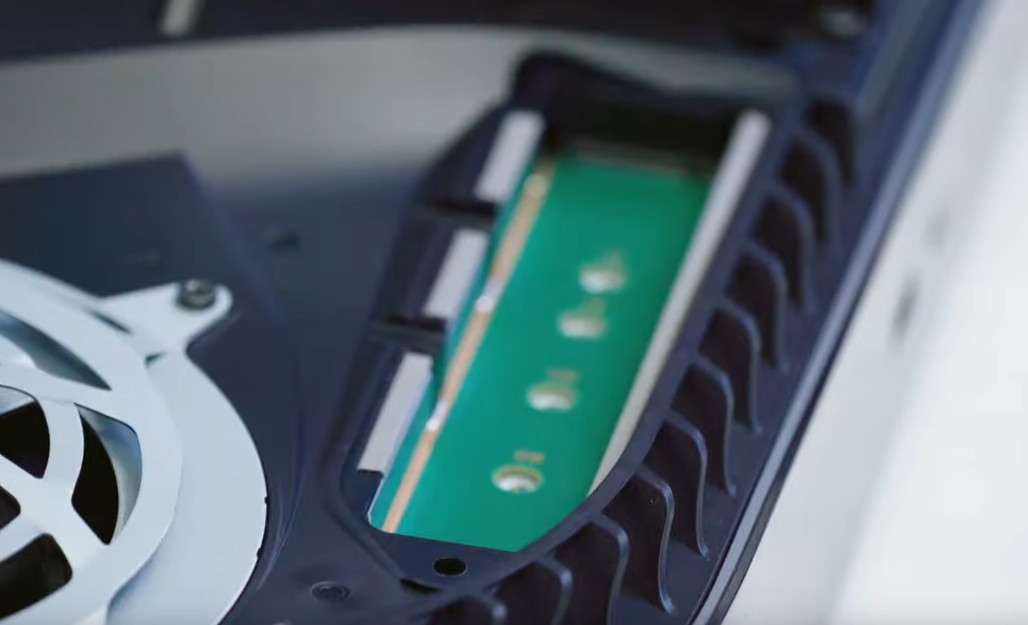
It is at least certain: You cannot simply replace the hard drive as you could with the PlayStation 4. Instead, there is an extra slot where you can install an M.2 SSD.
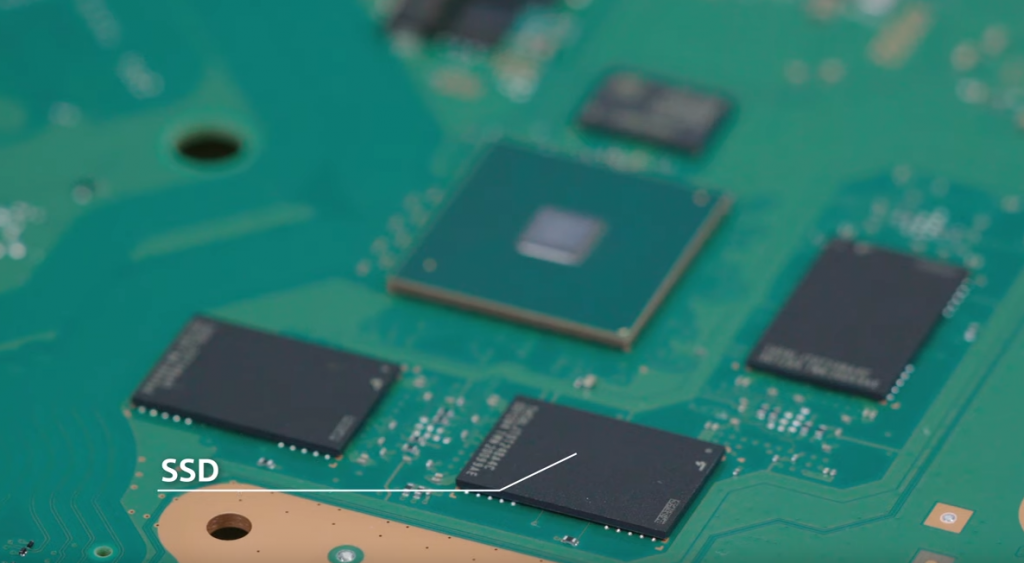
The SSD consists of three blocks that are controlled by the special SSD controller (in the middle, green).
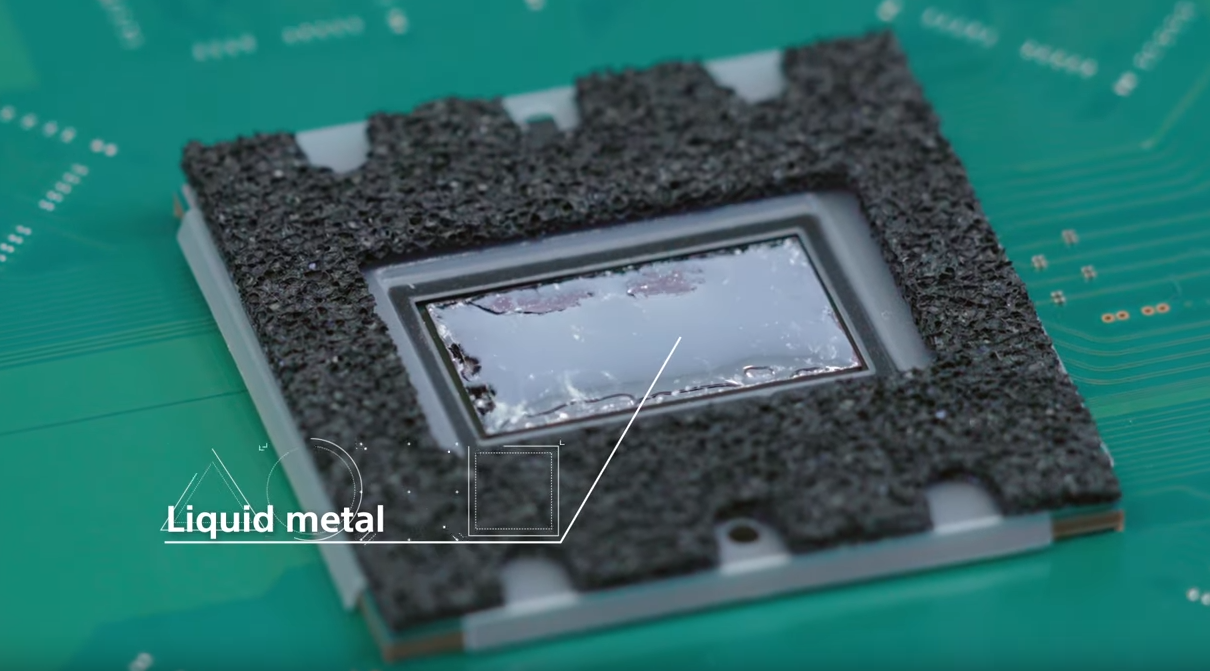
Cooling of the PS5: The PlayStation 5 uses a special cooling solution made of liquid metal. This is intended to ensure long-term stability and good cooling performance. Sony itself explained: “This is one of the components that required a lot of creativity from us when designing the PS5.” Because the heat generation of the PlayStation 5 is significantly higher than that of the PlayStation 4.
Additionally, there is a large heat pipe, which has also been used by the PS3 and PS4 to dissipate heat.
Installing an SSD: The employee explains that there is an M.2 interface with PCIe 4.0 support for expanding the storage. To do this, you at least need to remove the outer shell and take off the cover. Then you have access to the interface. At first glance, this does not seem complicated. All information about the SSD can be found here:

PS5: You must not disassemble your console at home
The video also includes a note that you are not allowed to disassemble the console yourself. If you dismantle the console, the manufacturer’s warranty is void.
PS5 Teardown – These are the answers we are still waiting for
How quickly does the console get dirty? The PlayStation 4 especially struggles with a noise problem. This is also due to the fact that the console’s ventilation gets dirty quickly and dust accumulates. With the PS4, you need to regularly check and clean the console, depending on where the console is positioned.
How to clean the PlayStation 4 and how to reduce the noise level, we have explained for you.
What does the PS5’s user interface look like? By now, we know both the exterior and the interior of the console, but we still do not know the software that runs on the console. Also, in the first hands-on of the PS5, no menus or similar were visible.
Which SSDs are supported by the PS5? Sony has not yet explained which additional SSDs are supported by the PlayStation 5. So far, we only know that the SSD should be very fast and that it is 825 GB in size.
If you install all the games from the PS Plus Collection at release, the PS5 SSD quickly reaches its capacity limit.
External hard drives can be connected, but PS5 games can only be installed on the internal SSD. So far, there is still no list or selection of which SSDs are now officially approved for the PS5.
Worthwhile SSDs for the PS4: While purchasing an SSD for the PS5 is currently not worthwhile, you can still get some performance out of the PS4 with an SSD. This can significantly increase load times. Here we present three good SSDs:
A comprehensive guide on SSDs for the PlayStation 4 and also why we recommend them can be found here.

Your opinion is important to us!
Do you like the article? Then let us know!