

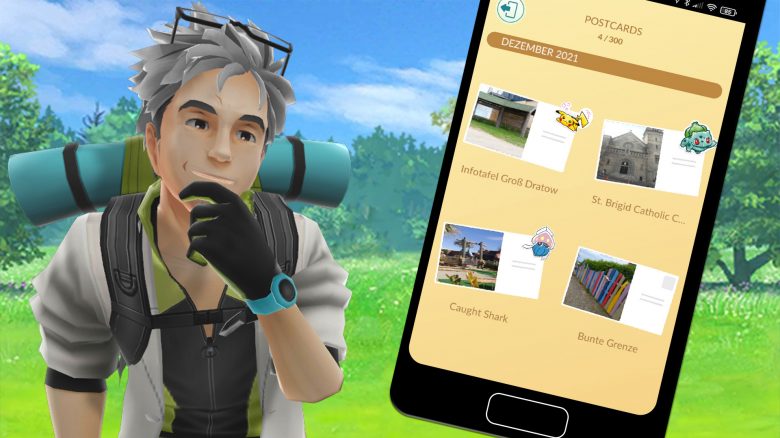
In Pokémon GO a new feature has been released: the postcard book. We at MeinMMO have looked at what this feature is and show you the first reactions of the trainers.

What kind of feature is it? Currently, the Christmas event is being celebrated in Pokémon GO. Just in time for the start, Niantic announced the postcard book as a new feature in their blog (via pokemongolive.com). With this feature, you should have the opportunity to save certain places as a nice memory. We will show you how this should work.
What is the postcard book?
The postcard book is, as the name suggests, about saving postcards. These should remind you of the visits to beautiful places. It’s possible to collect both the received postcards from friends and your own, which are in the gifts in the item bag.
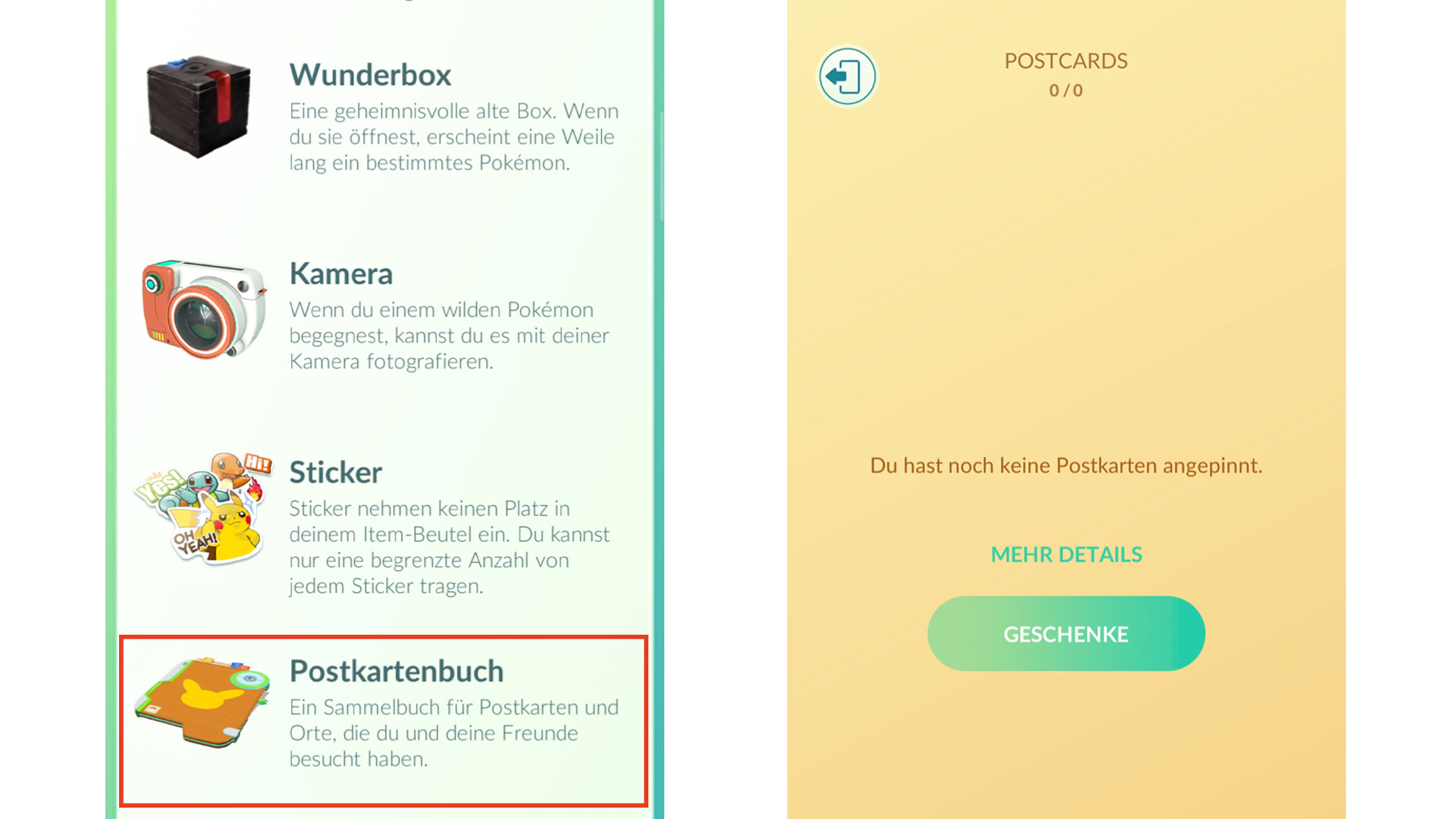
You can find your new postcard book in your item bag. You can also open it under “Postcard Book” in your avatar view. By clicking the book, an overview will open showing which cards you have already collected.
Adding new cards works in two different ways, depending on whether it is your own card or that of a friend.
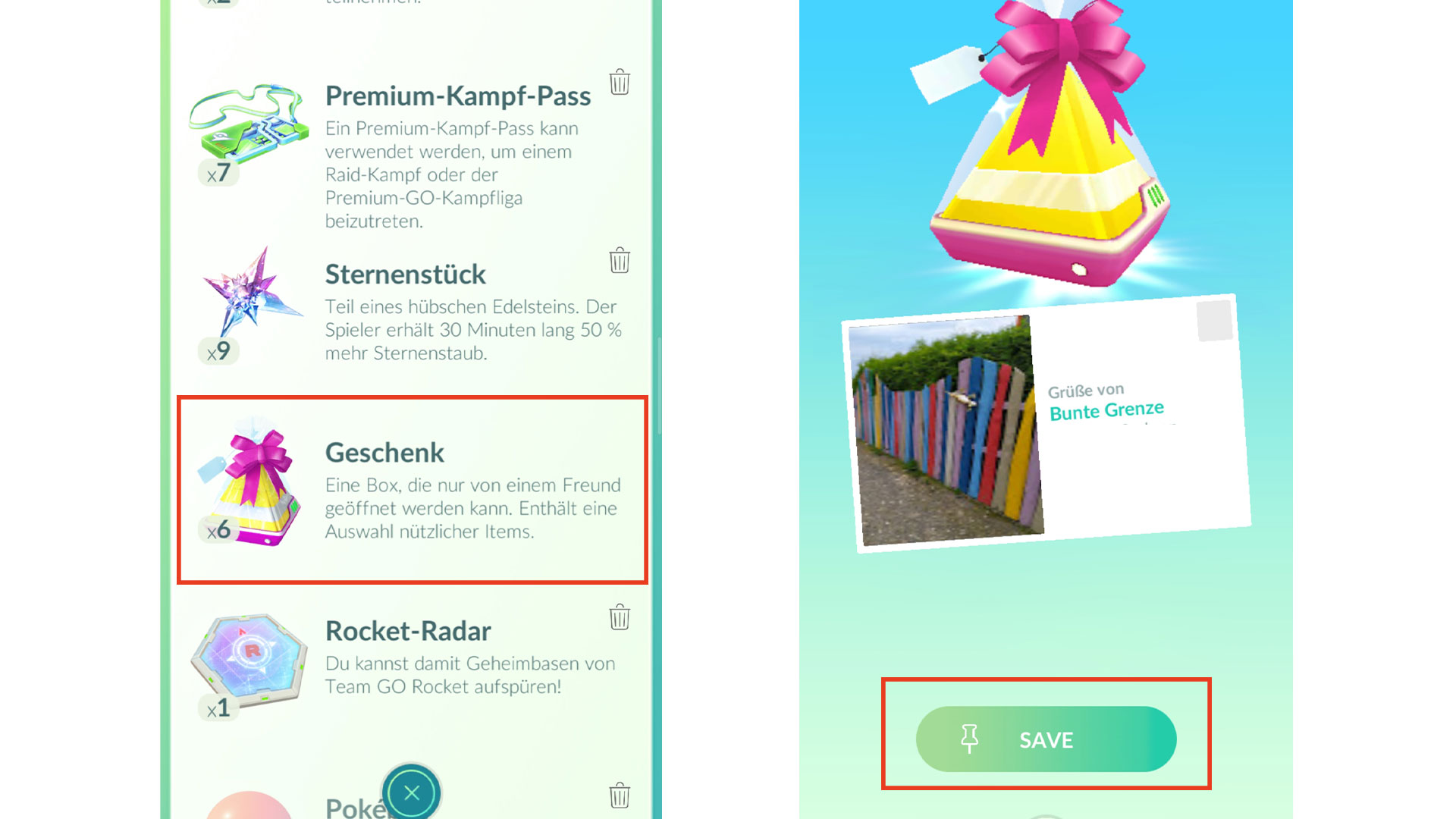
Your own postcard: To add your own postcard to your book, open your item bag. There, click on the gifts to open them in a selection window. Then you have the option to select the appropriate package. Click on it and press the “Save” button. The card is now stored in your postcard book.
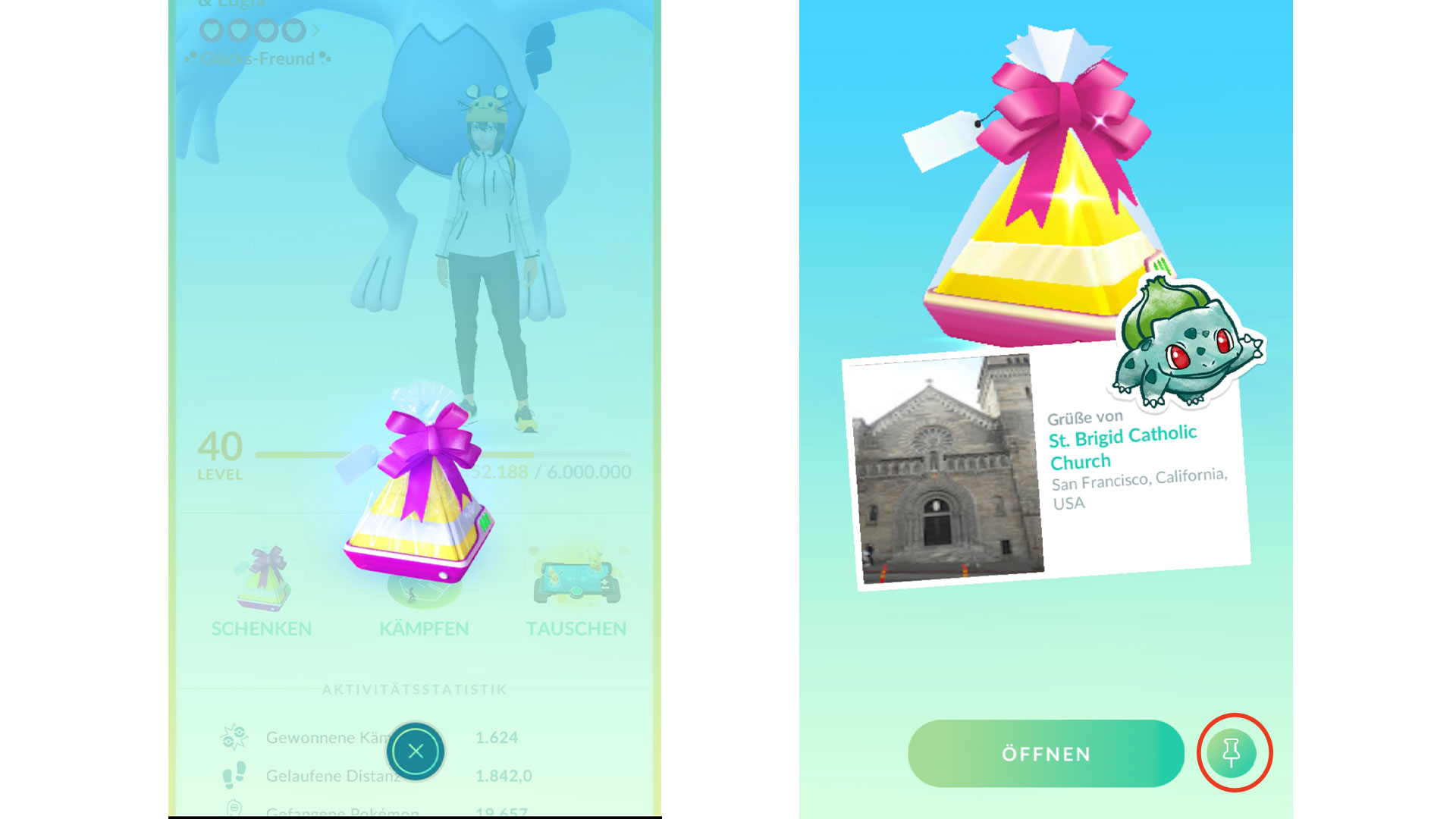
Postcards from friends: Of course, you can also save postcards that you received through packages from friends. Just click in your friends list as usual and have the desired gift displayed.
Before opening it, you have the opportunity to click on the pin icon on the right side of the screen. This way, you have secured this card as well, and it will be displayed in the postcard book.
What does the community say about the postcard book?
In the reddit community, there is hot debate about the new feature. Some trainers, like BroBroBrayBray, are excited about the new function and write: “I am so happy about this feature that has been long overdue. I don’t have to worry about accidentally sending it anymore.” (via reddit.com).
In fact, in the past, some trainers wanted to hold back gifts because of the postcards to have them as a nice memory. JULTAR also reports that he accidentally sent such a package, although he wanted to keep it (via reddit.com).
Thanks to the function in the postcard book, this can no longer happen, as the image can be saved. Particularly positively mentioned on reddit is also the possibility to favorite specific postcards and to like your favorite picture of this stop (via reddit.com).
Criticism of the postcard book
However, the postcard book has received some criticism. The trainer FatalisticFeline-47 has listed a number of things that bother him about this new feature. Among other things, he lists the following points of criticism (via reddit.com):
- Storage limit of 300 postcards
- Gifts from a friend can be pinned multiple times, but they are only seen once
- You cannot pin your own gifts with stickers
- Postcards no longer contain the texts “Greetings from” and “Trainer name” that are displayed when opening the gift
JumpJumpOver also points out that trainers who do not share their nickname for the postcard book will be listed in the group “Unknown Trainers” (via reddit.com). Furthermore, he notes that the data apparently is not saved in the game, as there was a delay of a few seconds when opening his postcard book until the cards were displayed.
Dependent_Chemist would like to be able to browse other postcard books as well (via reddit.com). Whether Niantic will respond to this wish and change one or the other function of the postcard book remains to be seen.
What do you think of the postcard book? Have you already tried the new feature? Would you change anything about it, or do you like it as it is? Feel free to share your opinion on MeinMMO in the comments and exchange ideas with other trainers.
This weekend the next Community Day will take place. We have looked at which monsters and bonuses you can expect for the December Community Day and how to make the most of it.

Your opinion is important to us!
Do you like the article? Then let us know!