


Pokémon Home is a software that you can use for many Pokémon games. What you need to know about Pokémon Home, what costs you might incur, and what features it has, you can read in our article on MeinMMO.
Pokémon Home is the software that allows you to trade your monsters between modern Pokémon games and Pokémon: GO. MeinMMO explains what you need to know about Home and how much the service costs and what features are only available for a fee.
Pokémon Home Overview:
- Pokémon Home: Requirements
- Pokémon Home: All important features as a list
- Pokémon Home: Costs and Premium Subscription
- Pokémon Home: Standard and Premium Comparison
- Pokémon Home: Which subscription should I choose?
- Pokémon Home and Legends: Z-A
- Pokémon Home and FireRed/LeafGreen
- Pokémon Home: Gifts and Secret Codes
Pokémon Home: Requirements
What you need: If you want to use Pokémon Home, you must meet the following requirements:
- Pokémon Home on a Nintendo Switch 2- or Nintendo Switch console and/or a mobile device
- A Nintendo account (required for the console version and recommended for the mobile version)
- One of the following games:
- Pokémon Scarlet / Violet
- Pokémon Legends: Arceus
- Pokémon Brilliant Diamond / Shining Pearl
- Pokémon Sword / Shield
- Pokémon: Let’s Go, Pikachu! / Let’s Go, Eevee!
- Pokémon Bank
- Pokémon GO
Pokémon Home: All important features as a list
We will list all the important features of Pokémon: Home here. We differentiate between the Standard subscription and the Premium membership.
| Name | Which Subscription? | Function |
|---|---|---|
| National Pokédex | Standard and Premium | Is filled when you connect your Pokémon games with Home. Lists all forms that you have found. |
| Pokémon Storage | Standard | Maximum 30 slots |
| Premium | Maximum 6,000 slots | |
| Transfer | Standard | You can trade Pokémon between your games. |
| Premium | Access to Pokémon Bank (Nintendo DS) | |
| Friend Trade | Standard and Premium | Trade Pokémon with other users you have befriended in Pokémon Home. GPS functionality is required. Only 10 friend trades per day. |
| GTS | Standard and Premium | Search for Pokémon and trade with other players. Standard can deposit 1 Pokémon, Premium can deposit a maximum of 3. |
| Wonder Box | Standard and Premium | Allows you to put Pokémon in a box and trade worldwide. You do not know what you will receive. Basic players can deposit 3 Pokémon in Wonder Boxes each, while Premium players can deposit 10 Pokémon each. |
| Room Trade | Standard and Premium | Players can enter a room to trade Pokémon randomly. Basic players can only participate; Premium players can also host. |
| Secret Gifts (Mobile only) | Standard and Premium | You can receive gifts either locally or via code. |
| Judge Function | Premium | You can view the values (IVs) of the Pokémon. You can search your Pokémon and view their IVs. |
| Battle Data (Mobile only) | Standard and Premium | Data on ranked battles and online competitions in games as well as data on the rankings of Pokémon used in them |
Pokémon Home: Costs and Premium Subscription
Is Pokémon Home free? Yes, the Standard membership costs nothing at first, but is limited. You have no or only limited access to many features. The most important limitation is the very small Pokémon storage.
What is the Premium subscription? This unlocks additional features in Home. You can store more Pokémon and gain access to additional content. You do not need an online subscription for the Switch to use Home.
How much does Pokémon Home cost? The Standard membership is free, while for Premium you pay a few euros per month or take out the annual subscription right away.
| 1 Month (30 Days) | 3 Months (90 Days) | 12 Months (365 Days) |
|---|---|---|
| 2.99 Euros | 4.99 Euros | 15.99 Euros |
What happens if my subscription ends? If your Premium subscription for Home ends, you will automatically switch to the free Standard plan. The most important change: Instead of 6,000, you can only store 30 Pokémon.
The excess Pokémon will remain safe in the cloud, but cannot be retrieved or traded. You can only use them again once you take out another subscription or make space in your box.
Pokémon Home: Standard vs. Premium Comparison
| Standard (Free) | Premium (Subscription) | |
|---|---|---|
| Cost | 0 Euros | from 2.99 Euros/Month |
| Transfer with Pokémon Bank | No | Yes |
| Storage slots for Pokémon | 30 | 6,000 |
| Trade between compatible games | Yes | Yes |
| Slots in the Wonder Box | 3 | 10 |
| Number of slots for Global Trade (GTS) | 1 | 3 |
| Group Trade | Participate | Participate and create group |
| Friend Trade | Yes | Yes |
| Judge Function | No | Yes |
| Maximum Medals | 30 | 1,000 |
Pokémon Home: Standard or Premium?
Standard:
- Basically, you can already trade Pokémon between compatible games with the Standard for free. You do not need the paid subscription for this. However, you are limited to a maximum number of slots in your inventory.
- A trade among friends is also possible without Premium.
- A worldwide trade or group trade is also possible with limitations.
- You can also complete the National Pokédex without a subscription.
Premium:
- Pokémon Bank is only relevant to you if you still have the app installed on the 3DS and want to transfer Pokémon from there. You can no longer install Pokémon Bank, but the service is still available.
- The significantly increased number of slots is exciting if you want to collect many Pokémon and complete the Pokédex, not just trade.
- Wonder Box and Global Trade (GTS) are only relevant if you want to trade with other players (worldwide). A trade among friends is also possible without Premium.
- The Judge Function is also Premium-exclusive: not necessary for a quick trade among friends.
Pokémon Home and Legends: Z-A
When can Home be used for Z-A? The linking of Pokémon Legends: Z-A and Pokémon Home will be according to the developers possible from 2026. Currently, the feature is not available. Once available, you can transfer Pokémon to Legends: Z-A via Home.
What limitations are there?
- Pokémon cannot be transferred from Pokémon Legends: Z-A to previous titles of the Pokémon video game series.
- If you have transferred a Pokémon from an old game to Pokémon Legends: Z-A, you cannot transfer it back to the old game.
- Only the Pokémon that appear in the respective games can be transferred to them via Pokémon HOME.
Pokémon Home and FireRed/LeafGreen
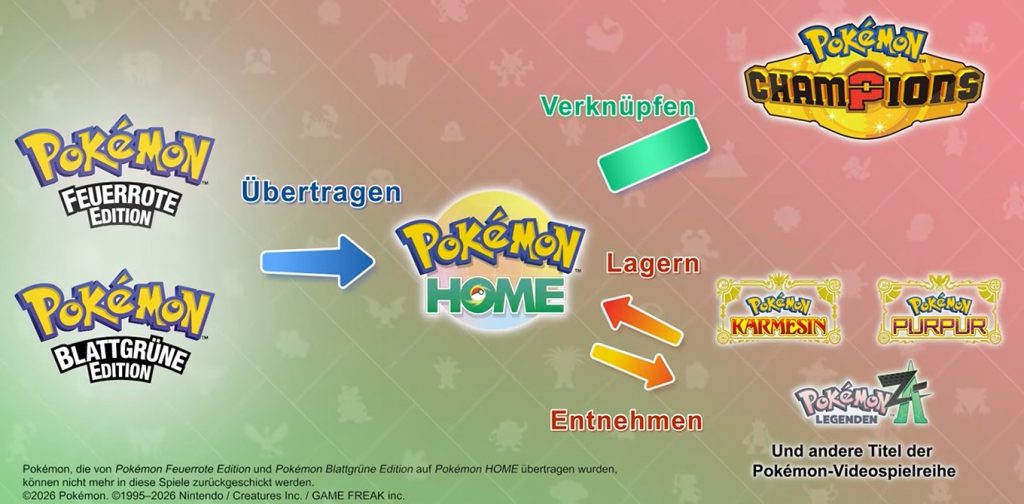
Is Pokémon Home available in FireRed/LeafGreen? It is still not known whether you can use the Home app in FireRed and LeafGreen. Nintendo recently removed a reference to Home in the eShop.
FireRed/LeafGreen is officially released on February 27, 2026. We will keep you updated if anything changes.
Pokémon Home: Gifts and Secret Codes
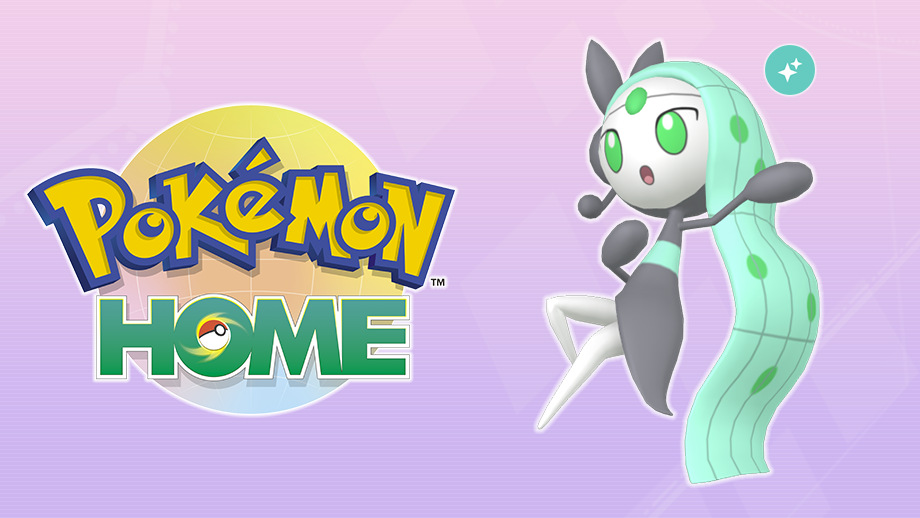
If you complete various tasks with Pokémon Home or link certain apps, you will unlock additional Pokémon. You can find your rewards in the app under the “Secret Gift” menu.
- Pikachu: First login in Pokémon Home
- Bulbasaur, Charmander or Squirtle: Choice after the first login in Pokémon Home
- Magearna: For completing the National Pokédex
- Eevee: For the first trade of a Pokémon with the Wonder Box
- Rotom: When a Pokémon you deposited in the GTS is traded, you will receive a Rotom as a gift for the first successful trade.
- Pichu: Set sticker in your Pokémon Home profile
- Grookey, Scorbunny, and Sobble: Transfer of Pokémon from Sword and Shield to Pokémon Home
- Melmetal: For linking Pokémon Home and Pokémon GO.
- Shiny Meloetta: If you complete the Pokédex of Pokémon Scarlet or Pokémon Violet.



Do you want to enjoy the old Pokémon games like FireRed and LeafGreen again without a Switch? MeinMMO editor Benedikt Schlotmann explains why a new handheld is the best way for him to do just that: Playing the old games again: A new handheld is the best option if you want to enjoy the old Pokémon games again

Your opinion is important to us!
Do you like the article? Then let us know!