

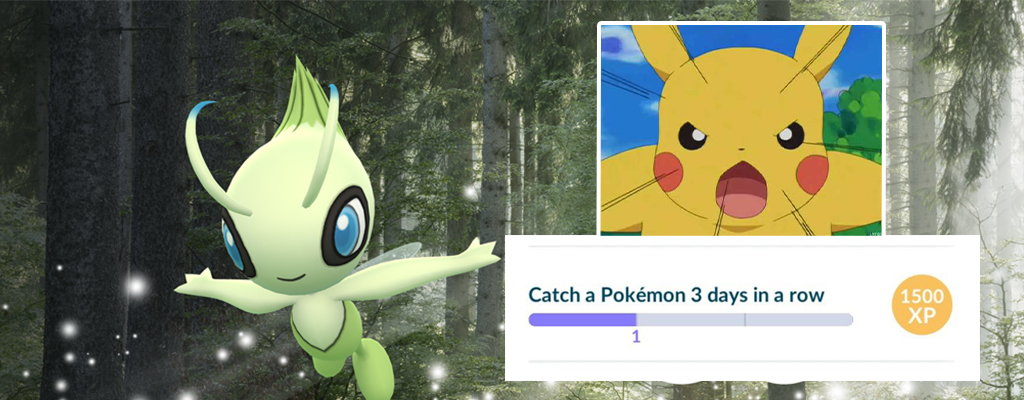
A few quests of the Celebi research in Pokémon GO are bugged and do not work. We will show you what you can do if you are affected by a bug.

For days, trainers in Pokémon GO have been working on a new special research. They are completing tasks to uncover the mystery of the mystical Pokémon Celebi. However, some tasks do not work as intended. You are supposed to complete tasks for days, but they are not counted.
The consecutive days do not count
Some of the new quests of the special research require you to complete tasks for multiple days in a row. These are the quests:
- Chapter 2: “Catch a Pokémon for 3 consecutive days”
- and Chapter 6: “Visit PokéStops for 7 consecutive days”
The problem: Now many trainers have noticed that while the first day counts for these quests, the subsequent days are not counted. So, if you catch a Pokémon or spin a stop on the 2nd day, it will not be counted for these quests. It’s a bug.
However, the problem only occurs sporadically. Some players can complete the tasks without any issues.

The solution: There are various ways that Pokémon trainers have been able to resolve the problem with the bugged quests.
- Time issue: Try again at a later time. The community suspects that the Celebi research may have its own timezone. If you catch a Pokémon or spin a stop a few hours later, it might count.
- GO-Plus: Another theory concerns the GO-Plus gadget. Try to catch Pokémon without the GO-Plus and do not use it to spin PokéStops either. Not using the gadget has helped some trainers with the mentioned quests.
- Opinions vary widely on this. Other trainers recommend trying it WITH the GO-Plus if it doesn’t count without it.
- Timezone: Your time and timezone should be automatically detected. Check the settings to see if that is the case.
- Bonus tip: Disable automatic time setting and then enable it again. This has reportedly helped some trainers.
- Reset: Another possibility is to unpair the GO-Plus or other catching aids in the game, also remove them from the Bluetooth settings and then restart the device. A hard reset (for Apple, press the lock button and volume down simultaneously until the Apple logo appears) could also help. Afterward, restart the smartphone and Pokémon GO.

There is no error solution from Niantic for these problems yet. If the solutions mentioned above do not work, you will have to wait for an update from the developers.
Update: By now, Niantic has fixed the bug in Chapter 2 and 6. Affected trainers might start over in this quest.
Other known issues:

Your opinion is important to us!
Do you like the article? Then let us know!