


The new evaluation system in Pokémon GO is here and is loved by players. You can now evaluate hundreds of Pokémon at once within seconds.

What kind of system is this? With the latest update, a new evaluation system was introduced. It now shows you directly what values your Pokémon has and you no longer need to read long sentences from your team leaders.
But how do you use this system effectively and quickly? What is it best suited for?
How to make the most of the new evaluation system
What do you need to do? If you’ve played for a few hours, you will have accumulated quite a few Pokémon in your Pokémon box. Now it’s time to evaluate and send these quickly. But how is that done best?
Use the search function in Pokémon GO. Enter “0*,1*,2*” in the search bar. All Pokémon under 80% IV will be displayed to you. You can then send these without any worries, as you actually don’t need them.
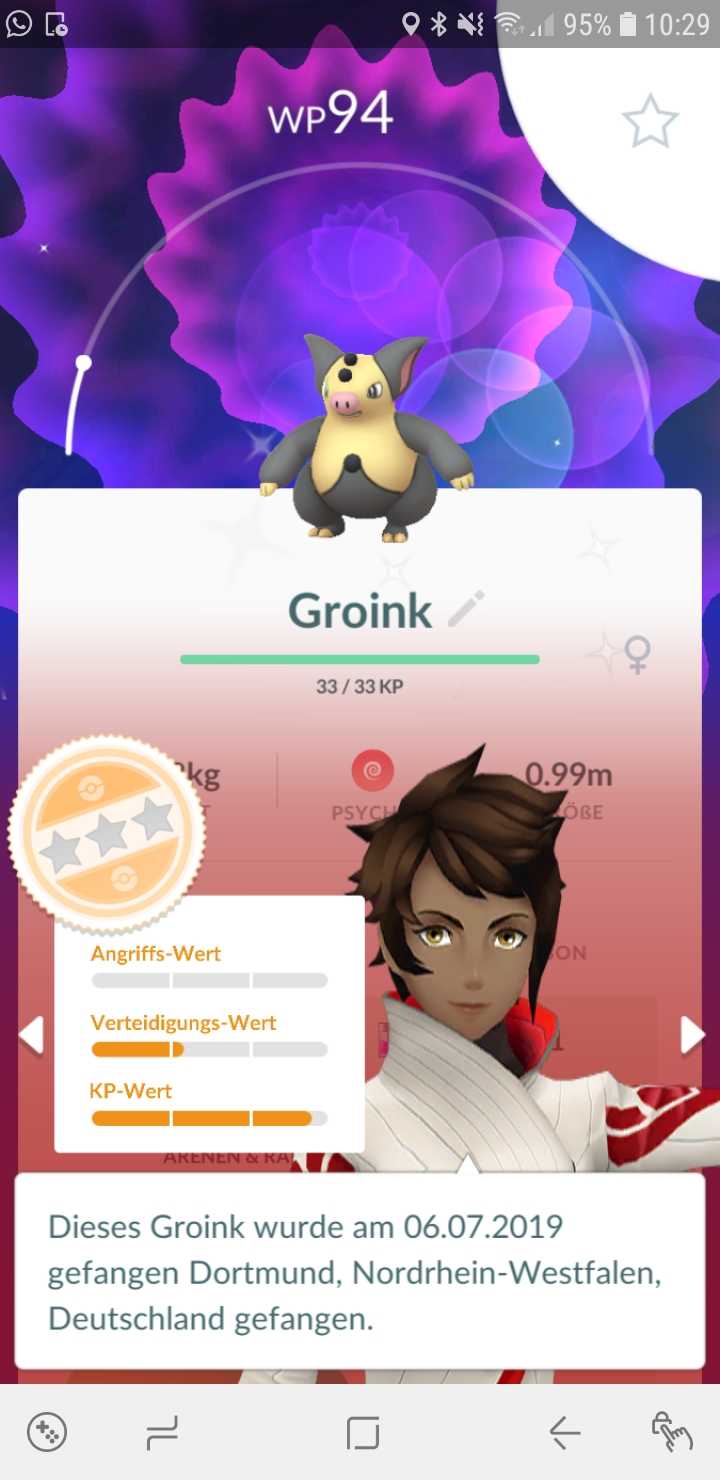
As an exception, you should of course keep Pokémon that you want to trade or special ones like Shinies.
If you catch 200 Pokémon in one day, you will already be able to send away 150 Pokémon easily with this search filter.
How to evaluate in more detail: Now you can enter “3*” and you will see all Pokémon that have between 82.2% and 97.8% IV.
Here you can quickly go through with the new evaluation function. Open it with the first Pokémon and check if the Pokémon has all 3 values close to 15, meaning full bars. If that is the case, the Pokémon has over 90% and it is worth keeping.
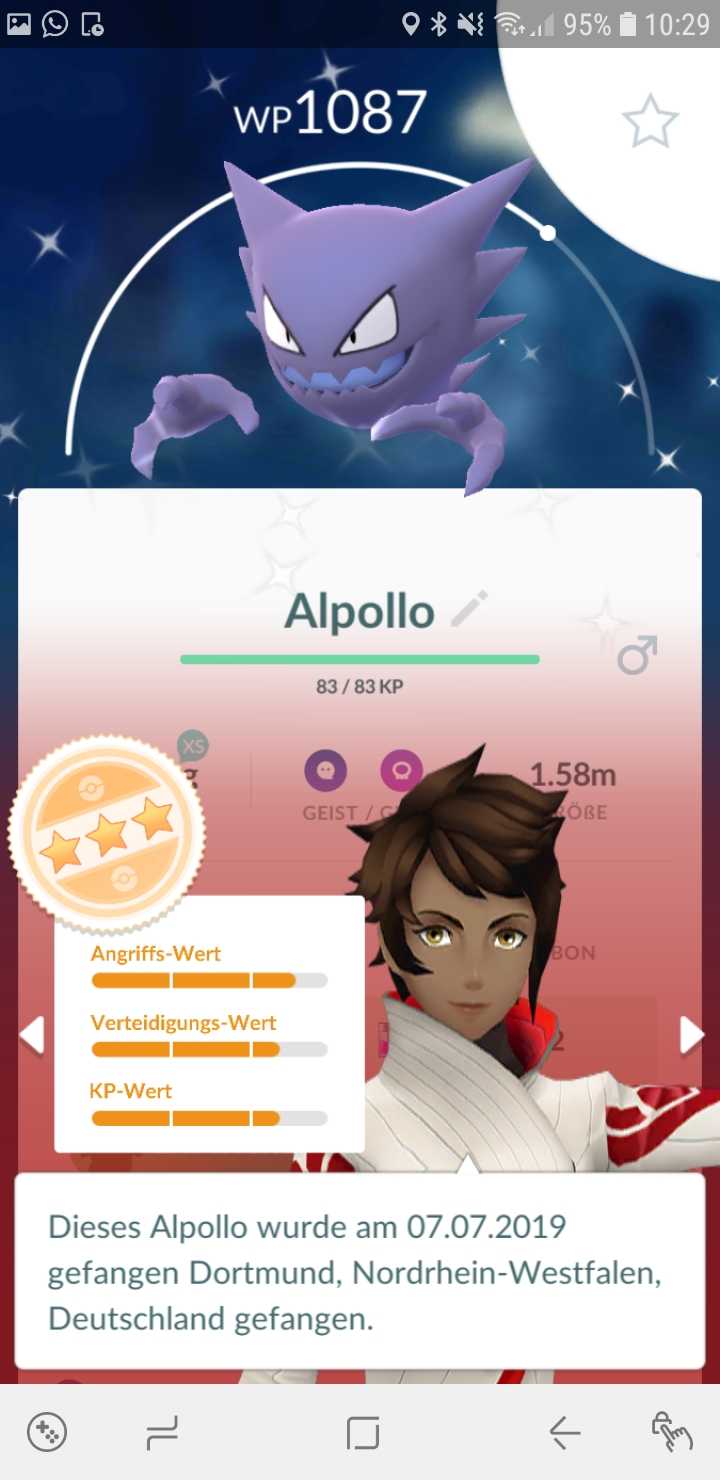
If it has only one value below 10, meaning still before the second small line, then it has weak IV. The same applies if all bars are only slightly above the 10 mark. Then you can also send it without worries.
Finally, you can also enter “4*” in the search bar. If you have caught a Pokémon with 100% IV, it will be displayed to you. You can thus see it at a glance.
Where is the evaluation system most useful? At events like Community Days, such a system is most beneficial. There, you usually don’t have time to evaluate many Pokémon, but the bag fills up quickly.

Then just enter “0*,1*,2*” and you can quickly send away all the bad Pokémon. After the Community Day, you can then proceed in more detail and check during the hour after the event which Pokémon you will ultimately evolve, to get the special move.
Have you heard about the new offer boxes in July?


Your opinion is important to us!
Do you like the article? Then let us know!