

These fixes and features are included in the new update for Pokémon GO.

The new update for Pokémon GO was released on Monday evening and brings several solutions to problems. Developer Niantic is addressing not only the battery-saving mode on iOS with this patch, but also brings changes to the “Nearby” overview. You can download the update for your respective devices from the AppStore or GooglePlay.
“Nearby” beta feature for some players. Grass clumps and PokéStop icons
For most German users, the “Nearby” overview has changed to a window showing “Sighted Pokémon”. This seems to be part of a major new update where the “Nearby” feature is being thoroughly revised. Some users in the USA (not yet confirmed in Germany) have the new “Nearby” feature on their smartphones, which is presumably being tested as a kind of “beta version” with selected users. Here is the comparison image between the current (German) version and the beta version in the USA:
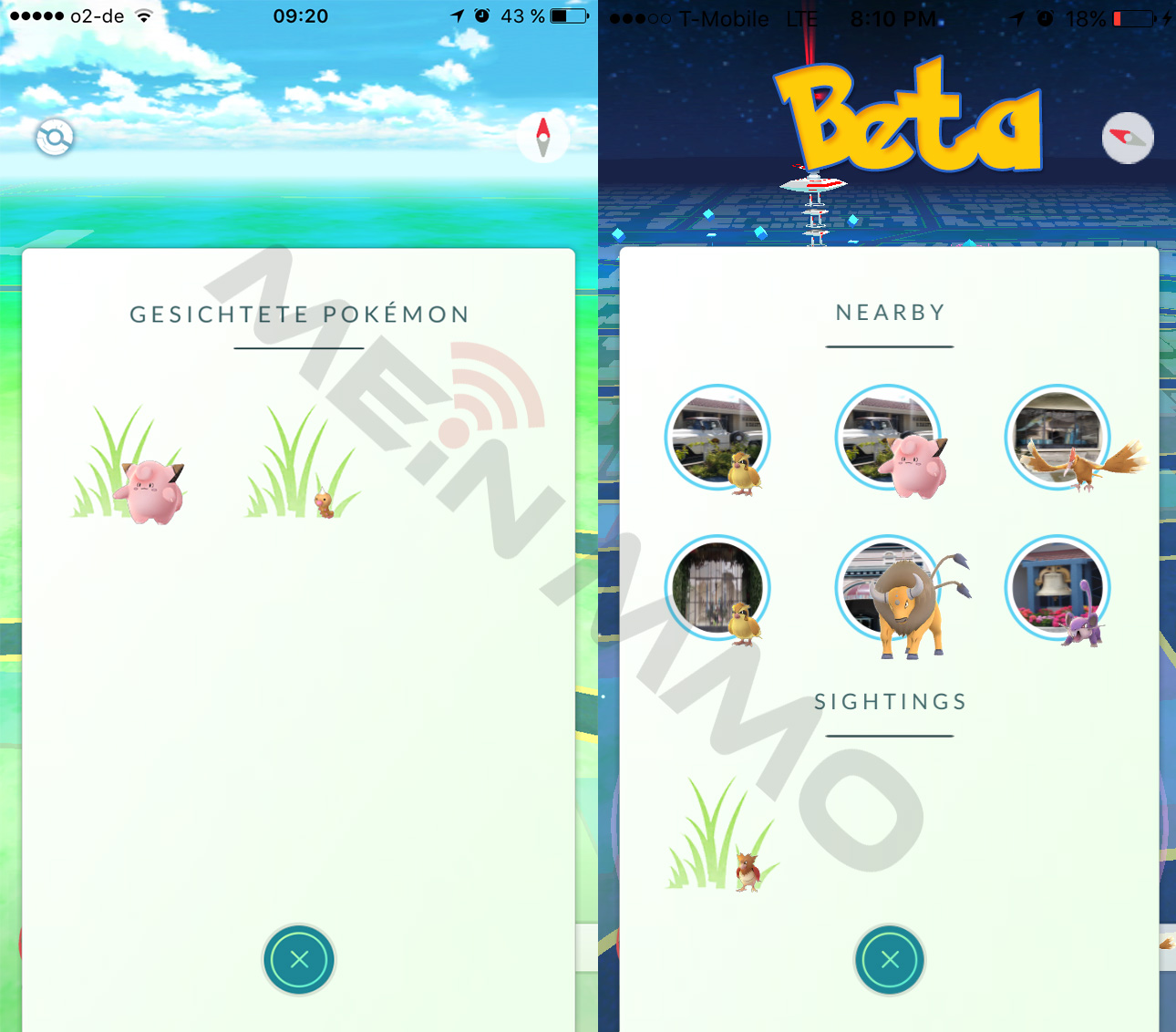
There are some details on the beta version of “Nearby” on Reddit. User will650 reports:
- Every image displayed behind a Pokémon in the “Nearby” tab is a PokéStop.
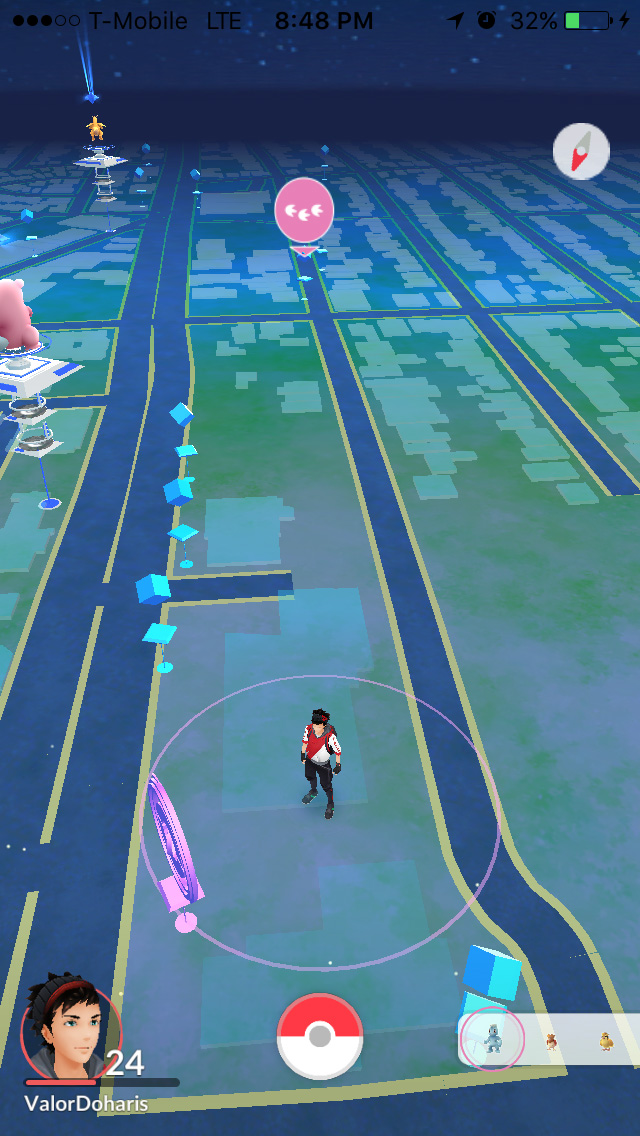
- If you click on the image of the Pokémon you want to catch, the overview map is displayed, the corresponding PokéStop gets a footprint symbol, and then the “Nearby” overview is shown again. Example:
Pokémon GO iOS Update 1.3.0 – Patchnotes
- With a new dialog, trainers are now informed that they are moving at high speeds and should not play while driving. To continue the game, trainers must confirm that they are “passengers”.
- The accuracy of curveball throws has been improved.
- The experience point rewards for thrown Pokéballs (“Super”, etc.) are now active again.
- You can now change your nickname once – choose the name wisely!
- The images of the team leaders from Red, Yellow, and Blue have been added.
- The battery-saving mode functions have been reactivated.
- A new variant of the “Nearby” feature is being tested with some users (see above). During this time, players will see different functions.
- Minor bug fixes.
Pokémon GO Android Update 0.33.0 – Patchnotes
- With a new dialog, trainers are now informed that they are moving at high speeds and should not play while driving. To continue the game, trainers must confirm that they are “passengers”.
- The experience point rewards for thrown Pokéballs (“Super”, etc.) are now active again.
- You can now change your nickname once – choose the name wisely!
- Minor bug fixes.
Tips and tricks for Pokémon GO can be found in our guide collection

Your opinion is important to us!
Do you like the article? Then let us know!