

In Pokémon GO, you can finally benefit from a new practical feature that was announced back in 2017. MeinMMO shows you what this new feature is and how trainers can find it.

What function is it about? Those who like to participate in raids or fight against other trainers and Team GO Rocket in Pokémon GO already have the option to create battle teams since 2017. You can set groups of up to 6 Pokémon before a battle, which you can easily select in the raid lobby or before a battle.
However, this feature was not quite complete in the past years, causing frustration among players. Niantic has finally addressed this issue and added a new feature. Below, we show you what is now different about battle teams.
Niantic improves the battle team function
What did Niantic plan in 2017? In the announcement of the battle team feature on December 7, 2017, Pokémon GO did not only explain the introduction of the feature itself but also promised that these teams would soon be stored across devices. This is meant to make gaming easier when switching phones. The developers wrote:
We are very pleased to present to you the first version of battle teams. Battle teams are pre-made teams of up to six Pokémon that you can customize and name as you wish. Different teams for regular raid battles, teams that take advantage of specific weather conditions, and so on: with this feature, you can quickly and easily choose the Pokémon you want to battle with.
During this beta phase, your battle teams will be stored on your device. So if you exchange your device or play Pokémon GO on multiple devices, you will need to recreate your battle teams. Once the full version of the feature is in the game, your battle teams will be transferred from the device you log in with.
Pokémon GO (via pokemongolive.com)
What has been implemented? Players of Pokémon GO can now create their desired teams before a battle, but the feature apparently still hasn’t had a full version in the game. There was still no sign of cross-device storage.
Thus, trainers who had to log in to their accounts on a new phone or reset the app due to a bug automatically lost their created battle teams. This was very annoying for many, as they had to create the teams again. But now, this should finally change.
What’s new now? As Niantic announced via their Twitter account in the night of February 9, 2023, this useful feature is finally active, and trainers will no longer lose their created battle teams when changing devices. The data will be synchronized in the future.
Niantic explains: (via twitter.com):
Trainers, we are excited to announce that you can now save and name your battle teams across devices. This means you will no longer have to recreate your battle teams when you get a new phone! We hope this makes your experience even more enjoyable.
Especially in raids, you should rely on the best attackers in Pokémon GO to defeat the raid boss quickly. We have summarized a selection of the strongest monsters for you in the following video:
Trainers are happy about the change
In social networks, trainers mostly express one thing: surprise that a synchronization feature was finally realized for battle teams after such a long time. At the same time, they are also happy that they no longer have to recreate their teams just because they switched their phone or had to reset their cache.
You can read the following in the comments on reddit:
- Phil_Bond: “Holy moly. Did they not announce their intention to do this a few years ago? The device-side storage of battle teams was never their intention and was a flawed implementation of the feature design from day one in 2017? Am I remembering this correctly?”
- YoureGrammerIsWorsts: “Of all the ‘Quality of Life’ improvements that can be made, this is probably the best one.”
- DoggoBirbo: “I can’t wait to not have to save photos of my groups before I delete the game to reset the cache…”
- JonMor45: “FINALLY! This was so annoying! Even if you logged out, you had to recreate your teams when you logged back in.”
How you can set your battle teams
If you want to try out the battle teams and create some for yourself, you can do so easily in the game. Follow these steps:
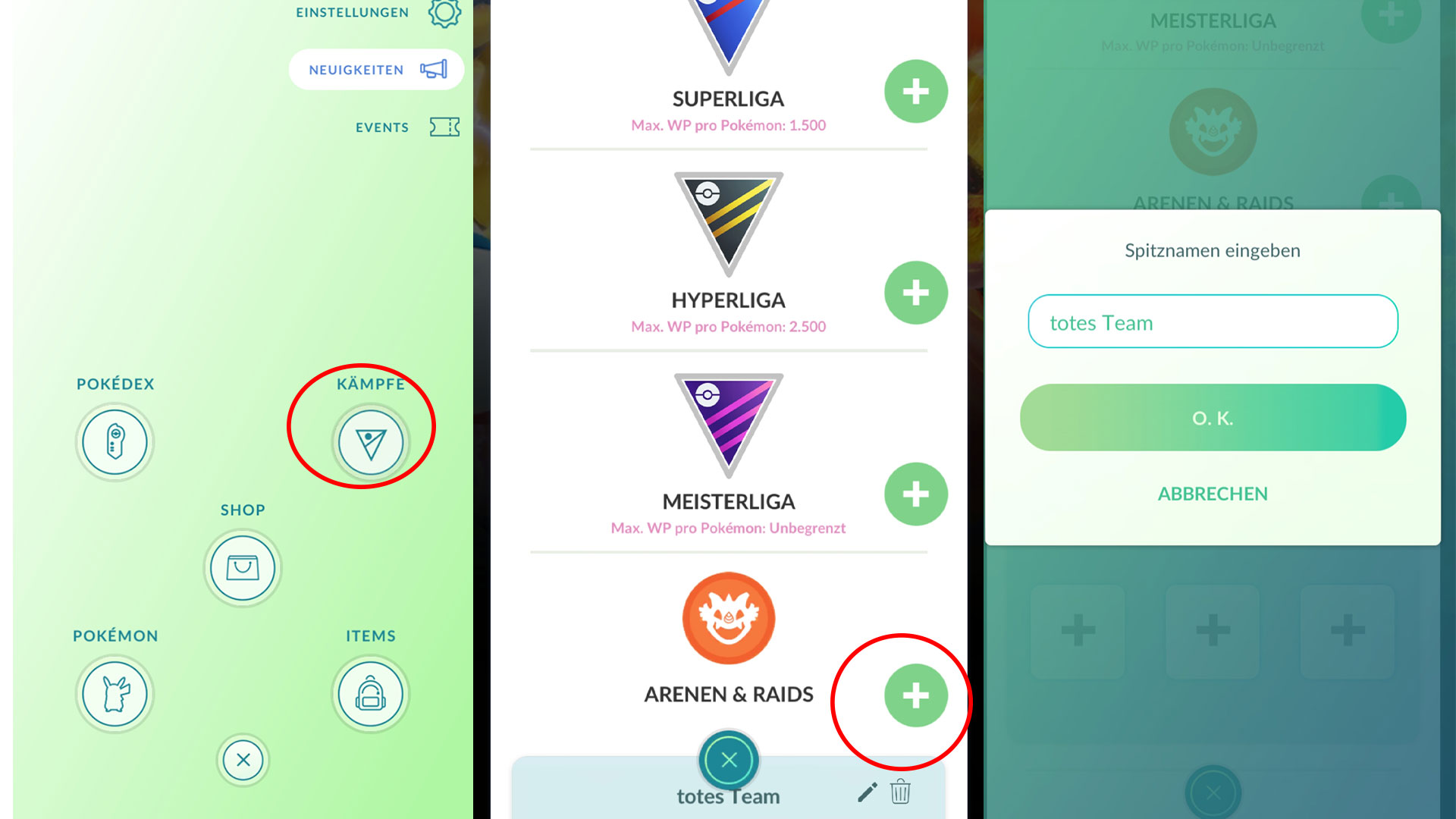
- Open your menu and select “Battles”.
- Switch to the right, upper tab “Teams” in the battle menu.
- Here you will find an overview where you can choose from the categories “Great League”, “Ultra League”, “Master League”, and “Gyms & Raids”. Select the appropriate one for which you want to create a team.
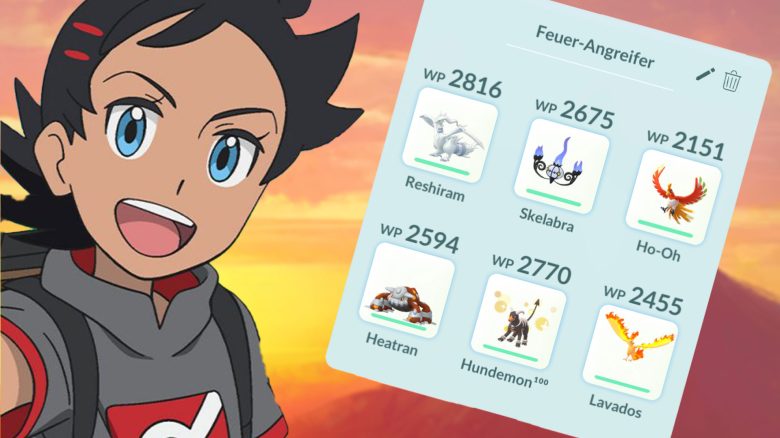
- Once you have selected a category, you can give your group any name, for example, “Fire Attacker”.
- Depending on the category you have chosen, you can now select your desired Pokémon from your collection. In the first three categories, you can have a maximum of 3 Pokémon, as you can use these in PvP and Rocket battles. For gym battles and raids, you can select up to 6 Pokémon.
- And you have created your desired team. In the next battle, you can select this group. Just swipe in the team selection until you find your desired group.
What do you think about Niantic expanding the battle team function after such a long time? Have you also been annoyed in the past that you had to recreate them? Or do you not use this feature at all and choose your desired Pokémon just before the battle? Feel free to tell us here on MeinMMO in the comments and exchange ideas with other trainers about it.
But the battle teams can also help you with unreliable trainers. I have tried a trick that lets me never lose my precious raid passes again.

Your opinion is important to us!
Do you like the article? Then let us know!