

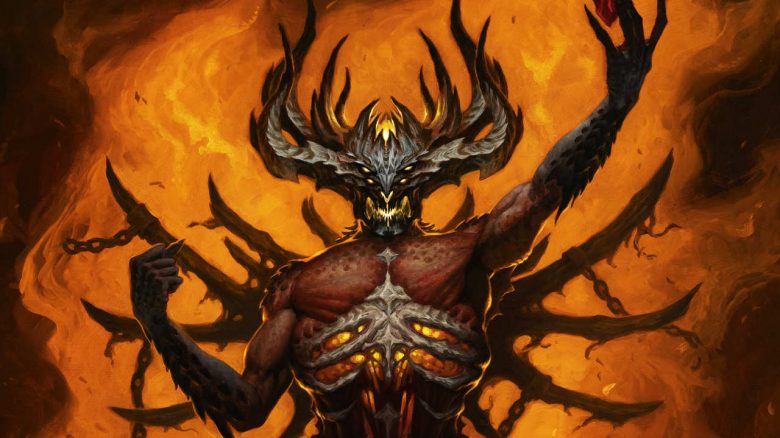
Diablo Immortal is coming to PC, iOS, and Android. MeinMMO explains how you can play with a controller and what you need to keep in mind.

Diablo Immortal aims to bring the typical hack & slash gameplay to mobile devices. You can slay a multitude of enemies and then collect loot. The release on PC, iOS, and Android is already on June 2nd. Many users are now wondering if they can also play the action RPG with a controller. MeinMMO explains how it works.
All the information you need to know about the release of Diablo Immortal can be found directly on MeinMMO in our info hub:

Diablo Immortal: Overview of Controller Support
Which controller can I use? Blizzard has already released a list before the release that specifies which controllers officially work with mobile devices. Depending on whether you are using an Apple device with iOS or an Android phone, different controllers are supported.
What should I consider if I want to buy a new controller? Keep in mind that some controllers come in both Bluetooth and wired versions, which you can connect directly via USB-C or Lightning (iOS). Wired controllers have lower latency. The best gaming controllers for Android and iOS can also be found in our buying guide on MeinMMO.
Here we list all currently supported controllers for iOS and Android (as of May 31, 2022):
iOS Devices
| Backbone One Controller |
| Razer Kishi |
| Rotor Riot Controller (Mfi) |
| SteelSeries Nimbus (Mfi) |
| Sony Dualshock 4 |
| Sony DualSense Wireless Controller (PS5) |
| Xbox Elite Wireless Controller Series 2 (iOS 15+) |
| Xbox Adaptive Controller (iOS 14+) |
| Xbox One Wireless Bluetooth Controller |
| Xbox Series X/S Bluetooth Controller |
Android Devices
| Xbox One Wireless Bluetooth Controller |
| Xbox Series X/S Bluetooth Controller |
| SteelSeries Stratus Duo |
| Sony Dualshock 4 |
| Sony DualSense Wireless Controller (PS5) |
| Xbox Elite Controller Series 2 |
| Xbox Adaptive Controller |
| Razer Kishi |
| 8bitdo SN30 Pro Controller |
In the next section, we will explain how to connect your controller to your phone.
How to connect your controller to your phone
Which controller do you want to use? Once you have decided on a controller, keep in mind how the controller wants to connect. Some controllers, like the Razer Kishi, connect directly to your phone via a USB-C port and therefore do not require Bluetooth.
In this case, you usually don’t have to do much more, as a directly connected controller should be recognized automatically.
How do I use a Bluetooth controller? If you want to use your PlayStation or Xbox controller on your phone, you will need to do a bit more setup.
- First, activate Bluetooth on your phone to be able to connect it.
- Then, activate pairing mode on your controller. For the PS4 and PS5 controllers, hold down the PS and Share buttons simultaneously. For the Xbox controller, press and hold the Xbox button until it blinks.
- Next, open the Bluetooth menu on your phone. Here you will see all the devices you can pair with your phone. Select the device, and your phone will ask you if you want to connect the controller.
Typically, this is all you need to do, and you shouldn’t need to do anything else. Once you have the game open, you should now be able to navigate through the game with your controller. Controller support is officially supported in Diablo Immortal, so you shouldn’t need to do anything else.
What you should not do: You should refrain from using mapping tools. Mapping tools are usually third-party apps that allow you to assign game functions to specific controller buttons, even though that is not officially supported. Many games and developers consider this cheating, especially when there are PvP options. In the worst-case scenario, your account could be banned.
How to connect your controller to the PC
On PC, you have four options for connecting your controller:
- You can use a regular USB cable.
- You can use Bluetooth. However, your computer must either support Bluetooth or you need to have an adapter.
- Another alternative is controllers that come with their own wireless adapter.
- Lastly, you can connect the controller to the PC using an Xbox Wireless Adapter. However, this only works with the official Xbox controller, and you need the corresponding adapter, which costs around 20 euros.
How to connect a controller on PC via Bluetooth: If you have a motherboard with Bluetooth support or a Bluetooth adapter, you need to do the following:
- In Windows, open the settings and look for the “Devices” option.
- In this menu, select “Add Bluetooth or other device,” and in the new menu select “Bluetooth.”
- You now need to put your controller in pairing mode. Ideally, the controller will be displayed in Windows as “Wireless Controller.” Click on it to connect. If Windows asks for a PIN, it is usually “0000.”
How to connect a controller on PC with Xbox Wireless: If you want to connect an Xbox controller to your PC via Xbox Wireless, proceed as follows:
- First, connect the Xbox Wireless Adapter to your PC. In the best-case scenario, you won’t have to do anything else here.
- Next, turn on your Xbox controller and hold down the Xbox button. The button will start blinking. Once the button lights up continuously, the controller is connected.
More information about Diablo Immortal: Do you want to dive right into Diablo Immortal and find out what you need to know for the release? Then check out our special here on MeinMMO. Here we present you with 5 things you should know:
5 things you should know before the release of Diablo Immortal

Your opinion is important to us!
Do you like the article? Then let us know!