


MeinMMO has received a feature that many of you have requested. You can now hide specific topics from your “For me” feed.
This is the feature: With many greetings from the editorial team, we bring you news that will make some of you happy. MeinMMO gets a new feature for the favorites section.
From now on, you can use additional filters for the topics and hide areas of interest that you do not want to see in your “For me” feed.
This is how it works: Every article from us is assigned to a specific category. The standard top category is “News”, but there are also “Specials”, “Breaking”, “Twitch”, “Hardware”, etc. You can see which category an article belongs to above the headline.
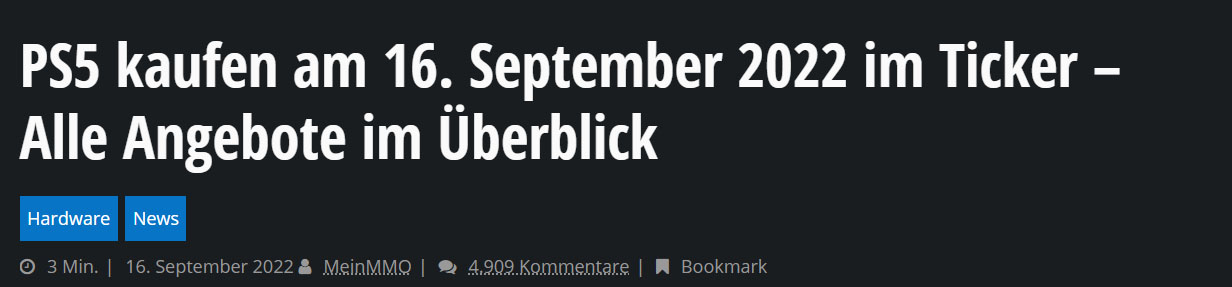
The ignore function for topics therefore depends on which category an article belongs to. To activate the feature, you first need an account with MeinMMO.
After logging in, go to the favorites on the homepage and expand the topics tab on the left. In the past, you could only select the topics that interested you the most. Now, thanks to the new feature, you can also hide unwanted topics.
So: Favorites → Topics → Add or hide.
This is how it looks live and in color:

After disabling, these topics will be removed from your “For me” feed. This is a feature we have already received many requests for and have now implemented. In this way, you can put together your favorite topics more flexibly.
If the block icons are not displayed for you yet, reload the page and clear your cache.
This is what we want to know: Since this feature is brand new, we especially want your feedback on how it works. Is there anything missing? Are there any bugs or issues? Please include them in the comments, preferably along with a screenshot and details about your operating system and browser. You can upload screenshots to upload services like imgur.
Also, let us know what other features you would like to see on the site. While we cannot guarantee that they will all be implemented immediately, we will take a closer look at the most requested ones.
Best regards, your MeinMMO team.

Your opinion is important to us!
Do you like the article? Then let us know!