


In Once Human, you can explore the world either alone or with other players. We from MeinMMO will explain how you can play together with friends and what to consider.

In Once Human you can explore a huge survival world. Although the game can be played very well as a solo player, it is much more fun to explore the world together with friends. How you can play with friends and what you need to consider, you will find out here.
Connecting with your friends
How do you invite friends? You can easily add your friends via the Friends tab. Once you are in the game, you just need to press ESC and you will find it in the upper right corner of the screen. To find your friends, you can either enter the player name or the UID, which you can find in the bottom left corner of the screen.
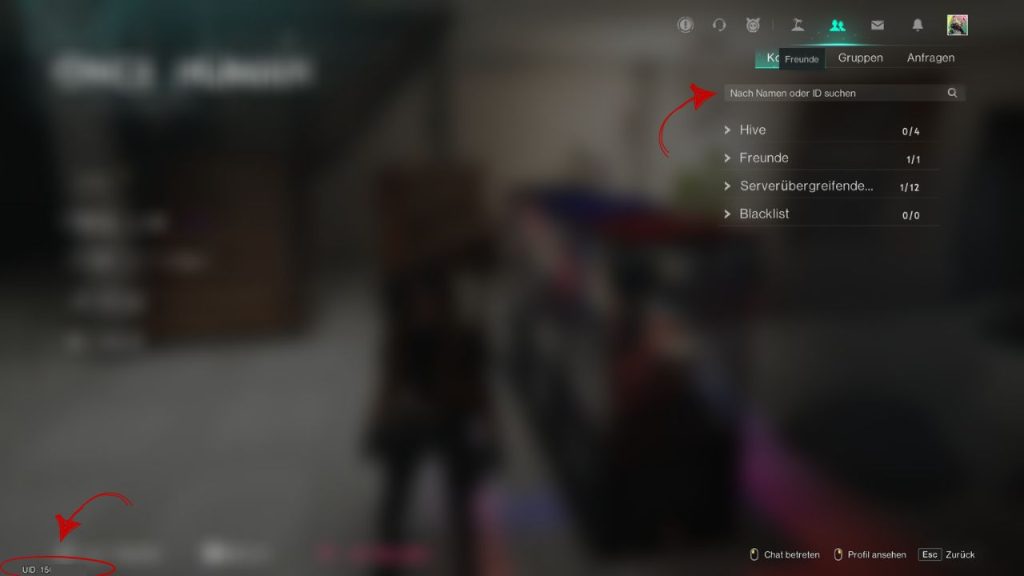
Your contacts are divided into a total of 4 categories:
- Hive
- Friends
- Cross-server friends
- Blacklist
Contacts you are in a Hive with will consequently no longer be listed under Friends. If you leave a Hive, these contacts will again be shown under Friends. Particularly when playing with friends, it makes sense to form a Hive with them as it brings some advantages for playing together.
Learn how to create a Hive here.
Hives make traveling easier for you
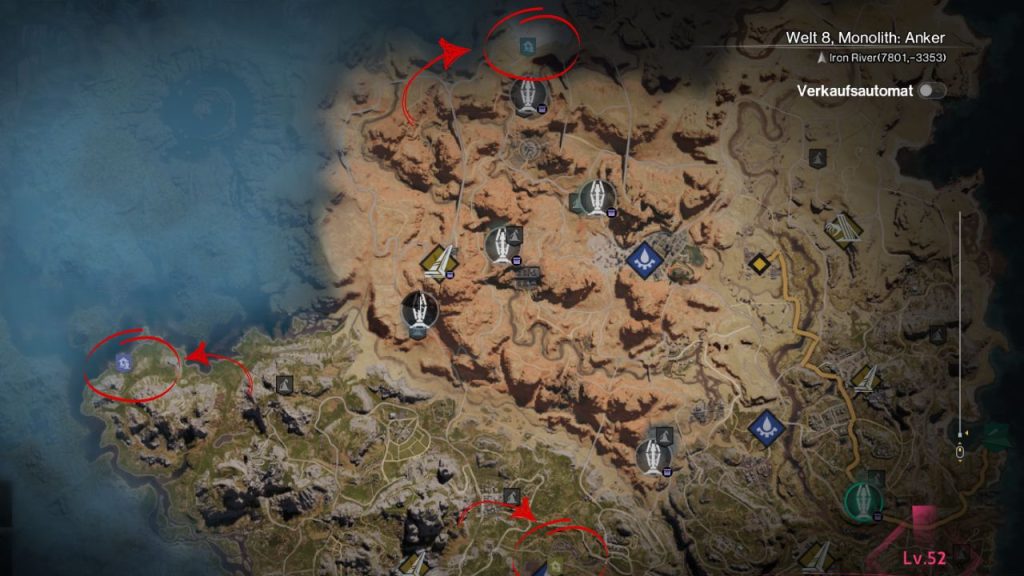
Why should you be in a Hive with friends? A Hive offers several advantages, especially when you play together: Firstly, you will no longer only see your own base on the map, but also those of your Hive members – regardless of whether they are online or not.
Another advantage is that you can teleport to the homes of your members, making your travels easier. Be careful – after use, there is a cooldown.



Fight bosses together
Can you play the story together? In theory, you can complete quests together with your friends, although everyone must have their own conversations with the NPCs. There is one small exception: with bosses from the quest, you usually have to fight alone. However, if you are in a team, you can defeat the security silos at T-Man and the Monolith bosses together.
How to create a team: There are two options for this: either you go to your Friends tab and right-click on the person you want to invite to your team, and select the function invite to team
.
As a second option, you can open the team menu using the key U
. There you can either invite friends to your team or join other teams. The practical thing about this is that you can also specifically look for teams for boss battles when you are alone.
To play together, you must be on the same server
Can you play together if you are not on the same servers? In short: no. To play together with friends, you must necessarily be on the same server. If that is not the case, you can of course switch to your friends’ server, but then you would have to start completely from scratch with your character.
Now that you know how to play together with friends, you might still be wondering whether you want to play on PvE or rather on PvP servers. What the differences between the two server types are and which one is right for you, you can read here: Once Human: What types of servers are there and which should I play?

Your opinion is important to us!
Do you like the article? Then let us know!