List of known issues – Part 2
UI
- Lighting and shadows may change in the background after leaving a dialog.
- If you return from an instantiated content while being in a house, the HUD does not load. Leave the house and enter it again if this is the case.
- Some UI screens and workflows interrupt the target lock.
- When hovering over player icons, sometimes the player’s company is not displayed.
- If you accept a raid invitation after a raid is filled with 20 players, no message will be displayed that you cannot join.
- On PC, the character creation and recommended server screen will always show “Online Friends” as zero.
- Players may encounter an issue where all nameplates, including those for AI enemies, disappear after adjusting the “Number of Player Nameplates” setting in the game options. To restore the missing nameplates, return to the main menu or completely exit the game and restart it.
- During the Medea soul trial, a loading screen may appear before both cutscenes.
- Players may have issues with the camera shaking when hovering over quests on one of the faction sides.
- A chapter of the lore pages from the Tales of Aeternum collection appears empty when read and cannot be accessed through the Journal Documents section.
- If 6 quests are pinned and an area with an event quest is entered, the icon for the 7th pinned quest will turn into an empty square on the HUD and the compass.
- When aiming at enemy AI in the open world, the quest pins for side quests may occasionally go blank or disappear from the HUD.
- Auto-pin sometimes does not add newly accepted side quests to the objectives HUD, even if they are pinned in the journal. To fix this, unpin the quests in the journal and pin them again to update their display on the HUD.
- Auto-pin does not automatically pin new town project quests to the HUD.
- Auto-pin does not hold faction PvP missions when players respawn.
- Resetting a quest through the journal or in-game menu causes that quest to no longer be pinned to the HUD objectives display.
- If players have an extensive list of pinned quest objectives that causes the objectives HUD to extend beyond the screen edge, the entire quest tracker interface disappears when opening the navigation bar. This can be fixed by pinning/unpinning quests, but the problem occurs again if the objectives list remains too long when reopening the navigation bar.
- Sometimes the camera shakes or wobbles for a player when starting, canceling, or requesting a faction mission.
- The text with the warning “Characters created with cross-platform play enabled are no longer available when it is disabled” is incorrectly placed and appears in the “Cross-Platform Communication” section, not in the “Enable Cross-Platform Play” section of the game settings.
- Opening the store via a stylemancer does not hide the interaction prompt.
- Occasionally, an infinite loading spinner may occur when trying to select a world after completing character creation. This can be resolved by leaving the world selection menu and trying again.
- If two players try to join the game phase of the other, a confirmation window may not clearly indicate to the second player that they have already been transferred to the shard of the first player. This can result in the second player being loaded into a state where they cannot see NPCs, AI, or other players until they log out or completely detach from the phase. This can happen by moving far away from the current location and then returning.
- Players opening the seasonal activity map for the first time may encounter empty activities, preventing them from using the collected jokers on the game board. Re-laying the seasonal map fixes this issue.
- Caches distributed through the shop may lack a preview description and notification for the redemption toast.
- If you report a player and then immediately interact with an NPC or war board, a soft lock may occur where the HUD remains visible during the dialogue and most inputs are blocked, except for camera movement and accessing menus. To fix this, try logging in again.
- New players may receive notifications for in-game events that they do not yet have access to.
- The circular health displays of OPR structures like gates and ramparts may sometimes show incorrect values and appear completely undamaged, even though the structures have already taken damage.
- If the chat window is open before a musical performance, it remains on the screen until the end of the performance. Readiness indicators for participating players may be displayed incorrectly during the performance.
- When editing a custom profile in the “Settings” > “Controller” tab, players may find that they cannot change the shift modifiers for input actions. Rapidly clicking the dropdown menus causes a brief visual distortion on the screen.
- Speech bubble chat messages from the global chat window sometimes remain stuck in the middle of the screen permanently. This problem also persists after a character switch and only disappears temporarily during cutscenes before reappearing.
- If Daichi Saito withdraws during his boss fight, players may not be able to restart the encounter or leave the soul examination area. The option to exit the interface is missing, so the game client must be completely closed and restarted to resolve this.
- The “Equippable” filter in the trading post incorrectly excludes some items that should be equippable based on the player’s current level, occurring with all equipment types regardless of rarity or equipment value. You may need to be several levels above the requirements of an item before it appears in the filtered results.
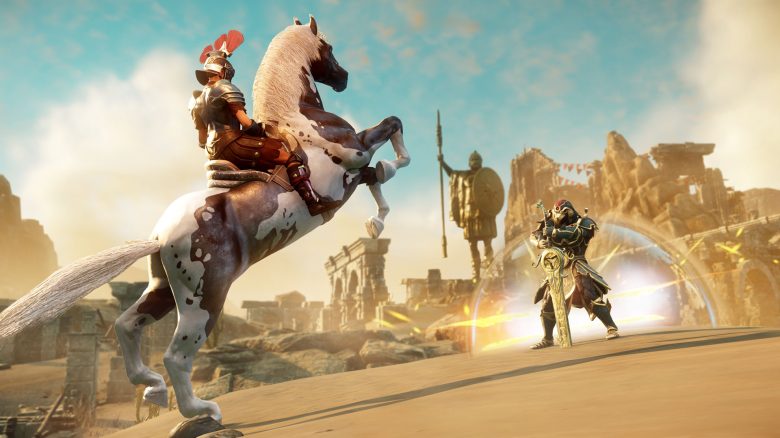
A tour of New World Aeternum in trailer form:
New World leads you in the trailer over the island Aeternum
Xbox
- Some players on Xbox may experience a black screen after loading the game after using the “Pause Game” function.
- Attempting to make payments for houses from the map occasionally fails.
- Sometimes, a code for their name appears in the contact list for friends on the Xbox platform.
- When scrolling through the chat window while the map is open, the map may also scroll or pan occasionally.
Expeditions
- After completing and exiting an expedition, there may occasionally be an issue where the positions of all influence towers on the map are heavily displaced.
- If the last player alive during the Heru boss fight has no charges left for the door of death, this will lead to a wipe for the entire group.
Quests
- “Beyond the Gates” can be blocked due to a missing NPC. The developers are working on a solution for this issue.
- Returning players on PC may be missing the Azoth staff. Continue the main story progression until the point where the Azoth staff is granted again.
- When the quest “Sound the Alarm” is ready for submission, it may not clearly indicate where to go next. Try returning to the watchtower and approaching the quest pin by walking along the path from that direction.
- During the fight “The Path of Thorns” against Medea, the interaction stone may not stun her as intended.
- In the quest “A Living Channel”, the quest pin may not update correctly when the player reaches Yonas’ location.
- For the quest “Orbs of Power”, only 1 experience point is awarded upon completion instead of the intended amount.
- It is possible that Jacquet Davy cannot be rescued for the main quest “Beyond the Gates”. To fix this, speak to Jacquet Davy at the Warden’s Rise outpost instead.
- Players cannot complete the achievement “Tales of Mourningdale” as there is too little background information available in the Mourningdale zone.
- Players may experience a soft lock after the submission dialogue for the quest “Stirring in the Sands”.
- The NPC Edwin Kasper is missing in the open world, preventing interaction with him. As a result, the repeatable side quest “Spectral Artifacts” which is usually obtained from him, cannot be accepted.
- In the quest “On the Trail of the Wizard”, the objective “Enter the Broceliande Cave…” may not update when a player enters this area of interest. To fix this, move far away from the cave and return.
- Receiving damage from nearby enemies while watching a 2.5D cutscene can cause the related quest to not progress after the cutscene ends or is skipped.
- Players may receive the daily expedition quest “Contain the Infection” again from two instances of Glendyn Trahern after completing it once, but cannot complete it a second time.
- There is an issue with the quest “Stand Against the Darkness”, where the wave encounter event ends prematurely when entering the area, preventing the required enemies from being killed. The quest can be continued after a certain waiting period.
- When completing quests that grant higher levels of the Azoth staff, the new staff is not automatically equipped.
- Players starting in Windsward must complete the entire quest chain of that area before they can enter the main story of Monarch’s Bluffs.
- Returning PC players who are in the middle of the quest “A God Awakens” may be unable to complete this quest. This will be fixed in a coming update.
- If a mutated expedition is completed below the maximum available level, the cache for the “Carry Bonus” may be empty and contain no loot.
- If players skip the vignette conversation with Thorpe in Sunderfort during the main story quest “Assessing the Enemy” by leaving the fort, the next quest step to meet Yonas is not triggered, blocking further progress. Resetting the quest fixes this issue.
Companies
- The siege window for companies may shift by one hour due to daylight saving time.
More about New World:
The 10 MMORPGs with the most players on Steam in March 2026

New World dies in a few months, announces updates after all
Weapons and Skills
- The passive property “Discord” of the Azoth Shard Bomb does not cause damage with the additional pellets.
- The visual effects of the mace may appear distorted when viewed by other players.
- Players sometimes have an issue with the T-pose animation when stowing or drawing the greatsword after a 180-degree turn.
- Players may sometimes experience issues with the halberd weapon stuttering when the second light attack in the automatic attack chain causes the animation to skip and stutter.
- Players may encounter weapons and armor crafting recipes that still reference outdated rare materials that are no longer available in the game. For example, recipes may sometimes list ingredients like Barbvine even though they have been removed.
- When using the allies target lock for healing, the healer automatically switches the target to that ally if an ally comes closer or runs in front of the line of sight, instead of staying on the original target.