


In FIFA 23 there is a new and extremely useful setting that shows you when your players are offside. We will tell you how to activate the setting and also what the current problem with it is.

The offside rule can be quite annoying. You play a dream pass over 30 meters and your striker is only a few centimeters ahead of the last opposing defender, so the virtual linesman knows no mercy. He raises his flag and you can forget the attack.
However, a new setting in FIFA 23 now helps you prevent such frustrating offside situations.
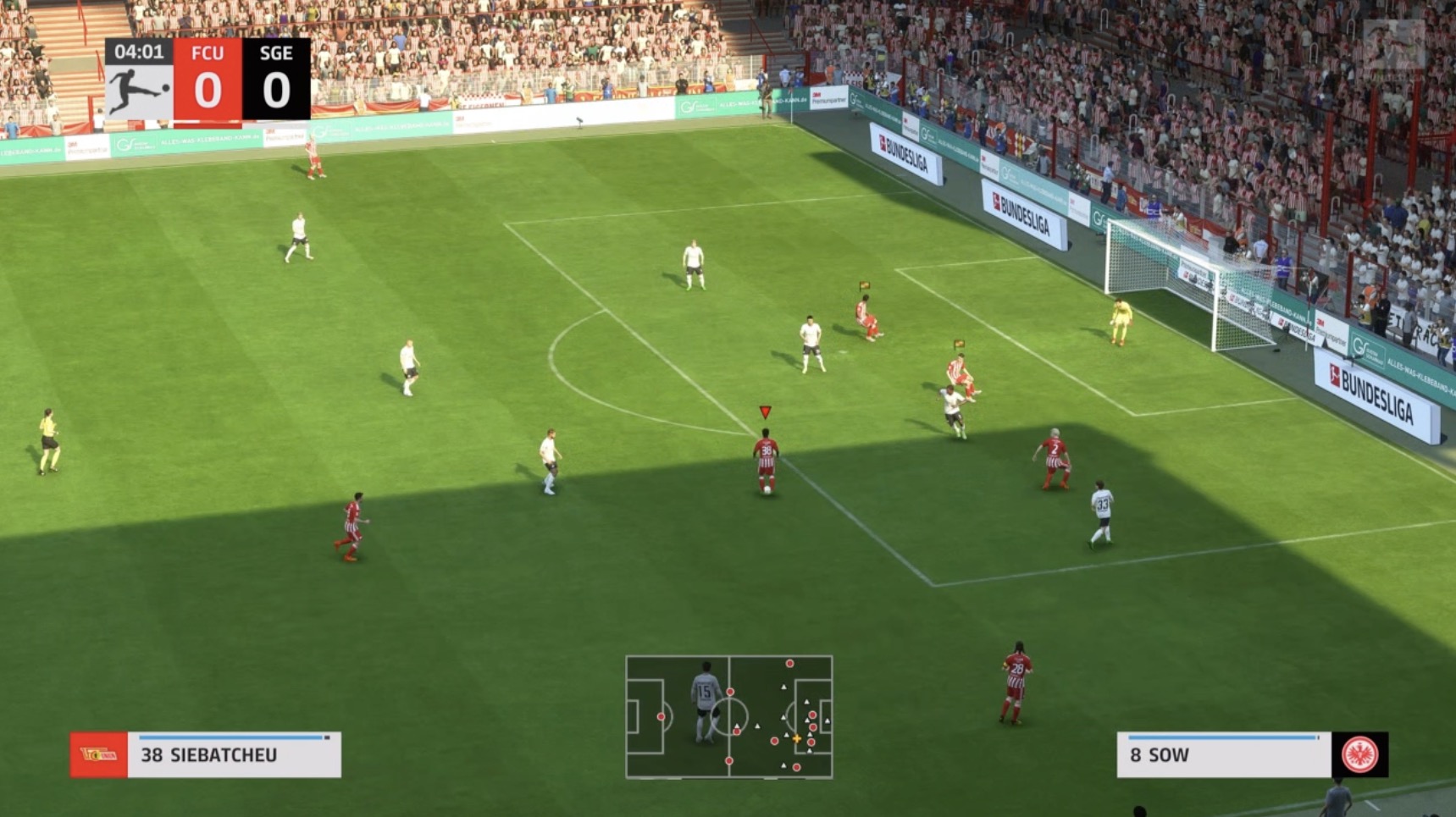
What is this setting? In FIFA 23, there is a new setting that is probably aimed more at FIFA newcomers: The offside display. When you turn this on, a flag icon appears over your players’ heads as soon as they are offside.
A useful hint that quickly signals to you not to press the pass button.
Here you can see what it looks like in the game:
How to activate the handy offside help
Activating the new offside help is quite simple. Here’s how to do it:
- Start a game, regardless of the mode.
- Press pause.
- Go to “Trainer”.
- Turn on the “FIFA Trainer”.
- Activate “Offside Display” at the bottom.
- Go back to the match.
However, the new offside help has a problem: Players have to activate the setting every time they play. Whenever you close FIFA 23, the game does not save the setting. So if you want to play with the offside display, you always have to remember to pause the game and adjust the settings again.
In the Subreddit for FIFA, however, some players claim that saving the offside display in the main menu of FIFA 23 helps. Others, however, advise against it, as the game does not save the setting there either. Please let us know in the comments what works for you.
If you are still looking for a strong formation for your team, then take a look here:

Your opinion is important to us!
Do you like the article? Then let us know!