

MeinMMO author Maik Schneider has been using PS Plus since the first days of the subscription service and has experienced many changes. With some concerns, he looked at the recent switch to the new system and worried about his wallet. But the best feature of the subscription for PS4 & PS5 remains: “Console Sharing.” He shows you how generous Sony is.
When the first concrete hints about the switch from PS Plus emerged, I wrote on MeinMMO about my fear of losing the best feature of PS Plus – Sharing. With this, I can supply a second PlayStation with PS Plus and my purchased games without having to pay extra.
When we discovered this back on the PlayStation 3, up to five sharing accounts were possible. We bought all the games on CDs, which was still the norm. But for DLCs, “Sharing” was the trend – one person bought the content, and everyone else could join in.
Over time, the number of accounts suddenly dropped to three. With the switch to PS4, the system changed, and the “Primary Console” was introduced. This reduced the number to two.
I held my thumbs up until the last moment and am really relieved by how generous Sony is with the sharing of the new PS Plus subscriptions. Because you can really use everything!
More info about the new PS Plus is available in our video:
PS Plus: Sharing of Extra and Premium contents is no problem
How does sharing work on PS4 and PS5? In the account settings on your consoles, you can set a “Primary Console.” This PS4 or PS5 can then use all games with all accounts on that console. On the PS5, this feature is now called “Console Sharing and Offline Play.”
The catch is: With your own account that purchased the content, you can also access the games on other consoles – as long as you are logged in with that account.
This also included PS Plus. On the “Primary Console,” all accounts could use the online multiplayer. Buy once, benefit twice.
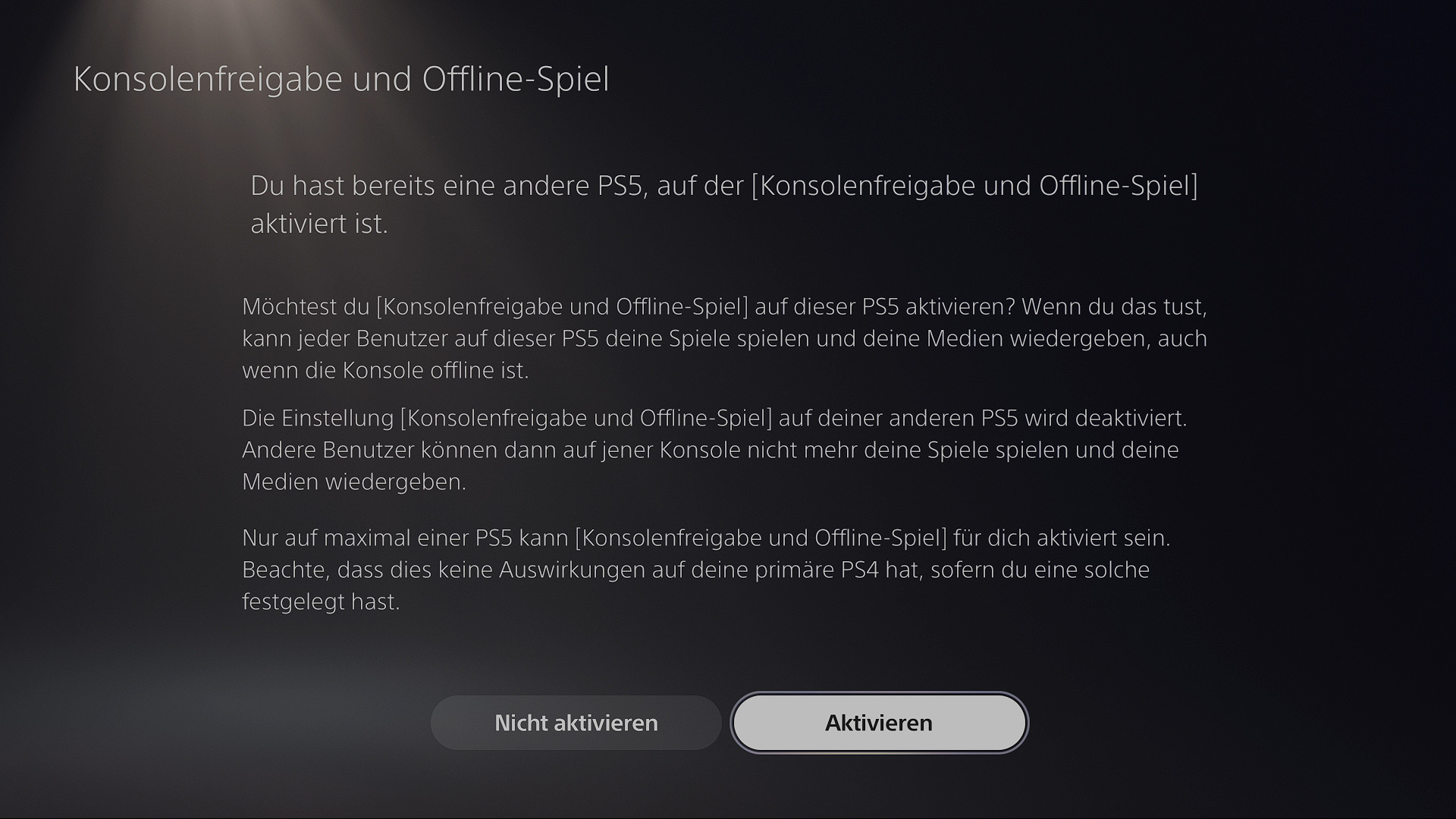
How does it work now with PS Plus Extra / Premium? Right after I transferred the endlessly long list of over 500 Plus games from the PS Store to our game list on MeinMMO, I switched to the living room at my girlfriend’s PS5 to test the sharing features together with my console.
And what can I say: It works excellently. On the “Primary Console,” I activated two games on my account: one from PS Plus Extra for download and one from PS Plus Premium for streaming.
The account of my girlfriend, which is actually PS Plus-free, can use both games – regardless of whether the game is on the drive or coming through the streaming service. It is important that you first activate the games on the account that has PS Plus.
The streaming part is a bit strange. You have to completely start the game on the account with PS Plus. It’s not enough to quickly launch the game and exit at the streaming loading screen. Otherwise, a small lock symbol will signal that something is wrong on the game icon in the menu.
A strong feature of the PS5 in this context: When I log in with my account on the “Primary Console,” I am no longer logged out of my account on my own PS5.
This is still different on the PS4. Except for this nice quality-of-life feature, the sharing on PlayStation 4 works perfectly as well – I have tested this on both console generations.
Overall, I can supply four PlayStation consoles with PS Plus Premium, but only have to pay once – two PS5 and two PS4.
However, there is the limitation that I cannot play against myself in multiplayer with my own account. Here, only three consoles can be used because number 4 would be the second PS4 where I would have to log in as myself.
If you are now looking for information about the new PS Plus services, you will find all the details here:
- PS Plus subscriptions: Costs, games, services
Do all features of PS Plus work with sharing? There are a few restrictions. Some features can only be used with the account that actually has PS Plus activated.
- Cloud storage for game saves
- Share Play
- Game help on PS5
The cloud storage weighs most heavily for me personally, but I don’t really mind that the feature is missing. As long as the games all work perfectly. I certainly won’t buy CDs anymore.
Feel free to leave me your opinion on the subject. You can also ask questions about sharing if there’s anything else I should test.
If you’re still looking for a PS5, I recommend our sales ticker: PS5 for sale in the ticker – All news and drops

Your opinion is important to us!
Do you like the article? Then let us know!