

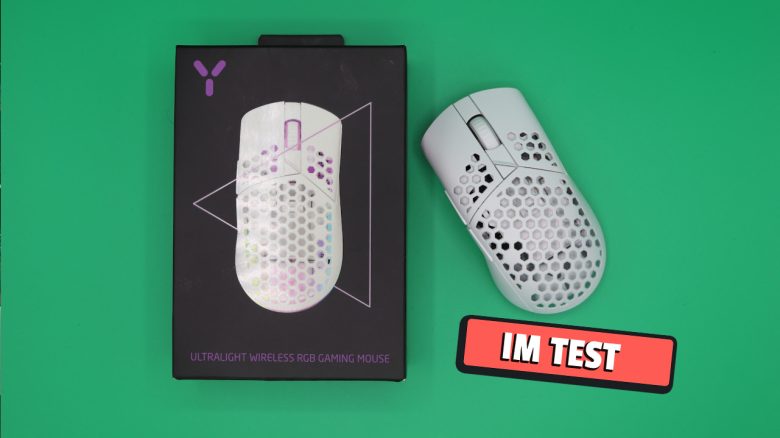
Behind the ISY brand is a private label of MediaMarkt-Saturn. With the ISY IGM 5000-WT, the company offers a gaming mouse for shooters for under 50 euros. But is it worth it? MeinMMO editor Benedikt Schlotmann has tested it and tried out the mouse.
What device is it about? With the ISY IGM 5000-WT, MediaMarkt-Saturn offers a gaming mouse for 44.99 euros. Weighing only 68 grams, the mouse is very lightweight. Inside, it features the PixArt PMW 3325, which is not the latest sensor. You’ll more commonly find the PMW 3325 in inexpensive budget mice.
Nevertheless, for the money you already get a wireless function. For this reason, I took a look at the mouse.
The test at a glance:
- Scope of delivery, design, and build
- Build quality
- Software
- Weight, ergonomics, and battery life
- Mouse buttons, scroll wheel, and sensor
- Conclusion
Who tested it?
I currently own over 20 gaming mice and have tested over 15 keyboards. Privately, I also possess over 10 sets of in-ear headphones. Since 2019, I have been testing hardware for our readers at MeinMMO. Besides PC and PS5, I am also now gaming on the Steam Deck.
I purchased our review unit myself at the local MediaMarkt.

Benedikt Schlotmann
Hardware editor MeinMMO
Details
| Sensor | Pixart 3325 |
| Resolution | Up to 10,000 DPI, adjustable in steps of 100 |
| Switches | mechanical switches |
| Buttons | 5 buttons |
| Design | White mouse. RGB lighting under the mouse buttons, asymmetrical right-handed mouse |
| Glide Feet | 2 |
| Cable | Removable 2.0m USB-C cable |
| Weight | 68 grams |
| Price (RRP) | 44.99 |
Scope of delivery, design and build
What does the scope of delivery look like? Besides the gaming mouse, the packaging includes a manual, a charging cable (USB-C), and a dongle for the wireless mode.
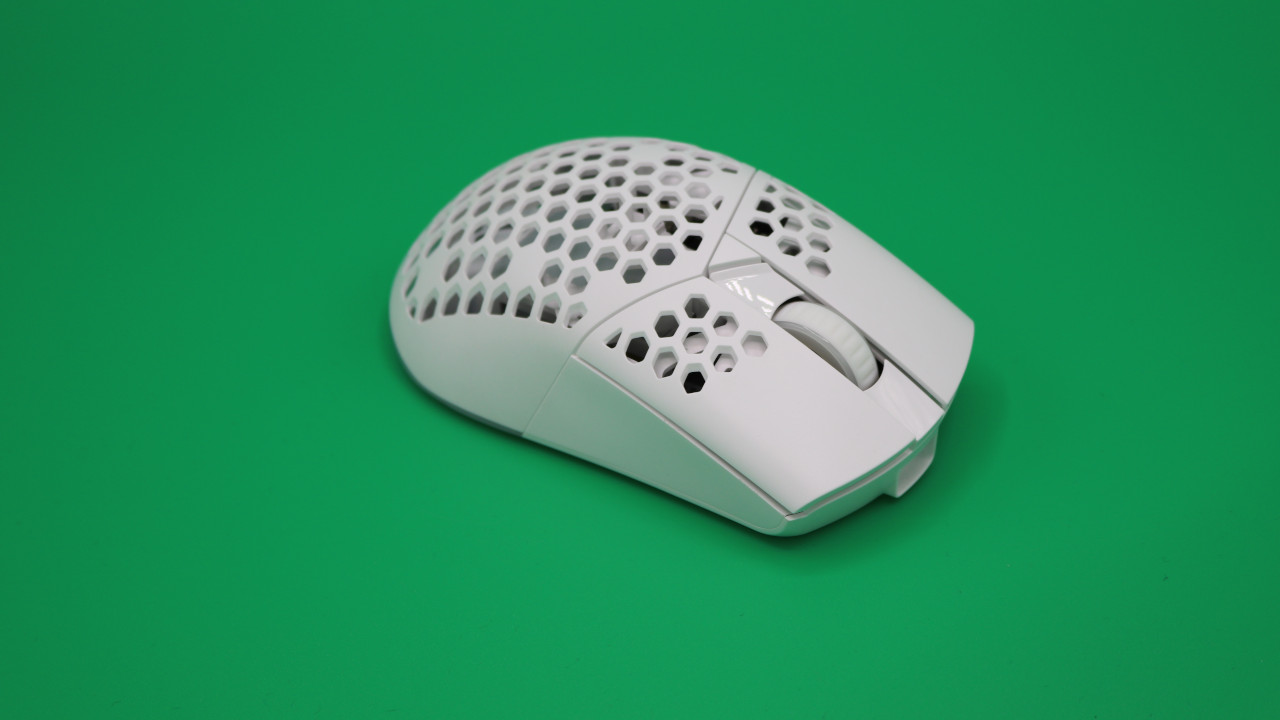
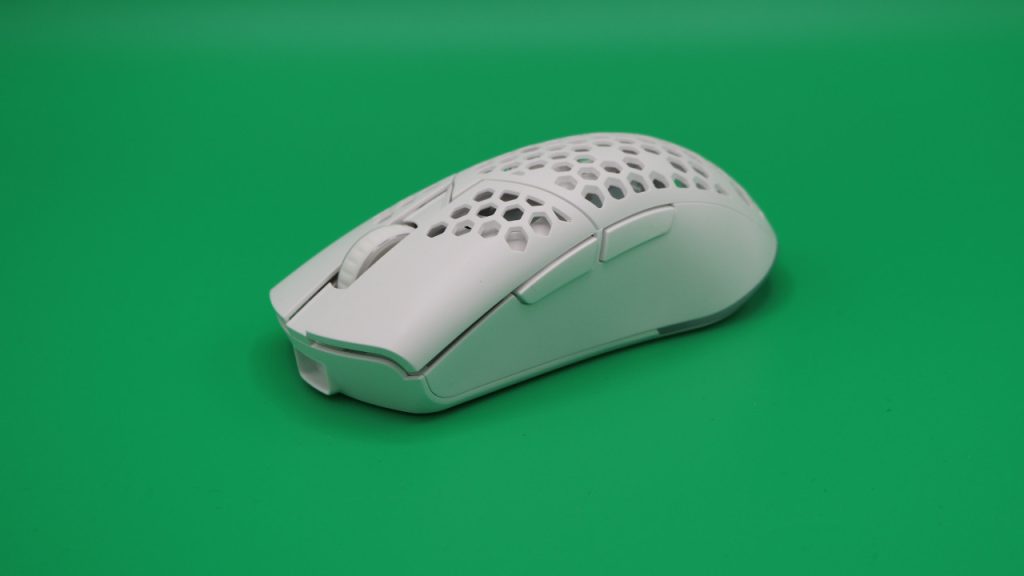
How is the mouse built? The mouse can be purchased in black or white. Otherwise, the mouse is very typical for a shooter mouse:
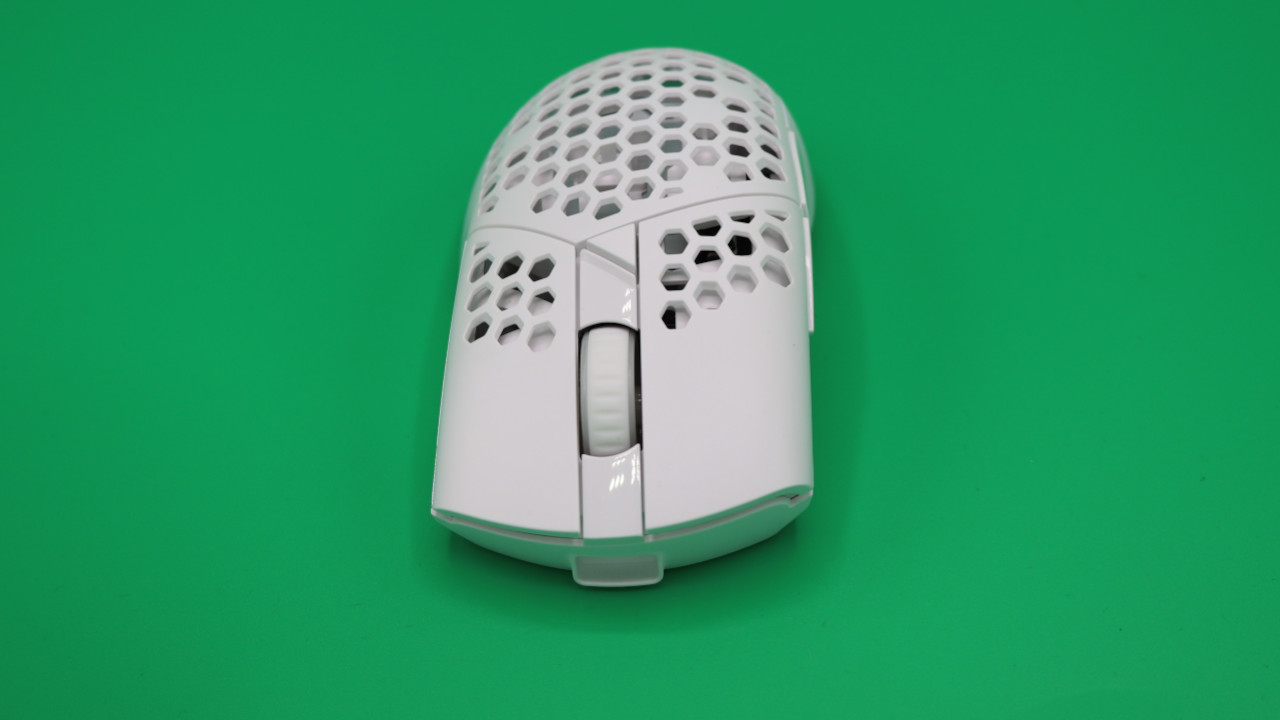
- On the top of the mouse, there are the main buttons and the scroll wheel in between. Above the scroll wheel is a small button for DPI settings.
- On the bottom, there are two buttons that allow you to turn the mouse’s lighting on or off and toggle the wireless mode.
- The mouse features a honeycomb pattern. This means you can see the inside of the mouse. Many manufacturers use honeycomb due to the lightweight construction.
The ISY IGM 5000 is available in both WT and BK models. The abbreviations stand for the colors: WT stands for the white model, BK for the black model. Otherwise, there are no differences.
Build quality
How does the mouse perform in comparison? Compared to the competition under 100 euros, the mouse performs surprisingly well. The body of the mouse is stable and robustly built and does not have to hide behind manufacturers like Logitech and others. The mouse feels better built in my hand than inexpensive models from Razer or Roccat.
The battery is not removable, but that is rather uncommon in this price range and thus negligible.
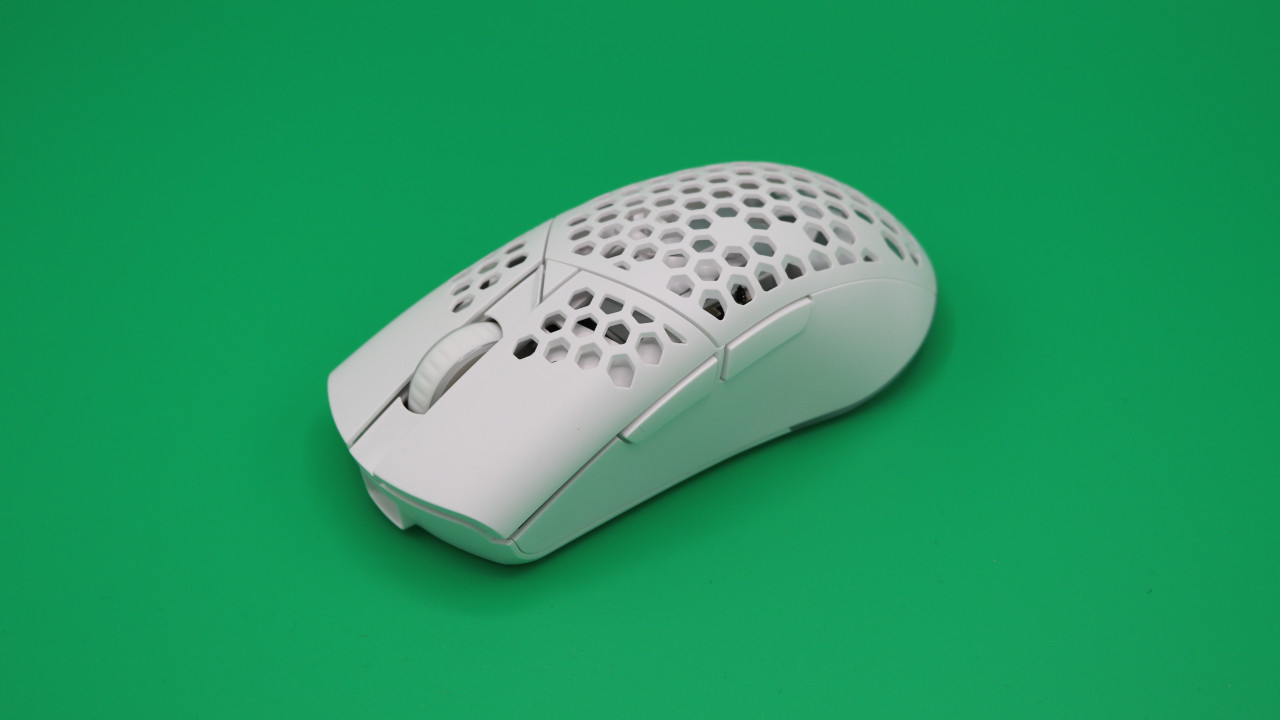
Potentially problematic in the long term could be the honeycomb design of the mouse. The open design usually causes gaming mice to get dirty quickly. Cleaning is also generally difficult. The mouse cover cannot be removed. This is possible with the excellent Nyfter Nyf 22 (for the test).
Software
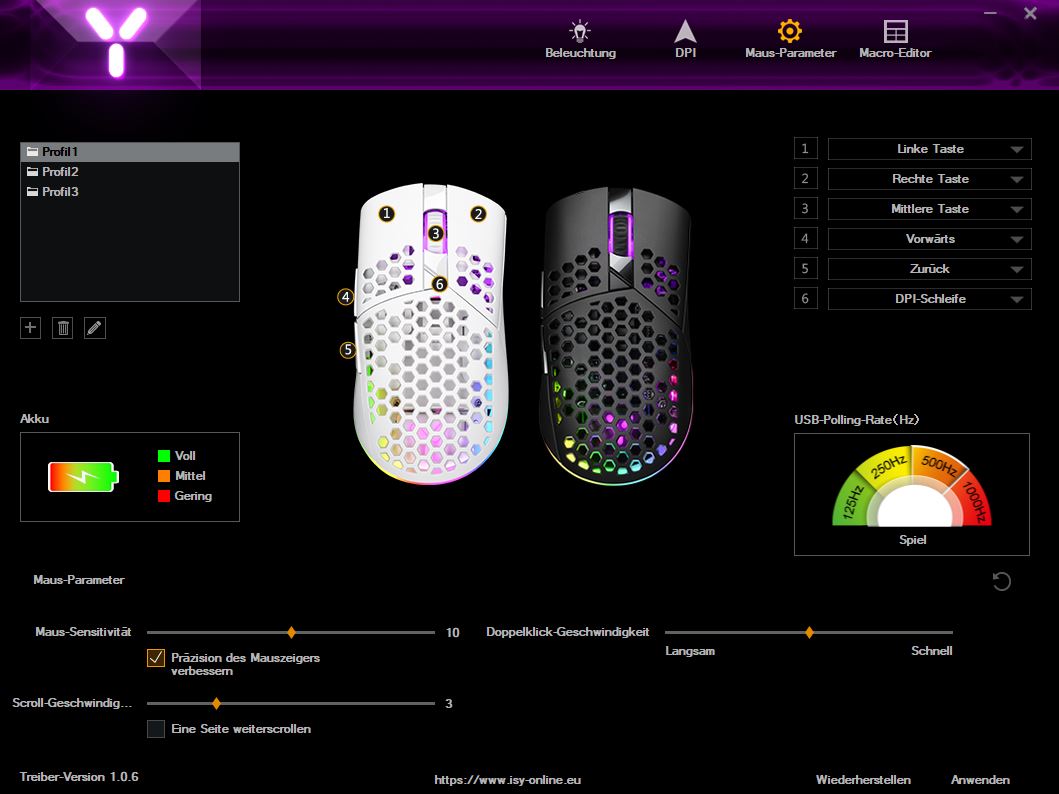
ISY offers gaming software for the IGM 5000, allowing you to adjust various settings. The software doesn’t win any beauty awards but is intuitive and fairly straightforward.
It’s a pity that the battery life is only represented as a colored symbol. A percentage would have been easier to interpret. Also frustrating: The software cannot be enlarged or scaled.
Weight, ergonomics, and battery life
The weight: The competition is similarly priced and some have more weight:
- The SteelSeries Prime Wireless weighs 80 grams.
- The Logitech G305 weighs 99 grams, while the G Pro X Superlight 2 is significantly lighter at 60 grams but is also more expensive and rarely available for less than 100 euros.
- The Roccat Kone Pro weighs 66 grams and costs around 60 euros.
The ergonomics: I have very large hands with a size of 19 centimeters. The IGM 5000-WT fits well in my hand and feels very comfortable even during long sessions. The glide feet installed underneath are smooth and glide well over the mousepad.
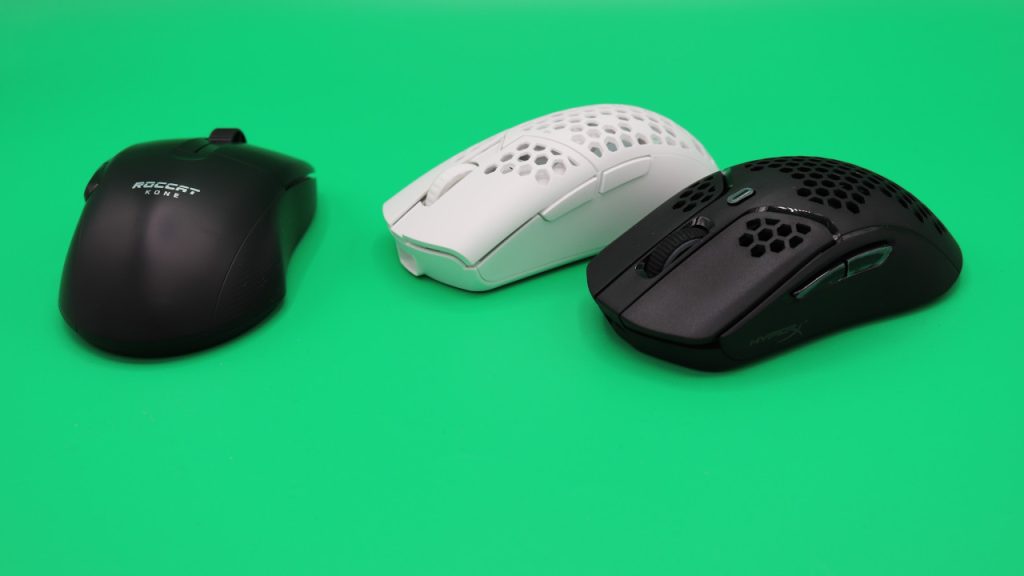
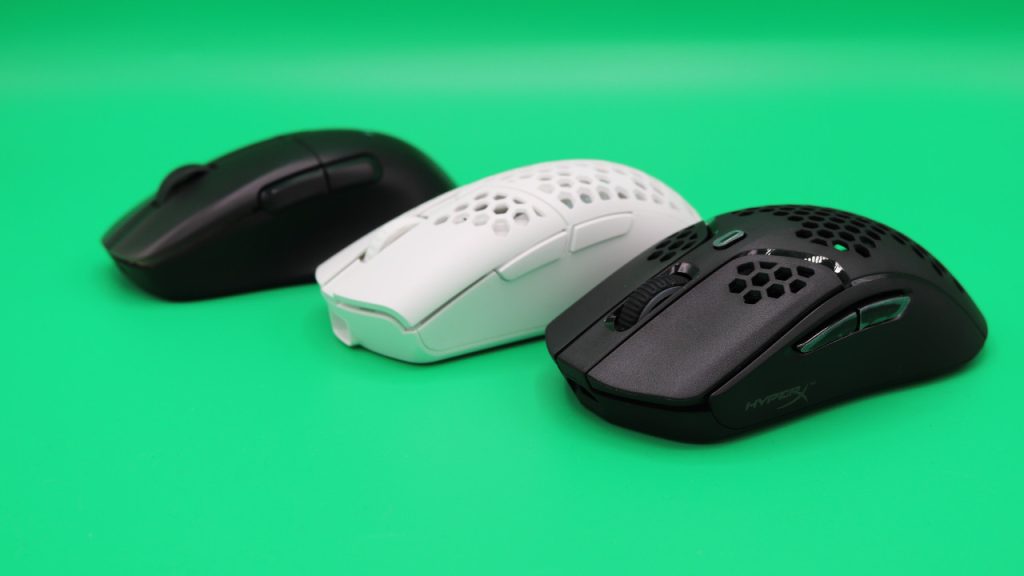
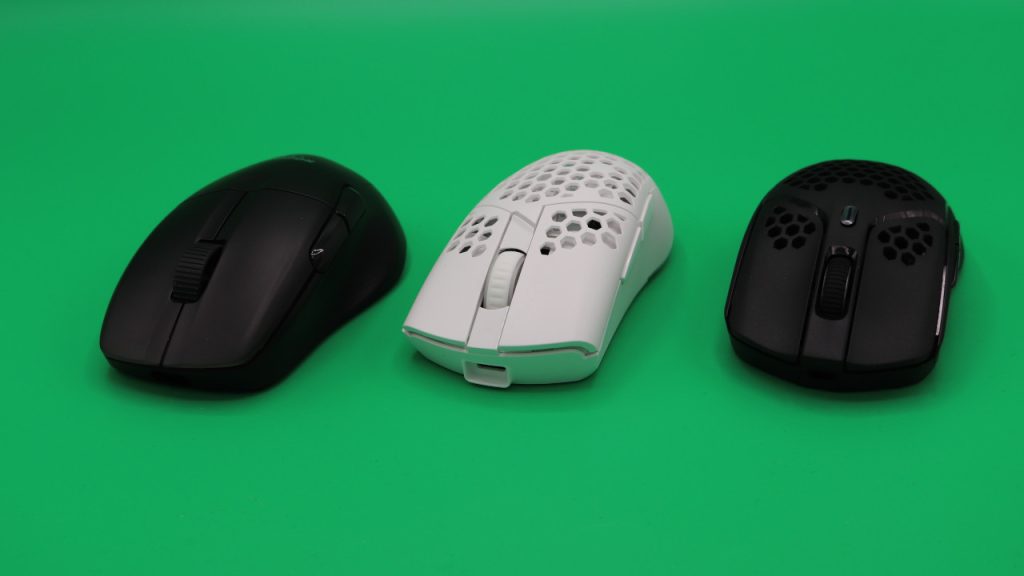
Even by comparison, the ISY mouse feels surprisingly good. Compared to the HyperX Pulsefire Haste, the IGM 5000 is slightly wider and therefore fits better in hand. This also applies to the Roccat Kone Pro: The Roccat mouse is the largest in comparison, but offers fewer resting points for the palm.
Battery life: The manufacturer states the battery life is about 50 hours. With lighting activated, the runtime decreases significantly; then I can comfortably game and work with the mouse for about two to three days. That translates to about 30 to 35 hours. This is still quite decent for the price.
Mouse buttons, scroll wheel, and sensor
The mouse buttons: Under the buttons are standard switches that the manufacturer does not specify further.
The scroll wheel: The scroll wheel is fine for its price category. The scrolling is firm enough; a free-spinning scroll wheel, such as the one used by Logitech, is not available on the ISY.
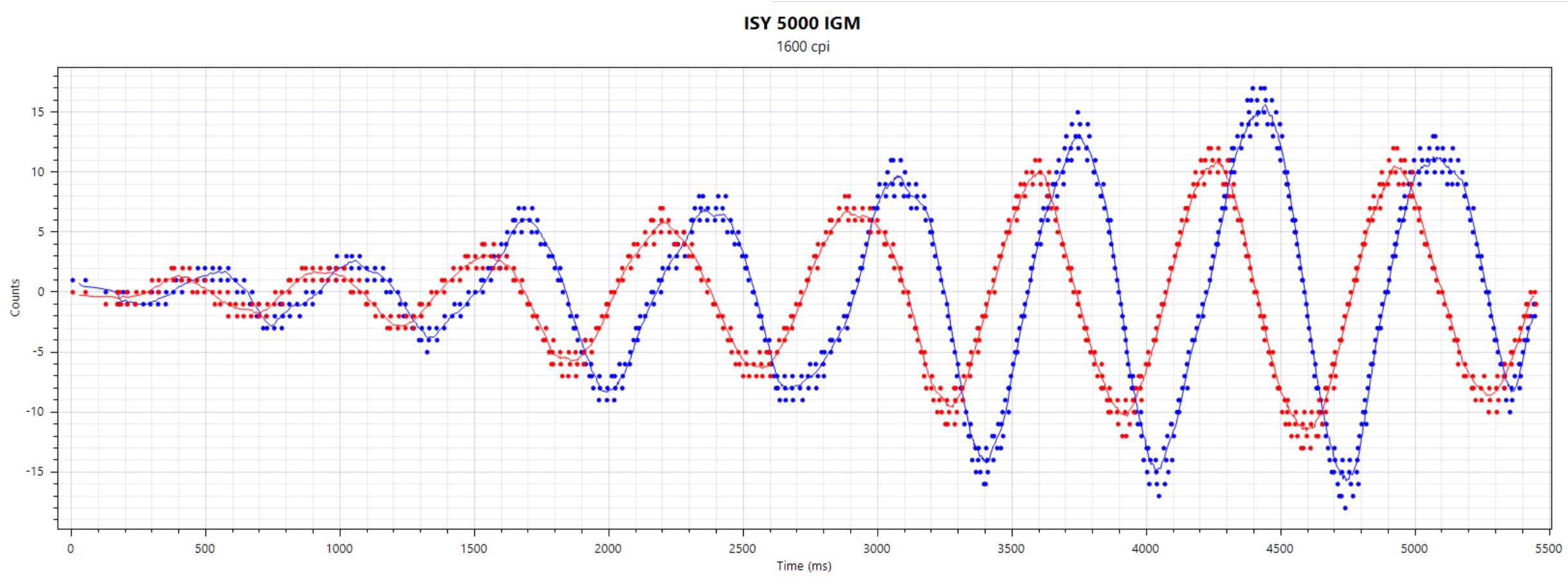
Sensor: Inside the mouse is the PixArt PMW 3325. The sensor is several years old and has been primarily used in inexpensive mice since 2016. Generally, the sensor cannot compete with the high-end sensors from Razer (Focus+) and Logitech (Hero sensor).
The biggest difference to better sensors: The PMW 3325 can only be adjusted in the software in steps of 100; other sensors are significantly more finely adjustable.
In its price range of around 50 euros, the sensor is really good and functions flawlessly. I could neither measure nor observe any sensor jumps. Only during very rapid movements does the sensor become inaccurate.
Those who, like many professionals, play at low DPI settings because it is easier to hit opponents’ heads, will hardly notice this. However, in very quick flick shots, you may find yourself at a disadvantage. The Logitech G Pro X Superlight 2 (for the test) is still the clearly better option here.
Conclusion: ISY’s gaming mouse is a fair offer for under 50 euros
Who is the mouse suitable for? With the ISY IGM 5000, you get a really fair alternative to the big brands like Logitech, Roccat, or Razer. The sensor is a few years old and may not keep up with high-end models, but it is still sufficient for most shooters. Only during many rapid movements are you generally better off with the expensive mice.
The honeycomb design takes some getting used to, and the software is somewhat lacking in clarity, but you can’t go wrong with the ISY IGM 5000 for 50 euros.
What alternatives are available?
- The Roccat Kone Pro is a fair alternative if you are looking for a good mouse with optical switches and an excellent sensor. You won’t pay more than 50 euros for the mouse.
- The HyperX Pulsefire Haste is my insider tip if you’re looking for a good shooter mouse. For the wired version, you will have to pay 50 euros, while the wireless variant rarely costs much more on sale.
- The Logitech G305 Lightspeed is also available for 50 euros and uses a stripped-down version of the Hero sensor. The ergonomics are not as good as with Roccat or HyperX, but the sensor is better. You can also get the mouse for about 50 euros.
More gaming mice at MeinMMO: If you’re looking for more recommended gaming mice, take a look at our buying guide on MeinMMO. Here you’ll find the best gaming mice currently available:
The best gaming mice for shooters that you can currently buy

Your opinion is important to us!
Do you like the article? Then let us know!