

The DualSense controller of the PS5 has its own firmware and needs an update every now and then. This can be done either on the console or with a PC. MeinMMO shows you in the guide how to get the patch for the PS5 controller.
3 methods for the controller update: At the launch of the PS5, the update for the controller was somewhat difficult.
By now, however, you have 3 options to update the controller. With a click, you can go to the corresponding workaround:
- Every 24 hours when you use the controller
- In the menu of the PlayStation 5
- Via the PC with an installation file
MeinMMO presents the 3 methods to you.
Start PS5 controller update directly
So far, the controller updates have always come together with a PS5 firmware update.
If you start the PS5 after the update and connect a controller, the console will ask you if you want to patch the controller directly or if there should be a reminder in 24 hours.
Since you have to connect the controller to the console via USB-C and may need to get up from the couch, the “until tomorrow” option is quickly selected.
If you skipped the direct update, take a look at the next section.
Start PS5 controller update in the menu
You can also start the controller update in the menu of the PlayStation 5 later. Soon after the console’s release, this was not possible:
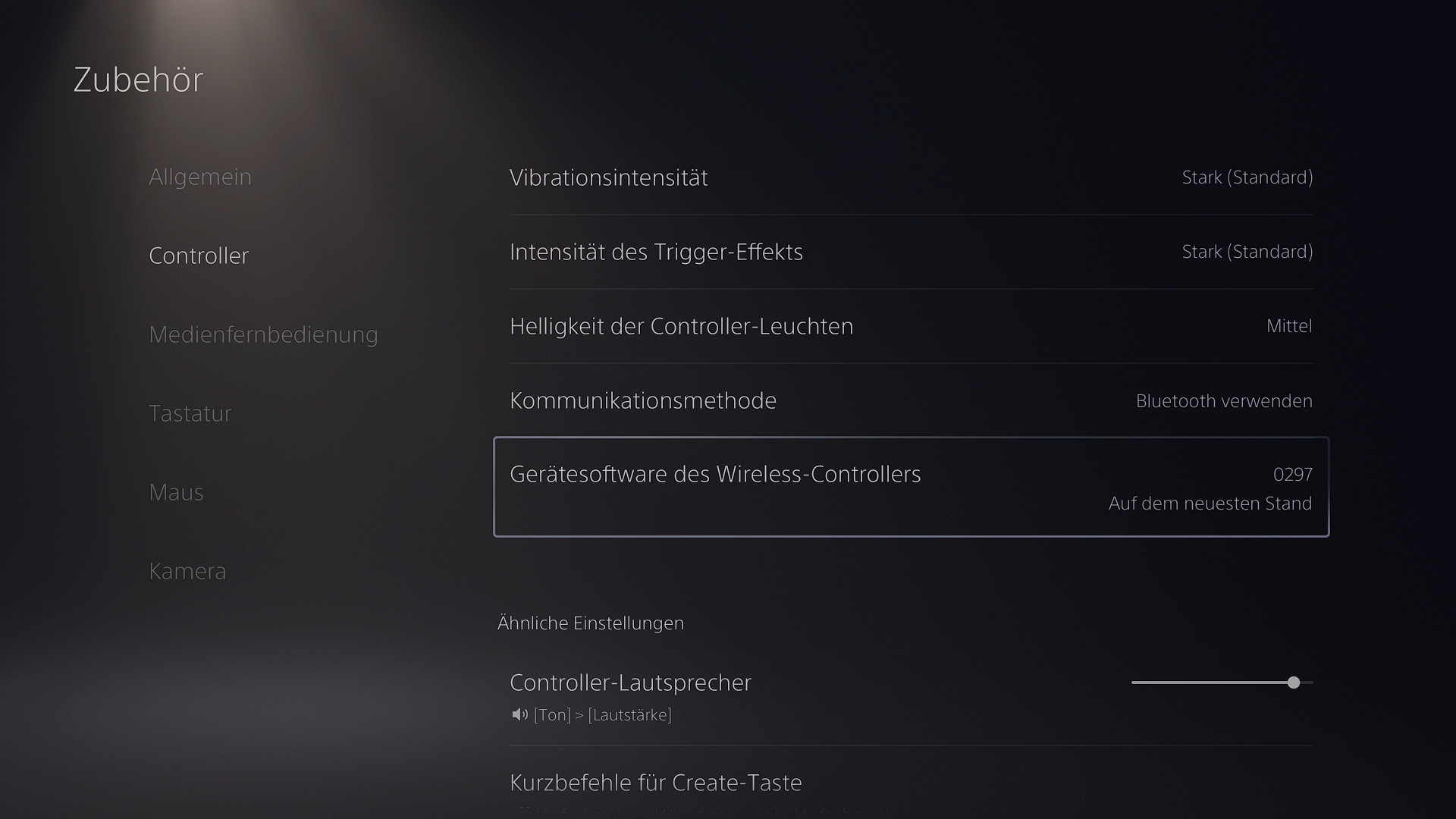
- Settings > Accessories > Controller > Device software of the wireless controller
Here too, you need to connect the controller via USB-C to the console. You will also see immediately if you are using the current firmware.
Start PS5 controller update on PC
Another option is the update on the PC. For this, you need to download a small program, which you can get officially and for free from PlayStation: Page with the updater on playstation.com.
However, you need Windows 10 or Windows 11 for this.
Download the program, install it, and start it. The program will prompt you to plug in a controller (USB-C). The controller should be recognized without problems and the program will offer you the update.
However, you can only patch one controller at a time this way. Updating multiple DualSense controllers at once is not currently possible.

What happens if I don’t update the controller? If you don’t feel like getting up from the couch to patch your DualSense, it won’t affect you.
So far, there are no reports that the controllers stop functioning correctly if you do not download the update immediately.
The updates usually fix issues with the controller and are not directly related to updates of the PS5. Previous updates fixed issues with the charging status display or provided fine-tuning for the adaptive triggers.
In general, it is always recommended to download the update immediately, whether you are having adventures with your DualSense on the PS5 or the PC.
If you are still looking for your PS5 adventure, check our availability ticker regularly: Buy PS5 – Keep an eye on these retailers today

Your opinion is important to us!
Do you like the article? Then let us know!