


The new MMORPG Lost Ark has finally been released on Steam. It’s known that such an MMORPG is best played with friends, but how does that work in Lost Ark? Channels as well as character-specific friend lists and guilds make it difficult. We at MeinMMO have all the information.

How do friends work in Lost Ark? To add friends in Lost Ark, you first need to be aware that friend lists in the new MMORPG are unique for each character. The only exception to this is the squad friend list.
To add someone to your squad friend list, you must first be “normally” friends with one of their characters.
This is atypical for newer MMORPGs and thus takes some getting used to. This means that each of your characters has its own friend list. The same goes for your friends’ characters.
So, if you have one of your friend’s characters on your list, you do not automatically have their others in your friend list unless you are friends in the squad. By the way, this also applies to guilds.
If you create a new character, you have to start over with guilds, friends, and group searches. Your own guild is not automatically available on your other characters. You have to invite yourself or submit a request to join.
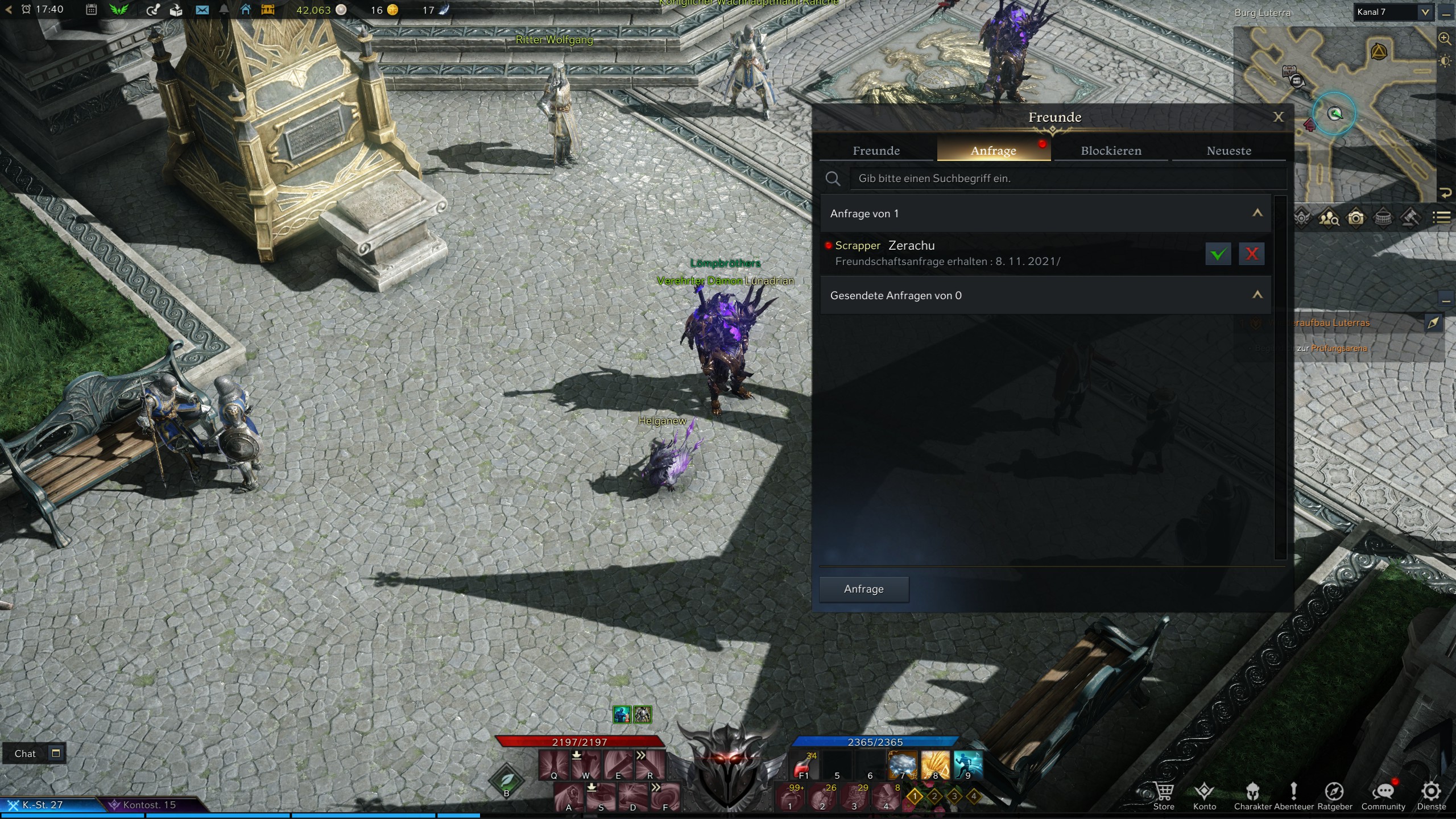
How do you add friends? You can easily add friends in Lost Ark through the user interface in the friends menu. To do this, click on Community at the bottom of the menu and select Friends there.
In the Add tab, you now type in the character name of the friend you want to add and send them a request. If they accept it, they will appear as a friend in your list in the future, and you can see their online status and invite them to groups through the menu.
Once they accept your request, you can send them a squad friend list request so that you can see all their characters online in the list.
How do you play with friends? Just because you are playing Lost Ark on the same server does not mean that you automatically play together. Each region and city is divided into different channels.
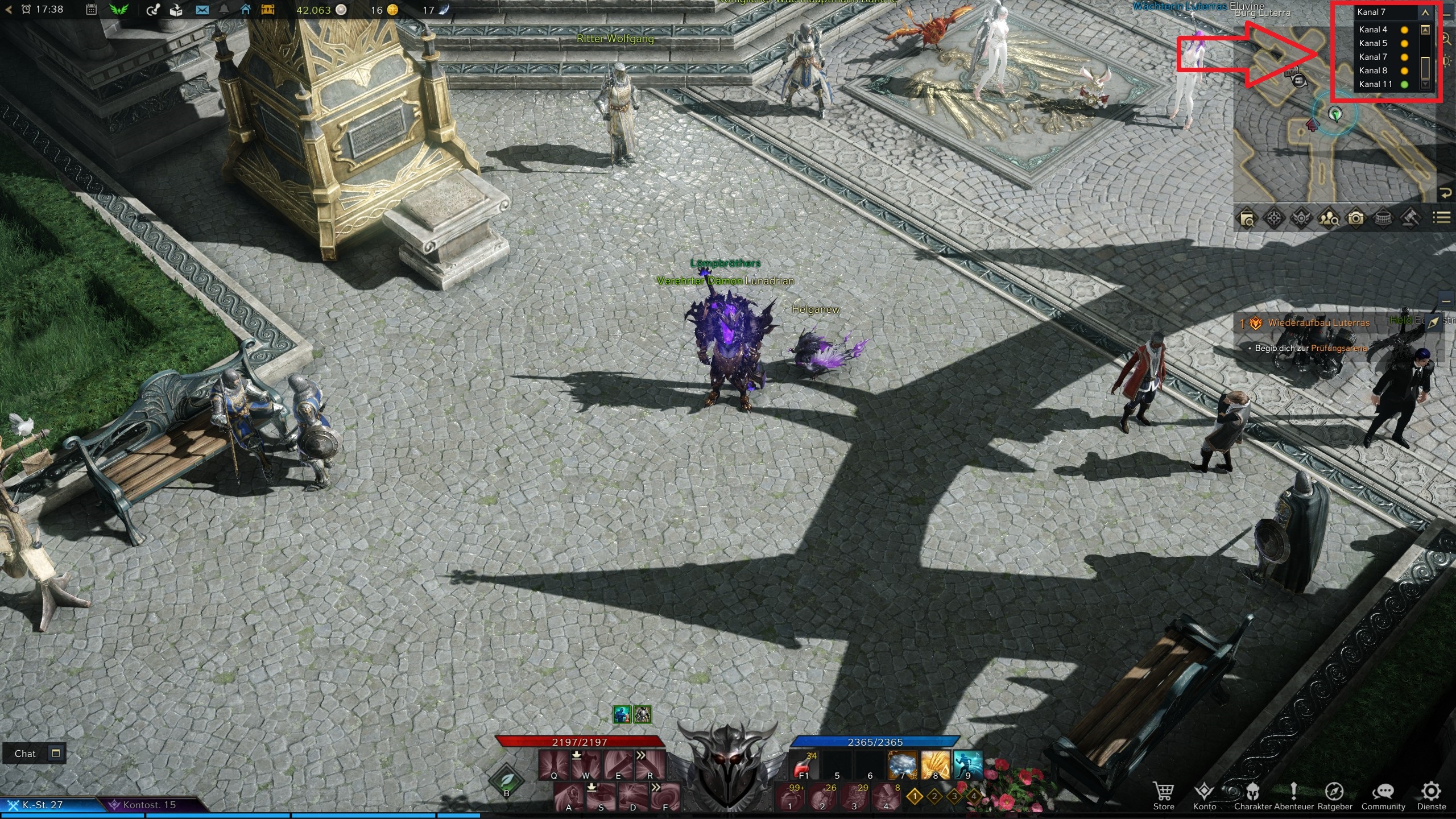
You can see these channels at the top right corner of the screen. There are different numbers of channels for each zone, which can also vary depending on the current number of players.
When you enter a zone, you land in a random channel. Your group is not prioritized, so it may be that you cannot see your teammates at all.

Switching Channels – But How?
How do you switch channels? There are two ways to do this, both of which work similarly but have a certain trick to them.
- Click on your channel at the top right, then a drop-down menu will open, and you can select any channel. By clicking on it, you switch to the selected channel.
- This is done through a short loading screen and is only possible if you are not in combat. If the preferred channel is red, it may indicate that it is full and you cannot switch.
- Additionally, you can only switch your channel every 30 seconds.
But what to do if your friend is on a channel that is full? There is a way for that.
- If you are currently not in combat, hold down CTRL and right-click on your group member. You must be in a group, and your teammate must be on a different channel.
- Now you can select “Enter Player’s Channel.” Again, there will be a short loading screen, and you will arrive. With this option, you can even switch to supposedly full channels to play with your friends and defeat world bosses.
Finding Friends
How do you find friends in Lost Ark? A good way to find players is through the guild browser. You can access it through the community interface or by using the shortcut Alt+U.
Here, you will see every guild on your server that is not full. You can then submit a guild request through this interface, which will be answered by the leader or an officer of the chosen guild.
Keep in mind that you also only have your guild on one character. This allows you to join a different guild with each character but takes up some guild slots if you want all your characters to be in the same guild.
How do you create a guild? You can also do this through the interface by pressing Alt+U. If you have not joined a guild yet, a window will open, and you can create a guild for 2,000 silver.
You can then invite people as usual, and you can also be found in the guild browser and receive requests to join.
Are you already playing Lost Ark with friends or are you more of a solo player in this new MMORPG? Do you know any other tricks to play with friends? Feel free to let us know in the comments here at MeinMMO.
Still undecided about what you should play in Lost Ark? Here are the 5 best classes for beginners.

Your opinion is important to us!
Do you like the article? Then let us know!