

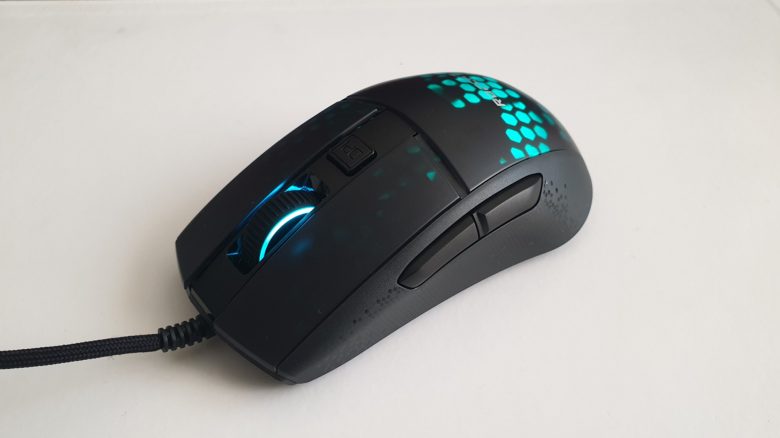
With the Burst Pro, manufacturer Roccat has introduced a particularly lightweight gaming mouse. MeinMMO has tested the mouse and reveals for whom it is suitable.
Which mouse is being discussed? The tested mouse is the Roccat Burst Pro. With only 68 grams, it is lightweight and features Roccat’s latest technology with its own Titan switches and a PhantomFlex cable. MeinMMO has tested the mouse and explains what we like about the device and what we like less.
Roccat Burst Pro Review: How did we test it?
- The mouse was in use for a good week, averaging 8 hours a day.
- In total, we worked, surfed, and gamed with the mouse for almost 60 hours, including games like Overwatch and Apex Legends, which require high precision and speed.
Features and technical details
| Sensor | ROCCAT Owl-Eye optical sensor, based on Pixart PMW3389 |
| Resolution | Up to 16,000 DPI |
| Switches | Optical Titan switches, 100 million clicks |
| Buttons | 6 |
| Design | Black or White mouse, with adjustable RGB lighting (16.8 million colors), AIMO lighting system |
| Glide feet | 2 glide feet (replaceable) |
| Cable | 1.8 m PhantomFlex cable |
| Dimensions | 120 mm x 58 mm x 38 mm |
| Weight | 68 g |
| Price | €59.99 (RRP) |
Roccat Burst Pro in detail
In the following section, we introduce the gaming mouse in detail. We will cover the following aspects:
- Package contents
- Weight and design
- Glide feet and grip type
- Mouse sensor
- The software
Package contents
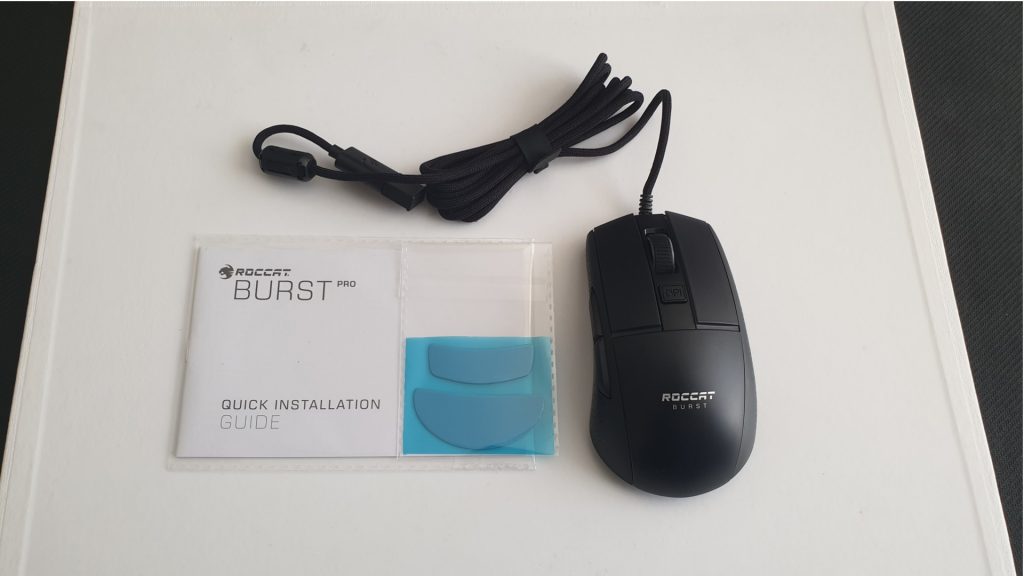
What accessories are included? Along with the mouse, there is
- a quick guide
- a set of replaceable mouse feet in the box.
The USB cable is permanently attached to the mouse and cannot be removed. Wireless is not supported by the gaming mouse.
Weight
With 68 grams, the mouse from Roccat is particularly lightweight and weighs significantly less than, for example, the Roccat Kone Aimo Remastered, which weighs 130 grams. At 68 grams, it plays in a similar weight class as other competitors that also focus on lightweight designs. These include the Glorious “Model O” or “Model O-” or the Endgame Gear XM1, which even uses similar technology as the Burst Pro. When comparing the mice directly, the weight difference becomes evident.
With its low weight, the mouse is clearly aimed at fingertip and claw grip players, who appreciate high movement speed and low weight.
Roccat Burst Pro: Weight Comparison:
| Roccat Burst Pro | 68 grams |
| Razer Viper | 69 grams |
| Endgame Gear XM | 70 grams |
| Logitech G Pro Wireless | 81 grams |
| RAT Pro X Supreme Edition | 105 grams |
| Logitech G 502 Hero | 121 grams |
| Roccat Kone Aimo Remastered | 130 grams |
Design
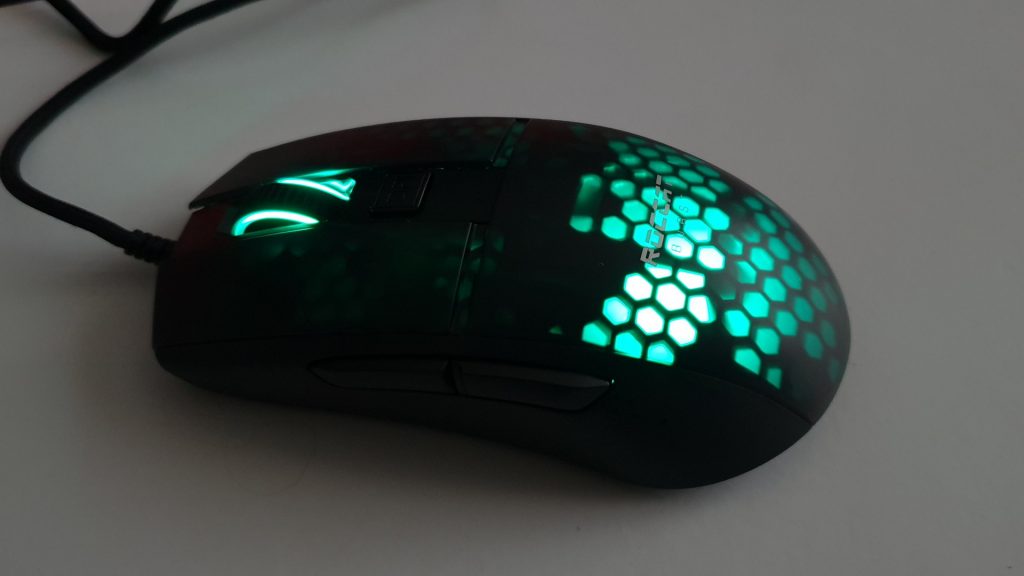
In terms of design, the Burst Pro resembles mice with holes, such as the Glorious Model O or O-. The two mice feature a lattice pattern that is perceivable to the user. The Roccat Burst Pro also utilizes such a design, but the lattice pattern is covered by a thin layer of plastic. The pattern is not perceivable, but it is clearly visible due to the RGB lighting. The plastic also provides better protection against dirt. The lighting can be adjusted or even completely turned off via the software.
Glide feet and grip type of the mouse
What feet does the mouse use? The mouse features two large glide feet, one at the front and one at the back. Roccat has included some replacement feet in the package. You can replace the glide feet when they are too worn out. This is commendable in this price range of 60 euros.
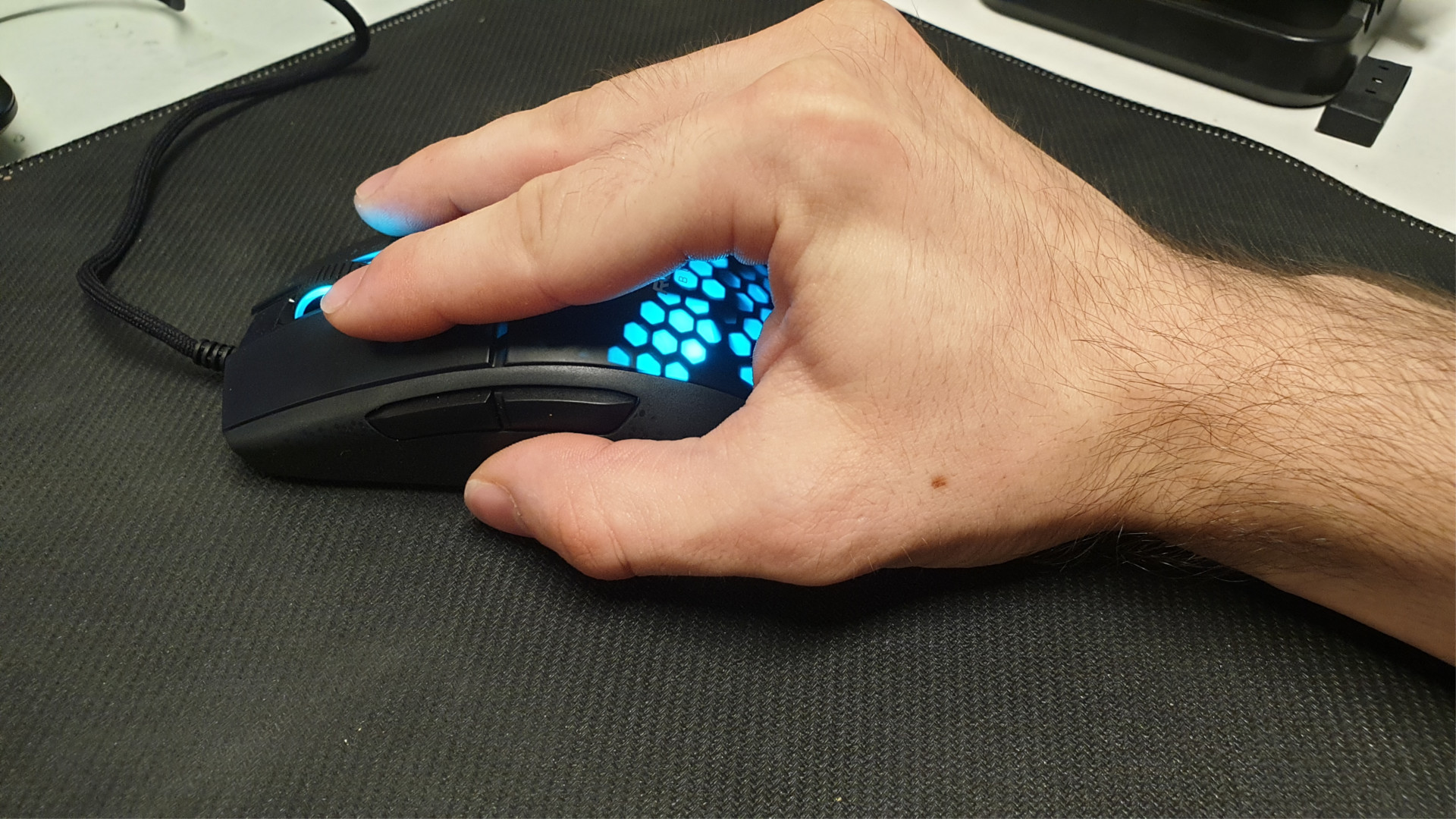
Grip type: The mouse can be easily gripped in palm grip, but due to its low weight, it is also particularly suitable for claw grip and fingertip grip.
| Palm Grip | Claw Grip | Fingertip Grip |
|---|---|---|
| The hand completely envelops the mouse. Fingers, palm, and heel rest on the mouse. The contact area between the hand and the mouse is the largest here and is usually moved very little. | Fingertips, thumb, and part of the palm rest on the mouse. The rest of the hand does not touch the mouse. Precision is controlled by the wrist, allowing for quick movements. | Only thumb and fingertips rest on the mouse. The rest of the hand is free. Movement comes from the finger joints, allowing for precise movements. |
Sensor
What sensor does the mouse use? The mouse from Roccat uses the proprietary optical Owl-Eye sensor. This is based on the PixArt PMW-3389. This is an optical sensor and is among the best you can find on the market right now. The even better PixArt PMW-3399 is currently reserved for Razer. However, high DPI numbers beyond 20,000 are not particularly relevant for gamers.
Roccat Burst Pro: Software
What we like about the software: Roccat uses the “Roccat Swarm Software” for its Burst Pro. Once you connect the mouse to the PC, it is immediately recognized by the PC. The software downloads the appropriate update for the mouse, and then the software is ready to use.
The software itself is neat and clear. Through a tab in the upper half, all Roccat devices are managed, and you can directly select the mouse. Here, you can make all the settings. We can adjust the brightness or configure the lighting system (AIMO) or assign the buttons. The operation is easy and straightforward.

What we like less: The Swarm software consists in some places of a jumble of German and English. While most texts are now in German, especially buttons in the menus are presented in English. The auto-updater also only speaks English. For a slim mouse with few buttons, the software feels overall too extensive.
In Practice
In this section, we present how the mouse performs in practical tests. We will address weight and speed, as well as how well the sensor in the mouse works and what possibilities the mouse offers in practice. We will cover the following points:
- Weight, ergonomics, and handling
- The mouse buttons and wheel
- Macro functions
- The sensor of the “Burst Pro”
Weight, Ergonomics, and Handling
What we like: The low weight of the mouse is immediately noticeable in a positive way. Especially those who usually have heavier mice in hand will immediately feel the difference. Thanks to the low weight of 68 grams, the mouse moves easily across the mousepad. The mouse’s speed is supported by the two large glide feet and the high-quality mouse cable, which lays lightly on the mouse. The mouse cable also feels much more valuable than the cable of the Roccat Kone Remastered. The PhantomFlex cable is hardly noticeable while gaming.
The four feet of the Kone Remastered or the Glorious Model O offer a bit more movement than the two large feet.
The Burst Pro provides a symmetrical shape that is purely designed for right-handers, as the special buttons are not mirrored, as is the case with Logitech’s G300s, which is processed worse. The surface of the mouse is smooth and soft, but it still feels comfortable in hand. In terms of ergonomics, Roccat has sensibly modeled the human hand.
What we like less: The mouse has a switch behind the wheel for cycling through DPI values. If you have multiple values stored, you have to press the button repeatedly until you reach your desired value. A second DPI button would have made this much easier. The mouse buttons are smooth and could have been a bit rougher or grippier.
The Mouse Buttons and Wheel
What we like: The mouse buttons are precise and provide a clear pressure point. The Titan switches that Roccat uses instead of the commonly used Omron switches offer a tactile and crispy click point. In quick battles, the mouse provides noticeable and audible feedback.
By the way, the Titan switches are optomechanical switches that are said to be particularly durable. Roccat promises here click counts of 100 million strokes. Such numbers are not very useful in reality. What is certain is that optomechanical switches last significantly longer and are less prone to the double-click problem than traditional mouse switches.
The mouse wheel is also pleasant under the finger, but does not provide the same haptics as that of the Naga Pro from Razer, which feels even better.
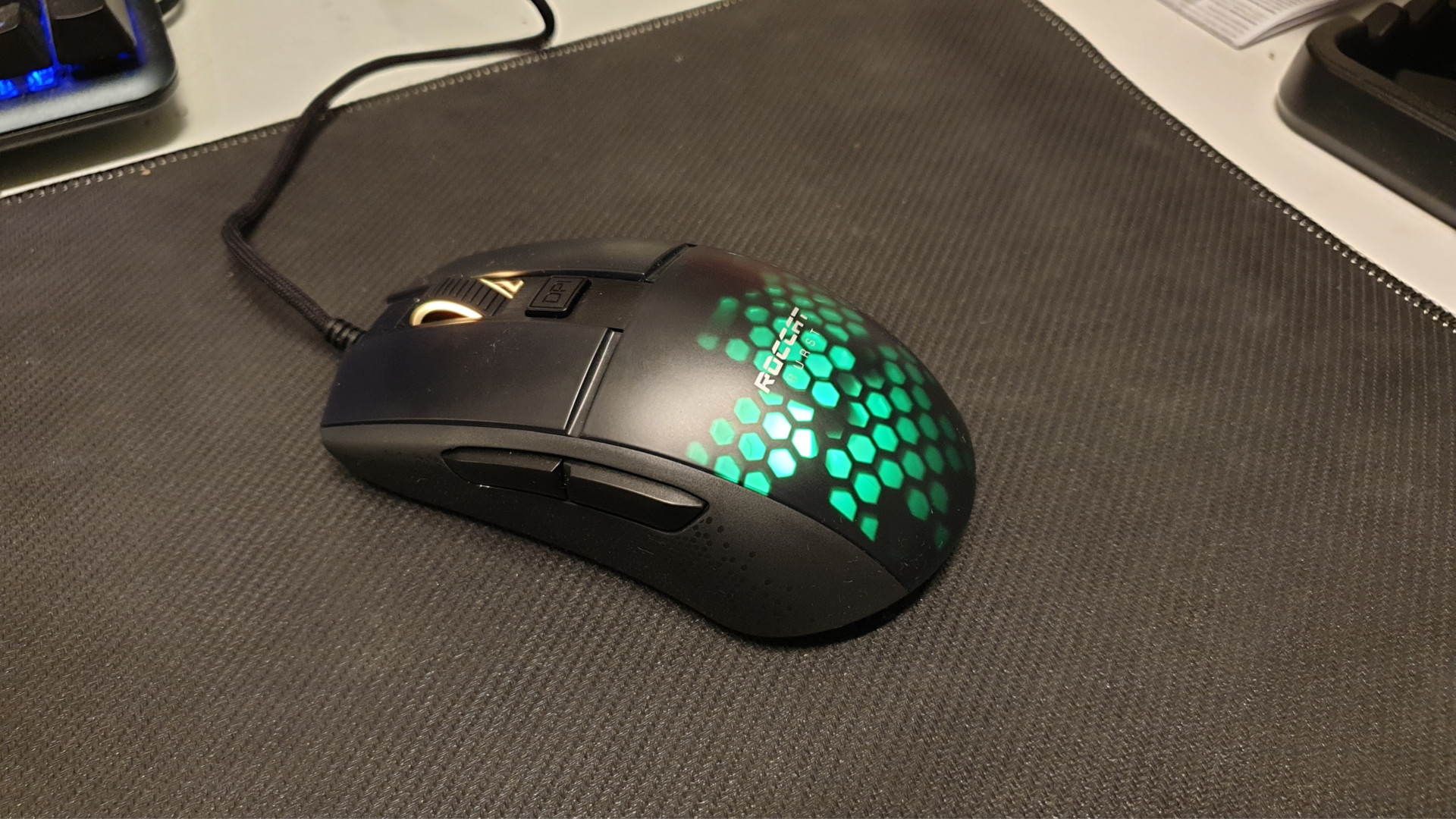
What we like less: The mouse buttons are loud and audible. If you game with a dense headset, you may not notice it, but in a quiet environment, the loud clicking can be quite disturbing. This comes from the switches, which make mechanical noises. The Razer Naga Pro, which MeinMMO has also tested, clicks noticeably quieter. The mouse wheel could also be a bit more precise and doesn’t grip as accurately as on the Naga Pro.
For users who primarily control their mouse with fingertip grip, the pressure point of the mouse switches may be a bit further back toward the center of the mouse.
Macro Functions
The Burst Pro offers “Easy-Shift” like the Roccat Kone Remastered. This allows you to double-bind buttons. Although the mouse does not feature a separate “Easy-Shift” button, you can easily assign one of the buttons as Easy-Shift through the software. If you hold down the “Easy-Shift” button and then press another button, it executes the function that you assigned. For example, you can assign volume control to the mouse wheel, which is practical.
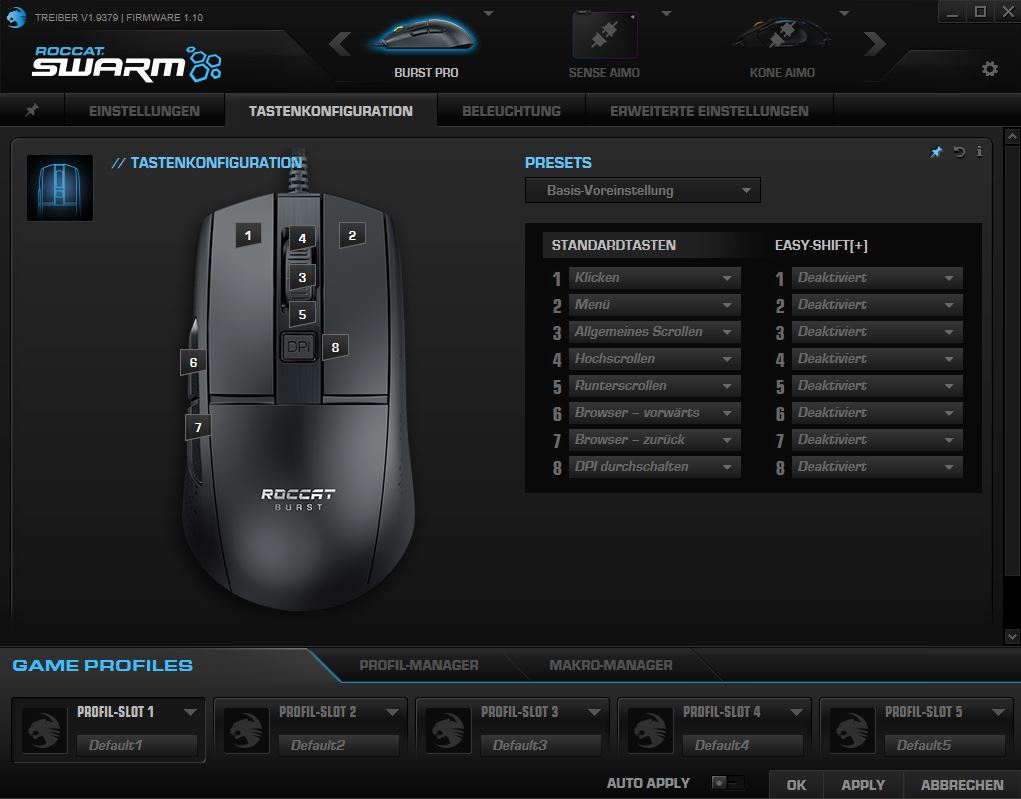
With the software, you can also create macros and save them in the mouse’s device memory. Overall, macros offer players an enormous variety of options. With “Easy-Shift,” you can freely assign any button. This allows you to assign game or system functions to the mouse buttons or the mouse wheel. Lighting effects can, for instance, be synchronized with the “Roccat Sense Aimo” mousepad, which looks cool.
The Sensor of the Roccat Burst Pro
Roccat’s Owl-Eye sensor is based on the very good Pixart PMW3389. We already used the Pixart sensor in the test of the RAT Pro X Supreme Edition and praised its precise and accurate sensor. The same applies to the Burst Pro. Here too, the sensor proves to be precise and accurate without showing any weaknesses. Additionally, it features a high polling rate of up to 1000 Hz, which can be adjusted via the software.
Off the mousepad, for example, on a glass surface, the precision remains pleasantly high.
Conclusion
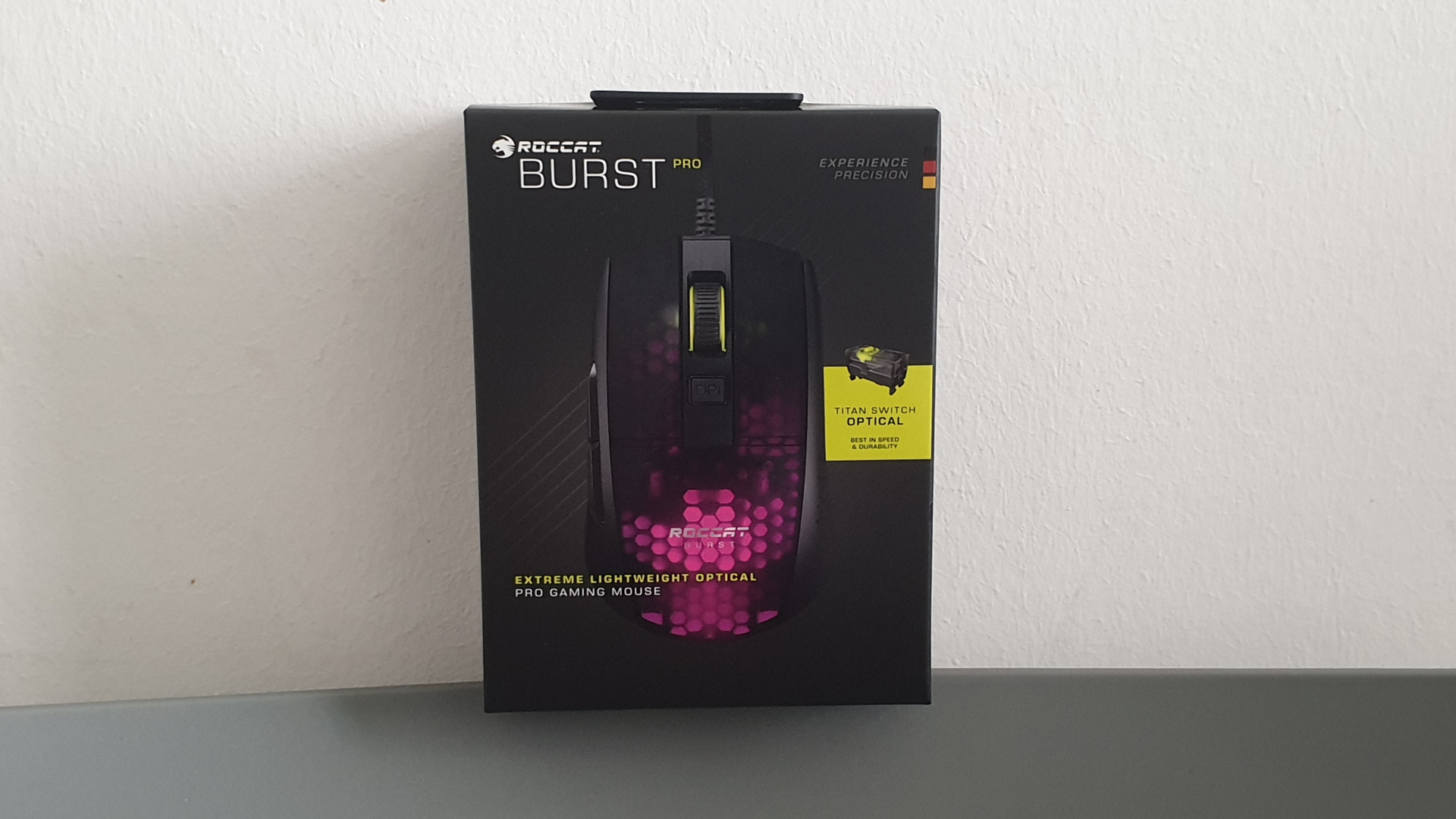
Who is the mouse suitable for? The mouse is primarily suitable for users looking for a lightweight and precise mouse that allows for high speed and quick navigation. With its low weight, the mouse is aimed at fingertip and claw grip players. The price of €59.99 is also fair.
What alternatives are available? In the realm of lightweight gaming mice, you have various options. The Glorious Model O or O- includes two models that are lightweight and precise. The O- even weighs 10 grams less. The Endgame Gear XM1 is another mouse that also weighs little and uses the same precise PMW3389 sensor as the Burst Pro. Another alternative would be the Razer Viper.
If you are instead looking for a mouse that can be used in palm grip and is significantly heavier, we would recommend either the Roccat Kone Remastered or the Logitech G502 Hero.

Your opinion is important to us!
Do you like the article? Then let us know!