

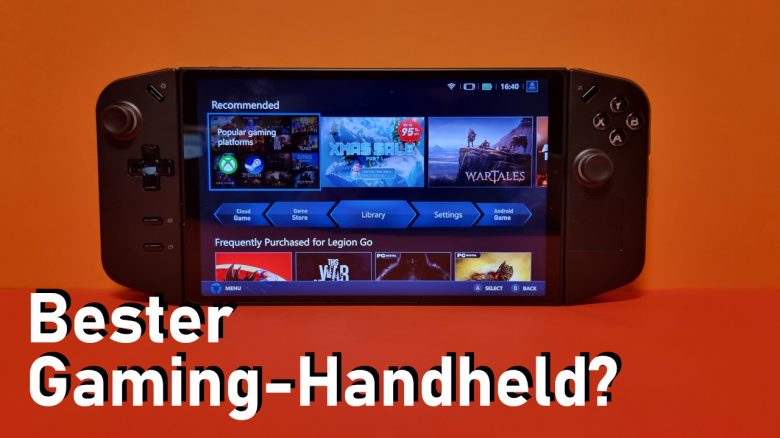
With the Lenovo Legion Go, there is probably the most exciting gaming handheld to hit the market in 2023. MeinMMO editor Benedikt Schlotmann tried the Lenovo Legion Go and reveals in the review what the model is capable of. Compared to the popular Steam Deck, the Lenovo device has to prove itself.
In addition to Ayaneo, Valve, and ASUS, Lenovo is another manufacturer looking to win over gamers with a gaming handheld. At 799 euros, the Legion Go is not exactly cheap and is significantly above the Steam Deck, but it promises more performance and a better display.
I tested the Lenovo Legion Go extensively and will explain to you who this model is suitable for and why the Steam Deck will remain my favorite even after this test.
The Lenovo Legion Go was provided to MeinMMO for testing purposes.
- Design
- Setup
- Operating System and Software
- The Lenovo Legion Go in Practical Use – How does it play?
- The Strengths of the Legion Go in Detail
- The Weaknesses of the Legion Go in Detail
- Conclusion
| Lenovo Legion Go | Steam Deck OLED | |
|---|---|---|
| Processor | AMD Ryzen Z1 Extreme | AMD Zen 2 APU |
| GPU | AMD Radeon 780M (30 Watt) | RDNA 2 (4 – 15 Watt) |
| RAM | 16 GB LPDDR5 | 16 GB LPDDR5 |
| Display | 8.8 inch LCD Display, 144 Hz | 7.4 inch HDR OLED, 90 Hz |
| Resolution | QHD+ (2560×1600) | 1280 × 800 |
| Storage | 512 GB | 512 GB or 1 TB |
| Weight | 854 grams | 640 grams |
| Price | 799,- (512 GB) | 569,- (512 GB), 679,- (1 TB) |
Last Updates: 03.13.24, 12.14.23
Design
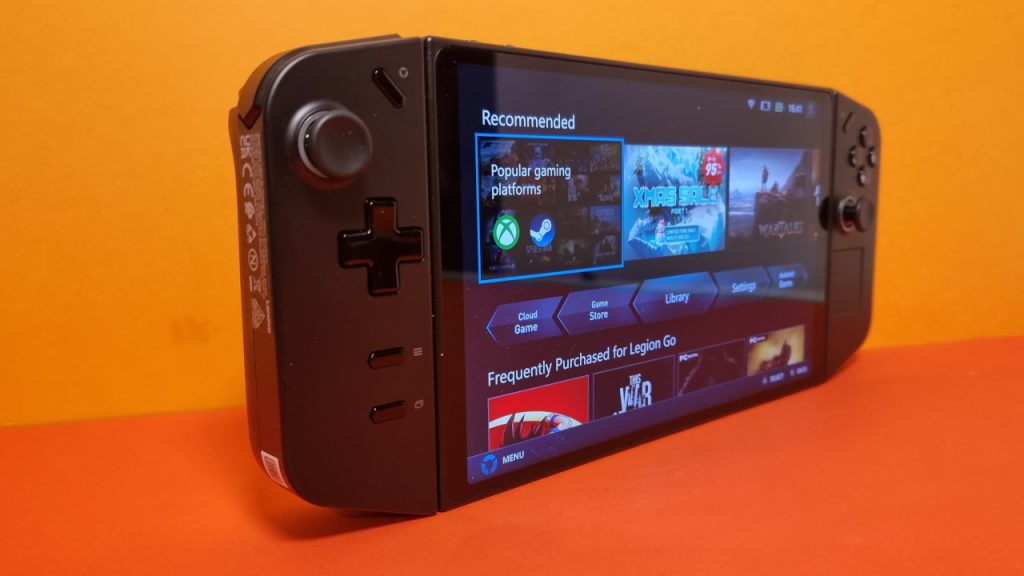
How is the Lenovo Legion designed? The Lenovo Legion Go features a similar appearance to that of the Steam Deck and the ASUS Rog Ally. The Legion Go is slightly larger than the Steam Deck, especially the display takes up significantly more space.
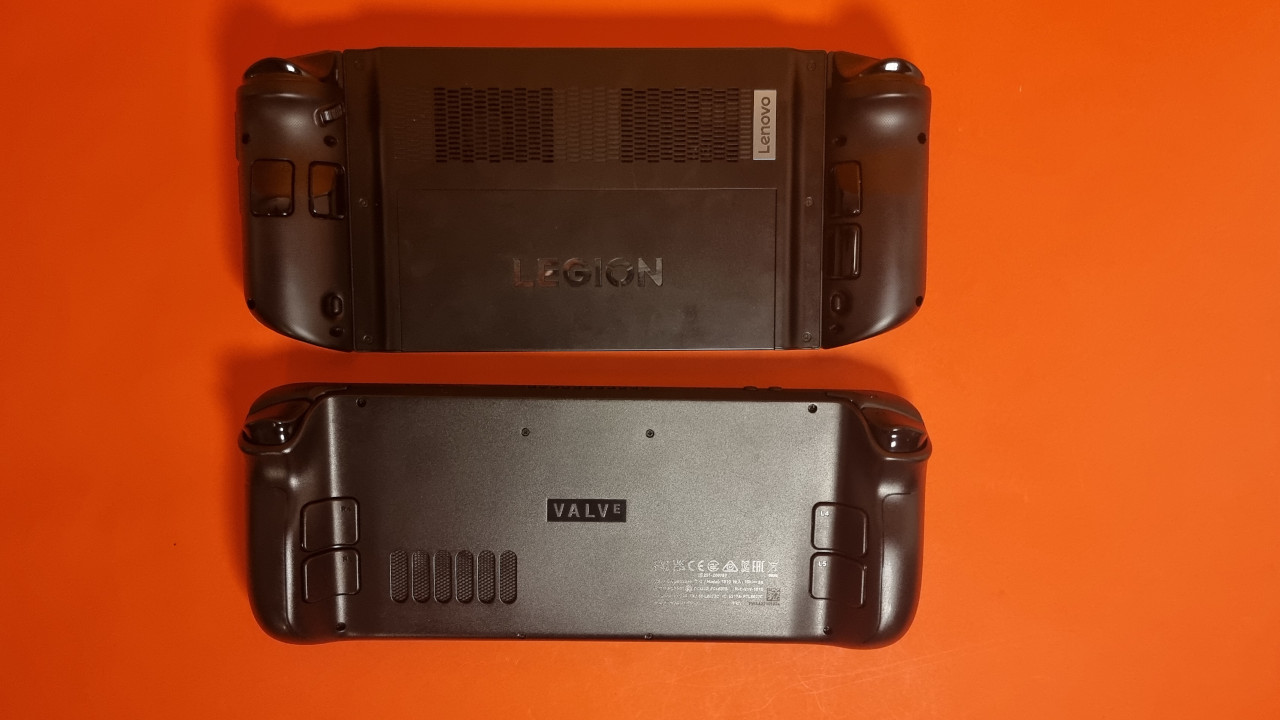
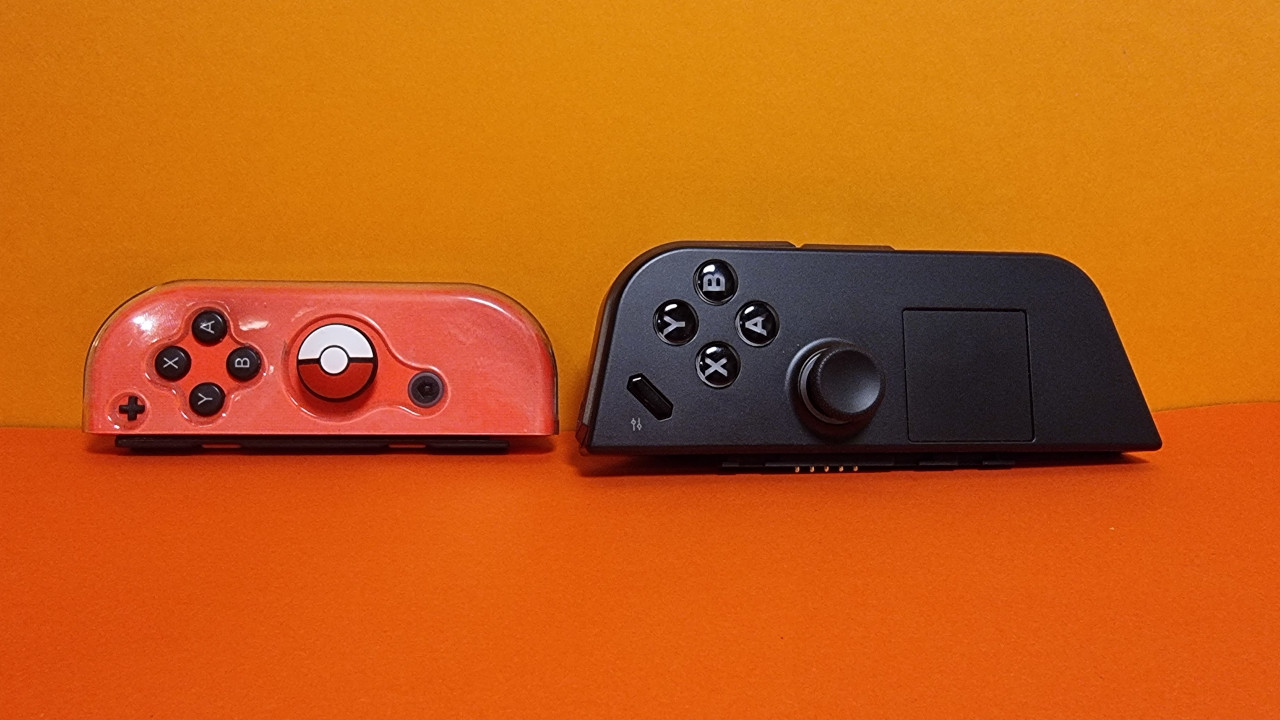
The Legion Go copies the asymmetric layout of buttons from the Xbox controller design: The right thumbstick is oriented closer to the screen, while the left stick is positioned nearer to the edge of the model. The touchpad is slightly smaller than that of the Steam Deck. The speakers are located on the back of the Legion Go, whereas they are installed at the front in the Steam Deck.
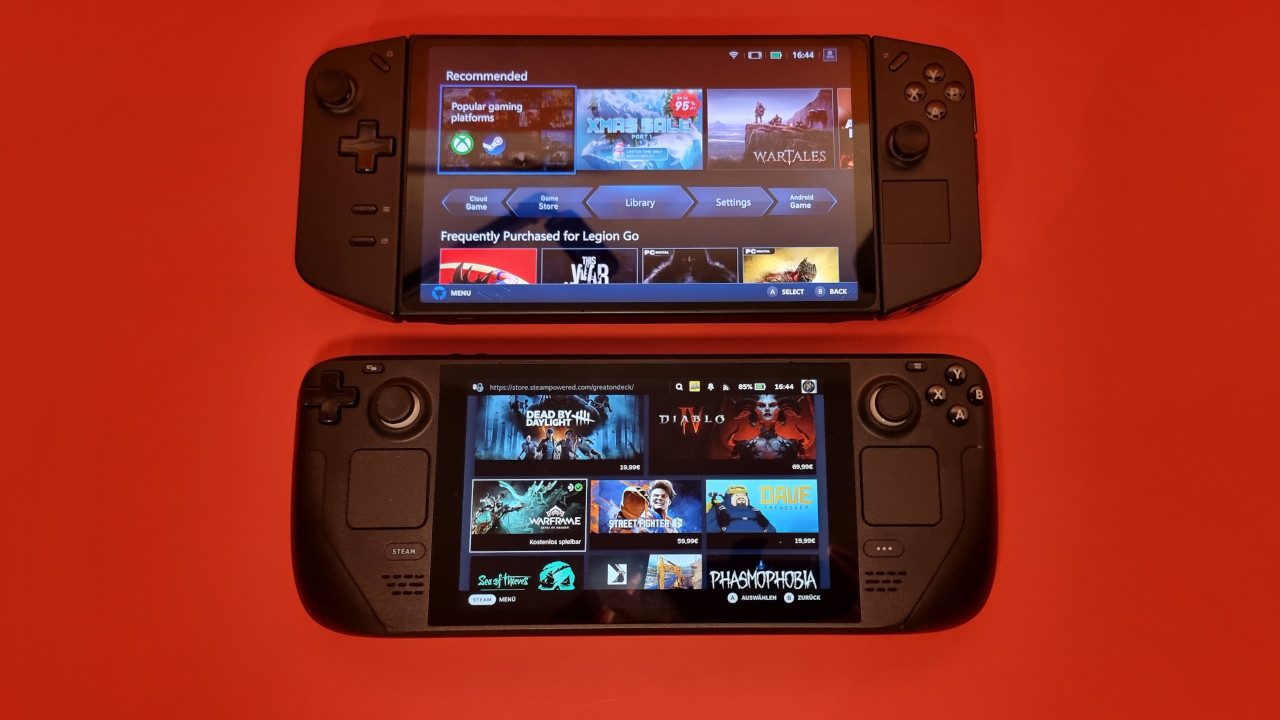
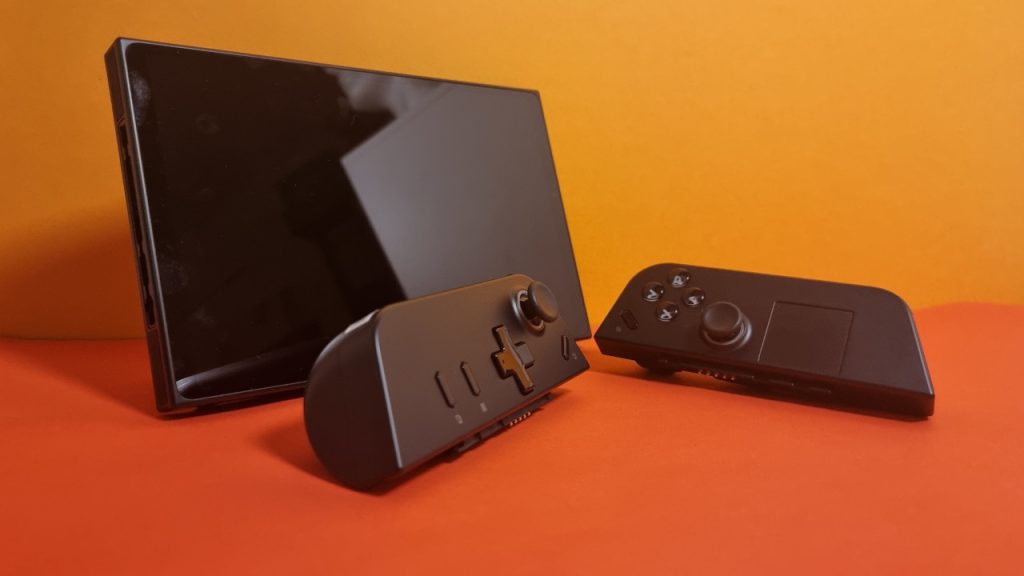
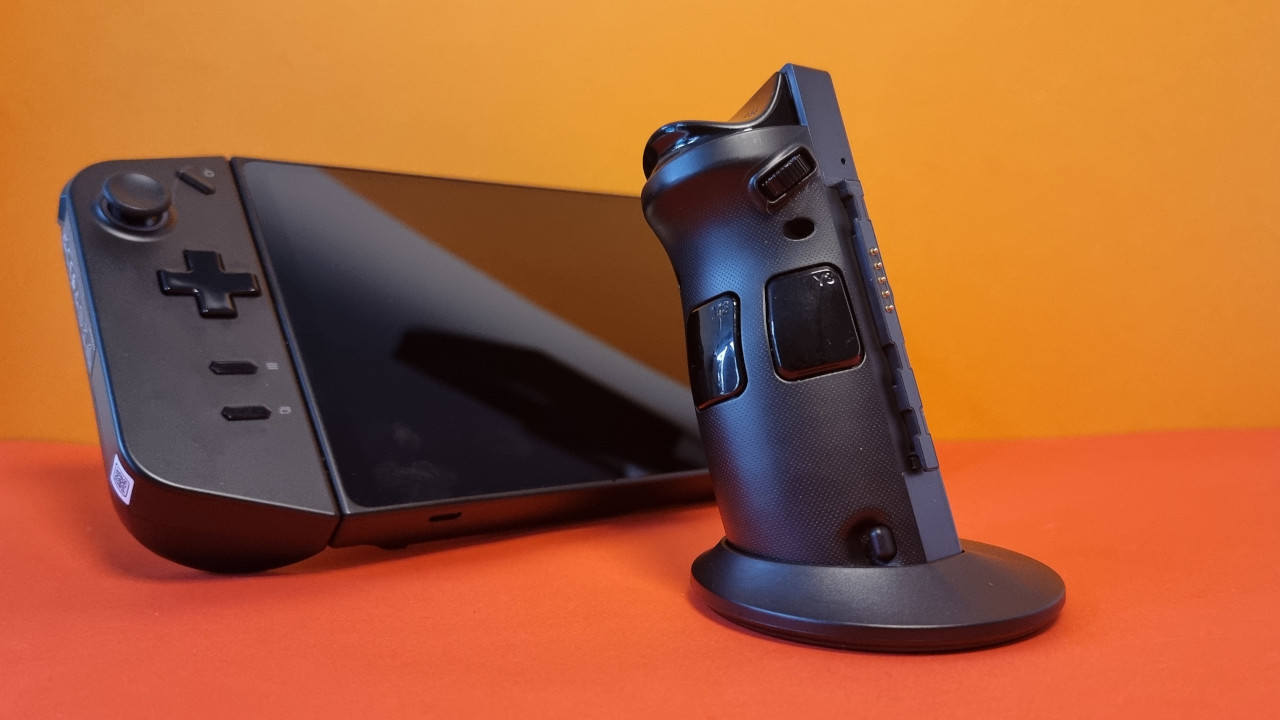
In contrast to the Steam Deck, the controllers can be removed from the sides. This allows you to play with the handheld like with the Switch. However, the controllers of the Legion Go do not click in as audibly and satisfyingly as those of the Switch. Because of this, I never feel 100% sure whether the controllers are properly inserted.
Setup
What software does the handheld use? The probably most important difference to the Steam Deck is the operating system. Because compared to the Steam Deck, where SteamOS is used as the operating system, the Legion Go uses a regular Windows 11. This allows you to install pretty much any program effortlessly on the Legion Go. On the Steam Deck, you need to take a detour via Proton.
How is the setup? Microsoft aggressively tries to get me to subscribe to various programs (One Drive, Office 365) during the setup, and without registering or logging in with an account, the device cannot be used. If I turn off the Wi-Fi, I get an error message. Overall, I’m comfortably occupied with the setup for 30 minutes before I see the “desktop”.
Operating System and Software
How is the software? My first impression is quite positive. Windows 11 runs surprisingly smoothly, and software can be installed quickly without problems. Lenovo installed a custom launcher called “Lenovo Legion Space,” from which games and programs can be elegantly launched. However, if you want to install software, you still have to do it directly through Steam, Epic, or the setup file. “Lenovo Legion Space” does not replace your desktop.
However, once you have installed your programs and games and logged in, you can conveniently start your games through the “Lenovo Legion Space”.
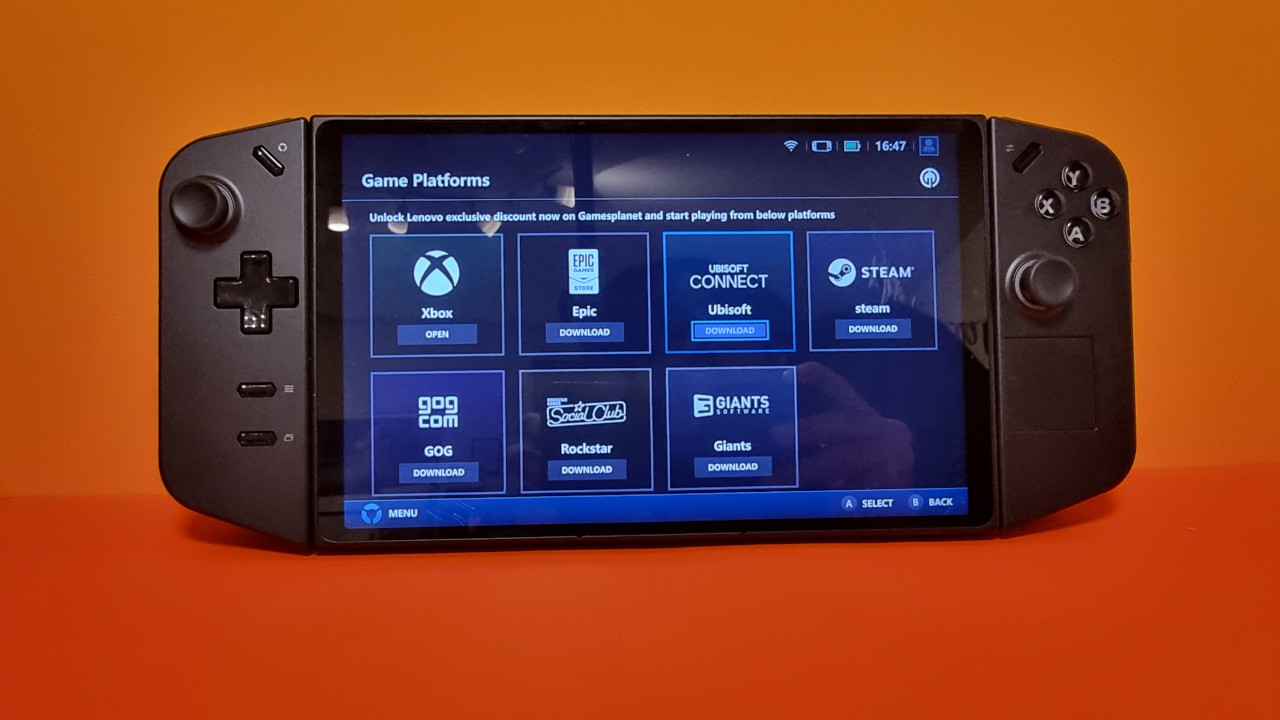
Lenovo also aggressively includes its own advertisements in its software suite, which cannot be completely disabled. At least in the launcher itself, I only see my games and no advertisements for the Game Pass or other special offers that are supposed to be exclusive to owners of a Legion Go.
Overall, Windows can be operated without issues, but Windows 11 is still not touch-optimized. Accordingly, it feels clumsy to hit the right menu with thick fingers. SteamOS simply feels more intuitive and accurate.
The Lenovo Legion Go in Practical Use – How does it play?
Which games have I tested? On one hand, I tested the Everspace 2 demo. Here you can peek into the first hours of gameplay and enjoy a fast-paced shooting experience. On the other hand, I tried the co-op game Atlas Fallen.
How does gaming feel? Officially, the Legion Go offers an 8.8-inch display with QHD+ resolution (2560 x 1600) and 144 Hz. However, modern Triple-A titles are not fun at all. The performance often drops significantly and averages at 30 FPS. No modern title runs smoothly with the advertised resolution of 2560×1600.
The battles in Atlas Fallen against various sand monsters also feel wonderfully fast on the Legion Go. Here, the display shines excellently. The fans are continuously audible; however, the temperatures remain pleasant, and the back of the handheld does not turn into a hot plate. Yet, during very rapid movements, the performance can indeed drop. The sticks feel really good thanks to anti-friction rings.
Things look different with Everspace 2: The control of the spacecraft with the controllers feels pretty sluggish and imprecise. This is primarily due to the dead zone of both sticks, as it is set far too high. My colleague Linh from GameStar Tech reports the same in his review. While you can counteract in Steam, it’s different with games that do not have adjustable dead zones.
The gyroscope is also rather mediocre. I would rather use my Xbox controller, which connects seamlessly via Bluetooth with the Legion Go.
However, things look significantly better when you limit the resolution to Full HD; then the FPS values are often significantly above the Steam Deck. I also prefer the display of the Legion over the LCD model of the Steam Deck. The Legion also offers three presets for resolution:
- 2560×1600
- 1920×1200
- 1280×800
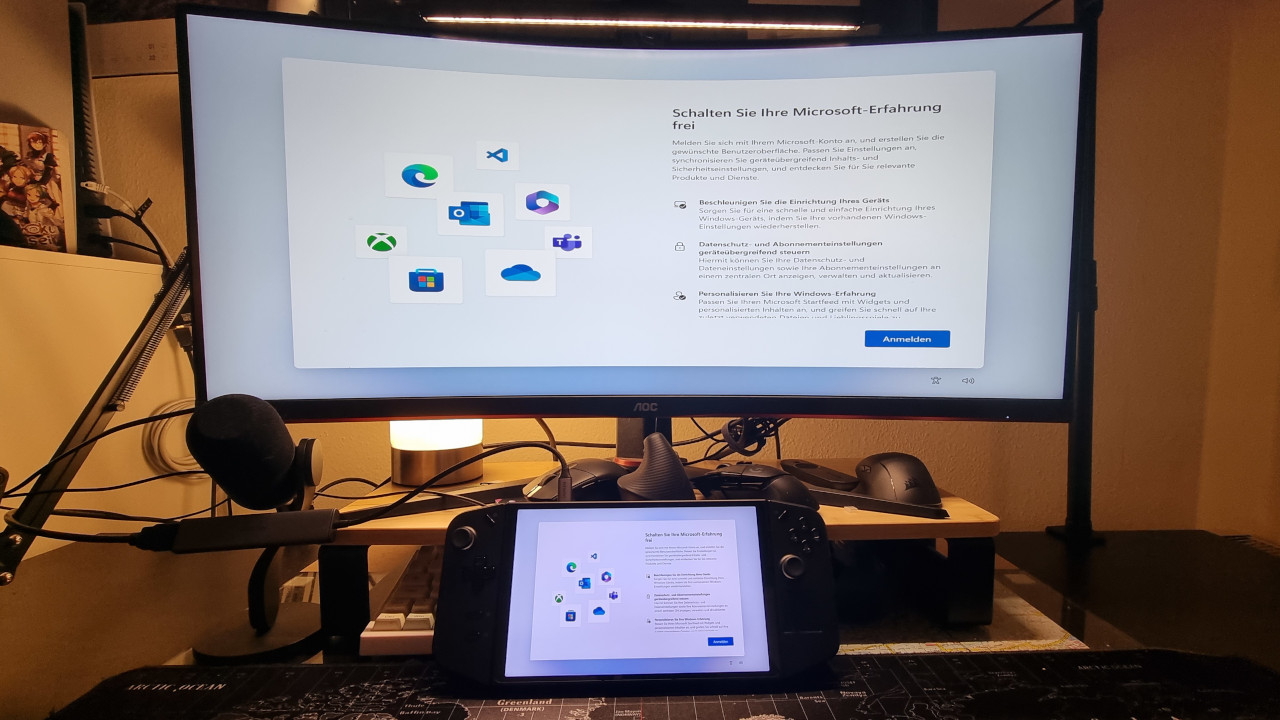
Gaming with a monitor: Yes, the Legion Go can also be connected to a monitor via an adapter through the USB-C port. Ideally, you connect the device to a Full HD monitor. Very large resolutions, such as UWQHD in my example, work as well, but produce strange errors. For instance, when connecting, the output image was displayed upside down, and I couldn’t switch it back.
On a Full HD monitor, it ran much better. However, on larger monitors (24 inches and more), the load on the handheld increases, which is noticeable in the volume and temperature.
The Strengths of the Legion Go in Detail: Display, Build, and Performance
The Display: The display is fantastic, and the colors are rich and vibrant. However, in direct comparison, the OLED display of my Switch still appears deeper and more colorful. Especially alongside the LCD display of the Steam Deck, the module used in the Legion Go is simply better. In the OLED version, the Steam Deck is again ahead.
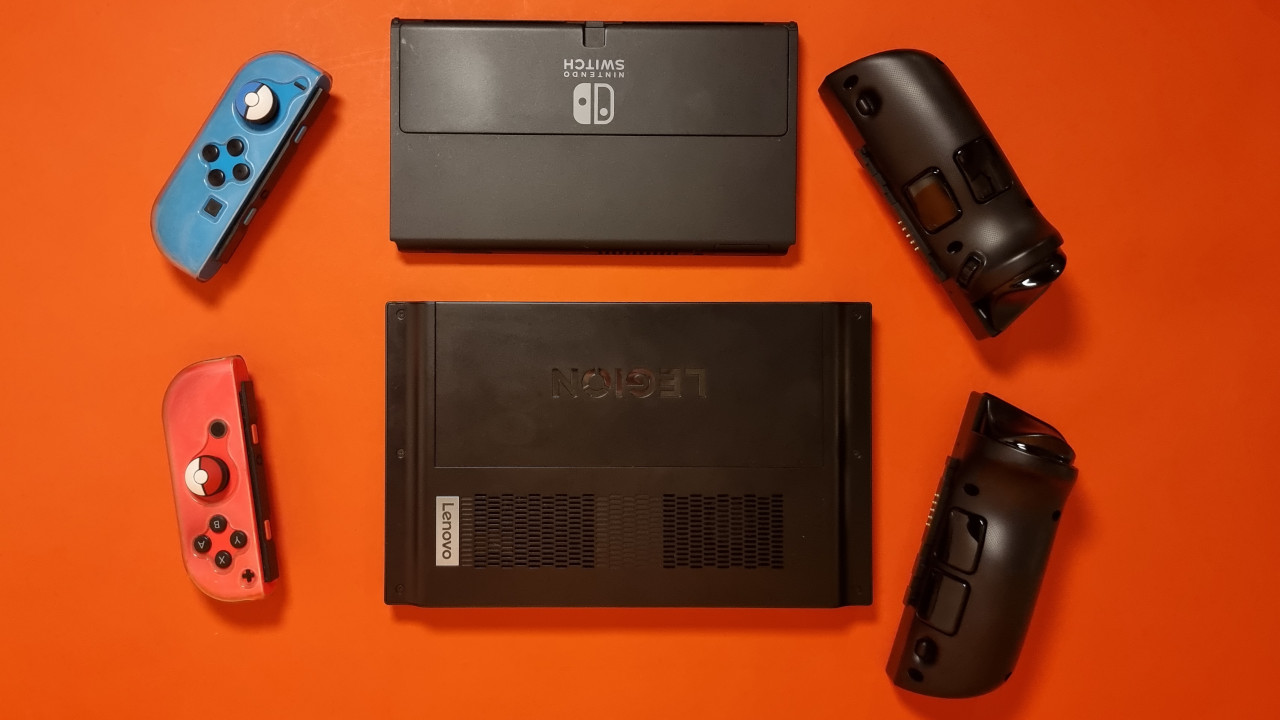
Build Quality: The Legion Go feels really high quality. Yes, the model is made only of hard plastic but feels substantial and stable in hand. The stand on the back also makes a good impression and is no comparison to the cheap stand that Nintendo used in its first Switch. In the Switch OLED, a better stand was then used.
Additionally, a very sturdy hard case is included. Conveniently, the hard case has an opening for the charging cable, so you can charge the device even while it’s “packaged”. However, this means that the case is not waterproof or fully protected against external influences.
Good Performance: Inside the handheld is the AMD Ryzen Z1 Extreme with an integrated graphics chip. And this combined chip (APU) offers very good performance. With reduced resolution, modern games can also be played seamlessly; however, the 144 Hz is hardly ever fully utilized, only in undemanding indie games. Modern games such as Atlas Fallen can reach 70 – 80 FPS at Full HD. At medium settings and personal fine-tuning, temperatures remain within reasonable limits.
At the full resolution of 2560×1600, the performance drops to between 30 and 40 FPS at medium settings and often even lower.
Easy Upgrade Possible: The Lenovo Legion Go can be upgraded quite easily with a larger SSD. On the back, you just need to remove the 4 screws to access the interior. While installing, you just have to be careful not to damage any cables.
The Weaknesses of the Legion Go in Detail: Noise, Battery, and Ergonomics
Ergonomics: In my opinion, the ergonomics are a weak point of the device. And it is not just the weight. For comparison (in descending order):
- The Lenovo Legion Go weighs 854 grams.
- The Steam Deck weighs a bit less at 669 grams.
- The Nintendo Switch weighs around 400 grams, making it the lightest handheld in comparison.
I have rather large hands (19 cm), yet I still find the Legion Go uncomfortable to hold for long periods. On the Steam Deck, all the buttons and controls are positioned at the top, while on the Legion Go, the buttons and thumbsticks are distributed more. I find this very uncomfortable after about an hour of gameplay. Especially when I’m on the go and sitting in a tram or regional train, I still prefer the Steam Deck or my Switch.
Also, the rear buttons on the Steam Deck are positioned lower and thus better placed, allowing me to use them easily with my index and ring fingers. On the Legion Go, it quickly becomes a guessing game whether I can hit the buttons.
Loud Fans: Even without load, there is an unpleasant metallic whine from the fans. This is quite annoying in idle mode when I’m only installing a new game or letting an update run in the background.
Under load, the noise disappears, but the fans become significantly audible. However, I find they are never as extremely loud as on the Steam Deck. With good headphones or in-ears, I hardly notice the fan noise anymore.
Poor Battery Life: The Legion Go has the same issue as the Steam Deck and the Rog Ally: The battery life is quite short. Depending on the game, it can end after just 90 minutes. Therefore, it is almost always worthwhile to have the charging cable or a thick power bank within reach. Extremely demanding games drain the battery significantly more than when you are just playing a few indie titles.
Controller Inputs and Touch in Windows: It is still annoying that Windows cannot be properly controlled with a controller. Additionally, the system is not touch-optimized. Navigating only with thick fingers through the menus, I regularly hit the wrong options. At best, you should connect a mouse for initial setups or installations to save you a lot of nerves at the beginning.
No VRR: The abbreviation VRR stands for “Variable Refresh Rate” and optimizes the display of games. For reasons unknown to me, Lenovo decided against VRR. This is unfortunate, as the Rog Ally supports VRR, while the Steam Deck does not.
Annoying Fingerprints: The design, display, and controllers are highly susceptible to fingerprints. After just a few touches, you can see every fingerprint. Consequently, the Legion Go quickly looks used. While this does not affect performance, it does impact appearance and my personal well-being. I feel like I have to wipe the device every 5 minutes to remove the annoying fingerprints.

Conclusion: The Steam Deck remains my favorite
For whom is the handheld recommended? If you want to install all your games, including Epic, Ubisoft Connect, and co. on a handheld, then the Lenovo Legion Go is certainly the easiest way. While this is also possible on the Steam Deck, it comes with bigger hurdles (Proton). Especially if you do not already own a handheld, Lenovo’s Legion Go could be a real option. For that reason, the Lenovo Legion Go can indeed be considered one of the best alternatives to the Steam Deck currently available on the market.
For whom is the handheld unsuitable? If you already own a gaming handheld like the Steam Deck or the Rog Ally, then the Legion Go is only partially worthwhile for you. Especially if you have purchased the OLED model of the Steam Deck.
Especially on larger monitors and TVs, the Legion Go quickly reaches its limits when you do not want to significantly reduce the resolution. In this case, you are better off investing the 800 euros in a decent gaming PC, even if you cannot pack this in your backpack.
Other Gaming Handhelds: You can find all the interesting gaming handhelds that you can currently buy and are recommended in the following list directly on MeinMMO:

Your opinion is important to us!
Do you like the article? Then let us know!