

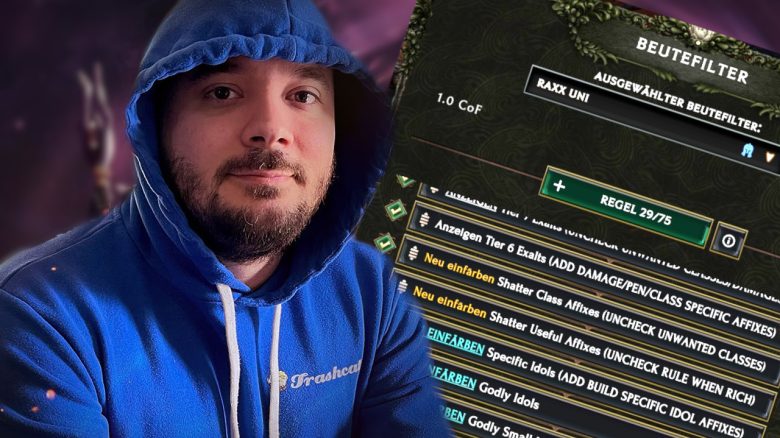
Loot Filter help you in Last Epoch to find the right items for your build among the countless items. However, the filters need to be set up correctly. The ARPG expert Raxxanterax has now developed a loot filter that should work for everyone. You still have to do a little bit on your own.

Who is the expert?
- Raxxanterax is part of the group of content creators and experts around maxroll.gg, one of the largest information sites in the genre.
- The YouTuber has hundreds of hours of experience in many action RPGs, especially with Diablo. In 2023, he announced that he would move away from Diablo 4 and focus more on Last Epoch.
- Raxxanterax’s insights and expertise are often incorporated into builds or the tier list of the best builds in Last Epoch on MeinMMO.
How to install the filter: The expert has worked with his community on a new loot filter over several days and weeks. You can find the text to copy on pastebin.
The installation is then quite simple:
- Open the page and select all the text. Copy it. (Ctrl + A and Ctrl + C).
- Open Last Epoch and your menu for loot filters (Shift + F).
- Create a new loot filter using the + button next to the dropdown menu at the very top.
- Select the option “Paste from clipboard”.
Then you just have to choose a name, optionally an icon and a color. The loot filter is then basically usable. However, you should still make a few settings so that it works as intended.
We recommend at this point to set the game to English, as the search and use of certain keywords may otherwise be faulty.
Tips for the Loot Filter – Here’s what you still need to do
What else do I need to adjust? Raxxanterax advises in his video to go through the loot filter from bottom to top and adjust it. He has already entered a few comments on the individual rules in the filter. The short summary is:
- Disable rules if you have already found sufficient materials of the corresponding type (this mainly applies to general affixes, idols, and glyphs of insight).
- Disable filter rules for classes that you do not play or do not want to play.
- Select damage types, affixes, or classes for the strongest items to be listed at the top of the filter.
You can find a guided tutorial directly on YouTube, where Raxxanterax walks you through the settings step by step.
Some default settings have already been made, such as universal affixes that are always useful or the display of all unique items. Here you can still make fine adjustments, but this is only advisable if you have a lot of knowledge about the game.



Generally, you can find out what affixes and item bases you need in the corresponding guides – for example in our Ghost Lord Build for Necromancers. Most guides and builds will provide the relevant information. Filter in the search and adjust the rules accordingly.
What you should still pay attention to: The loot filter from Raxxanterax is indeed extremely useful, but it still requires that you deal with your class and your build. Blindly relying on the displays does not work here or with most guides in our experience.
You should always make a clear picture of what your class should be able to do and play towards that. Almost anything works as long as you play with a clear goal in mind. We recommend this loot filter more for experienced players. A few tips for beginners can be found here: Last Epoch sounds really complex if you come from Diablo 4 – But it is easier than it looks

Your opinion is important to us!
Do you like the article? Then let us know!