

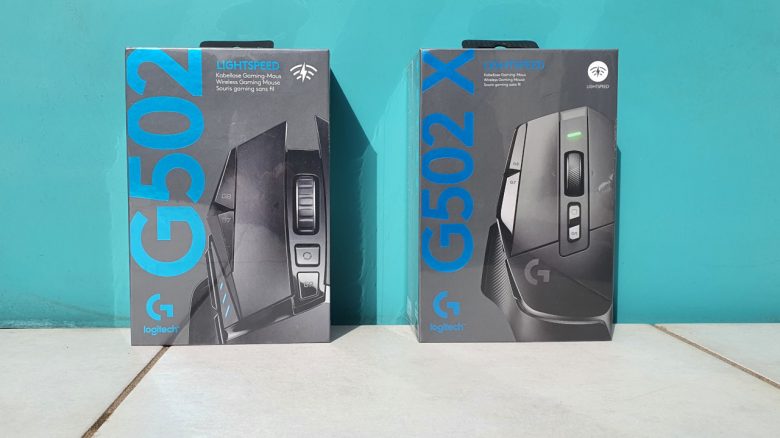
Weight, ergonomics, and battery life
The weight: Logitech has made one of the most interesting changes to the weight. On one hand, Logitech has reduced the weight of the G502 X Lightspeed by 12 grams compared to its predecessor. On the other hand, they have done away with the weight system.
The reduced weight is indeed noticeable in practice. The mouse feels significantly lighter on the mousepad, and movements are quicker and easier. In my test, I used both mice (G502 X and G502 Hero) in parallel and found the change to be sensible and do not really miss those 12 grams.
By the way, I do not miss the removal of the weight system since I hardly used the weights with the G502 Hero. The device was heavy enough for me even without weights, and I mostly play with heavier models. I also found in the Roccat Kone XP test that the reduction in mouse weight really benefited performance.
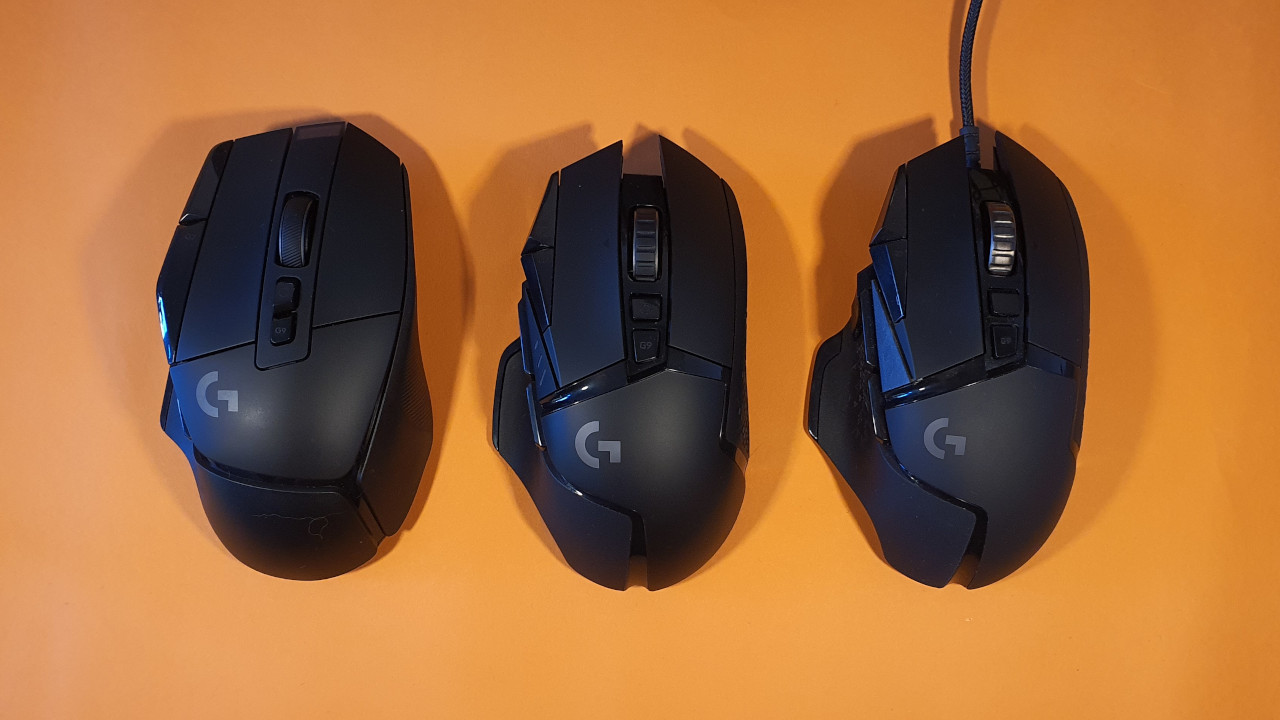
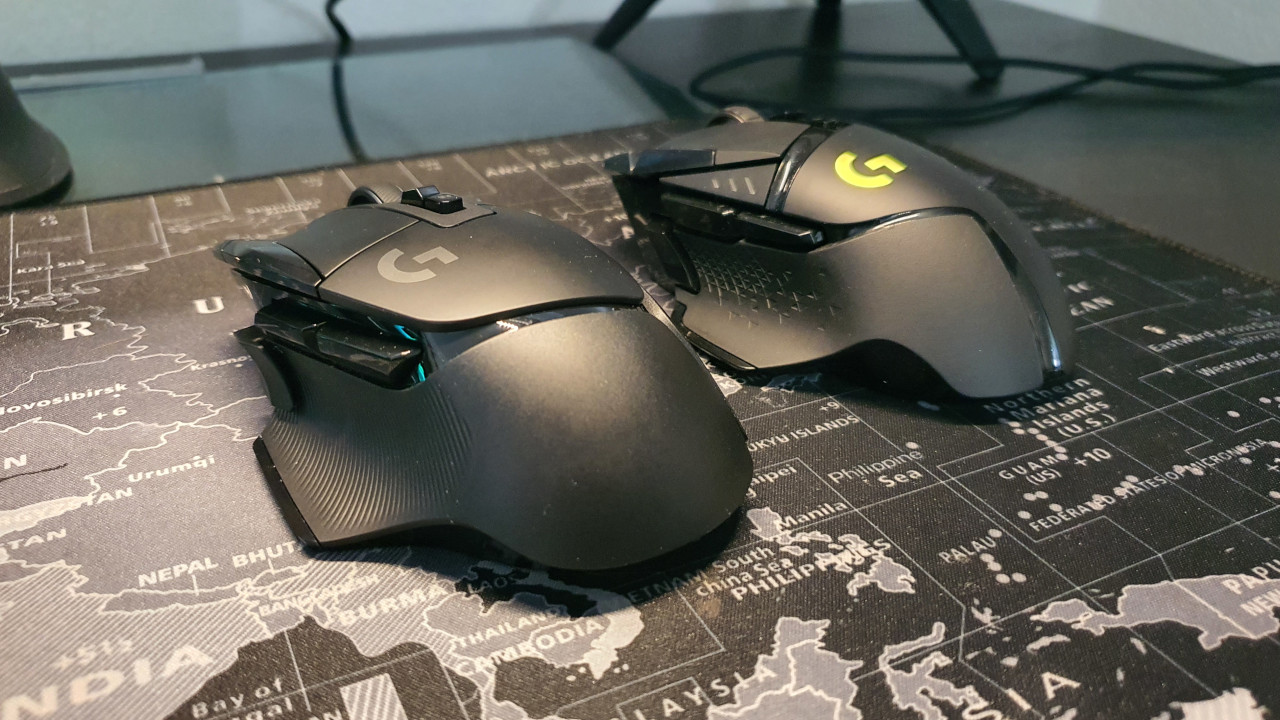
Ergonomics: Logitech has slightly adjusted the ergonomics, which is hardly noticeable in pictures. In fact, it is details that make the G502 X better than its predecessor:
- The back of the mouse has become a bit broader, thus providing better hand support overall. The wider rear of the mouse was always a plus point for the Kone AIMO Remastered.
- The sniper button has been moved slightly forward, making it better reachable with the thumb. For people with small hands, it is still too far forward, in my opinion. For my girlfriend, the button is still too far away.
- The mouse has become a touch longer.
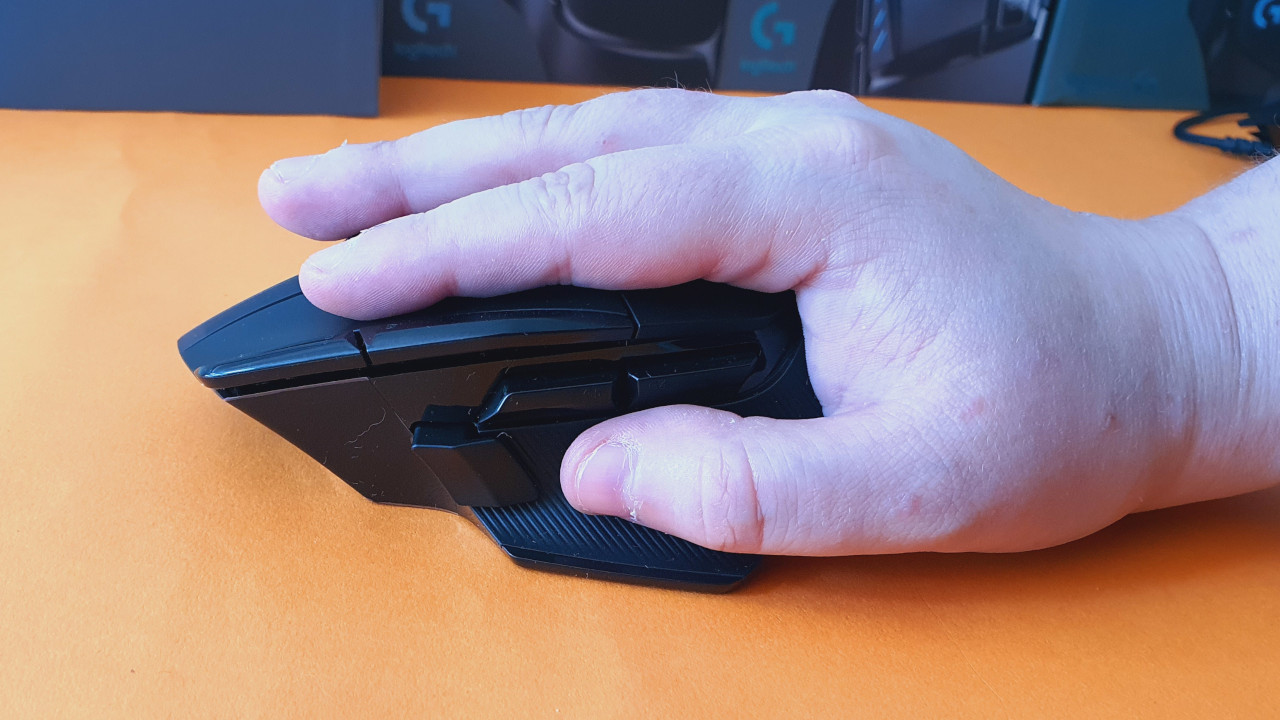
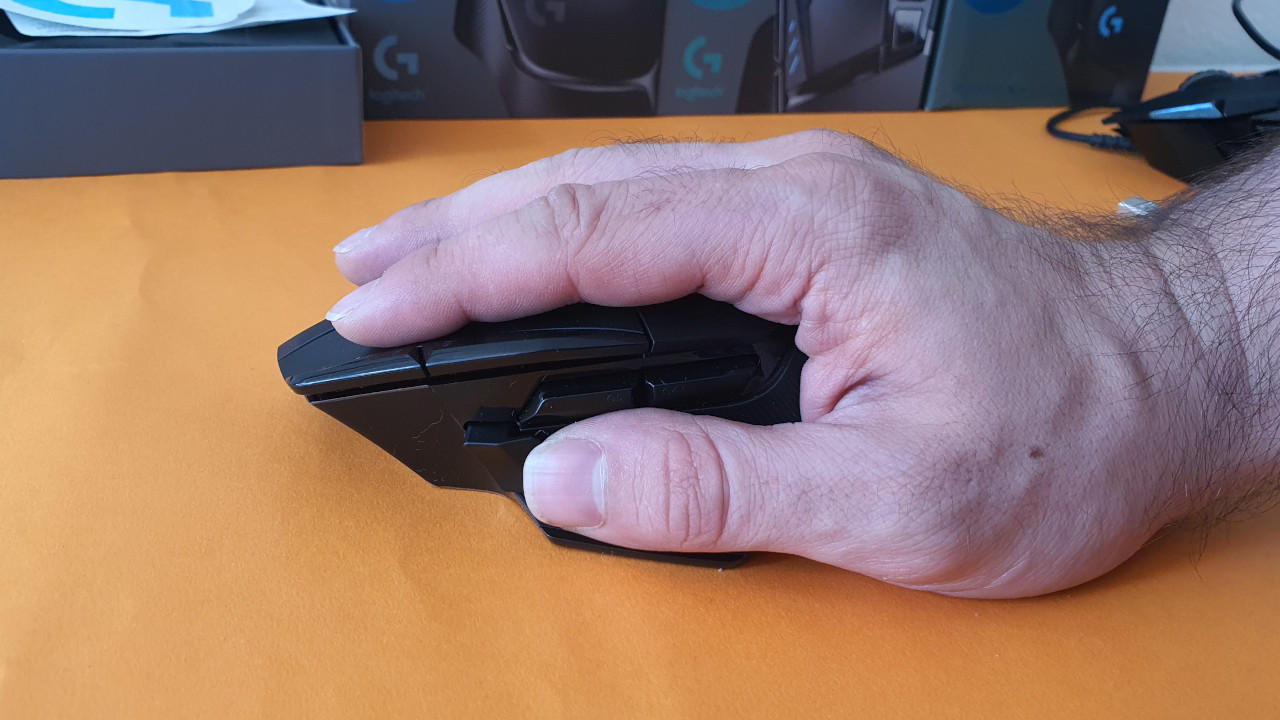
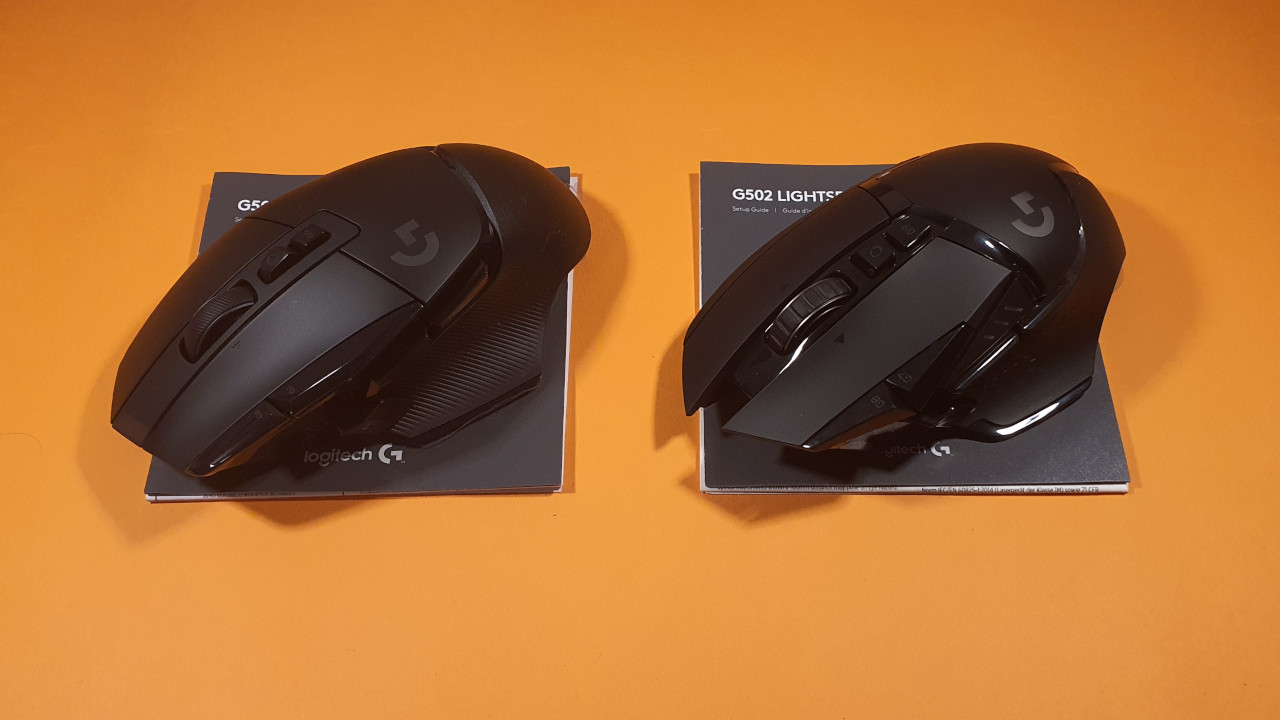
In terms of ergonomics, the G502 X Lightspeed thus represents a step forward for me. In the following images, you can also see the direct comparison. With my large hand (right), I can easily reach all buttons, while my girlfriend (left) has a harder time.
Battery life: With the G502 Hero Lightspeed, I achieve an average battery life of 20 – 25 hours. By the 3rd day at the latest, the mouse has to go back on charge.
The G502 X Lightspeed makes a great leap forward here and can quadruple the battery life. I used the mouse for about a week and didn’t have to charge it even once during that time.
Logitech continues to support mousepads with Powerplay feature with the new mice, but I still find the mousepads simply too expensive and only available in a small format. The advantage does not make sense to me as I can charge the mouse overnight.
When charging, Logitech has improved another detail: The new model finally uses USB-C instead of micro-USB. The port is also wide enough that you can use other commercially available USB-C cables.
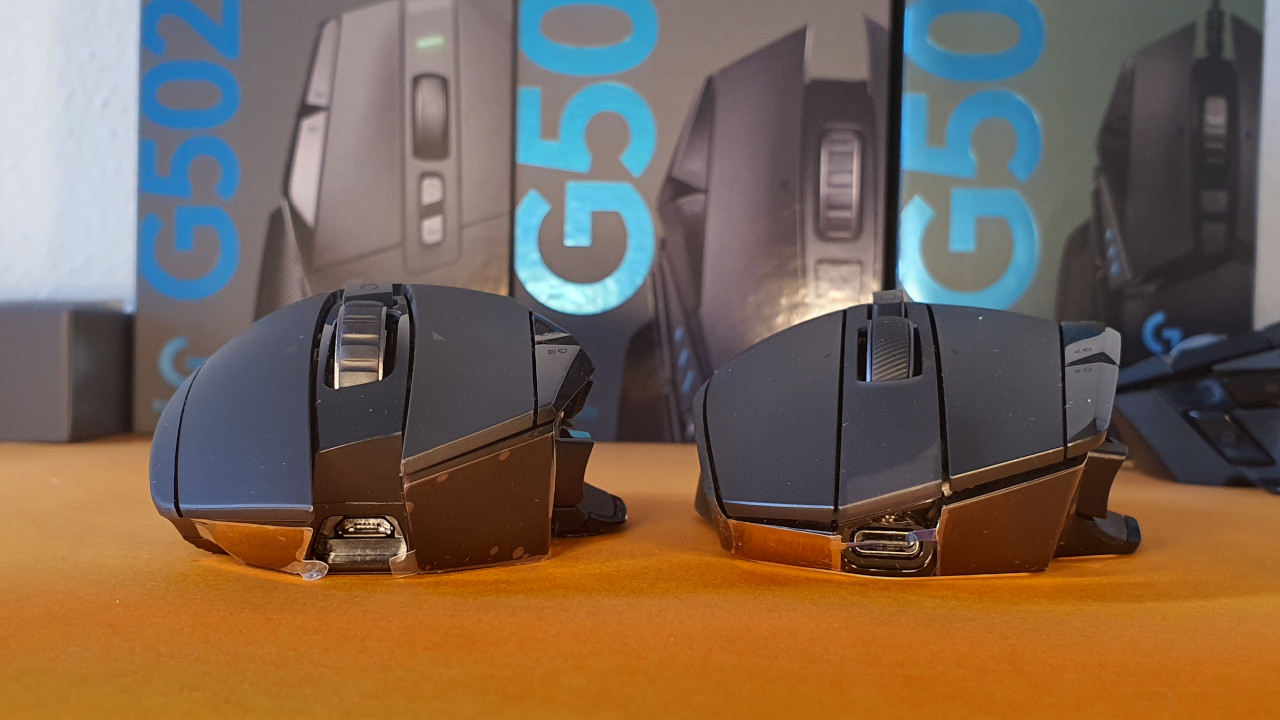
The mouse buttons and mouse wheel
The mouse buttons: The perhaps biggest change from the predecessor model actually takes place under the buttons. Logitech has replaced the previous Omron switches with its own Lightforce switches. They are now optomechanical and are said to last much longer.
In my previous testing period, I have not yet been able to check whether the new Lightforce switches hold up better. I must also say that I did not have any double-click issues with my previous G502 mice. They only appeared on my older G903, which I have had for many years.
In normal use, I do not feel any difference between the switches. Both mice (G502 and G502 X) feel precise and accurate to me. A clear difference is at least in the sound: The Lightforce switches make an audible, metallic clicking noise when pressed. With a gaming headset, I can hardly hear the clicks. However, my girlfriend finds them almost too intrusive, as the clicks are clearly distinguishable from my mechanical keyboard.
Below, you can listen to the clicks of both mice and compare them directly:
The mouse wheel: The mouse wheel made the G502 Hero unique for a long time, as you could choose between free-running (infinite) mouse wheel and a stepped mouse wheel. That has not changed with the G502 X Lightspeed.
Logitech has improved other details here. The stepped mouse wheel on the G502 Hero always felt stiff, and it took time to get used to the “hard” mouse wheel. With the G502 X Lightspeed, it no longer feels as stiff and scrolls better. It is still unusual, as the clear step requires force to turn. Compared to the old G502 Hero, it is a clear improvement, but in my opinion still a bit too stiff.
I prefer the option with Razer’s Basilisk Ultimate, where you can adjust the strength of the ratchet with a wheel on the back. There has been no change to the free-running setting.
Sensor
In the new mice, the “Logitech Hero” sensor continues to be used. The sensor is still one of the best sensors you can find in current gaming mice. With the G502 X Lightspeed, you therefore also get excellent precision without compromises. Even though I normally adjust DPI settings between 800 and 2400 in daily use. That was already the case with the predecessor model.
And to be honest: In everyday use, I could not notice any difference in latency, whether I used the mouse via Lightspeed or connected it with a cable to the computer. Not even in fast shooters like Apex: Legend, where every millisecond counts when an opponent runs in front of the gun.
Conclusion
Who is the mouse suitable for? Those looking for a high-quality and versatile gaming mouse will not go wrong with the G502 X Lightspeed. Especially if you don’t yet own a mouse from the Logitech ecosystem. However, if you already own the predecessor model, a purchasing recommendation becomes significantly more difficult:
Because in my opinion, the mouse is currently very expensive at 149 euros. And that’s not due to the competition, as the – consisting of Razer Basilisk or Kone XP – are not really cheaper. Rather, it’s due to the old G502 Hero Lightspeed, which you can currently get for around 80 euros, making it an excellent offer. While you will miss out on the better switches, you still get a great mouse with all the other features.
What alternatives are available?
- The strongest alternative remains the G502 Hero. Because it is still a great all-rounder with few notable weaknesses.
- The Roccat Kone XP is also a good alternative with pleasant ergonomics and unique lighting.
- The SteelSeries Rival 5 is also a suitable candidate. The ergonomics are not as good as Logitech, but the mouse is one of my favorites.
More gaming mice on MeinMMO: If you are looking for more recommended gaming mice, then take a look at our buying guide on MeinMMO. There you will find the best gaming mice available for purchase:
The best gaming mice for shooters that you can buy in 2022

Your opinion is important to us!
Do you like the article? Then let us know!