

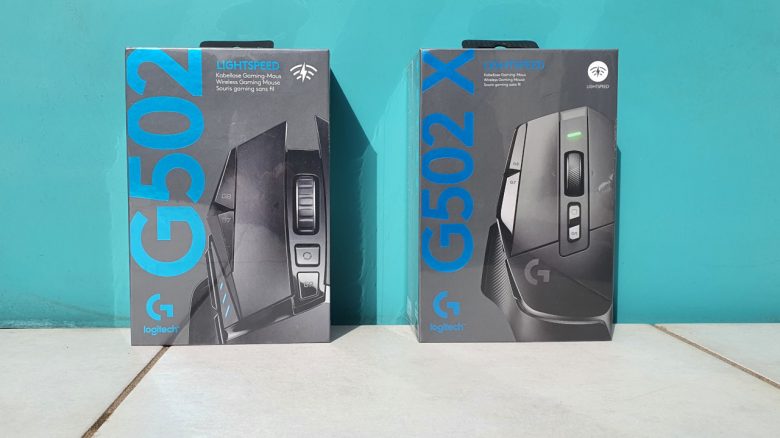
Logitech has introduced the G502 X as a gaming mouse and the successor to its popular G502 Hero. But is an upgrade to the new model worth it for all users, especially for those looking to buy a G502 for the first time? MeinMMO editor Benedikt Schlotmann was able to test the gaming mouse for you.
The G502 Hero from Logitech is one of the most popular gaming mice in the world and regularly ranks among the bestsellers in gaming accessories. Therefore, it was hardly surprising, that Logitech had introduced three new models for the G502 Hero.
The G502 Hero is one of my absolute favorites when it comes to gaming mice. Therefore, I was very excited when Logitech introduced the new models. Meanwhile, I was able to extensively test the G502 X Lightspeed and will reveal to you why Logitech has improved the mouse in many ways – but also why I find it difficult to give a clear buying recommendation for all users.
Who has tested it?
I have a passion for gaming mice and currently own over 20 gaming mice personally. Since 2019, I have been testing hardware for MeinMMO for our readers. Mice, along with gaming headsets and keyboards, are among my absolute favorites when it comes to peripherals for PC and console, so I am very well acquainted with them.
Logitech provided me with the G502 X Lightspeed for testing. I purchased the regular G502 Hero Lightspeed and the G502 Hero privately.

Benedikt Schlotmann
Hardware Editor MeinMMO
Features and technical details:
| Sensor | Hero 25K, optical sensor |
| Resolution | Up to 25,600 |
| Switches | Optical Lightforce switches |
| Buttons | 9 buttons with a total of 5 profiles in memory |
| Design | Black or White mouse, only a glowing charging indicator, no RGB lighting |
| Glides | 4 |
| Cable | Detachable 1.8m USB-C cable |
| Weight | 102 grams |
| Price (RRP) | 149.99 Euro |
Package contents, design, and construction
What does the package contain? The box contains all the important things I need for gaming. This includes a USB-C charging cable, a Lightspeed receiver for the wireless connection, an extension cable for the adapter, and the manual. Additionally, there is a cover for the sniper button included. You can remove and cover the button if you do not use it.
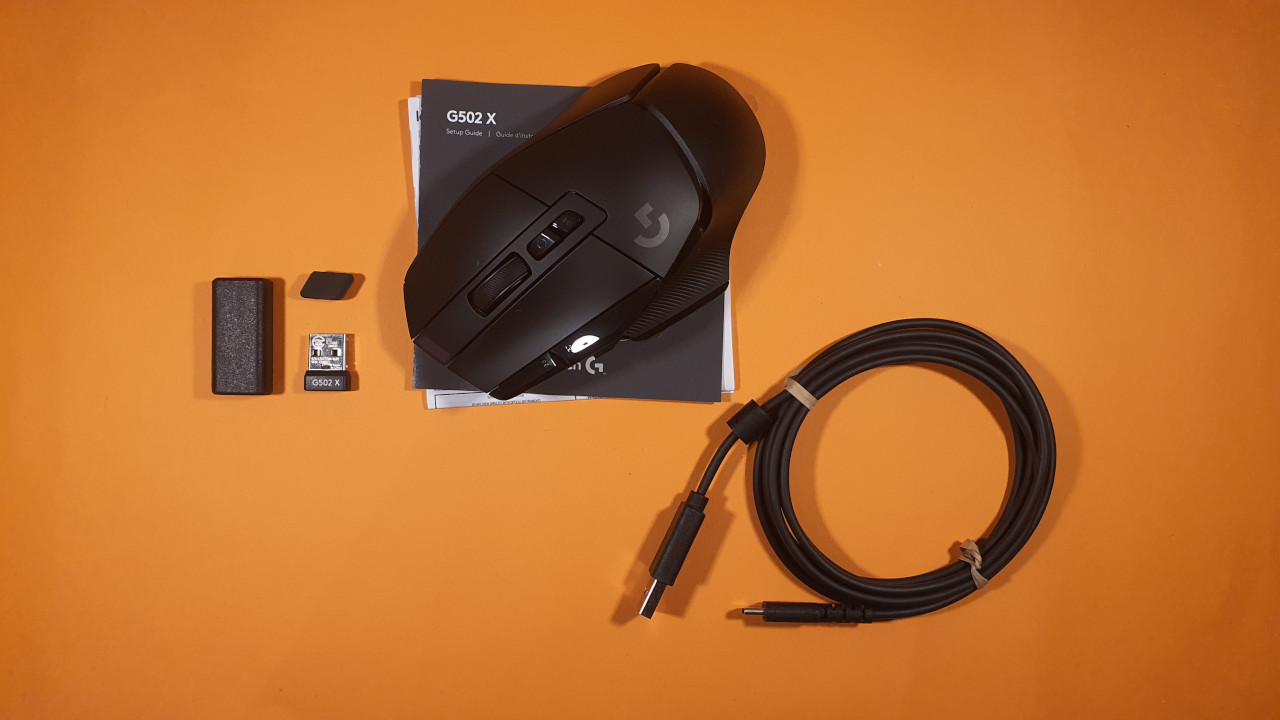
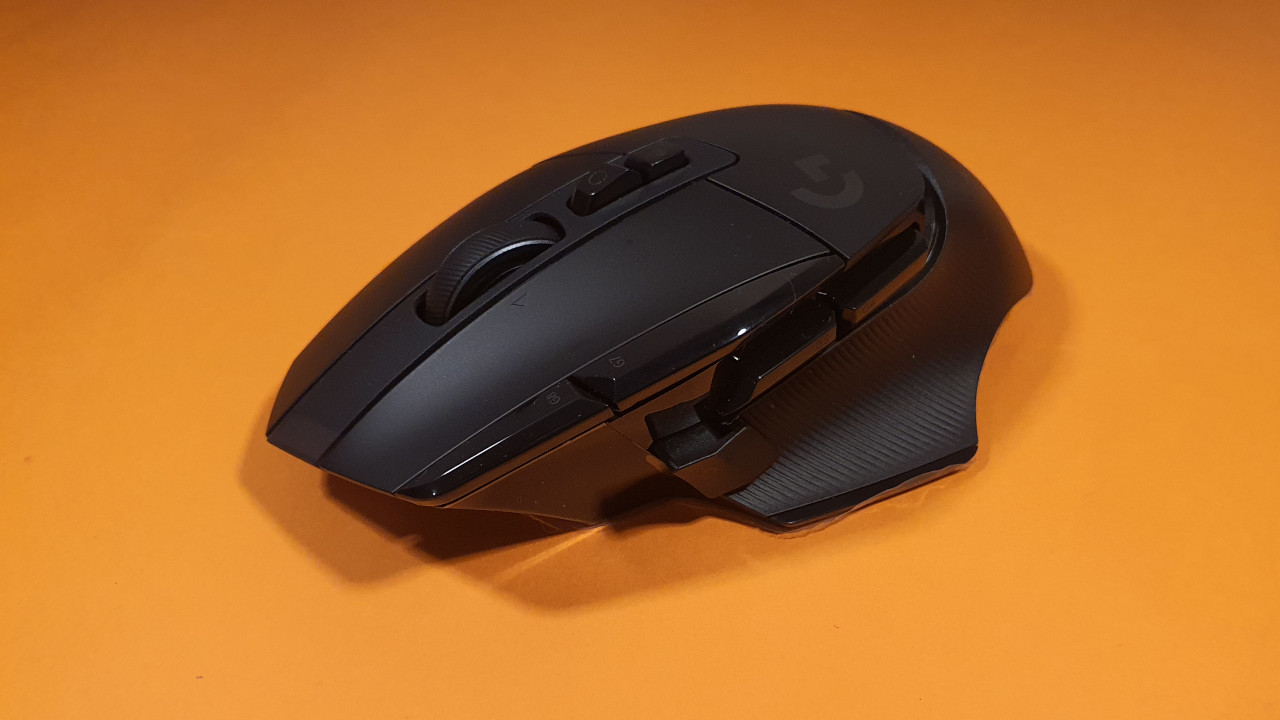
How is the mouse constructed? You can get the G502 X Lightspeed in both a white and a black design. Apart from the colors, there are no real differences.
- On the top side of the mouse are the main buttons. Between them is a 4-way mouse wheel and in front of it are two small switches. One allows you to change the DPI level, and the other cycles through the profiles. On the left side are two additional buttons within the index finger area.
- On the left side, there are 3 more buttons. Two are directly under the palm, and the 3rd button is far forward, the so-called “sniper button.”
- In the bottom area, Logitech relies on a ribbed thumb rest. This ensures that the thumb rests securely on the mouse.
In contrast to competitors from Roccat or Razer, Logitech has completely done away with RGB lighting for the G502 X Lightspeed. The previous G502 Hero at least had a lit “G” logo. If you want RGB lighting, you’ll have to pay an additional 20 euros for the G502X Plus Lightspeed.
Otherwise, the G502 X Lightspeed is an ergonomic mouse for right-handed users.
Build quality
The G502 X Lightspeed appears to be of high quality. During the shake test, nothing rattles, and the mouse feels stable to me. The only annoyance is that the Lightspeed receiver cannot be securely fixed inside the mouse.
If you transport the mouse with the receiver inside, you can hear the rattling receiver. For a “150 Euro” mouse, this is frustrating and unnecessary in my opinion. The same problem existed with the G502 Hero and was already annoying then.
Software
Logitech’s G-Hub software is, in my opinion, one of the better representatives when it comes to gaming software.
- The software suite from Razer feels bloated, with numerous extra features.
- Roccat’s “Swarm” offers numerous functions but quickly becomes very confusing for newcomers.
- The SteelSeries Engine tries to provide functions for gamers and streamers alike, but has always been too much for me.
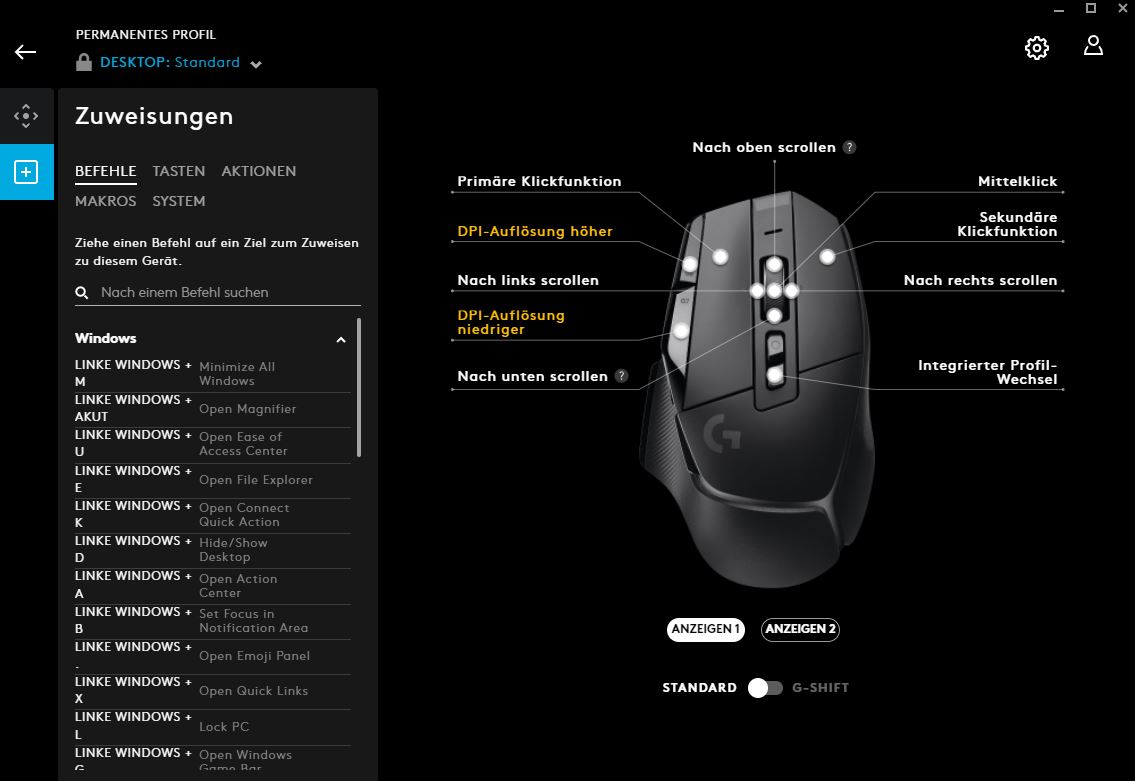
Logitech’s “G Hub” provides exactly what I need: I open the page for my device and can set up all functions directly here. I see no ads for other devices, options for streaming, or requests to like things or join giveaways.
Interestingly, I can also download the mouse settings from the community and import them for my device. However, I have never actually done this in practice, as I prefer to make my own settings.
On the next page, you will find my assessment of the weight, ergonomics, and battery life of the wireless gaming mouse. In the concluding summary, I will also explain for whom the mouse is worth the investment and what (still) might argue against a purchase.

Your opinion is important to us!
Do you like the article? Then let us know!