

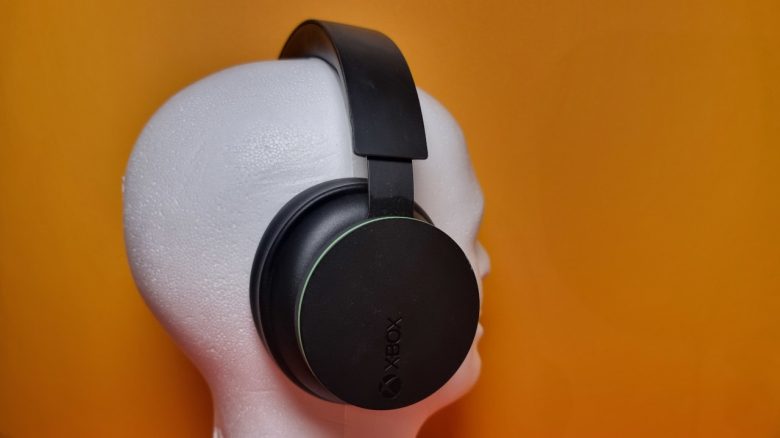
With the Xbox Wireless Headset, Microsoft has introduced a gaming headset for under 100 euros for PC and Xbox. MeinMMO editor Benedikt Schlotmann was able to test the model. In his review, you will read whether the model is worth it and what alternatives are currently available.
With the Xbox Wireless Headset, Microsoft has introduced the official gaming headset for Xbox and PC. Its design resembles that of Sony’s “Pulse 3D” headset, matching the console: The green-black design fits with the Xbox Series X.
The headset officially costs around 100 euros and has been available in stores for a few months. But is the headset worth it, or are there better options for gaming on PC or Xbox? I took a detailed look at the headset for you.
Overview of the Xbox Wireless Headset Test:
Who tested it?
I have a passion for hardware and tech and now own over 20 gaming mice, alongside several keyboards and controllers. Since 2019, I have been testing hardware for our readers at MeinMMO. Along with PC and major consoles, I also game on the Steam Deck.
Our device is a review copy provided to us by Microsoft for testing.

Benedikt Schlotmann
Hardware Editor MeinMMO
Here you will find all the important technical details of the Xbox Wireless Headset as a table:
| Model | Xbox Wireless Headset |
| Connection | Xbox Wireless, Bluetooth, or Wired (USB). |
| Platform | PC, Xbox |
| Included | Gaming headset, manual, and USB charging cable |
| Special Features | Simultaneous connection via Xbox Wireless and Bluetooth possible |
| Weight | 315 grams |
| Price (MSRP) | 99.99 euros |
Design and Build
What is included in the package? The gaming headset comes with a manual and charging cable. The headset can also be connected through an Xbox Wireless Adapter, which is not included. Such an adapter costs around 20 euros.
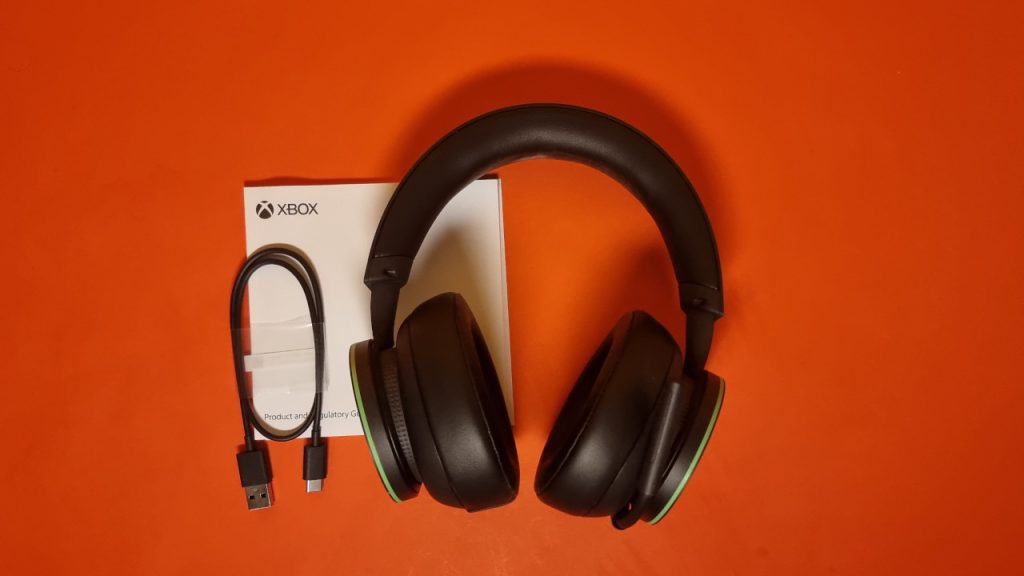
Construction of the headset: The device features a black design with green accents on the ear cups. The Xbox logo can be seen on the right side. There is no RGB lighting. Various functions are integrated into both ear cups:
If you turn the right ear cup, the sound gets louder or quieter. I find this very intuitive and better than with other manufacturers, where the sound is adjusted with a tiny knob on the headset’s body.
The left side has a fixed microphone. This can be flipped up but cannot be fully retracted or removed. If you turn the left ear cup, you can adjust the volume of either your conversation partners or the game sound. If you fully turn the cup in, you mute your teammates or the game.
Really practical: You can connect the headset simultaneously via Bluetooth and Xbox Wireless. This way you can, for example, answer a call or combine the sound of any app from a phone, tablet, or PC with the sound from your console. However, it is a pity that there is no button on the headset to switch the sound.
Processing
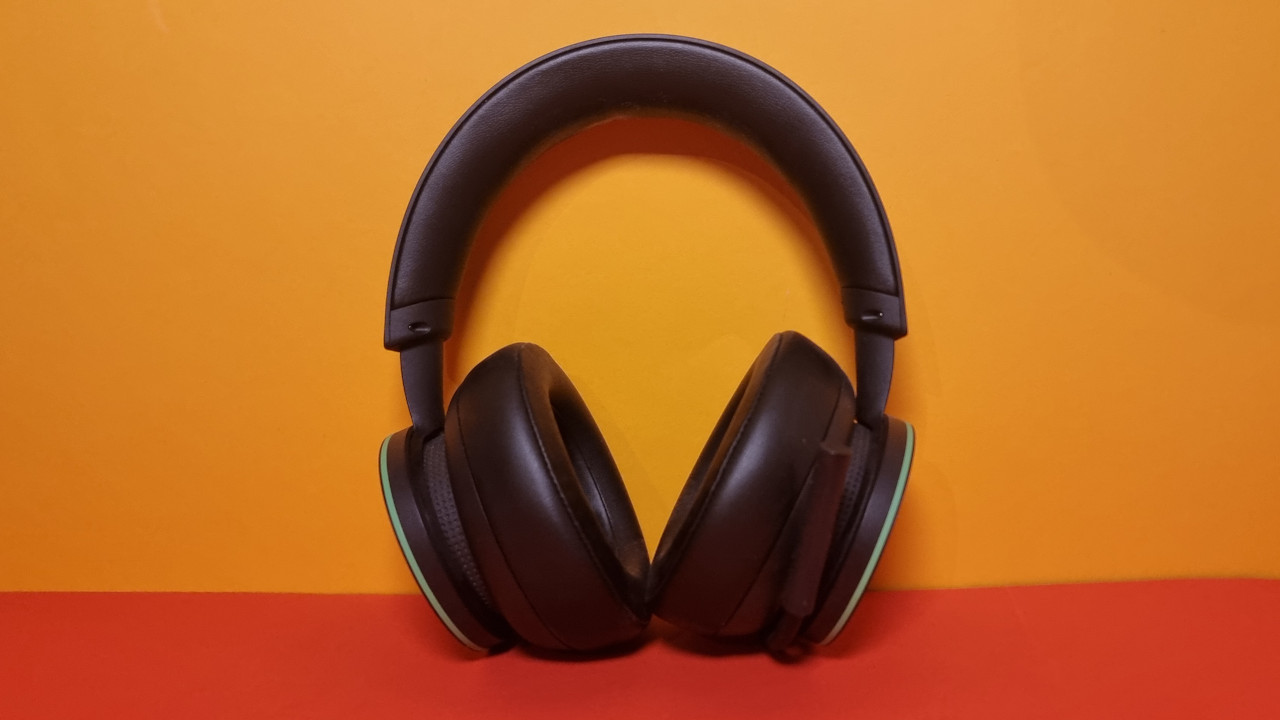
The entire Xbox Wireless Headset is almost entirely made of plastic. The microphone is firmly attached to the headset’s body and cannot be removed. The microphone is also somewhat stiff compared to, for example, the Arctis Nova 7 Wireless.
The headband is made of memory foam in a leather-like appearance, and the ear cushions also use the same material. At least: The ear cushions can be replaced somewhat easily. Third-party options can be found on Amazon. Microsoft itself does not offer this service.
The built-in battery in the headset is fixed and cannot be replaced without disassembling the entire headset. And that is generally not recommended.
Software
The headset can be configured either via PC or Xbox using the “Xbox Accessories” app. However, there is a catch: The “Xbox Accessories” app currently does not support headset connections via Bluetooth. If I want to make adjustments on the PC, I have to connect the headset either via USB cable or via an Xbox Wireless Adapter.
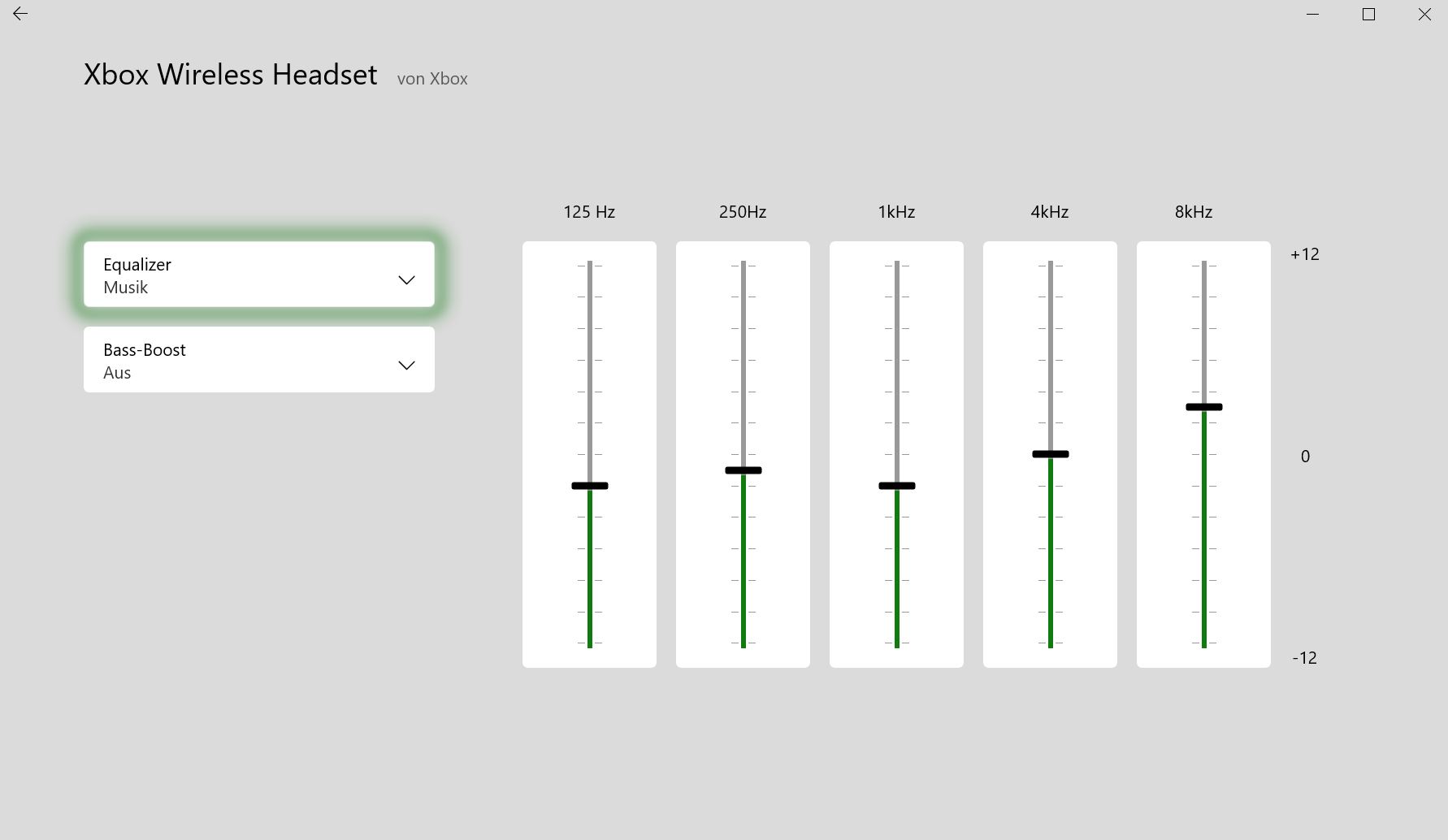
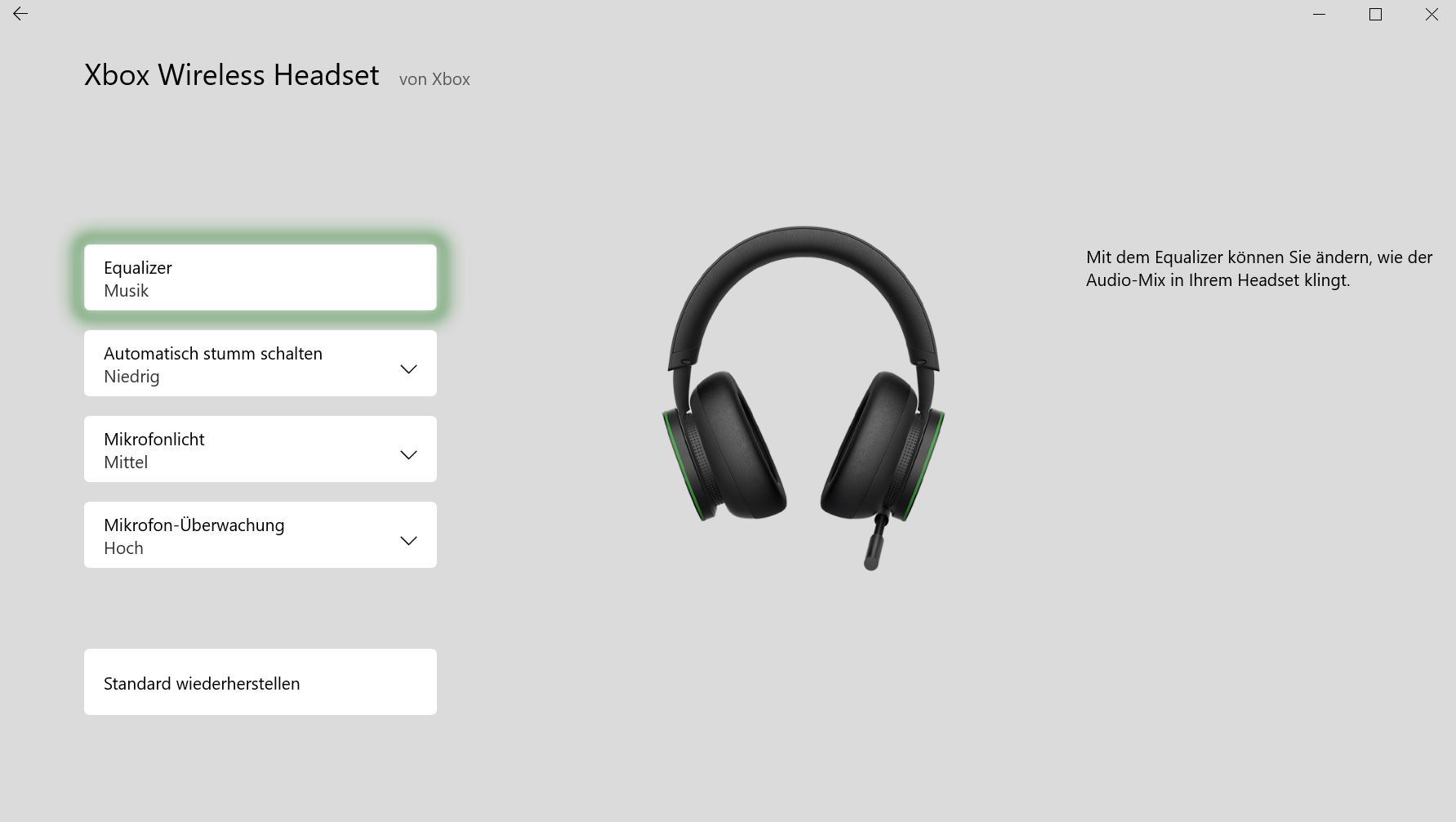
The software allows for various adjustments. You can adjust the equalizer or configure the microphone mute setting. Also practical: With microphone monitoring, you can control how much of your own voice you hear in the headset.
The software may not be particularly beautiful, but it is functional and clear. Everything can be adjusted with a few clicks. Without ads or other clutter within the software. This is commendable.
Comfort, Weight, and Battery Life
What does my head look like? My head circumference is about 58 cm, so I have a rather small head. The headset fits well and quite snugly and does not slip off during fast movements of the head. However, this has a drawback: After some time, my ears feel noticeably warm under the plastic cushions. This is bearable in winter, but in summer I find it very uncomfortable.
From an ergonomic standpoint, the headset offers limited options to adjust the device to your own head: The headset does not have a dynamic headband like SteelSeries does with its Arctis line. The ear cups also cannot rotate. This annoyed me during the test of Sony’s Pulse 3D Wireless Headset for the PS5, which also offered limited adjustment options and was very rigidly built.
From an ergonomic perspective, the Kaira Pro from Razer performs significantly better in tests: Here you get fabric cushions and the ear cups can rotate, making it much more comfortable to wear. However, it does not sit as stably.
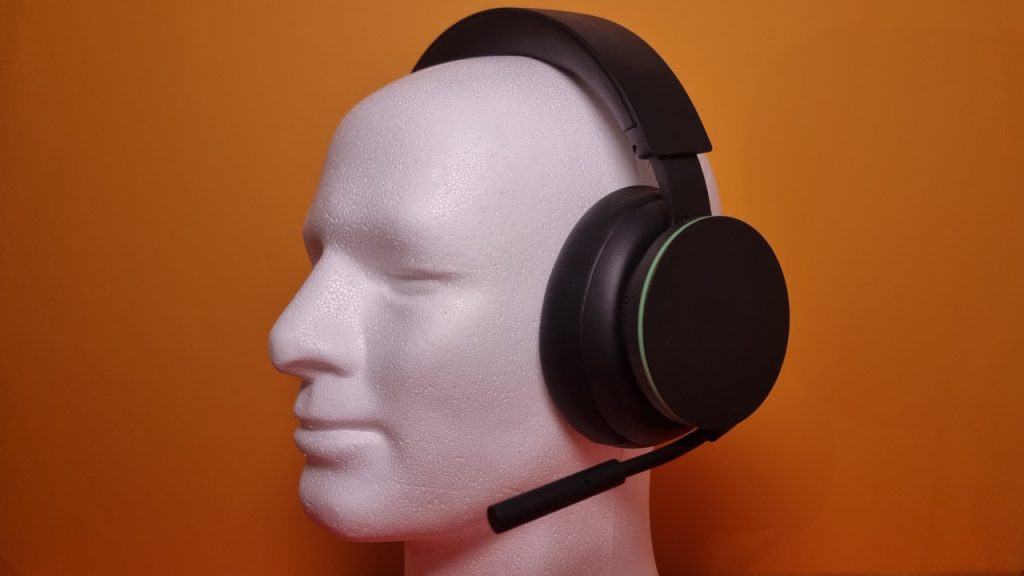
Weight: The Xbox Wireless Headset weighs 315 grams. This makes it slightly heavier than comparable products. The Arctis Nova 3 from SteelSeries with similar features weighs about “only” 253 grams. At around 300 grams, the Xbox headset is more in the good mid-range.
Battery Life: Microsoft states the battery life is approximately 15 hours per charge. I actually achieve this when gaming. After 30 minutes of charging, there is enough power for about 4 hours of gaming. The gaming headset is fully charged after approximately 3 hours. This allows the Xbox Wireless Headset to easily compete with its rivals.
Sound
The sound of the headset is surprisingly good and better than I would have expected from a budget headset. It should be clear to anyone that we are talking about a 100-euro device, so certain weaknesses are forgivable.
Games sound generally good, though sometimes the sound feels a bit confined. The soundstage is also not comparable to an expensive set of headphones. But the headset is mainly aimed at gamers who play on PC or on their Xbox.
What I also noticed negatively: If I turn up the sound on the headset to the max, the sound can get quite rattly and tinny and doesn’t sound really pleasant anymore.
Dolby Atmos and Windows Sonic: Optionally, you can use Dolby Atmos or Windows Sonic with the Xbox Wireless Headset: Dolby Access is paid (around 20 euros) and Sonic is free. Both can be used on both PC and Xbox. The downside: Dolby Atmos can only be used if the game explicitly supports it. Currently, there are nearly 30 games available that you can view directly in the Xbox Store. Examples include:
- Borderlands 3
- Metro Exodus
- Forza Horizon 5
- Shadow of the Tomb Raider.
- Cyberpunk 2077.
The advantages of Dolby Atmos can be truly impressive depending on the game. The sound is represented spatially or three-dimensionally through Dolby Atmos. This allows you to better discern enemies, which is especially valuable in shooters like Call of Duty or Halo: Infinite.
Microphone
The microphone is decent but cannot compete with better options, such as in the Logitech G Pro X. Due to the wireless connection, the microphone always sounds a bit muffled and cut off. This is mainly because my voice is compressed over the wireless connection. And other players can hear that too. However, this is not an unusual problem for a wireless headset.
If you want to quickly communicate with teammates, the built-in microphone of the Xbox Wireless Headset is definitely sufficient. For extensive conversations or recordings, I would recommend using a different headset or a proper microphone.
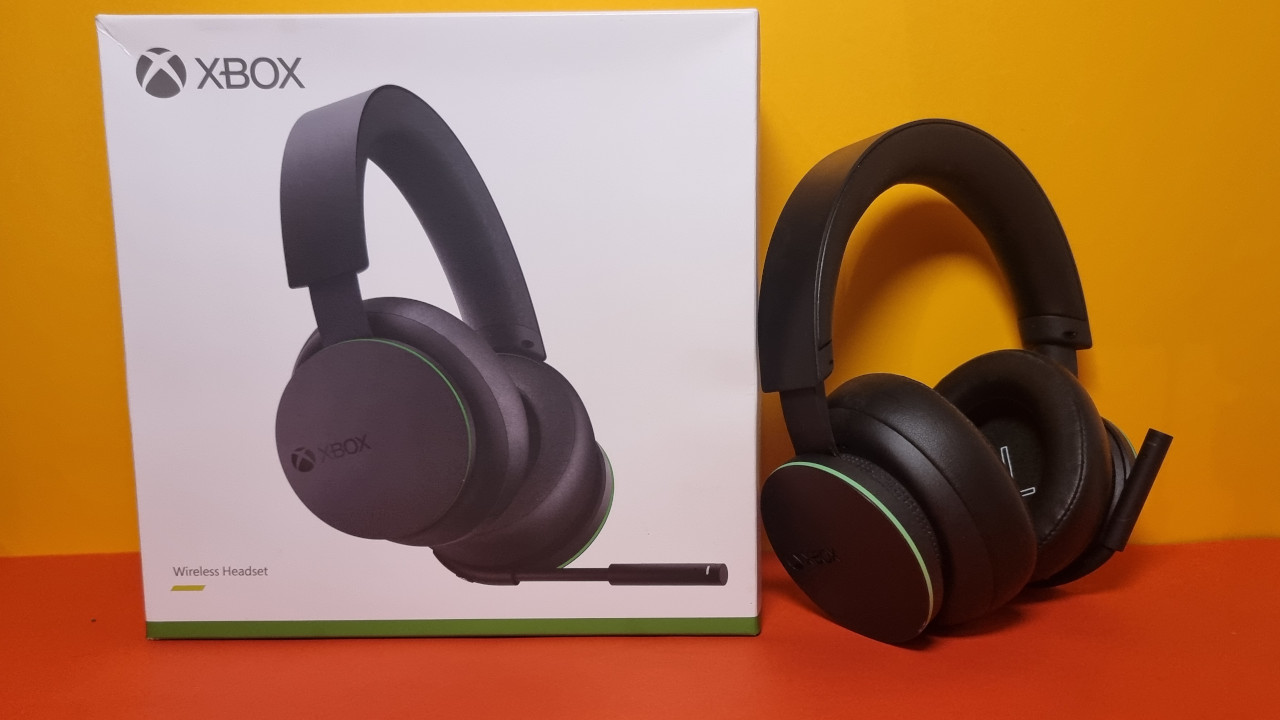
Conclusion: Good Headset for Xbox and PC, with Weaknesses in Detail
Who is the headset suitable for? For about 100 euros, you get a good gaming headset that easily connects to your PC or Xbox console. The sound quality is more than adequate for the price, as is the processing.
In terms of ergonomics, you may need to make compromises depending on your head shape. The competition simply offers better options.
What alternatives are there?
- The SteelSeries Arctis 3 is a real recommendation if you don’t want to spend more than 100 euros. The wearing comfort is excellent, and the sound is good. The microphone is the weak point of the device. The successor, the Nova Arctis 3, is even more recommendable.
- The Razer Kaira Pro remains the strongest competitor to the Xbox Wireless Headset. Overall, for 30 euros more, you get the more rounded product in terms of ergonomics.
You can find more gaming headsets in all price categories from 50 to 300 euros in the buying guide on MeinMMO:
The best gaming headsets you can currently buy

Your opinion is important to us!
Do you like the article? Then let us know!