

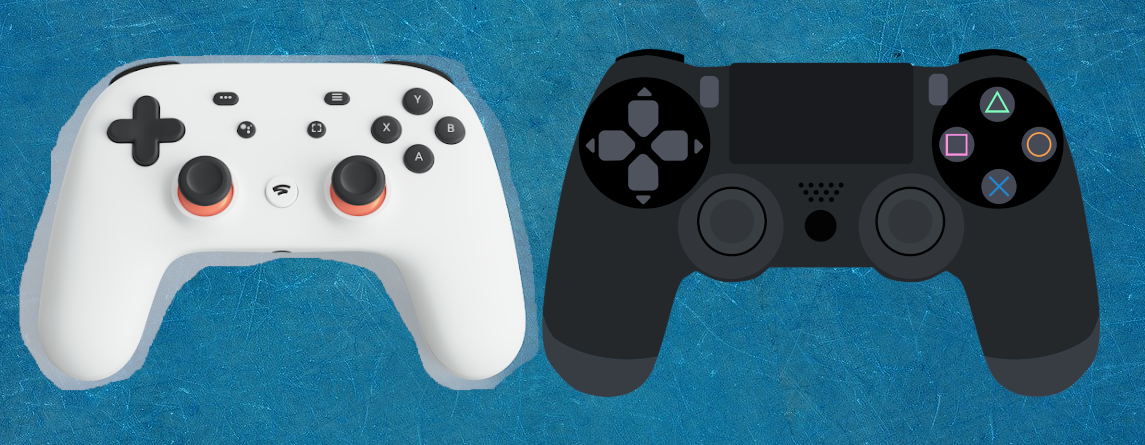
Google Stadia is launching soon, and there is the matching Stadia Controller. But is the purchase worth it just for the features, or is a Dualshock 4 Controller sufficient?
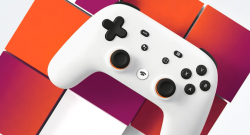
This is the Stadia Controller. The Stadia Controller is the official controller for Google’s streaming service, Stadia. In Google’s own shop, you can purchase the Stadia Controller for 69 euros.
At first glance, the Stadia Controller looks like any other controller. It features two analog sticks, ABXY buttons, and a touchpad. The layout is also similar to the PlayStation 4 controller.
This is what makes the Stadia Controller special
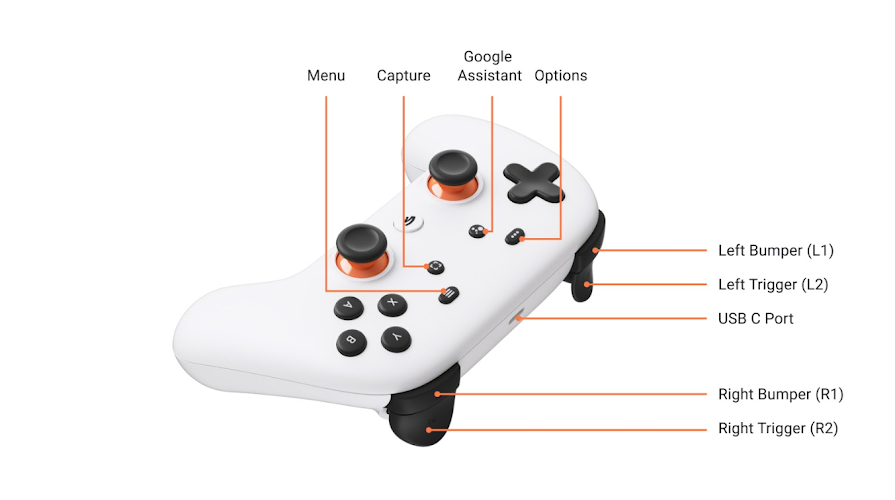
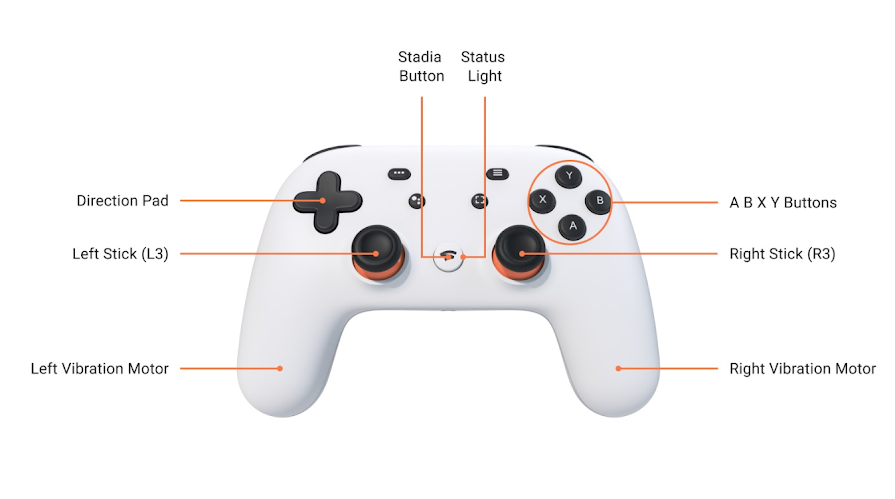
The Stadia Controller has a Stadia button located centrally between the two analog sticks. Google has now described in an official post what functionality it has.
This is what the Stadia Button can do

- Holding the Stadia Button for one second until the controller vibrates starts Stadia.
- Tapping the Stadia Button briefly opens the Stadia menu. Here, you can view your profile, check Wi-Fi connectivity, adjust volume, read notifications, or quit the game.
- Holding the button while Stadia is running opens the system interface. Within the interface, you can return to the game, turn off the controller, quit the game, log out, or exit Stadia.
- Holding the button for four seconds turns off the controller.
- Holding the button for eight seconds resets the controller, restoring settings. This is referred to as “Hard Power Down.”
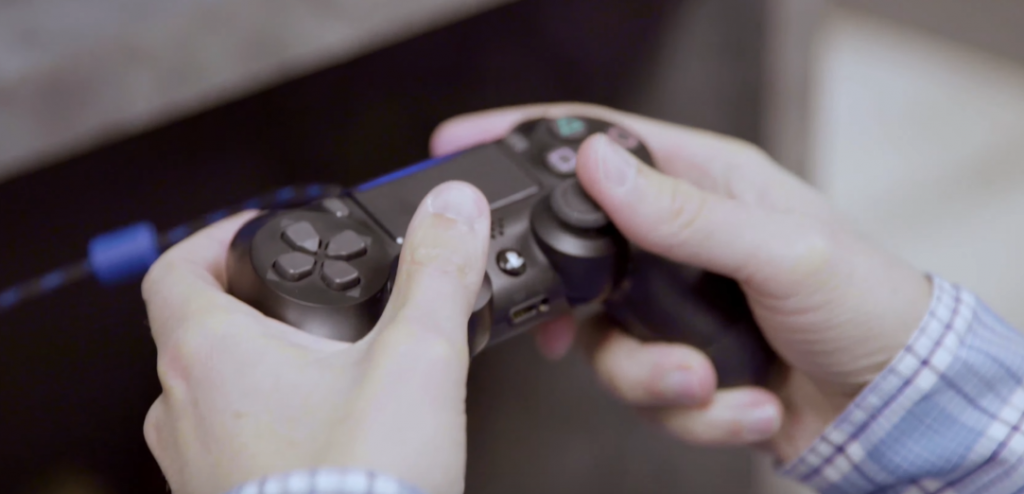
Stadia Controller vs. Dualshock 4 Controller
Next, we will examine the differences between the Dualshock 4 and Stadia Controllers and whether the purchase is worth it solely for the Stadia features. The Dualshock 4 is the official controller for the PlayStation 4, whose successor, the PS5, has also been officially announced.
Both controllers can: The Google Stadia Controller and the Dualshock 4 Controller look very similar.
Both controllers offer a Share Button. With the Share Button, you can save images or videos that you can then share or stream.
Both the Stadia Controller and the Dualshock 4 can be connected via Bluetooth. The Stadia Controller also offers the option to connect via Wi-Fi.
What makes the Dualshock 4 Controller better?
Unlike the Stadia Controller, the Dualshock 4 Controller has a touchpad: With this pad, you can interact with games and menus.
What makes the Google Stadia Controller better?
Unlike the Dualshock 4 Controller, the Stadia Controller has a Google Assistant Button. The Dualshock 4 only has a Share Button, but the Stadia Controller also features an additional Capture Button.
While the Dualshock 4 relies on a microUSB port, the Stadia Controller uses a USB-C port for charging and connecting.
According to Google, the Stadia Controller is initially the only controller with which you can play wirelessly if you meet the requirements: For wireless gaming, you need not only the Stadia Controller but also a Chromecast Ultra, which is included in every pre-order edition.
Conclusion: How good is the controller now?
What the initial testers say: The Stadia Controller has already been evaluated by some testers. Almost all agree: it is simple but really good.
Although the design resembles that of competitors Sony and Microsoft, the controller is flatter and does not have the sharp contours of a DualShock 4 or the recesses of an Xbox controller. The ergonomics are particularly praised:
During our brief time with the controller […] it felt anything but uncomfortable. Google put a lot of thought into the weight of the gamepad and how it fits in the hand. The result is a controller that feels great in hand.
TechRadar
The US site TheVerge rated the controller simply: “The Google Stadia Controller feels surprisingly great.” For a better initial image, we have embedded the hands-on video of the YouTuber Dr. UnboxKing for you here:
Is the purchase worth it because of the features?
When is the purchase of the Stadia Controller worth it? If you want to use Google Stadia wirelessly without cables, then the Google Stadia Controller is worth it. If you pre-order Google Stadia, you will receive both the controller and the Chromecast Ultra anyway.
Then the Stadia Controller is not worth it: The 69 euros are not worth it just for the additional Share Button or the Stadia Button. Currently, the biggest argument for the Stadia Controller is that you can only use the Stadia Controller for wireless gaming at the beginning.
The Stadia Controller appears more modern with USB-C and Wi-Fi connectivity than the Dualshock 4, but otherwise offers the same features that the Dualshock 4 already provides for the PlayStation 4. The Stadia Controller does not have a touchpad, but instead offers Google features and the unique Stadia Button, which the Dualshock 4 obviously does not have.
Will you buy a Google Stadia Controller or will you prefer to use your old controller?
Do you want to learn more about Google Stadia? Everything about the release, the games, and the hardware can be found in our overview article:

Your opinion is important to us!
Do you like the article? Then let us know!