


An investor known as “NFT God” made a fortune with NFTs and other digital currencies. But due to a mistake, everything is now gone. However, it seems that the loss of his fortune is the least of his worries.
Our cover image is a symbolic image.
A well-known investor named “NFT God” is known for having supposedly made a fortune with NFTs and other digital currencies. He became famous for a strange NFT ape that everyone calls “Henry.”
On Twitter, the investor explained that he has lost his “entire digital livelihood.” And that was due to a small, silly mistake:
Last night, my entire digital livelihood was destroyed.
Every account that is linked to me personally and professionally was hacked and used to harm others.
Less important is that I lost a significant part of my fortune
(via twitter.com)
A “sponsored link” destroys a livelihood in seconds
What exactly happened? The well-known investor “NFT God” wanted to install streaming software on his computer. But instead of downloading the official software, he clicked on a contaminated link. He explains himself on Twitter:
Yesterday afternoon, I downloaded OBS onto my personal desktop computer.
OBS is an industry-standard video streaming software. I was looking forward to streaming some video games live for the first time in my life.
What I didn’t know was that I had clicked on the sponsored link on Google.
And this is where the disaster began. Suddenly, his Twitter account was hacked, and access to his digital possessions was gone. His hacked accounts also sent fake and malicious messages to friends and acquaintances.

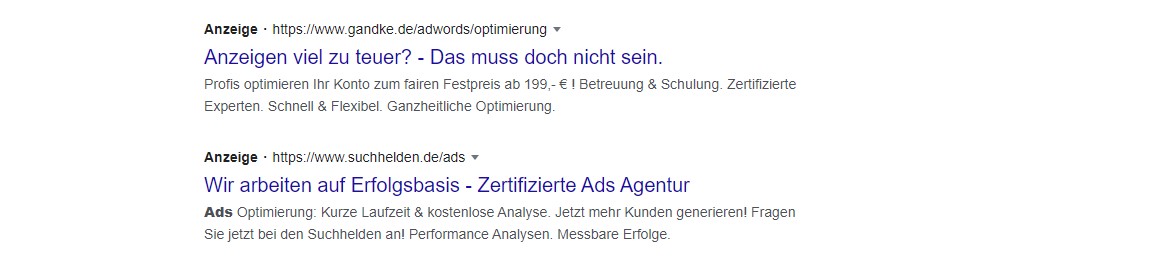
What are these “sponsored links”? When you search for specific software or a website, Google shows you so-called “Sponsored Ads” or “ads” in the top search results.
The problem is: In some cases, these ads look very similar to the correct websites. And exactly the mistake of confusing an ad with the official website happened to the investor.
Instead of downloading OBS from the official website, he landed on a fake website and installed malware from there.
Be cautious with fake websites and “free” offers
Can you protect yourself against that? Make sure to check three times before downloading a file from the internet. If you are not sure, double-check the URL and whether it is really the manufacturer’s website. Google clearly marks such links.
However, some fraudsters also take advantage of the opportunity and create websites that look very similar to the original. The website looks similar, and the URL often differs only slightly from the original.
Make sure to check our example picture: If you search for the VLC media player, you will also find a website that we have marked for you. This is a fake page that has nothing to do with the official provider. In some tests, the fake page was the first search result for us.
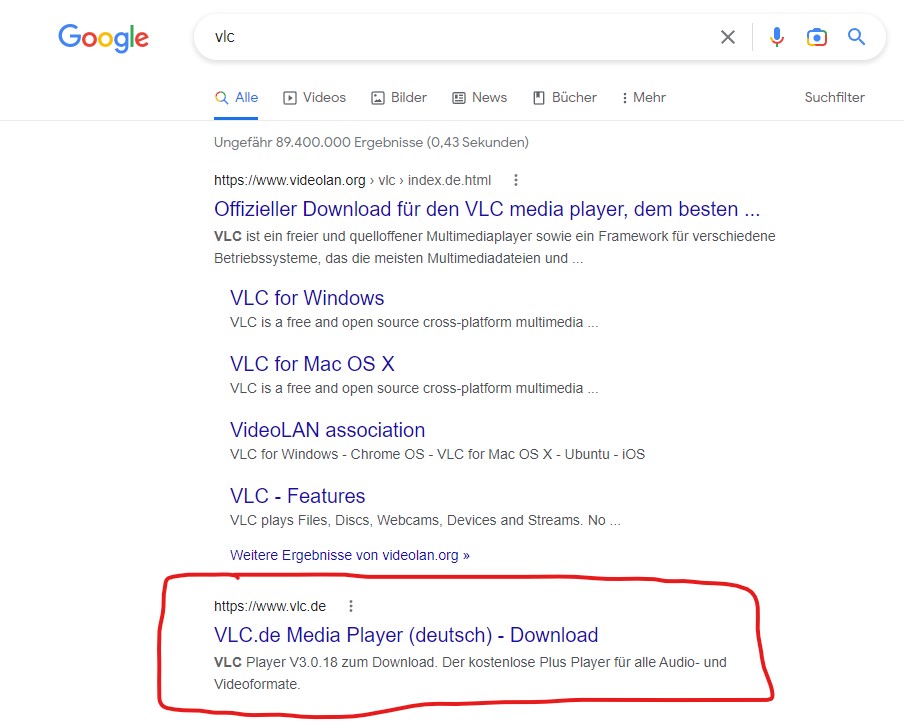
Such fake pages exist for popular software such as VLC Media Player, Discord, Steam, or graphics card software endlessly. These pages are often completely translated into German and look real, but don’t be fooled by them.
Furthermore, you should stay away from websites that offer you paid tools and software for free. In many cases, you will download malware here that has nothing to do with the official tool.
Make sure to pay attention here or use well-known German websites like Heise and others that also host the software in some cases.
Hackers allegedly spread “official” Nvidia drivers with Trojans – Here’s how to protect yourself

Your opinion is important to us!
Do you like the article? Then let us know!