

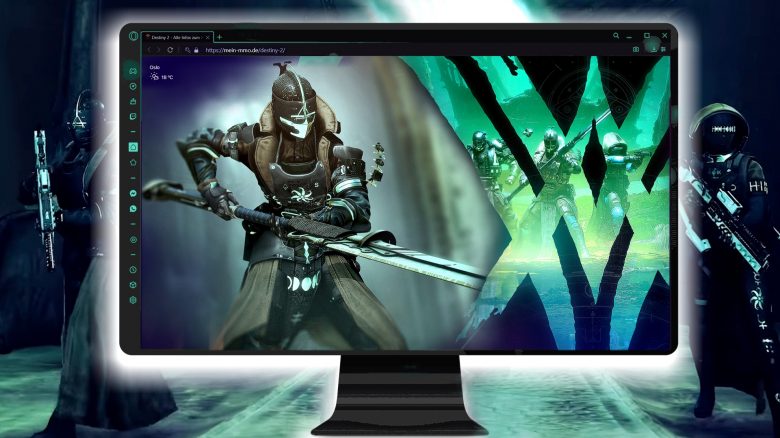
Many gamers rely on the perfect setup for gaming. A high-end gaming PC includes an adjustable gaming mouse, keyboard, and a professional headset. But did you know that there is now a special gaming browser for die-hard gamers? I’ve been using it for a while and today I’ll share why it’s not only a fantastic piece of software visually.
As an avid Destiny 2 player, I often use third-party apps in my browser. They provide me with useful features like permanent access to my vault, triumph overviews, and quests. However, both Chrome and Firefox tend to use more RAM when it’s available.
This is one reason why I switched to a special “gaming browser.” Since then, my PC resources remain free for gaming.
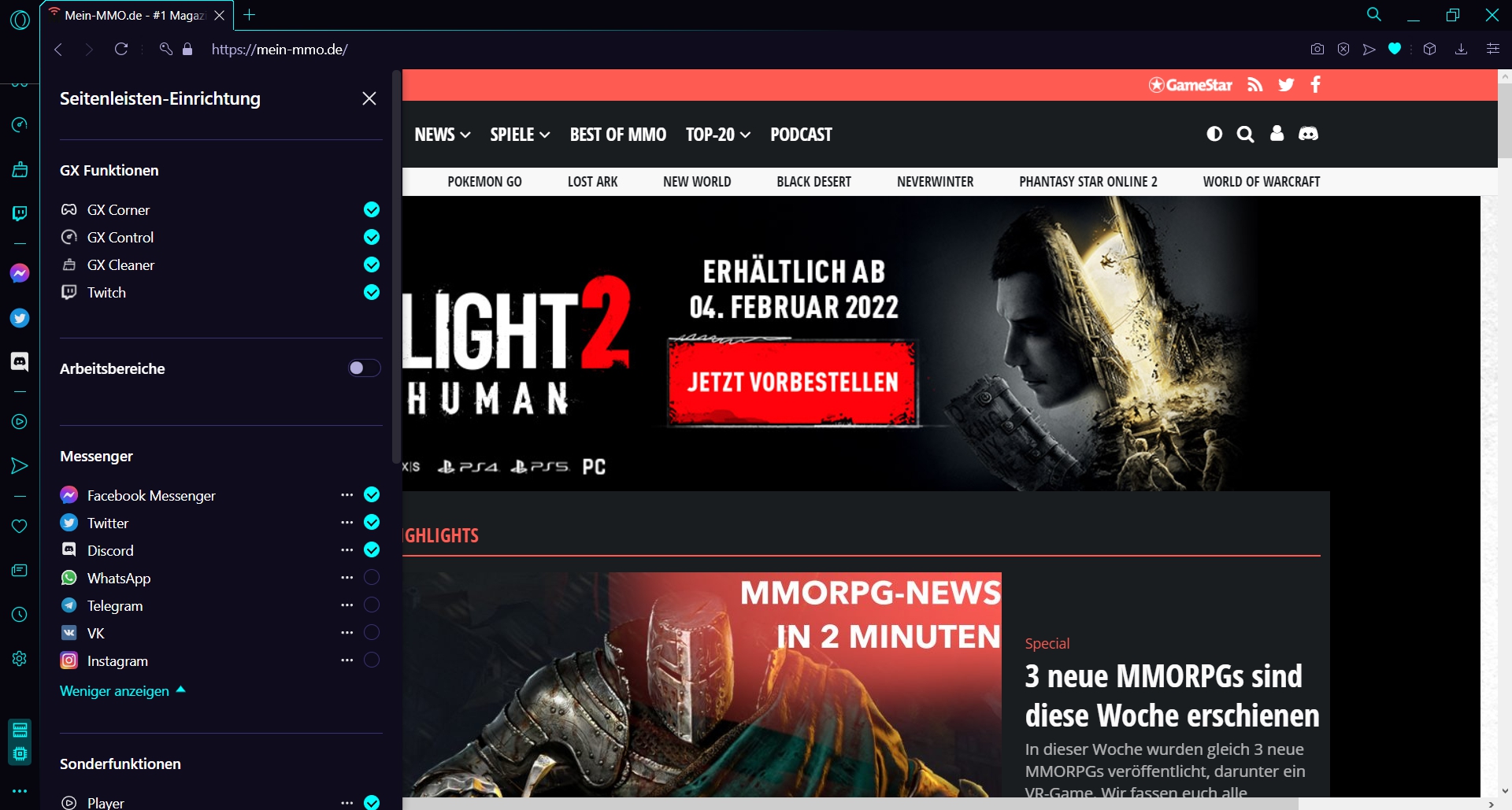
Which browser are we talking about? The Opera GX Browser, which was recommended to me by my Destiny 2 fireteam, and which I have been using daily with growing enthusiasm. It has a pleasantly modest memory requirement and also features other fantastic options that have equally impressed me.
The Opera GX Gaming Browser is not only a visual highlight but also offers advantages that we gamers quickly come to appreciate.
- Standard dark mode
- Dynamic LED color adjustment on Razer Chroma and Corsair peripherals
- Direct access to Discord, Twitch, YouTube, WhatsApp, and social media
- Performance gaming features like RAM, CPU, and network bandwidth limiters
More performance for gaming: Initially, the performance optimization options were my main interest. The browser offers the “GX Control” and “GX Cleaner” features. This allows me to specify the performance the browser uses for CPU and RAM consumption, and which files should be deleted from the computer, such as cache, history, cookies, or downloads.
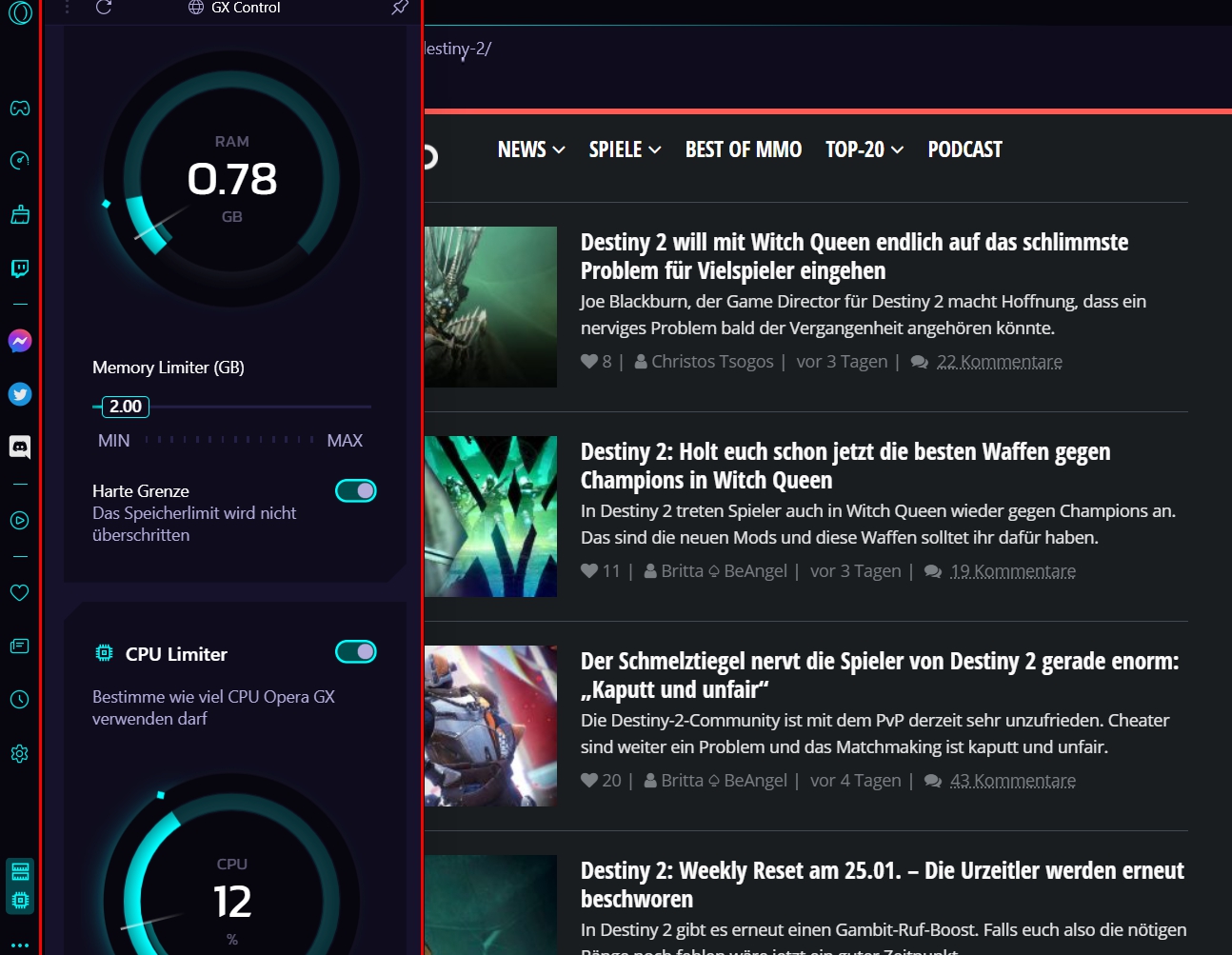
Thanks to GX Control, I can now also easily keep multiple browser tabs open while gaming without them affecting my gaming performance. I can set the limiters directly in the browser.
Hot-Tab Killer for more performance: Performance hogs can be spotted at a glance with this browser since the gaming browser highlights resource-hungry websites. This way, I can quickly close any page that unnecessarily consumes my memory while remaining active in the background.
Keeping an eye on the gaming scene
Equally practical are the stylish comfort features that my gamer heart quickly won over. Since I started using this browser, I haven’t missed a free game or new release.
The Opera GX Gaming Browser has a built-in sidebar that provides me with a variety of adjustable functions. Through the button “GX Corner” I gain access to a game release calendar for Windows, PlayStation, Xbox, Switch, macOS, iOS, Android, Linux, VR, and Stadia. There are daily recommendations for free games, games of the week, and new YouTube game trailers.
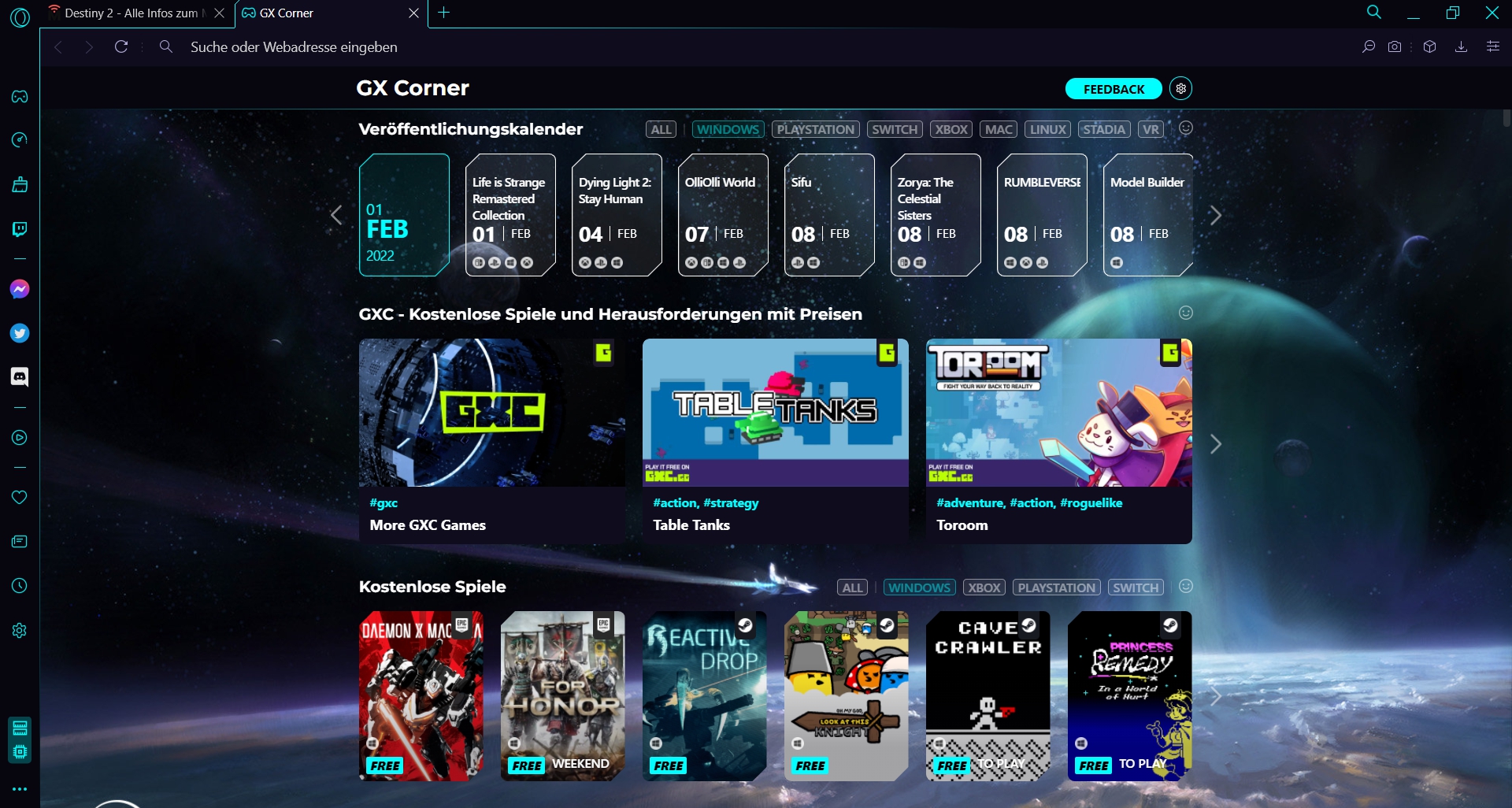
Furthermore, I can also compile my favorite gaming news and updates so I can be informed with just one click. The browser automatically updates these at the interval I set.
Pinboards are practical smart sticky notes: You can customize the sidebar, embellishing it with exactly the functions and services that are most interesting to you.
So, for example, I am using the Pinboards feature to gather my article ideas for Destiny 2, complementing them with relevant links, notes, files, or images. This saves not only sticky notes but is also very smart and organized.
Sound effects are not a must: I personally do not use the fairly detailed sound effects of the browser, which narrate my keystrokes, clicks, and the opening and closing of tabs. The sounds can be adjusted in volume, but are generally unnecessary and often annoying.
For the right vibes, I prefer to open the integrated player tool, giving me access to my Spotify and other music services.
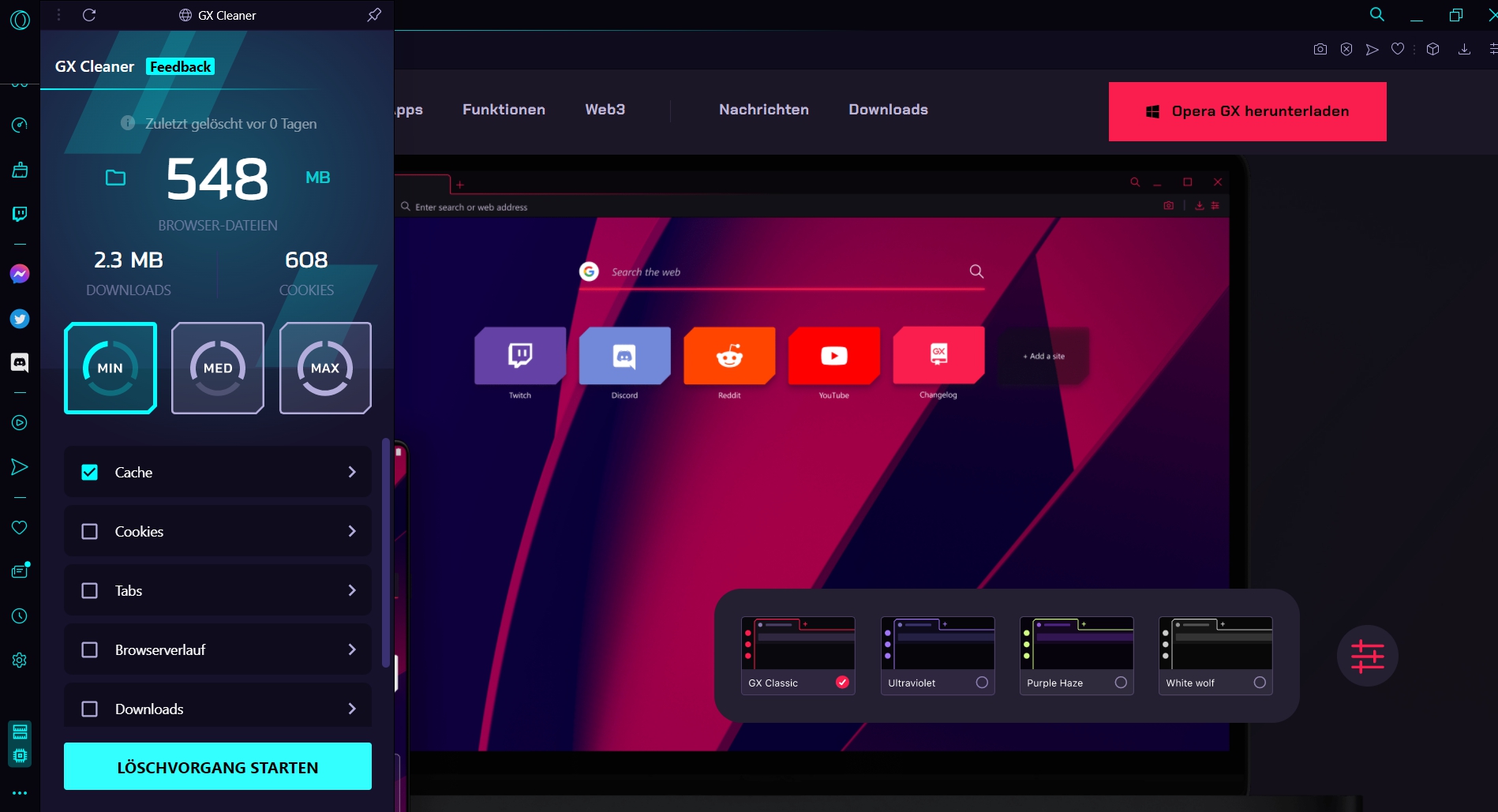
Essentially, the Opera GX Browser combines everything I expect from a dedicated browser as a gaming fan: Tuned performance, cool LED design, and my gaming and social media channels at a glance. There’s even an integrated VPN tool available if needed. It just can’t brew coffee yet.
Where can I get the browser and how much does it cost? If you also want to try and use the browser now, it’s completely free. You can download the gaming browser directly from the Opera website. Alternatively, it is also available through the Epic Store now.
If you need help: The Opera GX Discord community is well attended with over 350,000 members and also offers browser support and an overview of the latest changelogs. But generally, all features are self-explanatory, and you quickly familiarize yourself with the settings.
If you are interested in more practical things for gamers, I’d like to recommend the article from our shooter expert Marko. He is a big fan of glass mousepads and tells you why that was the best solution for his gameplay:
What do you think about Opera’s special gaming browser? Do you find the tools for gamers successful, and would the gaming features be a reason for you to switch browsers? Are you perhaps already using it? Let us know in the comments how you find the browser.

Your opinion is important to us!
Do you like the article? Then let us know!