

The MMORPG The Elder Scrolls Online can be modified by players with small expansions called Add-Ons. MeinMMO author Melli has really gone overboard and tells you why she needs 195 Add-Ons and why you should also access Add-Ons.
What are Add-Ons in ESO? Add-Ons are small expansions written by external people. They are not official features but rather an open interface. They can be compared to the more well-known mods from other games. Often, they are created by ESO players.
That’s why I need all 195 Add-Ons and can no longer play ESO without them
How did I end up with so many Add-Ons? It all started quite innocently. A guild mate drew my attention to the Add-Ons. There are many Add-Ons that simply make life easier. This means that, for example, the user interface becomes customizable. You can change many things that the actual game does not offer.
For trading in ESO, Add-Ons are essential. The prices suggested by the game are often miles away from what players would actually offer for them.
Generally, you can say that they give you extra structure. And that in many areas. Those who are lucky might still know someone who can write Add-Ons. Then you get your customization if desired.
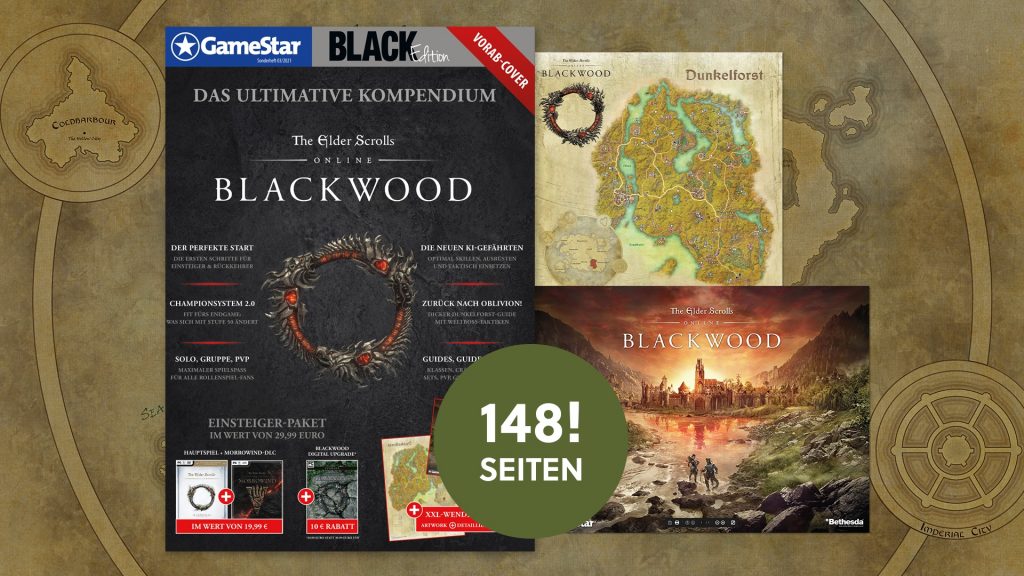
The ultimate compendium for ESO Blackwood
148 pages of guides for newcomers and returnees, including a free extra: ESO base game, Morrowind, and 25% off Blackwood at Gamesplanet.
Can I still live without so many Add-Ons? I have to admit that the original Vanilla ESO wouldn’t appeal to me at all anymore. I last noticed this at Gamescom 2019 at the ESO booth. The first thing I thought was: “Help! Where are my Add-Ons? Everything is so awkward.”
In general, Add-Ons do not make you a better player, but they save an incredible amount of time. And they make tedious but necessary tasks super easy.
This is what I use the Add-Ons for
Generally, this can be divided into several areas. Some of them I have already mentioned. Here’s an overview:
- Trading in ESO: Add-Ons that gather sales data and more, additional filters in guild stores
- Trials (Raids): Add-Ons that announce mechanics in combat
- Open World: This includes Add-Ons that show you the locations for everything possible (Sky Shards, Books, Locations, Resources, Quest Points, Shrines, etc.)
- User interface: (De-) Buff tracker, cooldowns, group display
- Combat analysis: Detailed statistics of your fights
- Role-specific helpers: Tank, Healer & DD Add-Ons
- Crafting: Overviews for all characters, automatic dailies, tracker
- Fishing: Tracker, filleting, statistics
- Guilds: Detailed view of guild events
- PvP: Group coordination for group leaders, capturing locations in Cyrodiil, tracker
- Housing: Positioning, coloring, additional functions
- Management: Add-Ons for managing Add-Ons → saving setups
- Armor & Skills: Saving setups and skill combinations
Manage all Add-Ons via Minion
How to deal with so many Add-Ons? In the past, managing Add-Ons was a bit more difficult. You had to manually download a few Add-Ons from the website esoui.com. This was cumbersome because you had to unpack the files and move them to the correct folder yourself.
In addition, of course, you also had to load updates in the same way. Since this was very time-consuming, it started with just a few Add-Ons. But then came Minion.
Minion is an Add-On manager you can use for ESO. The program takes almost all the work off your hands, and you can browse through Add-Ons like in a shop. With a click, you can download new Add-Ons, and the program puts them directly into the correct folder.
Updating is also super simple. You can even set it to update automatically when you open the program. And that’s when I started collecting Add-Ons.
Whenever you found yourself in the situation: “Oh, wouldn’t it be nice if there were a search bar here?” Or: “Wouldn’t it be much clearer if the enchantment was shown in the color that corresponds to the quality of the glyph?”
So a lot has accumulated over the years. After all, you could download everything with just one click. And eventually, I realized that I now have so many Add-Ons that I need an Add-On to manage the Add-Ons.
After all, I don’t need all Add-Ons at the same time. I’m also quite glad about that because some do put a strain on performance. The more data an Add-On collects, the lower your FPS (frames per second) will be.
But I ended up with 195 Add-Ons, none of which I would give up. It really is a gradual process, and eventually, someone will ask you: “How many Add-Ons do you actually have?” And then you realize that you’re in the three-digit range.
These Add-Ons you should also get
Advanced Filters – This Add-On lets you find items in your inventory even easier than before. It provides you with some extra subcategories. For people with inventory chaos, this is an absolute must.
Awesome Guild Store – Even though there have been some improvements in the normal guild store, I still prefer browsing the guild stores with the help of this Add-On. Everything is just a bit clearer, and there are more filters.
BeamMeUp – Teleporter (Fast Travel) – This Add-On is multifunctional. You can unlock wayshrines and simply collect trails and findings. I can’t live without it anymore.
Circonians Addon Selector – With a certain number of Add-Ons, it simply makes sense to save several setups. You can then access them with one click and don’t have to search every time.
Dolgubon’s Lazy Writ Crafter – Crafting dailies made even easier than the base game now offers us. This is really the absolute autopilot crafting mode. I regret nothing.
Combat Metrics – A general analysis tool for fights. Helps you and your group improve your uptimes and everything related.
Craftstore – Gives you a cross-character overview of everything related to crafting. You can also have unknown recipes and more marked. Very extensive and detailed.
Dressing Room – Here you can save setups. With key assignments, you can quickly switch between different skills and armors.
Map Pins – Shows you all important events on the map. On the right side, you have a list with filters that also makes some quests easier (Psijic, among others).
Inventory Insight – This Add-On shows you items on your characters and your bank. So if you ever forget which character grabbed your weapons, you will have to search much less with this.
Potion Maker (for Alchemy Crafting) – With this Add-On, you can filter by traits and create the desired potion. It’s also great for new characters; unknown potions will be marked for you, and you can click through the list once.
Tamriel Trade Centre – One of the 3 major Add-Ons for trading in ESO. I also recommend using the client as it automatically uploads your offers and others can find them in the browser.
Set Collection Marker (Sticker Book) – Marks items with a symbol if you do not have them in your collection yet. This way, you can easily swap armor with group members without having to click on everything individually.
WPamA (What Pledges at my Alts) – Cross-character Add-On. Here you will find all the information about pledges, weeklies, world boss quests, and more at a glance.
WritWorthy – With this Add-On, you can create previously marked master writs without actually having to think. Similar to Dolgubon’s Lazy Writ Crafter, just for master writs.
If you are also intensively dealing with housing (setting up homes in ESO), other Add-Ons will also be interesting for you. Have you already dealt with the furnishing content, or have you not yet ventured into the creative corner of the MMORPG?
If the latter applies to you, you should definitely check out our article ESO: All new houses in Blackwood. Because there might be a new home that sparks your interest and your creative side.

Your opinion is important to us!
Do you like the article? Then let us know!