

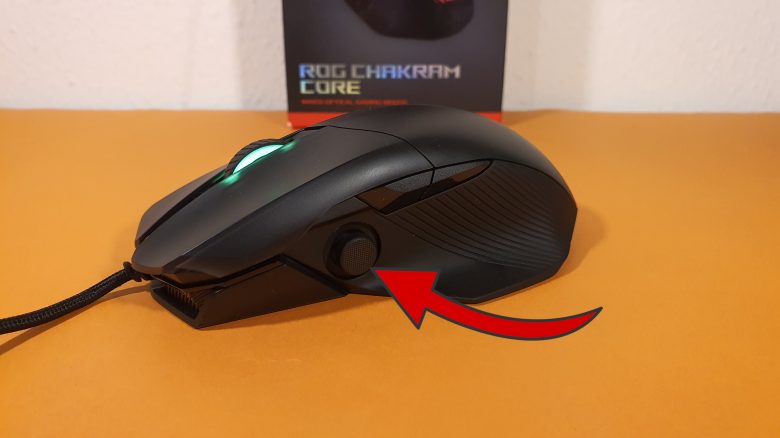
Practical Test in Comparison
In the following section, I compare the ASUS Chakram Core with the Logitech G502 Hero and the Roccat Kone XP. I will explain which mouse I prefer overall and also address any special features.
ROG Chakram Core vs Roccat Kone XP
How do the mice perform in comparison? The Kone XP seems much more playful compared to the Chakram Core and offers more details in design. ASUS opts for a more restrained design, and the manufacturing quality appears slightly better.
My Kone XP creaks slightly when I press it down, but that is not the case with the Chakram Core. However, I prefer the scroll wheel of the Kone XP over the ASUS model. The same goes for the mouse cable. Roccats software is clear as well, but it does not integrate shops and other things like ASUS into the software. Therefore, Roccats mouse has slightly the edge in the test for me.
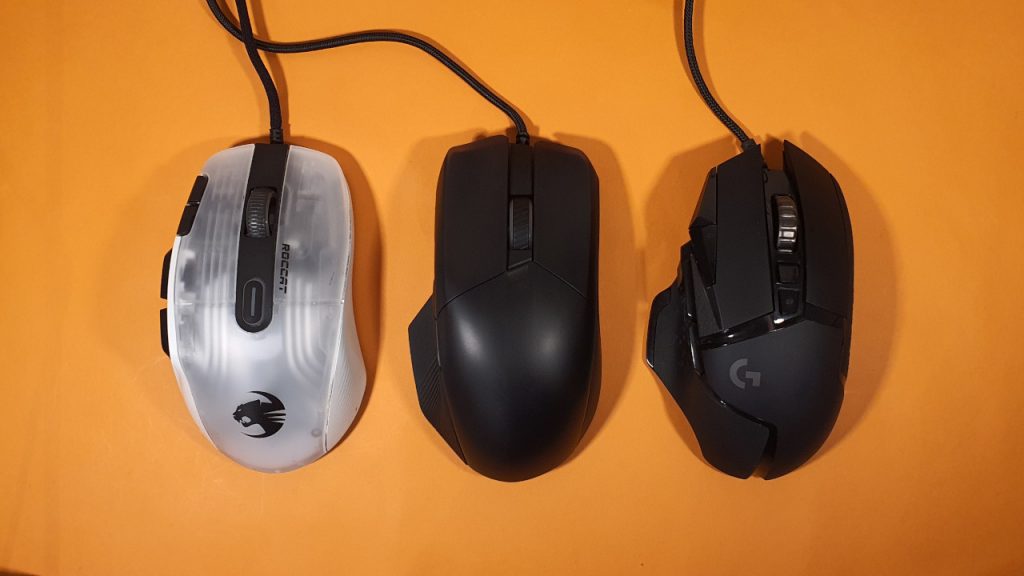
ROG Chakram Core vs Logitech G502 Hero
The Logitech G502 Hero is similarly reserved as the ASUS model. In terms of ergonomics, both are equally good in my large hand, but the front buttons (thumbstick on ASUS, sniper button on Logitech) are hard to reach for smaller hands.
On paper, Logitech has the clearly better sensor, but in practice, I don’t really feel the difference. The weight system of the G502 Hero is, like that of the Chakram Core, more of a nice gimmick than really sensible, as I hardly use it.
In terms of the scroll wheel, Logitech also has the upper hand since the free-spinning scroll wheel is unique. In terms of the mouse cable, there is a tie between the G502 Hero and the Chakram Core. With the G502X, Logitech has now installed a better mouse cable. I like to play with both mice, but I tend to see the G502 Hero slightly ahead.
You can read the entire test of the new G502X Lightspeed on MeinMMO:
Conclusion
For whom is the mouse suitable? Anyone looking for a high-quality mouse with fascinating features (removable button switches and thumbstick) will find it in the ROG Chakram Core. Especially the ergonomics impressed me during the test.
Currently, you can get the mouse for around 50 euros. That is a fair offer, as you pay a similar amount for competitors like the Kone XP or the G502 Hero.
What alternatives are there?
- The Logitech G502 Hero is a very good all-rounder with few notable weaknesses. You can also change the weight and get a more streamlined design. With the Lightspeed model, there is also a wireless version of the mouse.
- The Roccat Kone XP: A bit more features and similarly good ergonomics. You can already get the mouse for around 60 euros on sale and it is definitely recommendable for the price.
- The Razer Basilisk: Often referred to as a clone of the G502, this gaming mouse offers good ergonomics. As an ultimate model, you even get wireless functionality for a high price. The Basilisk V3 has also been released as a new edition of the mouse.
- The SteelSeries Rival 5: Also a good all-rounder with many features and a nice design. However, the ergonomics are not optimally solved for small hands. You can read the test of the Rival 5 on MeinMMO.
More gaming mice on MeinMMO: If you are looking for more recommended gaming mice, then check out our buying guide on MeinMMO. Here you will find the best gaming mice currently available:
The best gaming mice for shooters that you can buy in 2022

Your opinion is important to us!
Do you like the article? Then let us know!