

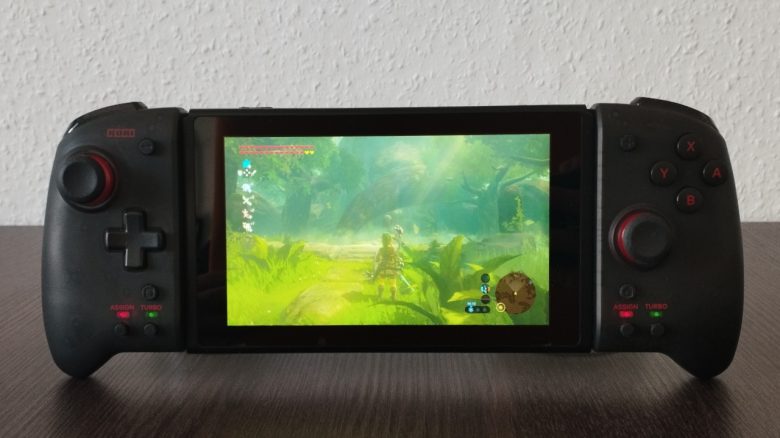
You have a Nintendo Switch but are not really getting along with the included Joy-Cons? Then there’s the perfect alternative for you – and it’s also cost-effective. We’re talking about the Split Pad Pro from Hori. MeinMMO editor Maximilian Dettenthaler has tried out the controller for you.
The Nintendo Switch is one of the most popular consoles in the world. In fact, it ranks fifth in the best-selling game consoles, doing even better than its quasi-predecessor, the also extremely popular Nintendo Wii.
The console is celebrated for a variety of reasons: in addition to the large selection of games, many exclusive titles, and family-friendliness, the mobility of the Switch is certainly a major selling point.
In handheld mode, it is the perfect console for on-the-go. Although it has a slightly lower resolution (720p instead of a maximum of 1080p when the console is docked and connected to a compatible device), it is perfectly suited for train rides, waiting room stays, or for players who love to travel.
What bothers me about the original Nintendo Switch? The console from Nintendo has a clear problem that I cannot deny: the Joy-Cons that come with it out of the box.
The Joy-Cons are often not just (much) too small for most adults, but they also make the console feel quite heavy. They are simply not ergonomic at all and thus very uncomfortable. Especially after long periods of playing in handheld mode, it can sometimes happen that your hands hurt or even cramp.
For this reason, I bought the officially licensed Split Pad Pro from Hori. And at just around 40 Euros, it is also a really cost-effective alternative to the rather annoying standard Joy-Cons, for which you typically have to pay 60 to 70 Euros. In this article, I will explain why this investment is definitely worth it for you.
The ergonomic controller for the Switch in detail
The Split Pad Pro is very well made, stable, and of good quality for the price.
Unlike the standard Joy-Cons, it does not have its own battery and can
only be used in handheld mode.
And although the power supply is therefore drawn from the console itself, the
energy consumption of the Switch is, surprisingly, not really
measurably higher in my opinion.
The ergonomic grip of the two handles and the lighter weight also ensure that the controller – especially compared to the normal Joy-Cons – fits really well in the hand and thus doesn’t become tiresome for hours of play.
Therefore, the Split Pad Pro is well suited for both children and adults with larger hands.
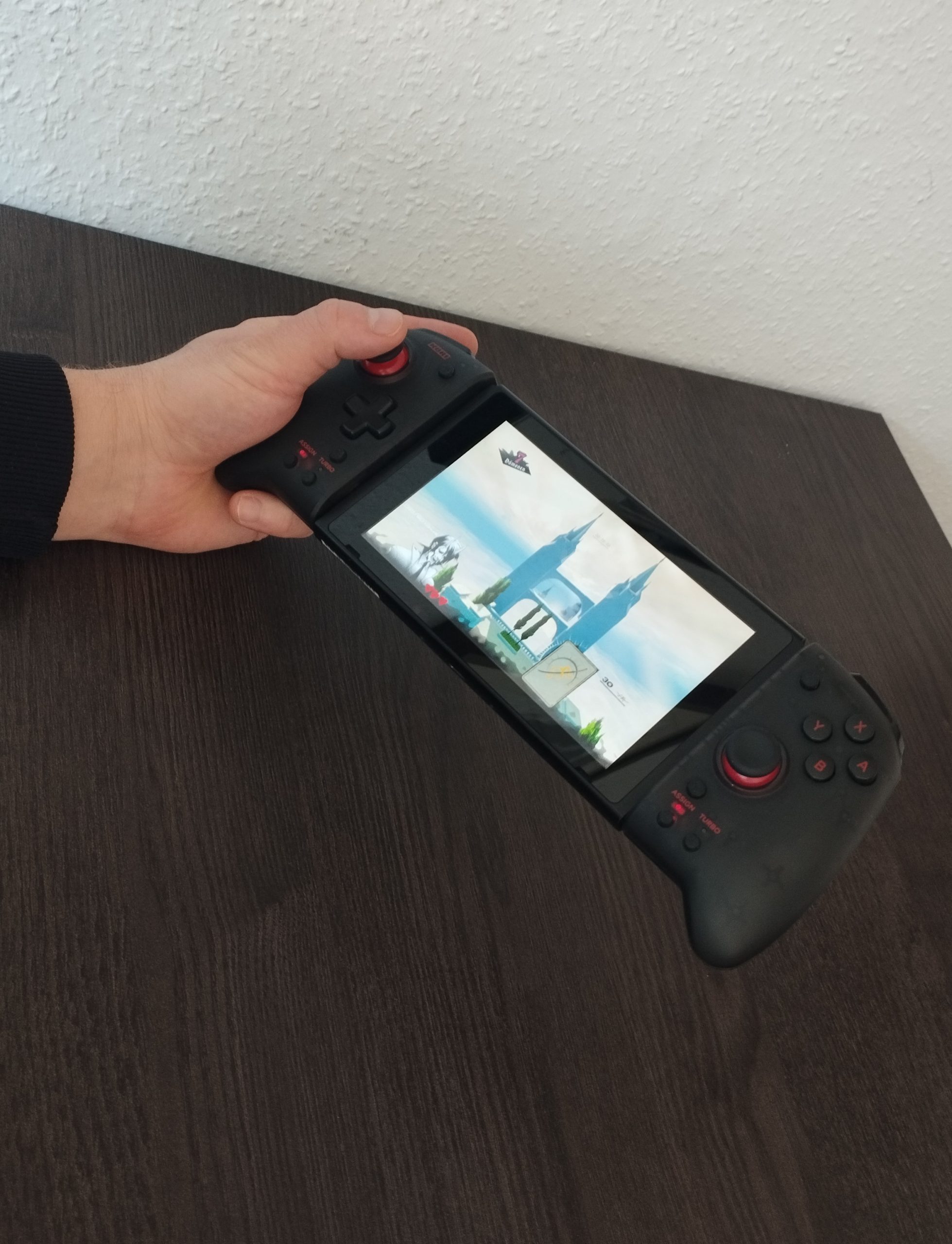
The controller is very precise – it even competes comfortably with the highly praised external
Pro Controller for the console. And the well-known drift problem of the Joy-Cons does
not exist here either. Additionally, the Split Pad Pro is effortlessly compatible with the OLED model of the Nintendo Switch and, in my opinion, provides the best experience you can have with the console in handheld mode.
You can also read an experience report on the Switch OLED on MeinMMO:
What functions does the Split Pad Pro offer? The controller offers some practical extras and functions that are absent in both the Joy-Cons and the Pro Controller:
- There is a button with a turbo function on each side of the controller. You can assign this to any button, as well as the D-Pad, allowing the controller to “be told” to rapidly repeat the selected button press or even hold it down continuously. I found this function particularly useful in The Legend of Zelda: Breath of the Wild when I assigned the run button to turbo, allowing Link to run automatically and continuously without any further action – at least until stamina runs out (so better collect your stamina containers!). You can also manually adjust the turbo frequency to your needs.
- In addition, there is another trigger button on the back end of each side of the controller. This can also be customized to your liking. This is something you may have seen in other controllers, such as the Xbox Elite Controller or even the upcoming DualSense Edge for the PS5.

What disadvantages does the Split Pad Pro have? Aside from the fact that it is a pure handheld-mode controller, the Split Pad Pro also lacks a rumble function (vibration) and gyro sensors (motion control).
However, since these functions are only truly effective in selected titles, I find these shortcomings personally manageable.
Conclusion: The best controller for handheld mode
Who is the controller recommended for? For anyone who often plays in handheld mode with their Switch and finds the included standard Joy-Cons simply uncomfortable, the Split Pad Pro from Hori is a must-have!
In my opinion, the advantages clearly outweigh the minor flaws, and with just around 40 Euros, the controller is really not too expensive. Especially compared to the Joy-Cons, for which you have to pay at least 60 Euros or more.
Further recommendations around the Nintendo Switch: Are you looking for more tips surrounding the Nintendo Switch? Then be sure to check out the following article: Here we explain how you can significantly improve your console for around 15 Euros:
For 15 Euros, I significantly improved the Nintendo Switch – you should too

Your opinion is important to us!
Do you like the article? Then let us know!