

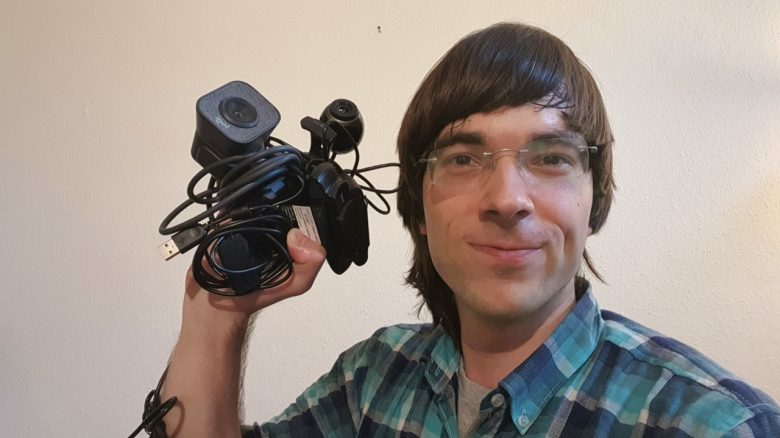
Whoever wants to conduct a video call in everyday life needs either a device with a built-in camera or opts for a webcam. MeinMMO editor Benedikt Schlotmann has bought half a dozen and reveals which camera he liked best.
How did the list come about? Since I work from home and regularly sit in calls or phone calls with colleagues, I need a webcam. After all, I’m expected to be visible in the conversations.
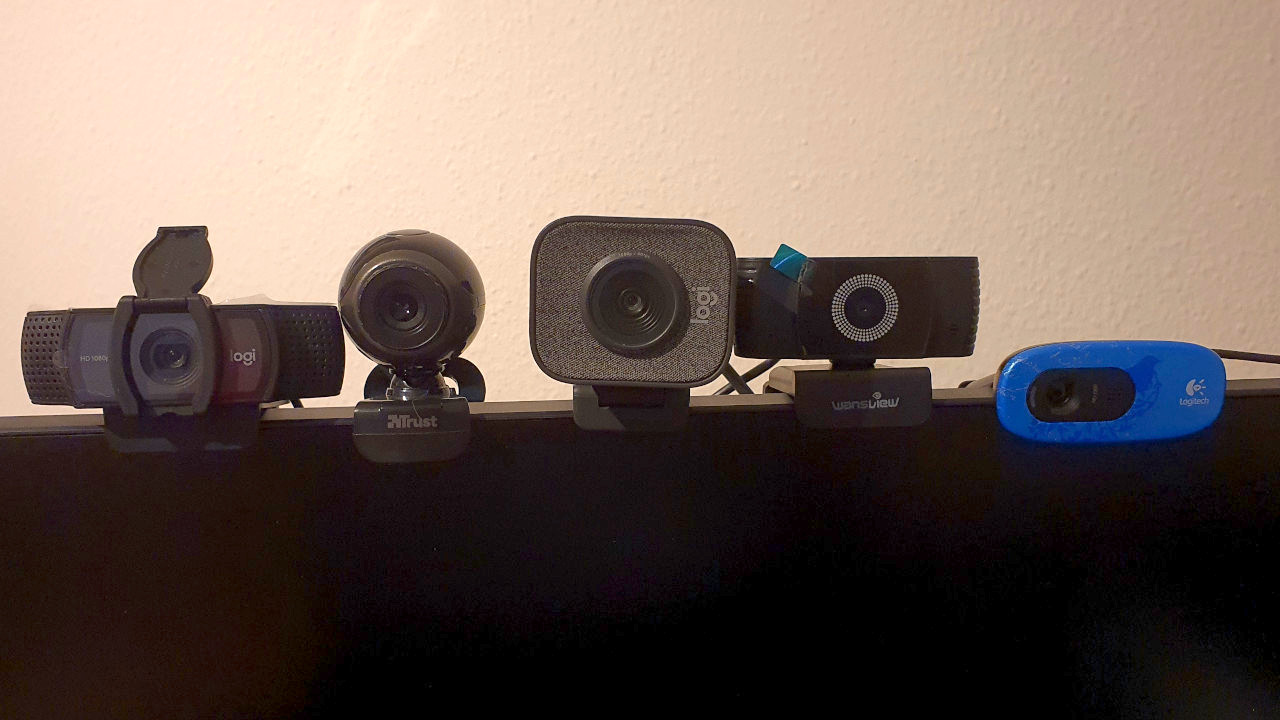
For this reason, I bought several webcams. Because I wanted to find out which webcam is best suited for my setup and may accompany me in my calls. From these webcams, this list was created, where I present my test devices in detail.
What criteria did I use to evaluate?
- Setup: How well and easily can the camera be set up? Do I need additional software?
Image quality: How do I look in the camera image? - Accessories: What comes with the device, and do I need anything else for the camera to work?
How did I test? Basically, I did not install any additional software or make any further settings for any camera. For all webcams, “Plug and Play” was used: connect the camera and then make recordings with OBS Studio or comparable software. I recorded the microphone with Audacity.
In the article, you will find an image and a sound recording of the microphone for each tested camera.
The 6-Euro webcam from the supermarket did not convince me at all
What does the device cost? I was able to purchase the Trust Exis for around 6 euros at a discount store around the corner. At that price, you can’t really go wrong, I thought. And I was mistaken.
What is my impression? The camera has a maximum resolution of 640 x 480 pixels. That is very low, and correspondingly tiny is the displayed image. Programs like Teams do scale my image up, but then I look heavily pixelated and very blurry. Every reasonably decent smartphone offers a better resolution.
Especially interesting is the connection possibility. The camera itself is connected to your computer via USB-A. If you want to use the internal microphone, you still have to plug in a jack connection. However, it is so damn short that your computer’s USB port and jack socket must be right next to each other.
How is the microphone? I was unable to get the microphone working on my test system. That’s why you won’t find any test recording here.

Logitech’s entry-level cam delivers a mediocre image combined with a decent microphone
What does the device cost? With the Logitech C270, the manufacturer Logitech has a camera in its portfolio that you can get on Amazon for around 15 euros.
What is my impression? The mounting bracket of the camera is fine and can also be attached to very bulky monitors. The setup is very quick, and the device is only connected via USB. The cable is also sufficiently long.
The image quality is a maximum of 720p; you will not get a Full HD camera. However, the image quality is sufficient for quick calls. Especially with changing lighting conditions, the device does not perform well. Noise cancellation works poorly. White balance and exposure adjustment are also not always optimal.
How is the microphone? The microphone is quite good compared to the image quality. My voice is clearly recognizable, but the recording does have some background noise.

A webcam from China for 25 euros offers decent quality in Full HD
What does the device cost? With the wansview Webcam, the manufacturer of the same name offers a camera with Full HD resolution. The price for the webcam is 25 euros.
What is my impression? The mounting is very easy and thanks to small adhesive spots, the camera also sits extremely firmly on very bulky monitors. Additionally, the camera is in a ball hinge and can be excellently readjusted if something is not right.
The image quality is indeed Full HD, but it does not completely convince me. The colors appear very pale, and the white balance does not work perfectly. However, the autofocus works well and quickly refocuses on me.
How is the microphone? The microphone of the wansview webcam is very quiet. I am understandable, but I would have to increase the output level significantly. What you can hear here is the default setting:

Logitech’s mid-range can convince me with good image quality
What does the device cost? The C920s, like the C270, comes from the manufacturer Logitech. The price ranges between 60 and 70 euros. The camera officially offers Full HD resolution.
What is my impression? The mounting is also no problem here. With a small additional foot on the mount, the camera does not slip off smooth surfaces and is additionally stabilized. The cable is also long enough so that I can run it behind my setup.
Through the official camera program from Microsoft and also via Discord, I appear sharply focused, and the autofocus does its job flawlessly. However, some colleagues criticize that I am not always displayed sharply on Teams. Therefore, I suspect it is due to the software and not the hardware.
The white balance works better than with previous models. The image is overall significantly more detailed than with the camera from the manufacturer wansview or Logitech’s C270.
How is the microphone? With the microphone, I am clearly understandable, although a bit artificial. Additionally, the recording has quite a bit of background noise, especially compared to the cheaper C270.

My most expensive webcam is bulky and offers a decent image
What does the device cost? Logitech’s Streamcam officially costs 160 euros but is now also available for 90 euros. The camera relies on Full HD and also uses a USB-C connection. An adapter from USB-C to USB-A was not included with mine. So if you don’t have a USB-C port on your computer, you will definitely need an adapter.
What is my impression? Similar to the C920s, the Streamcam also uses a small foot on the mount. The camera needs this desperately, as the model is very bulky. On a delicate gaming monitor from HP, the camera wouldn’t stay and kept sliding down due to its weight.
The image quality can convince me. I appear continuously sharp, and the autofocus quickly finds me again even with fast movements. The white balance generally works well. However, in bright light, the camera darkens the rest of the image. Then the window in the background appears sharp and with high contrast, while I blend into the darkness.
Compared to the C920s, the image appears brighter and paler. Unlike the C920s, the Streamcam lacks depth of field. So background details are lost, but for me, that is not so important since I use the camera in conversations with colleagues.
How is the microphone? The microphone is really good; I sound natural, and the recording is almost without disruptive noise. Especially compared to the C920s, you can notice the clear sound difference.

My conclusion: Winner, Loser, and the Surprise
Who is my winner? I had to think a long time about the winner, as both the C920s and Streamcam from Logitech offer a good image. Overall, the colors on the C920s are somewhat more vibrant, and the depth of field is significantly better. However, the microphone of the Streamcam is the best in the test among all cameras.
Since the Streamcam also didn’t fit on all my monitors, my decision ultimately falls on the C920s, which is 20 euros cheaper.
Who is the loser? By far, the cheap Trust Exis. The six euros are absolutely not worth the camera, and you should not consider buying it. Technically it is outdated, and for a few euros more, there are significantly better alternatives.
Is there a surprise? The wansview webcam actually surprised me. For 25 euros, there is already reasonable Full HD quality. If you are looking “only” for a webcam for irregular calls, I can definitely recommend this device. If you can compromise on image quality and prefer a better microphone, then the Logitech C270 is indeed also a viable option.
What do you think? Do you have a webcam that you can recommend or do you even own one from my list? Did you like my overview? Tell me in the comments!
More products for the eye: If you find normal webcams boring, you should take a look at the following example. Because this eerie device that looks like a human eye watches you when you are gaming or sitting at your desk. That may not appeal to everyone:
Eerie webcam watches you all the time while gaming

Your opinion is important to us!
Do you like the article? Then let us know!