

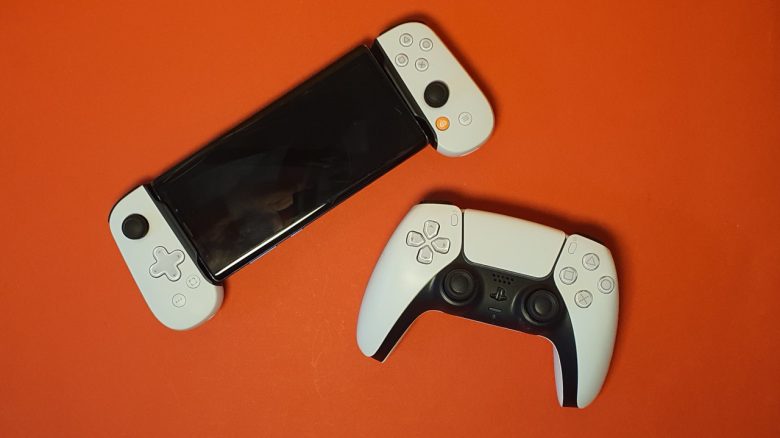
With the Backbone One, the manufacturer of the same name has introduced a mobile controller that offers the layout of the PlayStation. MeinMMO editor Benedikt Schlotmann has tested the model and reveals how well it plays.
The most important points at a glance:
- The Backbone One is a mobile controller with the layout of a PlayStation controller.
- The build quality of the controller is good, and the design resembles the DualSense controller.
- However, the software of the controller is disappointing and confusing.
- The controller is lighter than the PS5 controller, and the grips feel comfortable to hold.
- The Backbone One is suitable for mobile gaming and streaming, but there are also alternative controllers available.
What kind of controller is this? Most mobile controllers rely on the well-known Xbox design. However, if you want to play or stream PlayStation games directly, you might first be out of luck or have to use the Xbox design.
Backbone has introduced the Backbone One, a mobile controller that comes with official PlayStation licensing. If you can’t memorize the PS button layout anyway, then this offers an advantage.
But is the model worth it beyond just the logo and buttons? I tested the device with my phone and explain the advantages and disadvantages of the controller.
Who tested it?
I personally own over 20 gaming mice and have tested over 15 keyboards. I also own over 10 sets of in-ear headphones. Since 2019, I have been testing hardware for our readers at MeinMMO. In addition to my PC and PS5, I also use the Steam Deck.
The Backbone One was provided to me by the manufacturer for testing.

Benedikt Schlotmann
Hardware Editor MeinMMO
Features and Technical Details:
| Design/Interface | Asymmetrical controller with PlayStation interface |
| Software | App (Android, iOS) |
| Lighting | No |
| Compatibility | Mobile phone with Android or iOS |
| Scope of Delivery | Mobile controller (Backbone), manual |
| Special Features | PS layout, pass-through charging of the mobile phone |
| Price (RRP) | 119.99 Euro |
Oops, unfortunately this affiliate widget is no longer available. |
Scope of Delivery, Design, and Build
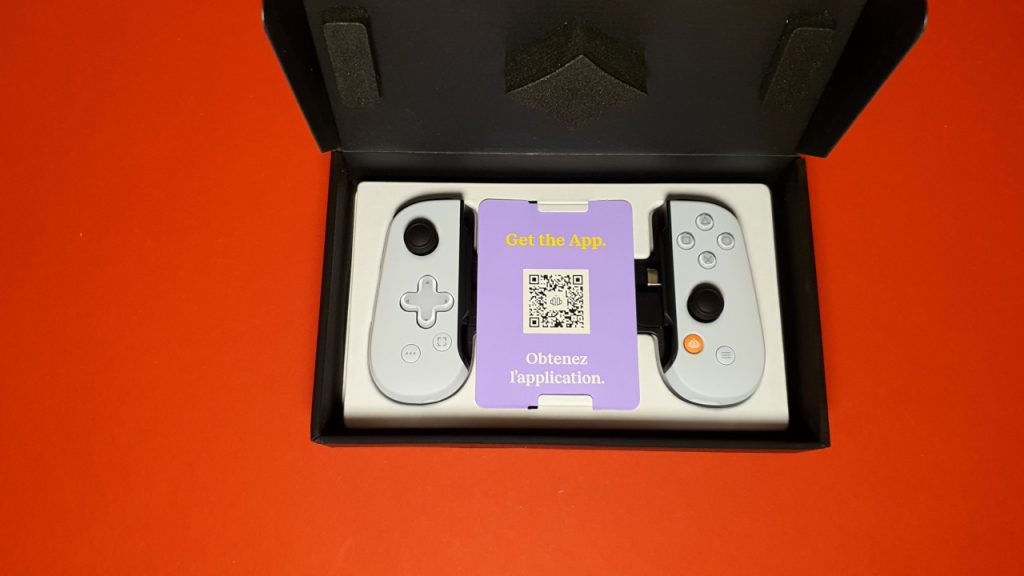
What’s included? The scope of delivery of the Backbone One is minimalist. Besides the controller module, there is only a manual in the box. Nothing more is included and is typically not needed.
If you want to charge your phone via the controller, you’ll need to use your own power supply and charging cable. Everyone should have at least one at home.
How is the controller designed?
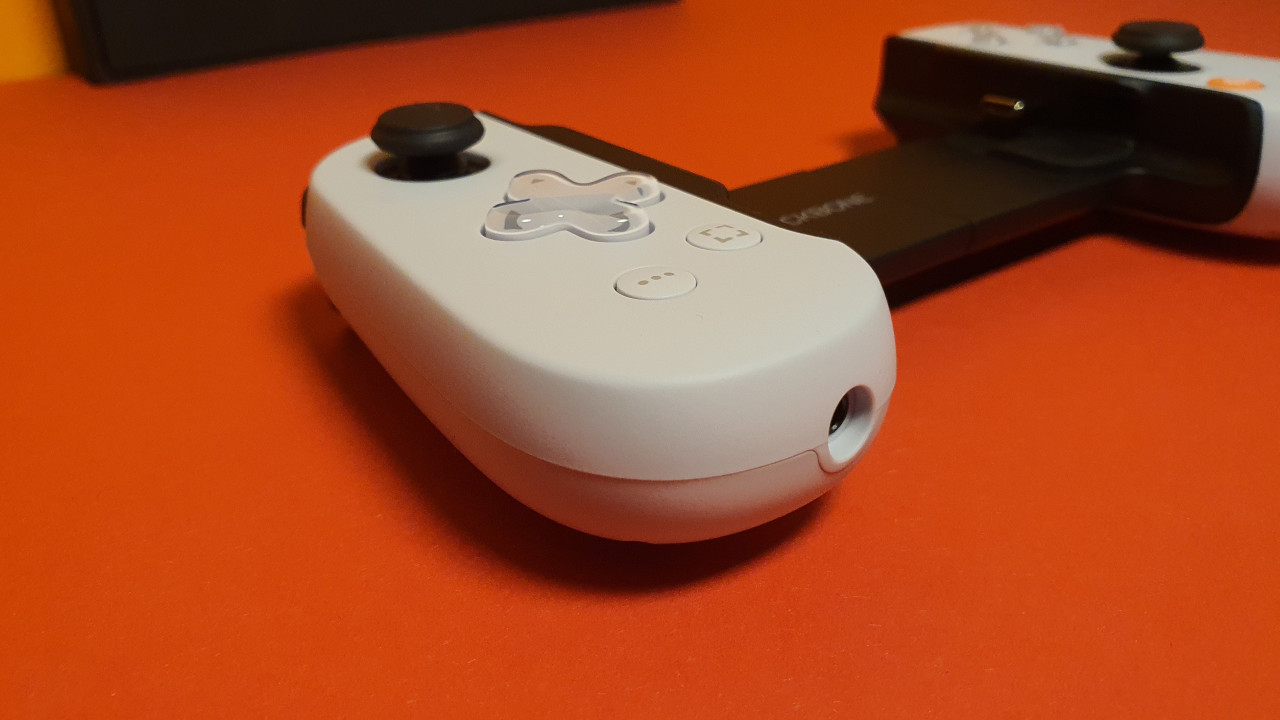
- On the front, there is the familiar layout of a PS controller.
- Compared to the “real” PS5 controller, the buttons and thumbsticks are slightly smaller.
- To play, the Backbone is extended and the phone is placed in the middle. Small rubber parts are supposed to ensure that your phone does not get scratched. It is hardly possible to attach a phone with a case.
- On the front, there is an additional USB port for charging the phone you are currently playing with and a 3.5mm headphone jack.
- Individual parts of the controller cannot be replaced; everything is fixed.
- The controller does not offer triggers or other additional buttons.
What does the controller look like? The Backbone One comes in a white design with black accents, strongly resembling the official DualSense controller. Otherwise, the design is understated and unspectacular. The manufacturer avoids RGB or other embellishments.
Build Quality
The build quality of the controller leaves a good impression. The device is made entirely of plastic, yet it feels valuable and not cheap.
The controller is stiff when you want to pull it apart to clamp your phone between, but I find that good since it gives me the feeling that my phone cannot suddenly detach from the controller.
The buttons, both the D-pad and the individual buttons, provide me with a good tactile feedback. Nothing wobbles or rattles here. Only the thumbsticks have a little play in their mount for loose movement.
The Software
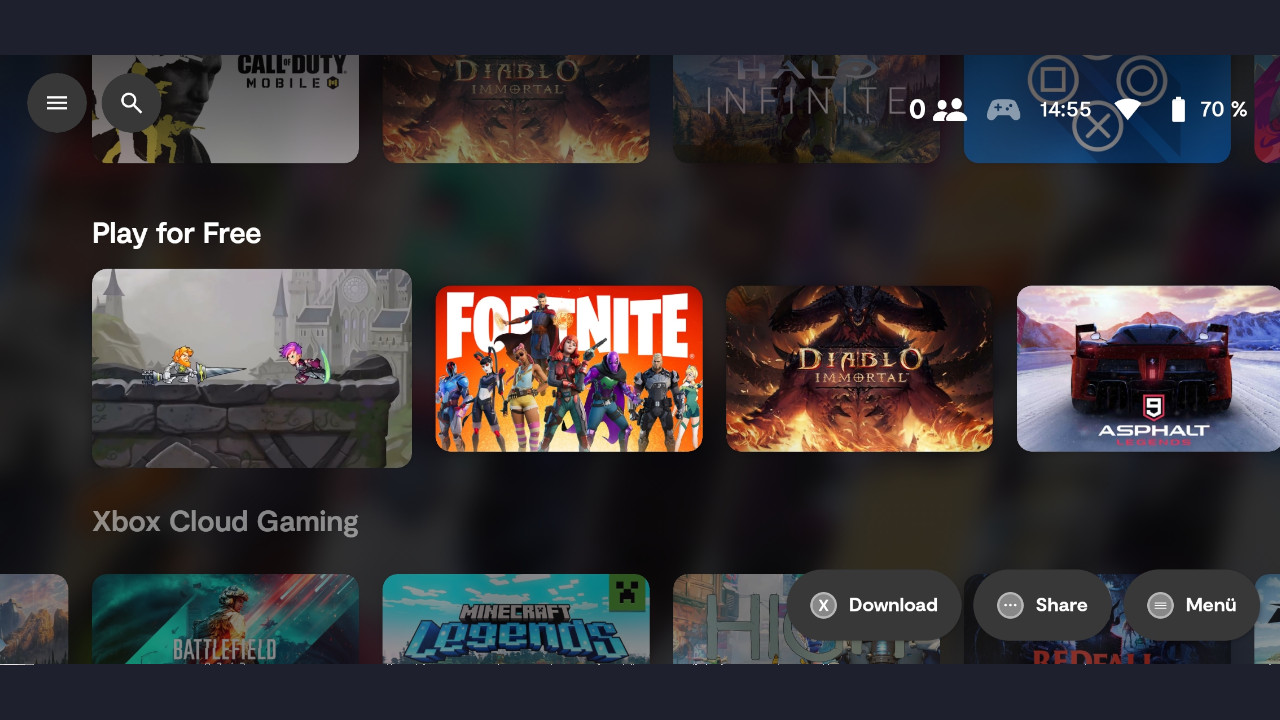
In the Backbone app, you must register either with an Apple or Google account if you want to use the app. An alternative is currently not possible (as of July 2023).
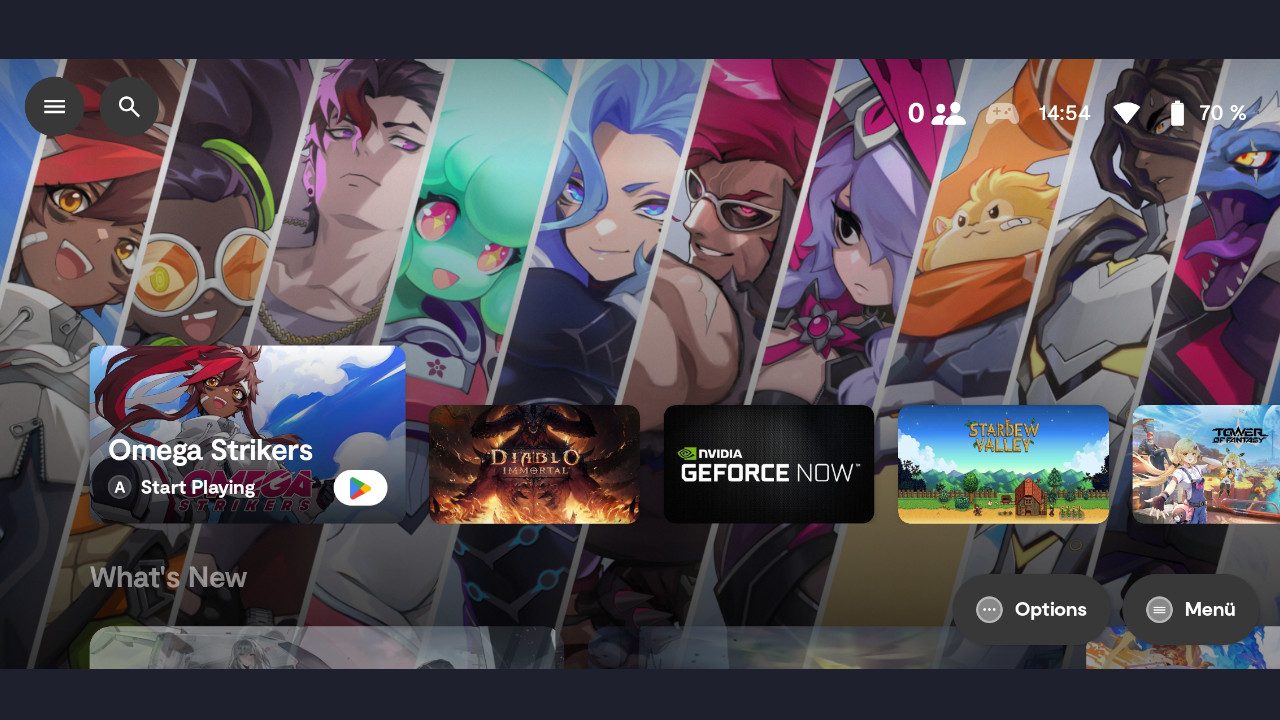
The app itself feels like a weak imitation of GeForce Now or the launcher from the Xbox Game Pass. The app is heavily overloaded with suggestions for free games, videos, and gameplay. This directly discourages me from wanting to use the app significantly.
Furthermore, I see no advantage in using this app in everyday life. I can do without friend lists, screenshot and recording features:
- I can take screenshots and game recordings directly via Android.
- I already have friend lists with Steam, PlayStation Network, and others.
In my opinion, the software is the major weak point of the device. And although I have to say it harshly: Mandatory account sign-ups and overloaded apps discourage me as a customer instead of actually binding me to a company (and its product). Companies like Razer have quickly abolished such registration requirements for good reasons.
However, it should be noted: To start and play games, I do not necessarily have to use the app. I can therefore fundamentally uninstall it again.
With Backbone+, there is already a paid subscription service, but it is not yet available on Android. The price on iOS is around 50 Euro per year. This does not make the app more appealing in the long term. More info about the subscription directly from the manufacturer.
On the next page, I will discuss ergonomics, weight, and practical experiences with the Backbone. In the concluding summary, I explain whether and for whom the device is worthwhile.

Your opinion is important to us!
Do you like the article? Then let us know!